This is the full developer documentation for Open Payments
# Open Payments
> Open Payments is an open API standard that can be implemented by account servicing entities to facilitate interoperability in the setup and completion of payments for different use cases.
# Amounts
Summary
Amounts in Open Payments define monetary values using asset codes and asset scales. They provide a standardized way to represent money across different currencies and payment scenarios.
Amounts represent monetary values and are fundamental to every Open Payments operation. Whether you’re creating an incoming payment, requesting a quote, or tracking payment progress, every amount consists of three key components: a numerical `value`, an `assetCode`, and an `assetScale`. Understanding these components is crucial for building Open Payments applications.
## Debit and receive amounts
[Section titled “Debit and receive amounts”](#debit-and-receive-amounts)
Before learning about amount components, you should understand the difference between debit and receive amounts.
* Debit amount - The total amount that a sender will be charged, in their asset/currency, with the completion of an outgoing payment
* Receive amount - The amount that will be paid into the recipient’s account in their asset/currency
## Values
[Section titled “Values”](#values)
The first component that makes up an amount is a numerical `value`.
To maximize precision and avoid rounding errors in financial calculations, Open Payments uses numerical data types without decimals to represent values. In the context of programming languages, this means that Open Payments uses unsigned 64-bit integers for monetary amounts instead of floating-point numbers.
An example of a `value` is the number `10000`.
## Asset codes
[Section titled “Asset codes”](#asset-codes)
The second component of an amount is an `assetCode`.
Asset codes identify the type of currency or asset being used in a payment and should follow the [ISO 4217](https://en.wikipedia.org/wiki/ISO_4217) standard for currency representation.
An example of an ISO 4217 `assetCode` is `USD`, which represents the US Dollar.
## Asset scales
[Section titled “Asset scales”](#asset-scales)
The third component of an amount is an `assetScale`.
An asset scale tells you how many decimal places a currency uses. It’s like specifying whether you’re counting in dollars, cents, or smaller units.
Asset scales are numbers between 0 and 255 that indicate decimal precision.
In the case of `USD` with an `assetScale` of 2, the display amount of $100.00 is stored and represented as 10000 cents.
Thus, the conversion formula is:
10assetScalevalue=display amount
Using the preceding example, the formula looks like this:
10210000=10010000=$100.00
### Examples by currency
[Section titled “Examples by currency”](#examples-by-currency)
| Currency | Asset Code | Asset Scale | Integer Amount (Value) | Actual Value |
| ------------------ | ---------- | ----------- | ---------------------- | ------------ |
| US Dollar | `USD` | 2 | 10000 | $100.00 |
| Euro | `EUR` | 2 | 2550 | €25.50 |
| British Pound | `GBP` | 2 | 3250 | £32.50 |
| Japanese Yen | `JPY` | 0 | 1000 | ¥1000 |
| Mexican Peso | `MXN` | 2 | 18500 | $185.00 |
| Jordanian Dinar | `JOD` | 3 | 1000 | د.ا1.000 |
| South African Rand | `ZAR` | 2 | 1500 | R15.00 |
## Amounts in Open Payments
[Section titled “Amounts in Open Payments”](#amounts-in-open-payments)
Using the three necessary components of `value`, `assetCode`, and `assetScale`, $100 USD would be represented in Open Payments using the following structure:
```json
{
"value": "10000",
"assetCode": "USD",
"assetScale": 2
}
```
This consistent structure enables multi-currency payments, precise calculations, and seamless integration between different ASEs?Account servicing entity.
# Authorization
Summary
Authorization in Open Payments refers to the process by which a client obtains permission from a resource owner to access and perform operations on protected resources.
Open Payments leverages the [Grant Negotiation and Authorization Protocol (GNAP)](https://www.rfc-editor.org/info/rfc9635/) as the mechanism by which the piece of software, known as a client instance (or client for short), is delegated authorization to use the Open Payments APIs to interface with supported accounts.
## Authorization server
[Section titled “Authorization server”](#authorization-server)
The authorization server grants permission for a client to access the Open Payments APIs and the `incoming-payment`, `quote`, and `outgoing-payment` resources. It does this by issuing access tokens, which represent a set of access rights and/or attributes granted to the client. With the appropriate access tokens, the client can perform allowed operations, such as creating incoming and outgoing payments, on behalf of the resource owner (RO).
For ASEs
ASEs should refer to [Authorization server](/implement/auth-server/).
### Relationship between grants and access tokens
[Section titled “Relationship between grants and access tokens”](#relationship-between-grants-and-access-tokens)
A **grant** is an authorization issued by the RO that allows a client to access specific resources. The grant specifies the type of actions the client is allowed to perform. Grants may require user interaction and can be contingent on the RO’s consent. The authorization server validates the grant each time the client uses their access token.
An **access token** is issued after a grant request is approved by the authorization server. This token serves as a credential that the client uses to authenticate itself when making requests to access protected resources. The access token contains information about the permissions granted, including the specific actions the client can perform and the resources it can access.
## Grant types
[Section titled “Grant types”](#grant-types)
This section outlines the different types of grants that clients can request within Open Payments. While the flow often begins with an incoming payment grant, there are scenarios where other grant types may be requested first.
### incoming-payment
[Section titled “incoming-payment”](#incoming-payment)
A client typically begins the Open Payments flow by requesting an incoming payment grant from the authorization server on the *recipient* side. However, there are instances where the client may request an outgoing payment grant first, such as in the case of [Web Monetization](https://webmonetization.org).
The client can request a single grant to create multiple incoming payments for different Open Payments-enabled accounts as long as each account belongs to the same ASE?Account servicing entity.
Incoming payment grants are non-interactive by default, meaning interaction by an individual (typically the client’s user) is not required for the authorization server to issue an access token. If the grant request includes the `list-all` action, the authorization server should require interaction before issuing an access token, since that action lets the client list incoming payments it did not create. Clients can use [directed identity](/identity/client-keys#client-requests) for incoming payment grant requests.
### quote
[Section titled “quote”](#quote)
After the client receives an incoming payment grant and an incoming payment resource is created on the recipient’s account, the client requests a quote grant from the authorization server on the *sender* side. The client can request a single grant to create multiple quotes for different Open Payments-enabled accounts as long as each account belongs to the same ASE?Account servicing entity.
Quote grants are non-interactive by default, meaning interaction by an individual (typically the client’s user) is not required for the authorization server to issue an access token. If the grant request includes the `list-all` action, the authorization server should require interaction before issuing an access token, since that action lets the client list quotes it did not create. Clients can also use [directed identity](/identity/client-keys#client-requests) for quote grant requests.
### outgoing-payment
[Section titled “outgoing-payment”](#outgoing-payment)
Having progressed through the incoming payment and quote portions of the Open Payments flow, the client is ready to request an outgoing payment grant from the authorization server on the *sender* side.
Open Payments requires outgoing payment grant requests to be interactive. When a grant request is interactive, it means explicit interaction by an individual (typically the client’s user) is a required step in the delegation process.
After a successful interaction, the client must issue a [Grant Continuation request](/apis/#tag/grant/POST/continue/%7Bid%7D) so the authorization server knows to issue an access token.
## More about authorization
[Section titled “More about authorization”](#more-about-authorization)
For a deeper dive into authorization topics including GNAP and requesting grants, refer to [Grant negotiation and authorization](/identity/grants) and the other pages under **Identity and access management**.
# Open Payments flow
Summary
When a client issues payment instructions, numerous interactions between the client and servers are needed to obtain grants, verify identities, and create the resources required to complete a transaction.
This page provides a high-level look at the API calls and interactions that occur between the client and servers during a payment. The sequence diagrams are for illustrative purposes and may be simplified in some instances.
### Assumptions
[Section titled “Assumptions”](#assumptions)
* The client’s?Such as a mobile or web application or service user is the sender.
* The client already has the sender’s Open Payments-enabled account details and is able to send payments on their behalf.
## Get account details
[Section titled “Get account details”](#get-account-details)
A client retrieves public details about a recipient’s Open Payments-enabled account by issuing a [GET request](/apis/#tag/wallet-address/GET/) to the recipient’s wallet address. Details include the asset code and scale of the underlying account and the authorization and resource server URLs which the client needs to set up a payment to the recipient.
```
sequenceDiagram
participant C as Client
participant WA as Wallet address
C->>WA: GET wallet address URL (e.g. https://wallet.example.com/alice)
WA-->>C: 200 wallet address found, return public account details
```
View full diagramDownload diagram
## Incoming payment
[Section titled “Incoming payment”](#incoming-payment)
The client first [requests/receives a grant](/apis/#tag/grant/POST/) from the authorization server of the recipient’s ASE?account servicing entity to create an `incoming-payment` resource. The client then sends a request to the ASE’s resource server to [create the resource](/apis/#tag/incoming-payment/POST/incoming-payments). When created, the resource server returns unique payment details the client will use to address one or more payments to the recipient.
```
sequenceDiagram
participant C as Client
participant AS as Authorization server
recipient's ASE
participant RS as Resource server
recipient's ASE
C->>AS: POST grant request with type=incoming-payment
AS-->>C: 200 OK, returns access token
C->>RS: POST create incoming payment
RS-->>C: 201 incoming payment created, return incoming payment with public details
```
View full diagramDownload diagram
## Quote
[Section titled “Quote”](#quote)
The client [requests/receives a grant](/apis/#tag/grant/POST/) from the authorization server of the sender’s ASE?Account servicing entity to create a `quote` resource. The client then sends a request to the resource server to [create the resource](/apis/#tag/quote/POST/quotes). When created, the resource server returns, among other things, a quote `id` and the amount it will cost to make the payment.
```
sequenceDiagram
participant C as Client
participant AS as Authorization server
sender's ASE
participant RS as Resource server
sender's ASE
C->>AS: POST grant request with type=quote
AS-->>C: 200 OK, returns access token
C->>RS: POST create quote
RS-->>C: 201 quote created, returns quote details
```
View full diagramDownload diagram
## Outgoing payment
[Section titled “Outgoing payment”](#outgoing-payment)
Before an outgoing payment resource can be created on the sender’s account, Open Payments requires the client to send an [interactive grant request](/apis/#tag/grant/POST/) to the authorization server of the sender’s ASE?Account servicing entity.
An interactive grant requires explicit consent be collected from the sender before an access token is issued. While the client must facilitate the interaction, the authorization server and identity provider (IdP) of the sender’s ASE are responsible for the interface and collecting consent.
After consent is obtained, the client requests permission to [continue the grant request](/apis/#tag/grant/POST/continue/%7Bid%7D) to obtain an access token.
Continue request timing
For outgoing payments, explicit user consent is required before proceeding with the continuation request. After the user completes their interaction with the identity provider (IdP), they should be redirected back to your app. At this point, you can make the grant continuation request. In scenarios where a user interface isn’t available, consider implementing a polling mechanism to check for the completion of the interaction.
```
sequenceDiagram autonumber
Client->>Authorization server (AS): POST grant request (with interact object)
Authorization server (AS)-->>Client: 200 OK, returns interact redirect URI and continue URI
Client->>Authorization server (AS): Navigates to interact redirect URI
Authorization server (AS)->>Authorization server (AS): Starts interaction and sets session
Authorization server (AS)-->>Client: 302 temporary redirect to identity provider
URI with grant info in query string
Client->>Identity provider (IdP): Redirects to identity provider
Identity provider (IdP)->>Identity provider (IdP): Resource owner (e.g. client user)
accepts interaction
Identity provider (IdP)->>Authorization server (AS): Sends interaction choice
Authorization server (AS)-->>Identity provider (IdP): 202 choice accepted
Identity provider (IdP)->>Authorization server (AS): Requests to finish interaction
Authorization server (AS)->>Authorization server (AS): Ends session
Authorization server (AS)-->>Identity provider (IdP): 302 temporary redirect to finish URI
(defined in initial grant request)
secured with unique hash and
interact_ref in query string
Identity provider (IdP)->>Client: Follows redirect
Client->>Client: Verifies hash
Client->>Authorization server (AS): POST grant continuation request with
interact_ref in body to continue URI
Authorization server (AS)-->>Client: 200 OK, returns grant access token
```
View full diagramDownload diagram
Once an access token is acquired, the client can request the creation of the [outgoing-payment resource](/apis/#tag/outgoing-payment/POST/outgoing-payments). The setup of the payment is complete and the Open Payments flow ends after the resource is created.
```
sequenceDiagram
participant C as Client
participant RS as Resource server
sender's ASE
C->>RS: POST create outgoing payment
RS-->>C: 201 outgoing payment created,
returns outgoing payment details
```
View full diagramDownload diagram
## Get transaction history
[Section titled “Get transaction history”](#get-transaction-history)
To provide a user with their transaction history, the client can retrieve a list of the user’s [incoming (received) payments](/apis/#tag/incoming-payment/GET/incoming-payments) and [outgoing (sent) payments](/apis/#tag/outgoing-payment/GET/outgoing-payments).
```
sequenceDiagram
participant C as Client
participant RS as Resource server
C->>RS: GET list of incoming/outgoing payments
with wallet-address={URL of wallet address}
RS-->>C: 200 OK, returns array of incoming/outgoing payments
with relevant payment details
```
View full diagramDownload diagram
Similarly, the client can provide the user with details about a specific [incoming](/apis/#tag/incoming-payment/GET/incoming-payments/%7Bid%7D) or [outgoing](/apis/#tag/outgoing-payment/GET/outgoing-payments/%7Bid%7D) payment.
```
sequenceDiagram
participant C as Client
participant RS as Resource server
C->>RS: GET an incoming/outgoing payment with
id={URL identifying incoming/outgoing payment}
RS-->>C: 200 incoming/outgoing payment found,
returns incoming/outgoing payment details
```
View full diagramDownload diagram
## Bringing it all together
[Section titled “Bringing it all together”](#bringing-it-all-together)
This diagram brings the aforementioned concepts together, except for getting transaction history, to present a full transaction sequence. A link to view a larger version of the diagram is provided at the bottom of the page.
As shown below, both the sender and the recipient’s ASEs must operate their own authorization and resource servers. Grant requests for incoming payment and quote resources are typically non-interactive. A grant request for an outgoing payment resource requires explicit consent from the sender (for example, the client’s user), which is obtained through the sender’s [identity provider](/identity/idp/).
More information about grant interaction flows can be found in the [Grant negotiation and authorization](/identity/grants) page.
```
sequenceDiagram
autonumber
box rgb(225,245,254) Sender's
account servicing entity
participant SIDP as Identity provider
participant SRS as Resource server
participant SAS as Auth server
end
participant SC as Client
box rgb(232,245,233) Recipient's
account servicing entity
participant RW as Wallet address URL
participant RAS as Auth server
participant RRS as Resource server
end
SC->>+RW: Requests the wallet address
RW-->>-SC: Provides the wallet address details
SC->>+RAS: Requests a non-interactive grant for an incoming payment
RAS-->>-SC: Provides access token and grant for the payment
SC->>+RRS: Request to create the incoming payment
RRS->>+RAS: Requests access token validation
RAS-->>-RRS: Access token is validated
RRS-->>-SC: Responds with created incoming payment details
SC->>+SAS: Requests a non-interactive grant for a quote
SAS-->>-SC: Provides access token and grant for the quote
SC->>+SRS: Request to create the quote
SRS-->>-SC: Quote is created
SC->>+SAS: Requests an interactive grant for an outgoing payment
SAS-->>-SC: Provides interact redirect URI and continue URI
SC->>+SAS: Navigates to the interact redirect URI
SAS->>SAS: Starts the interaction process and sets up the session
SAS-->>-SC: Provides identity provider URI
SC->>+SIDP: Navigates (redirects) to identity provider
SIDP->>SIDP: Sender accepts interaction,
confirms payment intent
SIDP->>SAS: Sends interaction choice
SAS-->>SIDP: Confirms the choice has been accepted
SIDP->>SAS: Requests to finalize the interaction
SAS->>SAS: Completes the session
SAS->>SIDP: Redirects to interact URI defined in initial grant request
SIDP-->>-SC: Client follows redirect
SC->>SC: Verifies hash
SC->>+SAS: Requests a grant continuation
SAS-->>SC: Provides a grant access token
SC->>+SRS: Request to create the outgoing payment
SRS->>SAS: Requests access token validation
SAS-->>SRS: Access token is validated
SRS->>-SC: Responds with created outgoing payment details
```
View full diagramDownload diagram
# Payment methods
Summary
A payment method tells the sender’s ASE how to deliver funds to the recipient’s ASE. The recipient’s ASE specifies the payment method in the `incoming-payment` response. Interledger (ILP) is currently the only payment method integrated with Open Payments.
The payment method is the means by which the sender’s ASE will fulfill its payment obligations to the recipient’s ASE. Cash, credit/debit cards, bank transfers, gift cards and mobile money can all be considered different payment methods.
When an `outgoing-payment` is completed against an open and active `incoming-payment`, the sender’s ASE becomes obligated to make payment using the payment method initially specified in the `incoming-payment` response.
Though Open Payments is designed to be an abstraction layer that can issue payment instructions between transacting parties atop any payment method, [Interledger (ILP)](https://interledger.org) is the only payment method that currently integrates with Open Payments readily.
When using ILP as a payment method in Open Payments, the following information is required from the recipient’s ASE, in the incoming payment’s `method` object.
* A `type` of `ilp` to indicate the payment method.
* The [ILP address](https://interledger.org/developers/rfcs/ilp-addresses/) of the recipient’s ASE: The ILP address is required so that packets representing payments routed over the Interledger network will be forwarded to the node owned and operated by the intended receiver (i.e. recipient’s ASE).
* A shared secret: A cryptographically secured secret to be exchanged between the sender’s ASE and the recipient’s ASE to ensure that packets sent over the Interledger network through a [STREAM](https://interledger.org/developers/rfcs/stream-protocol/) connection can only be read by the two parties.
incoming-payment methods object
```http
"methods": [
{
"type": "ilp",
"ilpAddress": "g.ilp.iwuyge987y.98y08y",
"sharedSecret": "1c7eaXa4rd2fFOBl1iydvCT1tV5TbM3RW1WLCafu_JA"
}
]
```
After the `incoming-payment` response is received, the sender’s ASE creates a `quote` request containing `"method": "ilp"`.
# Resources
Summary
Open Payments payments are set up through three resource types hosted by a resource server: `incoming-payment`, `quote`, and `outgoing-payment`. Clients create these resources in sequence to establish payment details on the recipient’s account, lock in cost on the sender’s account, and issue the payment instruction.
The Open Payments APIs are served by a resource server. Operations on the APIs require the client to have a valid access token issued by a trusted authorization server.
## Resource types
[Section titled “Resource types”](#resource-types)
An Open Payments resource server hosts three sets of APIs, those for incoming payments, quotes, and outgoing payments. A client must receive authorization, via grants, to use any of the APIs.
Each set of APIs has its own resource type: `incoming-payment`, `quote`, and `outgoing-payment`.
For ASEs
ASEs should refer to [Resource server](/implement/resource-server/).
### incoming-payment
[Section titled “incoming-payment”](#incoming-payment)
An `incoming-payment` resource is often the first resource created in a payment flow, by way of the [Create Incoming Payment API](/apis/#tag/incoming-payment/POST/incoming-payments). The resource is created on the recipient’s account.
The recipient’s account servicing entity (ASE) then returns unique payment details that the client will use to address payments to the recipient. Any payments received using these details are associated with the `incoming-payment` resource.
**incomingAmount**
An incoming payment request can include or exclude an `incomingAmount`.
When an `incomingAmount` is included, the amount represents the maximum amount to pay into the recipient’s account. One or more payments can be issued using the resource’s unique details but their total amounts can’t exceed the maximum.
When an `incomingAmount` is excluded, the creation of the subsequent `quote` resource must contain either a debit amount or a receive amount, discussed in the next section.
Excluding an `incomingAmount` means the recipient’s ASE won’t know how much to expect. As such, they won’t immediately know when a payment is complete. The client can call the [Complete an Incoming Payment API](/apis/#tag/incoming-payment/POST/incoming-payments/%7Bid%7D/complete) to let the ASE know not to expect further payment. Otherwise, the payment session will eventually expire.
Use case: streaming Web Monetization payments
Supporting streaming [Web Monetization](https://webmonetization.org) payments is one use case for excluding an `incomingAmount`. The time a user spends on a web monetized site is unknown to the recipient’s ASE. Payments will stream until the session ends. The Web Monetization agent can then request to mark the incoming payment as complete. This tells the ASE that no further payments will be sent and to credit the recipient’s account.
### quote
[Section titled “quote”](#quote)
After an `incoming-payment` resource is created on the recipient’s account, a `quote` resource is typically created on the sender’s account, by way of the [Create a Quote API](/apis/#tag/quote/POST/quotes).
The quote indicates how much it will cost, including any applicable fees, to make the payment. The quote serves as a commitment from the sender’s ASE to deliver a particular amount to the recipient’s ASE. Quotes are only valid for a limited time.
There are three types of quotes. A successfully created `quote` will be assigned a `quoteId` in the form of a URL.
**Quote with incomingAmount**
Use when the incoming payment resource has a defined `incomingAmount`. The `receiver` in this quote must be the URL of the incoming payment resource, indicated by `/incoming-payments` being part of the URL. With this quote type, the incoming payment automatically completes when the outgoing payment is complete.
**Fixed-send quote**
Use when the incoming payment resource excludes an `incomingAmount` and the sender wants to specify exactly how much to debit their account. A `debitAmount` is required for this type of quote. With this quote type, the incoming payment can’t automatically complete when the outgoing payment is complete. The client can issue a [Complete Incoming Payment request](/apis/#tag/incoming-payment/POST/incoming-payments/%7Bid%7D/complete). Otherwise, the payment session will eventually expire.
**Fixed-receive quote**
Use when the incoming payment resource excludes an `incomingAmount` and the sender wants to specify exactly how much the recipient should receive. A `receiveAmount` is required for this type of quote. With this quote type, the incoming payment automatically completes when the outgoing payment is complete.
### outgoing-payment
[Section titled “outgoing-payment”](#outgoing-payment)
Finally, an `outgoing-payment` resource is created on the sender’s account, by way of the [Create Outgoing Payment API](/apis/#tag/outgoing-payment/POST/outgoing-payments). An outgoing-payment resource can represent a payment that will be, is currently being, or was sent from the sender’s account. The purpose of this resource is to serve as an instruction to the sender’s ASE to make a payment.
Open Payments doesn’t execute actual payments. It only provides the instructions for the outgoing payment. This separation allows applications to issue payment requests without being registered financial service providers. Applications don’t need to handle sensitive financial data directly, reducing risk and complexity.
Open Payments requires explicit consent from the sender before the outgoing payment resource is created. Consent is obtained through an [interactive grant](/concepts/auth/#outgoing-payment).
The `outgoing-payment` resource contains the recipient’s wallet address so the sender’s ASE knows where to send the payment. If a `quote` resource was previously created, the `outgoing-payment` also contains the `quoteId`.
Outgoing payment without a quote ID
A quote isn’t required for all outgoing payments. If the sender doesn’t specify the amount the recipient will receive, the `outgoing-payment` can instead contain `incomingPayment` and `debitAmount` values. [Web Monetization](https://webmonetization.org) is a good example of this use case.
After the `outgoing-payment` resource is created, the incoming payment can complete (either automatically or manually) to end the payment flow. Now it’s up to the sender’s ASE to settle with the recipient’s ASE over a shared payment rail.
## Grants
[Section titled “Grants”](#grants)
For information about the grant types for each resourse, refer to the [Grant types](/concepts/auth/#grant-types) section in the Authorization concepts page.
# Wallet addresses
Summary
A wallet address is a secure, sharable identifier for an Open Payments-enabled account. Each wallet address acts a service endpoint into the APIs, allowing clients to interact with the underlying account.
At the heart of all interactions in Open Payments is an Open Payments-enabled account. Every Open Payments-enabled account is identified by one or more URLs. These URLs aren’t only account identifiers, but also service endpoints for gaining access to the Open Payments APIs. These URLs are called **wallet addresses**. Not all URLs are wallet addresses, but all wallet addresses are URLs.
## What makes a wallet address?
[Section titled “What makes a wallet address?”](#what-makes-a-wallet-address)
A URL is only a wallet address if it meets the following criteria:
* The server handling the HTTP requests to the URL supports the Open Payments protocol
* The URL uses the `https` protocol and has no `user-info`, `port`, `query string`, or `fragment` parts
### Verifying a wallet address
[Section titled “Verifying a wallet address”](#verifying-a-wallet-address)
The quickest way to test if a URL is a wallet address is to make an HTTP `GET` request to the URL with an `Accept` header value of `application/json`.
```http
curl --request GET \
--url https://wallet.example.com/alice \
--header 'accept: application/json'
```
If the URL is a wallet address, the response will provide details about the underlying Open Payments-enabled account.
```http
HTTP/1.1 200 Success
Content-Type: application/json
{
"id": "https://wallet.example.com/alice",
"publicName": "Alice",
"assetCode": "USD",
"assetScale": 2,
"authServer": "https://auth.wallet.example.com",
"resourceServer": "https://wallet.example.com/op"
}
```
Each wallet address supports a single asset code and scale, but Open Payments enables multi-currency transactions. For example, while Alice’s wallet details above returns `USD` as the `assetCode`, a sender can initiate payments to Alice in `EUR` or other currencies. The receiving wallet address provider handles currency conversion, so Alice will always receive `USD` at that specific wallet address. For details about how amounts work in Open Payments, refer to the [Amounts](/concepts/amounts) page.
## Wallet address server
[Section titled “Wallet address server”](#wallet-address-server)
When setting up a payment, the client must obtain the wallet address for both the sender and the recipient. Since the sender is typically the client’s user, the client can obtain the sender’s wallet address during an onboarding process, for example. The sender must be authenticated by their account servicing entity (ASE) to grant the client the permission it needs to access their Open Payments-enabled account.
A wallet address server is an API endpoint that retrieves public information about a wallet address, including its associated public keys. For more technical details, visit the [wallet address server API docs](/apis/#tag/wallet-address/GET/).
For ASEs
ASEs should refer to [Wallet address architecture](/implement/wallet-address-architecture/).
## Privacy and security
[Section titled “Privacy and security”](#privacy-and-security)
A wallet address acts as a proxy identifier (alias) for an underlying financial account. If permitted by an ASE, a single account can have multiple wallet addresses. Allowing account holders to generate unique wallet addresses for every client they interact with can help prevent a single address from becoming a tracking vector.
Ultimately, it’s up to the ASE to define the supported configuration of relationships between wallet addresses and user accounts. This loose coupling allows wallet addresses to be disabled or even linked to a new account (although there are considerations that must be made before allowing this) without affecting the underlying account.
For any client, a wallet address is as good as an account. Any two distinct wallet addresses should be treated as distinct accounts by clients even if the client is aware that they’re proxies for the same underlying account. Permission for a client to access an account via one wallet address isn’t automatically granted when accessing the same account via another wallet address.
## Discovery and interaction
[Section titled “Discovery and interaction”](#discovery-and-interaction)
Using URLs as payment instruments solves two of the biggest issues with existing payments UX: discoverability and interaction.
URLs (universal resource locators) have been used on the web for decades to allow clients to directly locate a resource and begin interacting with it via HTTP. A wallet address is both a proxy identifier and a resource locator for the underlying account, used to access the account via the Open Payments APIs and begin interactions with the account’s ASE.
Using URLs as proxies is also preferable to overloading other identifiers, such as email addresses and Mobile Station International Subscriber Directory Numbers (MSISDNs), as these proxies have no standard for interaction. As a result, identifiers like an MSISDN or email require a registry that maps the identifier to an account provider and a mechanism for governing this mapping securely.
# Accept a one-time payment for an online purchase
Summary
Learn how to accept a one-time payment of an agreed-upon amount.
In a business-to-consumer (B2C) model, businesses sell their products directly to consumers, bypassing any intermediaries. This model is also referred to as direct-to-consumer (D2C).
Online retailers often employ the B2C model, allowing customers to pay directly for goods and services. In cases where an intermediary or third-party is owed a portion of the sale, the [payment can be split](/guides/split-payments).
## Scenario
[Section titled “Scenario”](#scenario)
For this guide, you’ll assume the role of a developer working for an online athletics company. A customer adds a pair of shoes to their shopping cart and begins the checkout process. Their total is $1,400 MXN. This guide explains how you can implement Open Payments on the retailer’s site so that the retailer receives the full amount of the customer’s payment.
The parties involved in the transaction are the:
* **Retailer:** the athletics company
* **Developer:** you, as the developer working on the client app
* **Client app:** The retailer’s website
* **Customer:** the individual using the retailer’s website to make a purchase
## Endpoints
[Section titled “Endpoints”](#endpoints)
* GET [Get Wallet Address](/apis/#tag/wallet-address/GET/)
* POST [Grant Request](/apis/#tag/grant/POST/)
* POST [Create an Incoming Payment](/apis/#tag/incoming-payment/POST/incoming-payments)
* POST [Create a Quote](/apis/#tag/quote/POST/quotes)
* POST [Grant Continuation Request](/apis/#tag/grant/POST/continue/%7Bid%7D)
* POST [Create an Outgoing Payment](/apis/#tag/outgoing-payment/POST/outgoing-payments)
## Steps
[Section titled “Steps”](#steps)
### 1. Get wallet address information
[Section titled “1. Get wallet address information”](#1-get-wallet-address-information)
When the customer initiates the payment, the client app (the retailer’s site) must get wallet address information for both the customer and themselves.
Let’s assume the customer entered their wallet address into the site’s checkout form. Let’s also assume that the retailer’s wallet address is coded into the checkout form.
Call the GET [Get Wallet Address API](/apis/#tag/wallet-address/GET/) for each address.
* TypeScript/JavaScript
```ts
const customerWalletAddress = await client.walletAddress.get({
url: 'https://cloudninebank.example.com/customer'
})
const retailerWalletAddress = await client.walletAddress.get({
url: 'https://happylifebank.example.com/retailer'
})
```
* Rust
```rust
let sender_wallet_address = client.wallet_address().get("https://cloudninebank.example.com/customer").await?;
let retailer_wallet_address = client.wallet_address().get("https://happylifebank.example.com/retailer").await?;
```
* PHP
```php
$customerWalletAddress = $client->walletAddress()->get([
'url' => 'https://cloudninebank.example.com/customer'
]);
$retailerWalletAddress = $client->walletAddress()->get([
'url' => 'https://happylifebank.example.com/retailer'
]);
```
* Go
```go
customerWalletAddress, err := client.WalletAddress.Get(context.TODO(), op.WalletAddressGetParams{
URL: "https://cloudninebank.example.com/customer",
})
if err != nil {
log.Fatalf("Error fetching customer wallet address: %v\n", err)
}
retailerWalletAddress, err := client.WalletAddress.Get(context.TODO(), op.WalletAddressGetParams{
URL: "https://happylifebank.example.com/retailer",
})
if err != nil {
log.Fatalf("Error fetching retailer wallet address: %v\n", err)
}
```
* Java
```java
var customerWalletAddress = client.walletAddress().get("https://cloudninebank.example.com/customer");
var retailerWalletAddress = client.walletAddress().get("https://happylifebank.example.com/retailer");
```
* .NET
```csharp
var customerWalletAddress = await client.GetWalletAddressAsync("https://cloudninebank.example.com/customer");
var retailerWalletAddress = await client.GetWalletAddressAsync("https://happylifebank.example.com/retailer");
```
Example response
The following is an example response from the customer’s wallet provider. A similar response will be returned from the retailer’s wallet provider.
```json
{
"id": "https://cloudninebank.example.com/customer",
"assetCode": "USD",
"assetScale": 2,
"authServer": "https://auth.cloudninebank.example.com/",
"resourceServer": "https://cloudninebank.example.com/op"
}
```
### 2. Request an incoming payment grant
[Section titled “2. Request an incoming payment grant”](#2-request-an-incoming-payment-grant)
Use the retailer’s `authServer` details, received in the previous step, to call the POST [Grant Request API](/apis/#tag/grant/POST/).
This call obtains an access token that allows the client app to request an incoming payment resource be created on the retailer’s wallet account.
* TypeScript/JavaScript
```ts
const retailerIncomingPaymentGrant = await client.grant.request(
{
url: retailerWalletAddress.authServer
},
{
access_token: {
access: [
{
type: 'incoming-payment',
actions: ['create']
}
]
}
}
)
if (!isFinalizedGrantWithAccessToken(retailerIncomingPaymentGrant)) {
throw new Error('Expected finalized grant')
}
```
* Rust
```rust
use open_payments::types::{AccessTokenRequest, AccessItem, IncomingPaymentAction, GrantRequest};
let incoming_access = AccessTokenRequest {
access: vec![AccessItem::IncomingPayment { actions: vec![IncomingPaymentAction::Create], identifier: None }],
};
let incoming_grant_request = GrantRequest::new(incoming_access, None);
let retailer_incoming_payment_grant = client
.grant()
.request(&retailer_wallet_address.auth_server, &incoming_grant_request)
.await?;
```
* PHP
```php
$retailerIncomingPaymentGrant = $client->grant()->request(
[
'url' => $retailerWalletAddress->authServer
],
[
'access_token' => [
'access' => [
[
'type' => 'incoming-payment',
'actions' => ['create']
]
]
]
]
);
```
* Go
```go
incomingAccess := as.AccessIncoming{
Type: as.IncomingPayment,
Actions: []as.AccessIncomingActions{as.AccessIncomingActionsCreate},
}
accessItem := as.AccessItem{}
if err := accessItem.FromAccessIncoming(incomingAccess); err != nil {
log.Fatalf("Error creating AccessItem: %v\n", err)
}
accessToken := as.AccessTokenRequest{
Access: []as.AccessItem{accessItem},
}
var grantRequest as.GrantRequest
if err := grantRequest.FromGrantRequestWithAccessToken(as.GrantRequestWithAccessToken{AccessToken: accessToken}); err != nil {
log.Fatalf("Error building grant request: %v\n", err)
}
retailerIncomingPaymentGrant, err := client.Grant.Request(context.TODO(), op.GrantRequestParams{
URL: *retailerWalletAddress.AuthServer,
RequestBody: grantRequest,
})
if err != nil {
log.Fatalf("Error requesting incoming payment grant: %v\n", err)
}
```
* Java
```java
var retailerIncomingPaymentGrant = client.auth().grant().incomingPayment(
retailerWalletAddress
);
```
* .NET
```csharp
var retailerIncomingPaymentGrant = await client.RequestGrantAsync(
new RequestArgs
{
Url = retailerWalletAddress.AuthServer,
},
new GrantCreateBody
{
AccessToken = new AccessToken
{
Access =
[
new IncomingAccess
{
Actions = [Actions.Create]
}
]
}
}
);
```
Example response
The following is an example response from the retailer’s wallet provider.
```json
{
"access_token": {
"value": "...", // access token value for incoming payment grant
"manage": "https://auth.happylifebank.example.com/token/{...}", // management uri for access token
"access": [
{
"type": "incoming-payment",
"actions": ["create"]
}
]
},
"continue": {
"access_token": {
"value": "..." // access token for continuing the request
},
"uri": "https://auth.happylifebank.example.com/continue/{...}" // continuation request uri
}
}
```
### 3. Request the creation of an incoming payment resource
[Section titled “3. Request the creation of an incoming payment resource”](#3-request-the-creation-of-an-incoming-payment-resource)
Use the access token returned in the previous response to call the POST [Create an Incoming Payment API](/apis/#tag/incoming-payment/POST/incoming-payments).
This call requests an incoming payment resource be created on the retailer’s wallet account.
Remember that the full amount of the customer’s purchase is $1,400 MXN.
* TypeScript/JavaScript
```ts
const retailerIncomingPayment = await client.incomingPayment.create(
{
url: retailerWalletAddress.resourceServer,
accessToken: retailerIncomingPaymentGrant.access_token.value
},
{
walletAddress: retailerWalletAddress.id,
incomingAmount: {
value: '140000',
assetCode: 'MXN',
assetScale: 2
}
}
)
```
* Rust
```rust
use open_payments::types::{IncomingPaymentRequest, Amount};
let incoming_request = IncomingPaymentRequest {
wallet_address: retailer_wallet_address.id.clone(),
incoming_amount: Some(Amount { value: "140000".into(), asset_code: "MXN".into(), asset_scale: 2 }),
expires_at: None,
metadata: None,
};
let retailer_incoming_payment = client
.incoming_payments()
.create(
&retailer_wallet_address.resource_server,
&incoming_request,
Some(&retailer_incoming_payment_grant.access_token.value),
)
.await?;
```
* PHP
```php
$retailerIncomingPayment = $client->incomingPayment()->create(
[
'url' => $retailerWalletAddress->resourceServer,
'access_token' => $retailerIncomingPaymentGrant->access_token->value
],
[
'walletAddress' => $retailerWalletAddress->id,
'incomingAmount' => [
'value' => '140000',
'assetCode' => 'MXN',
'assetScale' => 2
]
]
);
```
* Go
```go
incomingPayment, err := client.IncomingPayment.Create(context.TODO(), op.IncomingPaymentCreateParams{
BaseURL: *retailerWalletAddress.ResourceServer,
AccessToken: retailerIncomingPaymentGrant.AccessToken.Value,
Payload: rs.CreateIncomingPaymentRequest{
WalletAddressSchema: *retailerWalletAddress.Id,
IncomingAmount: &rs.Amount{
Value: "140000",
AssetCode: "MXN",
AssetScale: 2,
},
},
})
if err != nil {
log.Fatalf("Error creating incoming payment: %v\n", err)
}
```
* Java
```java
var retailerIncomingPayment = client.payment().createIncoming(
retailerWalletAddress,
retailerIncomingPaymentGrant,
BigDecimal.valueOf(1400.00)
);
```
* .NET
```csharp
var retailerIncomingPayment = await client.CreateIncomingPaymentAsync(
new AuthRequestArgs
{
Url = retailerWalletAddress.ResourceServer,
AccessToken = retailerIncomingPaymentGrant.AccessToken.Value
},
new IncomingPaymentBody
{
WalletAddress = retailerWalletAddress.Id,
IncomingAmount = new Amount("140000", "MXN", 2)
}
);
```
Example response
The following is an example response from the retailer’s wallet provider.
```json
{
"id": "https://happylifebank.example.com/incoming-payments/{...}",
"walletAddress": "https://happylifebank.example.com/retailer",
"incomingAmount": {
"value": "140000",
"assetCode": "MXN",
"assetScale": 2
},
"receivedAmount": {
"value": "0",
"assetCode": "MXN",
"assetScale": 2
},
"completed": false,
"createdAt": "2025-03-12T23:20:50.52Z",
"methods": [
{
"type": "ilp",
"ilpAddress": "...",
"sharedSecret": "..."
}
]
}
```
### 4. Request a quote grant
[Section titled “4. Request a quote grant”](#4-request-a-quote-grant)
Use the customer’s `authServer` details, returned in Step 1, to call the POST [Grant Request API](/apis/#tag/grant/POST/).
This call obtains an access token that allows the client app to request a quote resource be created on the customer’s wallet account.
* TypeScript/JavaScript
```ts
const customerQuoteGrant = await client.grant.request(
{
url: customerWalletAddress.authServer
},
{
access_token: {
access: [
{
type: 'quote',
actions: ['create']
}
]
}
}
)
if (!isFinalizedGrantWithAccessToken(customerQuoteGrant)) {
throw new Error('Expected finalized grant')
}
```
* Rust
```rust
use open_payments::types::{AccessTokenRequest, AccessItem, QuoteAction, GrantRequest};
let quote_access = AccessTokenRequest {
access: vec![AccessItem::Quote { actions: vec![QuoteAction::Create] }],
};
let quote_grant_request = GrantRequest::new(quote_access, None);
let customer_quote_grant = client
.grant()
.request(&customer_wallet_address.auth_server, "e_grant_request)
.await?;
```
* PHP
```php
$customerQuoteGrant = $client->grant()->request(
[
'url' => $customerWalletAddress->authServer
],
[
'access_token' => [
'access' => [
[
'type' => 'quote',
'actions' => ['create']
]
]
]
]
);
```
* Go
```go
quoteAccess := as.AccessQuote{
Type: as.Quote,
Actions: []as.AccessQuoteActions{as.Create},
}
quoteAccessItem := as.AccessItem{}
if err := quoteAccessItem.FromAccessQuote(quoteAccess); err != nil {
log.Fatalf("Error creating AccessItem: %v\n", err)
}
quoteAccessToken := as.AccessTokenRequest{
Access: []as.AccessItem{quoteAccessItem},
}
var quoteGrantRequest as.GrantRequest
if err := quoteGrantRequest.FromGrantRequestWithAccessToken(as.GrantRequestWithAccessToken{AccessToken: quoteAccessToken}); err != nil {
log.Fatalf("Error building grant request: %v\n", err)
}
customerQuoteGrant, err := client.Grant.Request(context.TODO(), op.GrantRequestParams{
URL: *customerWalletAddress.AuthServer,
RequestBody: quoteGrantRequest,
})
if err != nil {
log.Fatalf("Error requesting quote grant: %v\n", err)
}
```
* Java
```java
var customerQuoteGrant = client.auth().grant().quote(
customerWalletAddress
);
```
* .NET
```csharp
var customerQuoteGrant = await client.RequestGrantAsync(
new RequestArgs
{
Url = customerWalletAddress.AuthServer,
},
new GrantCreateBody
{
AccessToken = new AccessToken
{
Access =
[
new QuoteAccess
{
Actions = [Actions.Create]
}
]
}
}
);
```
Example response
The following is an example response from the customer’s wallet provider.
```json
{
"access_token": {
"value": "...", // access token value for quote grant
"manage": "https:/auth.cloudninebank.example.com/token/{...}", // management uri for access token
"access": [
{
"type": "quote",
"actions": ["create"]
}
]
},
"continue": {
"access_token": {
"value": "..." // access token for continuing the request
},
"uri": "https://auth.cloudninebank.example.com/continue/{...}" // continuation request uri
}
}
```
### 5. Request the creation of a quote resource
[Section titled “5. Request the creation of a quote resource”](#5-request-the-creation-of-a-quote-resource)
Use the access token received in the previous step to call the POST [Create Quote API](/apis/#tag/quote/POST/quotes).
This call requests a quote resource be created on the customer’s wallet account.
The request must contain the receiver, which is the `id` of the incoming payment. The `id` was returned in the Create an Incoming Payment API response in Step 3.
* TypeScript/JavaScript
```ts
const customerQuote = await client.quote.create(
{
url: customerWalletAddress.resourceServer,
accessToken: customerQuoteGrant.access_token.value
},
{
method: 'ilp',
walletAddress: customerWalletAddress.id,
receiver: retailerIncomingPayment.id
}
)
```
* Rust
```rust
use open_payments::types::{QuoteRequest, QuoteMethod};
let quote_request = QuoteRequest {
method: QuoteMethod::Ilp,
wallet_address: Some(customer_wallet_address.id.clone()),
receiver: Some(retailer_incoming_payment.id.clone()),
debit_amount: None,
receive_amount: None,
};
let customer_quote = client
.quotes()
.create(
&customer_wallet_address.resource_server,
"e_request,
Some(&customer_quote_grant.access_token.value),
)
.await?;
```
* PHP
```php
$customerQuote = $client->quote()->create(
[
'url' => $customerWalletAddress->resourceServer,
'access_token' => $customerQuoteGrant->access_token->value
],
[
'method' => 'ilp',
'walletAddress' => $customerWalletAddress->id,
'receiver' => $retailerIncomingPayment->id
]
);
```
* Go
```go
customerQuote, err := client.Quote.Create(context.TODO(), op.QuoteCreateParams{
BaseURL: *customerWalletAddress.ResourceServer,
AccessToken: customerQuoteGrant.AccessToken.Value,
Payload: rs.CreateQuoteRequestByReceiver{
WalletAddressSchema: *customerWalletAddress.Id,
Receiver: *incomingPayment.Id,
Method: "ilp",
},
})
if err != nil {
log.Fatalf("Error creating quote: %v\n", err)
}
```
* Java
```java
var customerQuote = client.quote().create(
customerQuoteGrant.getAccess().getToken(),
customerWalletAddress,
retailerIncomingPayment,
Optional.empty(),
Optional.empty()
);
```
* .NET
```csharp
var customerQuote = await client.CreateQuoteAsync(
new AuthRequestArgs
{
Url = customerWalletAddress.ResourceServer,
AccessToken = customerQuoteGrant.AccessToken.Value
},
new QuoteBody
{
WalletAddress = customerWalletAddress.Id,
Receiver = retailerWalletAddress.Id,
Method = PaymentMethod.Ilp
}
);
```
Example response
The following is an example response from the customer’s wallet provider.
```json
{
"id": "https://cloudninebank.example.com/quotes/{...}", // url identifying the quote
"walletAddress": "https://cloudninebank.example.com/customer",
"receiver": "https://happylifebank.example.com/incoming-payments/{...}", // url of the incoming payment the quote is created for
"debitAmount": {
"value": "140000",
"assetCode": "MXN",
"assetScale": 2
},
"receiveAmount": {
"value": "140000",
"assetCode": "MXN",
"assetScale": 2
},
"method": "ilp",
"createdAt": "2025-03-12T23:22:51.50Z"
}
```
The response returns a `receiveAmount`, a `debitAmount`, and other required information.
* `debitAmount` - The amount (in MXN) that will be charged to the customer
* `receiveAmount` - The `incomingAmount` value from the incoming payment resource
### 6. Request an interactive outgoing payment grant
[Section titled “6. Request an interactive outgoing payment grant”](#6-request-an-interactive-outgoing-payment-grant)
Use the customer’s `authServer` information to call the POST [Grant Request API](/apis/#tag/grant/POST/).
This call obtains an access token that allows the client app to request outgoing payment resources be created on the customer’s wallet account. For this guide, the request will be limited up to the amount of `140000` ($1400.00)
Note
Outgoing payments require an interactive grant. This type of grant will obtain the customer’s consent before an outgoing payment is made against their wallet account. You can find more information in the [Open Payments flow](/concepts/op-flow/#outgoing-payment) and [identity providers](/identity/idp) pages.
* TypeScript/JavaScript
```ts
const pendingCustomerOutgoingPaymentGrant = await client.grant.request(
{
url: customerWalletAddress.authServer
},
{
access_token: {
access: [
{
identifier: customerWalletAddress.id,
type: 'outgoing-payment',
actions: ['create'],
limits: {
debitAmount: {
assetCode: 'MXN',
assetScale: 2,
value: '140000'
}
}
}
]
},
interact: {
start: ['redirect'],
finish: {
method: 'redirect',
uri: 'https://paymentplatform.example/finish/{...}', // where to redirect the customer after they've completed the interaction
nonce: NONCE
}
}
}
)
if (!isPendingGrant(pendingCustomerOutgoingPaymentGrant)) {
throw new Error('Expected pending/interactive grant')
}
```
* Rust
```rust
use open_payments::types::{AccessTokenRequest, AccessItem, OutgoingPaymentAction, InteractRequest, InteractStart, InteractFinish, InteractFinishMethod, AccessLimits, Amount, GrantRequest};
let access_limits = AccessLimits {
debit_amount: Some(Amount { value: "140000".into(), asset_code: "MXN".into(), asset_scale: 2 }),
..Default::default()
};
let access_request = AccessTokenRequest {
access: vec![AccessItem::OutgoingPayment {
identifier: Some(customer_wallet_address.id.clone()),
actions: vec![OutgoingPaymentAction::Create],
limits: Some(access_limits),
}],
};
let interact_request = InteractRequest {
start: Some(vec![InteractStart::Redirect]),
finish: Some(InteractFinish {
method: InteractFinishMethod::Redirect,
uri: Some("https://paymentplatform.example/finish/{...}".into()),
nonce: Some("NONCE".into()),
}),
};
let grant_request = GrantRequest::new(access_request, Some(interact_request));
let pending_customer_outgoing_payment_grant = client
.grant()
.request(&customer_wallet_address.auth_server, &grant_request)
.await?;
```
* PHP
```php
$pendingCustomerOutgoingPaymentGrant = $client->grant()->request(
[
'url' => $customerWalletAddress->authServer
],
[
'access_token' => [
'access' => [
[
'identifier' => $customerWalletAddress->id,
'type' => 'outgoing-payment',
'actions' => ['create'],
'limits' => [
'debitAmount' => [
'assetCode' => 'MXN',
'assetScale' => 2,
'value' => '140000'
]
]
]
]
],
'interact' => [
'start' => ['redirect'],
'finish' => [
'method' => 'redirect',
'uri' => 'https://paymentplatform.example/finish/{...}', // where to redirect the customer after they've completed the interaction
'nonce' => 'NONCE'
]
]
]
);
```
* Go
```go
outgoingAccess := as.AccessOutgoing{
Type: as.OutgoingPayment,
Actions: []as.AccessOutgoingActions{as.AccessOutgoingActionsCreate},
Identifier: *customerWalletAddress.Id,
Limits: &as.LimitsOutgoing{
DebitAmount: &as.Amount{
Value: "140000",
AssetCode: "MXN",
AssetScale: 2,
},
},
}
outgoingAccessItem := as.AccessItem{}
if err := outgoingAccessItem.FromAccessOutgoing(outgoingAccess); err != nil {
log.Fatalf("Error creating AccessItem: %v\n", err)
}
outgoingAccessToken := as.AccessTokenRequest{
Access: []as.AccessItem{outgoingAccessItem},
}
interact := &as.InteractRequest{
Start: []as.InteractRequestStart{as.InteractRequestStartRedirect},
Finish: &as.InteractRequestFinish{
Method: as.Redirect,
Uri: "https://paymentplatform.example/finish/{...}",
Nonce: NONCE,
},
}
var outgoingGrantRequest as.GrantRequest
if err := outgoingGrantRequest.FromGrantRequestWithAccessToken(as.GrantRequestWithAccessToken{
AccessToken: outgoingAccessToken,
Interact: interact,
}); err != nil {
log.Fatalf("Error building grant request: %v\n", err)
}
pendingCustomerOutgoingPaymentGrant, err := client.Grant.Request(context.TODO(), op.GrantRequestParams{
URL: *customerWalletAddress.AuthServer,
RequestBody: outgoingGrantRequest,
})
if err != nil {
log.Fatalf("Error requesting outgoing payment grant: %v\n", err)
}
```
* Java
```java
var urlToOpen = "https://paymentplatform.example/finish/{...}";
var opContinueInteract = client.auth().grant().continuation(
customerWalletAddress,
customerQuote.getDebitAmount(),
URI.create(urlToOpen),
"NONCE"
);
```
* .NET
```csharp
var pendingCustomerOutgoingPaymentGrant = await client.RequestGrantAsync(
new RequestArgs
{
Url = customerWalletAddress.AuthServer,
},
new GrantCreateBodyWithInteract
{
AccessToken = new AccessToken
{
Access =
[
new OutgoingAccess
{
Identifier = customerWalletAddress.Id,
Actions = [Actions.Create],
Limits = new OutgoingAccessLimits
{
DebitAmount = new AuthAmount("140000", "MXN", 2)
}
}
]
},
Interact = new InteractRequest
{
Start = [Start.Redirect],
Finish = new Finish
{
Method = FinishMethod.Redirect,
Uri = new Uri("https://localhost"),
Nonce = NONCE
}
}
}
);
```
Example response
The following is an example response from the customer’s wallet provider.
```json
{
"interact": {
"redirect": "https://auth.cloudninebank.example.com/{...}", // uri to redirect the customer to, to begin interaction
"finish": "..." // unique key to secure the callback
},
"continue": {
"access_token": {
"value": "..." // access token for continuing the outgoing payment grant request
},
"uri": "https://auth.cloudninebank.example.com/continue/{...}", // uri for continuing the outgoing payment grant request
"wait": 30
}
}
```
### 7. Start interaction with the customer
[Section titled “7. Start interaction with the customer”](#7-start-interaction-with-the-customer)
Once the client receives the authorization server’s response, it must send the user to the `interact.redirect` URI contained in the response. This starts the interaction flow.
The response also includes a `continue` object, which is essential for managing the interaction and obtaining explicit user consent for outgoing payment grants. The `continue` object contains an access token and a URI that the client will use to finalize the grant request after the user has completed their interaction with the identity provider (IdP). This ensures that the client can securely obtain the necessary permissions to proceed with the payment process.
### 8. Finish interaction with the customer
[Section titled “8. Finish interaction with the customer”](#8-finish-interaction-with-the-customer)
The user interacts with the authorization server through the server’s interface and approves or denies the grant.
Provided the user approves the grant, the authorization server:
* Sends the user to the `finish.uri` provided in the interactive outgoing payment grant request. The means by which the server sends the user to the URI is out of scope, but common options include redirecting the user from a web page and launching the system browser with the target URI.
* Secures the redirect by adding a [unique hash](/identity/hash-verification), allowing your client to validate the `finish` call, and an interaction reference as query parameters to the URI.
### 9. Request a grant continuation
[Section titled “9. Request a grant continuation”](#9-request-a-grant-continuation)
In our example, we’re assuming the IdP the customer interacted with has a user interface. When the interaction completes, the customer returns to the client app. Now the app can make a continuation request for the outgoing payment grant.
Note
In a scenario where a user interface isn’t available, consider implementing a polling mechanism to check for the completion of the interaction.
Call the POST [Grant Continuation Request API](/apis/#tag/grant/POST/continue/%7Bid%7D). This call requests an access token that allows the client app to request an outgoing payment resource be created on the customer’s wallet account.
Issue the request to the `continue.uri` provided in the initial outgoing payment grant response (Step 6).
Include the `interact_ref` returned in the redirect URI’s query parameters.
* TypeScript/JavaScript
```ts
const customerOutgoingPaymentGrant = await client.grant.continue(
{
url: pendingCustomerOutgoingPaymentGrant.continue.uri,
accessToken: pendingCustomerOutgoingPaymentGrant.continue.access_token.value
},
{
interact_ref: interactRef
}
)
```
* Rust
```rust
let continue_field = match &pending_customer_outgoing_payment_grant.continue_field {
Some(c) => c,
None => {
eprintln!("Missing continue field on pending grant");
return Ok(());
}
};
let customer_outgoing_payment_grant = client
.grant()
.continue_grant(
&continue_field.uri,
&interact_ref,
Some(&continue_field.access_token.value),
)
.await?;
```
* PHP
```php
$customerOutgoingPaymentGrant = $client->grant()->continue(
[
'url' => $pendingCustomerOutgoingPaymentGrant->continue->uri,
'access_token' => $pendingCustomerOutgoingPaymentGrant->continue->access_token->value
],
[
'interact_ref' => $interactRef
]
);
```
* Go
```go
customerOutgoingPaymentGrant, err := client.Grant.Continue(context.TODO(), op.GrantContinueParams{
URL: pendingCustomerOutgoingPaymentGrant.Continue.Uri,
AccessToken: pendingCustomerOutgoingPaymentGrant.Continue.AccessToken.Value,
InteractRef: INTERACT_REF,
})
if err != nil {
log.Fatalf("Error continuing grant: %v\n", err)
}
```
* Java
```java
var customerOutgoingPaymentGrant = client.auth().grant().finalize(
opContinueInteract,
interactRef
);
```
* .NET
```csharp
var customerOutgoingPaymentGrant = await client.ContinueGrantAsync(
new AuthRequestArgs
{
Url = pendingCustomerOutgoingPaymentGrant.Continue.Uri,
AccessToken = pendingCustomerOutgoingPaymentGrant.Continue.AccessToken.Value
},
new GrantContinueBody
{
InteractRef = interactRef
}
);
```
Example response
The following is an example response from the customer’s wallet provider.
```json
{
"access_token": {
"value": "...", // final access token required before creating outgoing payments
"manage": "https://auth.cloudninebank.example.com/token/{...}", // management uri for access token
"access": [
{
"type": "outgoing-payment",
"actions": ["create"],
"identifier": "https://cloudninebank.example.com/customer",
"limits": {
"receiver": "https://happylifebank.example.com/incoming-payments/{...}" // url of the incoming payment that's being paid
}
}
]
},
"continue": {
"access_token": {
"value": "..." // access token for continuing the request
},
"uri": "https://auth.cloudninebank.example.com/continue/{...}" // continuation request uri
}
}
```
### 10. Request the creation of an outgoing payment resource
[Section titled “10. Request the creation of an outgoing payment resource”](#10-request-the-creation-of-an-outgoing-payment-resource)
Use the access token returned in Step 9 to call the POST [Create Outgoing Payment API](/apis/#tag/outgoing-payment/POST/outgoing-payments). This call requests the creation of an outgoing payment resource be created on the customer’s wallet account. Include the `quoteId` in the request. The `quoteId` is the `id` returned in the Create Quote API response (Step 5).
* TypeScript/JavaScript
```ts
const customerOutgoingPayment = await client.outgoingPayment.create(
{
url: customerWalletAddress.resourceServer,
accessToken: customerOutgoingPaymentGrant.access_token.value
},
{
walletAddress: customerWalletAddress.id,
quoteId: customerQuote.id
}
)
```
* Rust
```rust
use open_payments::types::OutgoingPaymentRequest;
let outgoing_request = OutgoingPaymentRequest {
wallet_address: customer_wallet_address.id.clone(),
receiver: Some(retailer_incoming_payment.id.clone()),
debit_amount: None,
receive_amount: None,
quote_id: Some(customer_quote.id.clone()),
};
let customer_outgoing_payment_to_retailer = client
.outgoing_payments()
.create(
&customer_wallet_address.resource_server,
&outgoing_request,
Some(&customer_outgoing_payment_grant.access_token.value),
)
.await?;
```
* PHP
```php
$customerOutgoingPayment = $client->outgoingPayment()->create(
[
'url' => $customerWalletAddress->resourceServer,
'access_token' => $customerOutgoingPaymentGrant->access_token->value
],
[
'walletAddress' => $customerWalletAddress->id,
'quoteId' => $customerQuote->id
]
);
```
* Go
```go
var outgoingPayload rs.CreateOutgoingPaymentRequest
if err := outgoingPayload.FromCreateOutgoingPaymentRequestFromQuote(rs.CreateOutgoingPaymentRequestFromQuote{
WalletAddressSchema: *customerWalletAddress.Id,
QuoteId: *customerQuote.Id,
}); err != nil {
log.Fatalf("Error creating payload: %v\n", err)
}
customerOutgoingPayment, err := client.OutgoingPayment.Create(context.TODO(), op.OutgoingPaymentCreateParams{
BaseURL: customerWalletAddress.ResourceServer,
AccessToken: customerOutgoingPaymentGrant.AccessToken.Value,
Payload: outgoingPayload
})
if err != nil {
log.Fatalf("Error creating outgoing payment: %v\n", err)
}
```
* Java
```java
var customerOutgoingPayment = client.payment().createOutgoing(
customerOutgoingPaymentGrant,
customerWalletAddress,
customerQuote
);
```
* .NET
```csharp
var customerOutgoingPayment = await client.CreateOutgoingPaymentAsync(
new AuthRequestArgs
{
Url = customerWalletAddress.ResourceServer,
AccessToken = customerOutgoingPaymentGrant.AccessToken.Value
},
new OutgoingPaymentBodyFromQuote
{
WalletAddress = customerWalletAddress.Id,
QuoteId = customerQuote.Id,
}
);
```
Example response
The following is an example response from the customer’s wallet provider.
```json
{
"id": "https://cloudninebank.example.com/outgoing-payments/{...}", // url identifying the outgoing payment
"walletAddress": "https://cloudninebank.example.com/customer",
"receiver": "https://happylifebank.example.com/incoming-payments/{...}", // url of the incoming payment being paid
"debitAmount": {
"value": "140000",
"assetCode": "MXN",
"assetScale": 2
},
"receiveAmount": {
"value": "140000",
"assetCode": "MXN",
"assetScale": 2
},
"sentAmount": {
"value": "0",
"assetCode": "MXN",
"assetScale": 2
},
"createdAt": "2022-03-12T23:20:54.52Z"
}
```
If the request fails because of an expired quote, [request a new quote](#5-request-the-creation-of-a-quote-resource) and try again.
Access token expiry
If a grant’s access token has expired, call the POST [Rotate Access Token API](/apis/#tag/token/POST/token/%7Bid%7D), then use the new token in the appropriate request.
# Send a remittance with fixed debit amount
Summary
Learn how to send a one-time remittance payment by debiting the sender’s account by a specific amount.
A remittance payment is a transfer of money from one person to another, typically across borders or long distances, often involving currency conversion. In this guide, you will learn how to implement a one-time remittance payment feature where your users can specify exactly how much they want to send, rather than how much the recipient should receive.
This approach is particularly useful for remittance app scenarios where:
* Your users want to pay a fixed amount from their account
* The recipient receives whatever amount remains after currency conversion
* Your users want to avoid the complexity of calculating conversion fees upfront
### Scenario
[Section titled “Scenario”](#scenario)
Imagine someone in the US sending money to a family member in Mexico. They want to send exactly $100 US Dollars (USD) from their account, regardless of how much their family member actually receives after exchange rates are applied. This is different from where the sender specifies [exactly how much the recipient should receive](/guides/onetime-remittance-fixed-receive).
For this guide, you’ll assume the role of a developer building a remittance app. The guide explains how to send a $100 USD payment, where the sender pays exactly $100, and the recipient receives the amount in Mexican Pesos (MXN) after currency conversion.
**Example transaction details:**
* **Sender pays**: $100.00 USD (exact amount)
* **Currency conversion**: USD to MXN at 17.00 exchange rate
* **Recipient receives**: $1,700 MXN ($100 × 17.00)
The three parties involved in this scenario are:
* **Developer**: you, the person building the remittance app
* **Sender**: the person using your app to send money in USD
* **Recipient**: the person receiving the money in MXN
Remember, Open Payments doesn’t execute payments or touch money in any way. It’s used to issue payment instructions before any money movement occurs. An example of a payment instruction is, “debit exactly $100 from the sender’s account and send the amount to the recipient’s account after exchange rates are applied”.
## Endpoints
[Section titled “Endpoints”](#endpoints)
* GET [Get Wallet Address](/apis/#tag/wallet-address/GET/)
* POST [Grant Request](/apis/#tag/grant/POST/)
* POST [Create Incoming Payment](/apis/#tag/incoming-payment/POST/incoming-payments)
* POST [Create a Quote](/apis/#tag/quote/POST/quotes)
* POST [Create an Outgoing Payment](/apis/#tag/outgoing-payment/POST/outgoing-payments)
## Steps
[Section titled “Steps”](#steps)
### 1. Get wallet address information
[Section titled “1. Get wallet address information”](#1-get-wallet-address-information)
When the sender initiates a payment through your remittance app, you need to get wallet address information for both the sender and the recipient.
Let’s assume the sender has already provided their own wallet address when they signed up to use your app. Let’s also assume the sender entered the recipient’s wallet address into your app’s payment form when initiating the payment.
Call the GET [Get Wallet Address API](/apis/#tag/wallet-address/GET/) for each address.
* TypeScript/JavaScript
```ts
const senderWalletAddress = await client.walletAddress.get({
url: 'https://cloudninebank.example.com/sender'
})
const recipientWalletAddress = await client.walletAddress.get({
url: 'https://happylifebank.example.com/recipient'
})
```
* Rust
```rust
let sender_wallet_address = client.wallet_address().get("https://cloudninebank.example.com/sender").await?;
let recipient_wallet_address = client.wallet_address().get("https://happylifebank.example.com/recipient").await?;
```
* PHP
```php
$senderWalletAddress = $client->walletAddress()->get([
'url' => 'https://cloudninebank.example.com/sender'
]);
$recipientWalletAddress = $client->walletAddress()->get([
'url' => 'https://happylifebank.example.com/recipient'
]);
```
* Go
```go
senderWalletAddress, err := client.WalletAddress.Get(context.TODO(), op.WalletAddressGetParams{
URL: "https://cloudninebank.example.com/sender",
})
if err != nil {
log.Fatalf("Error fetching sender wallet address: %v\n", err)
}
recipientWalletAddress, err := client.WalletAddress.Get(context.TODO(), op.WalletAddressGetParams{
URL: "https://happylifebank.example.com/recipient",
})
if err != nil {
log.Fatalf("Error fetching recipient wallet address: %v\n", err)
}
```
* Java
```java
var senderWalletAddress = client.walletAddress().get("https://cloudninebank.example.com/sender");
var recipientWalletAddress = client.walletAddress().get("https://happylifebank.example.com/recipient");
```
* .NET
```csharp
var senderWalletAddress = await client.GetWalletAddressAsync("https://cloudninebank.example.com/sender");
var recipientWalletAddress = await client.GetWalletAddressAsync("https://happylifebank.example.com/recipient");
```
Example responses
The following example shows a response from the sender’s wallet provider.
```json
{
"id": "https://cloudninebank.example.com/sender",
"assetCode": "USD",
"assetScale": 2,
"authServer": "https://auth.cloudninebank.example.com/",
"resourceServer": "https://cloudninebank.example.com/op"
}
```
The following example shows a response from the recipient’s wallet provider.
```json
{
"id": "https://happylifebank.example.com/recipient",
"assetCode": "MXN",
"assetScale": 2,
"authServer": "https://auth.happylifebank.example.com/",
"resourceServer": "https://happylifebank.example.com/op"
}
```
### 2. Request an incoming payment grant
[Section titled “2. Request an incoming payment grant”](#2-request-an-incoming-payment-grant)
Use the recipient’s `authServer` details, received in the previous step, to call the POST [Grant Request API](/apis/#tag/grant/POST/).
This call obtains an access token that allows your app to request that an incoming payment resource be created on the recipient’s wallet account.
* TypeScript/JavaScript
```ts
const recipientIncomingPaymentGrant = await client.grant.request(
{
url: recipientWalletAddress.authServer
},
{
access_token: {
access: [
{
type: 'incoming-payment',
actions: ['create']
}
]
}
}
)
if (!isFinalizedGrantWithAccessToken(recipientIncomingPaymentGrant)) {
throw new Error('Expected finalized grant')
}
```
* Rust
```rust
use open_payments::types::{AccessTokenRequest, AccessItem, IncomingPaymentAction, GrantRequest};
let incoming_access = AccessTokenRequest {
access: vec![AccessItem::IncomingPayment { actions: vec![IncomingPaymentAction::Create, IncomingPaymentAction::Complete], identifier: None }],
};
let incoming_grant_request = GrantRequest::new(incoming_access, None);
let recipient_incoming_payment_grant = client
.grant()
.request(&recipient_wallet_address.auth_server, &incoming_grant_request)
.await?;
```
* PHP
```php
$recipientIncomingPaymentGrant = $client->grant()->request([
'url' => $recipientWalletAddress->authServer
], [
'access_token' => [
'access' => [
[
'type' => 'incoming-payment',
'actions' => ['create']
]
]
]
]);
```
* Go
```go
incomingAccess := as.AccessIncoming{
Type: as.IncomingPayment,
Actions: []as.AccessIncomingActions{as.AccessIncomingActionsCreate},
}
accessItem := as.AccessItem{}
if err := accessItem.FromAccessIncoming(incomingAccess); err != nil {
log.Fatalf("Error creating AccessItem: %v\n", err)
}
accessToken := as.AccessTokenRequest{
Access: []as.AccessItem{accessItem},
}
var grantRequest as.GrantRequest
if err := grantRequest.FromGrantRequestWithAccessToken(as.GrantRequestWithAccessToken{AccessToken: accessToken}); err != nil {
log.Fatalf("Error building grant request: %v\n", err)
}
recipientIncomingPaymentGrant, err := client.Grant.Request(context.TODO(), op.GrantRequestParams{
URL: *recipientWalletAddress.AuthServer,
RequestBody: grantRequest,
})
if err != nil {
log.Fatalf("Error requesting incoming payment grant: %v\n", err)
}
```
* Java
```java
var recipientIncomingPaymentGrant = client.auth().grant().incomingPayment(recipientWalletAddress);
```
* .NET
```csharp
var recipientIncomingPaymentGrant = await client.RequestGrantAsync(
new RequestArgs
{
Url = recipientWalletAddress.AuthServer,
},
new GrantCreateBody
{
AccessToken = new AccessToken
{
Access =
[
new IncomingAccess
{
Actions = [Actions.Create]
}
]
}
}
);
```
Example response
The following shows an example response from the recipient’s wallet provider.
```json
{
"access_token": {
"value": "...", // access token value for incoming payment grant
"manage": "https://auth.happylifebank.example.com/token/{...}", // management uri for access token
"access": [
{
"type": "incoming-payment",
"actions": ["create"]
}
]
},
"continue": {
"access_token": {
"value": "..." // access token for continuing the request
},
"uri": "https://auth.happylifebank.example.com/continue/{...}" // continuation request uri
}
}
```
### 3. Request the creation of an incoming payment resource
[Section titled “3. Request the creation of an incoming payment resource”](#3-request-the-creation-of-an-incoming-payment-resource)
Use the access token returned in the previous response to call the POST [Create Incoming Payment API](/apis/#tag/incoming-payment/POST/incoming-payments).
This call requests an incoming payment resource be created on the recipient’s wallet account.
* TypeScript/JavaScript
```ts
const recipientIncomingPayment = await client.incomingPayment.create(
{
url: recipientWalletAddress.resourceServer,
accessToken: recipientIncomingPaymentGrant.access_token.value
},
{
walletAddress: recipientWalletAddress.id
}
)
```
* Rust
```rust
use open_payments::types::IncomingPaymentRequest;
let incoming_request = IncomingPaymentRequest {
wallet_address: recipient_wallet_address.id.clone(),
incoming_amount: None,
expires_at: None,
metadata: None,
};
let recipient_incoming_payment = client
.incoming_payments()
.create(
&recipient_wallet_address.resource_server,
&incoming_request,
Some(&recipient_incoming_payment_grant.access_token.value),
)
.await?;
```
* PHP
```php
$recipientIncomingPayment = $client->incomingPayment()->create(
[
'url' => $recipientWalletAddress->resourceServer,
'access_token' => $recipientIncomingPaymentGrant->access_token->value
],
[
'walletAddress' => $recipientWalletAddress->id
]
);
```
* Go
```go
recipientIncomingPayment, err := client.IncomingPayment.Create(context.TODO(), op.IncomingPaymentCreateParams{
BaseURL: *recipientWalletAddress.ResourceServer,
AccessToken: recipientIncomingPaymentGrant.AccessToken.Value,
Payload: rs.CreateIncomingPaymentRequest{
WalletAddressSchema: *recipientWalletAddress.Id,
},
})
if err != nil {
log.Fatalf("Error creating incoming payment: %v\n", err)
}
```
* Java
```java
var recipientIncomingPayment = client.payment().createIncoming(
recipientWalletAddress,
recipientIncomingPaymentGrant,
BigDecimal.valueOf(1700.00)
);
```
* .NET
```csharp
var recipientIncomingPayment = await client.CreateIncomingPaymentAsync(
new AuthRequestArgs
{
Url = recipientWalletAddress.ResourceServer,
AccessToken = recipientIncomingPaymentGrant.AccessToken.Value
},
new IncomingPaymentBody
{
WalletAddress = recipientWalletAddress.Id,
}
);
```
Example response
The following shows an example response from the recipient’s wallet provider.
```json
{
"id": "https://happylifebank.example.com/incoming-payments/{...}",
"walletAddress": "https://happylifebank.example.com/recipient",
"receivedAmount": {
"value": "0",
"assetCode": "USD",
"assetScale": 2
},
"completed": false,
"createdAt": "2025-03-12T23:20:50.52Z",
"methods": [
{
"type": "ilp",
"ilpAddress": "...",
"sharedSecret": "..."
}
]
}
```
### 4. Request a quote grant
[Section titled “4. Request a quote grant”](#4-request-a-quote-grant)
Use the sender’s `authServer` details, received in Step 1, to call the POST [Grant Request API](/apis/#tag/grant/POST/).
This call obtains an access token that allows your app to request that a quote resource be created on the sender’s wallet account.
* TypeScript/JavaScript
```ts
const senderQuoteGrant = await client.grant.request(
{
url: senderWalletAddress.authServer
},
{
access_token: {
access: [
{
type: 'quote',
actions: ['create']
}
]
}
}
)
if (!isFinalizedGrantWithAccessToken(senderQuoteGrant)) {
throw new Error('Expected finalized grant')
}
```
* Rust
```rust
use open_payments::types::{AccessTokenRequest, AccessItem, QuoteAction, GrantRequest};
let quote_access = AccessTokenRequest {
access: vec![AccessItem::Quote { actions: vec![QuoteAction::Create] }],
};
let quote_grant_request = GrantRequest::new(quote_access, None);
let sender_quote_grant = client
.grant()
.request(&sender_wallet_address.auth_server, "e_grant_request)
.await?;
```
* PHP
```php
$senderQuoteGrant = $client->grant()->request(
[
'url' => $senderWalletAddress->authServer
],
[
'access_token' => [
'access' => [
[
'type' => 'quote',
'actions' => ['create']
]
]
]
]
);
```
* Go
```go
quoteAccess := as.AccessQuote{
Type: as.Quote,
Actions: []as.AccessQuoteActions{as.Create},
}
quoteAccessItem := as.AccessItem{}
if err := quoteAccessItem.FromAccessQuote(quoteAccess); err != nil {
log.Fatalf("Error creating AccessItem: %v\n", err)
}
quoteAccessToken := as.AccessTokenRequest{
Access: []as.AccessItem{quoteAccessItem},
}
var quoteGrantRequest as.GrantRequest
if err := quoteGrantRequest.FromGrantRequestWithAccessToken(as.GrantRequestWithAccessToken{AccessToken: quoteAccessToken}); err != nil {
log.Fatalf("Error building grant request: %v\n", err)
}
senderQuoteGrant, err := client.Grant.Request(context.TODO(), op.GrantRequestParams{
URL: senderWalletAddress.AuthServer,
RequestBody: quoteGrantRequest,
})
if err != nil {
log.Fatalf("Error requesting quote grant: %v\n", err)
}
```
* Java
```java
var senderQuoteGrant = client.auth().grant().quote(senderWalletAddress);
```
* .NET
```csharp
var senderQuoteGrant = await client.RequestGrantAsync(
new RequestArgs
{
Url = senderWalletAddress.AuthServer,
},
new GrantCreateBody
{
AccessToken = new AccessToken
{
Access =
[
new QuoteAccess
{
Actions = [Actions.Create]
}
]
}
}
);
```
Example response
```json
{
"access_token": {
"value": "...", // access token value for quote grant
"manage": "https://auth.cloudninebank.example.com/token/{...}", // management uri for access token
"access": [
{
"type": "quote",
"actions": ["create"]
}
]
},
"continue": {
"access_token": {
"value": "..." // access token for continuing the request
},
"uri": "https://auth.cloudninebank.example.com/continue/{...}" // continuation request uri
}
}
```
### 5. Request the creation of a quote resource
[Section titled “5. Request the creation of a quote resource”](#5-request-the-creation-of-a-quote-resource)
Use the access token received in the previous step to call the POST [Create Quote API](/apis/#tag/quote/POST/quotes).
This call requests that a quote resource be created on the sender’s wallet account. The request must contain the `receiver`, which is the recipient’s incoming payment `id`, along with the `debitAmount`, which is the exact amount the sender wants to pay.
The `debitAmount` specifies that the sender will pay exactly $100 USD, and the recipient will receive whatever amount remains after currency conversion.
* TypeScript/JavaScript
```ts
const senderQuote = await client.quote.create(
{
url: senderWalletAddress.resourceServer,
accessToken: senderQuoteGrant.access_token.value
},
{
method: 'ilp',
walletAddress: senderWalletAddress.id,
receiver: recipientIncomingPayment.id,
debitAmount: {
value: '10000',
assetCode: 'USD',
assetScale: 2
}
}
)
```
* Rust
```rust
use open_payments::types::{QuoteRequest, QuoteMethod, Amount};
let quote_request = QuoteRequest {
method: QuoteMethod::Ilp,
wallet_address: Some(sender_wallet_address.id.clone()),
receiver: Some(recipient_incoming_payment.id.clone()),
debit_amount: Some(Amount {
value: "10000".into(),
asset_code: "USD".into(),
asset_scale: 2,
}),
receive_amount: None,
};
let sender_quote = client
.quotes()
.create(
&sender_wallet_address.resource_server,
"e_request,
Some(&sender_quote_grant.access_token.value),
)
.await?;
```
* PHP
```php
$senderQuote = $client->quote()->create(
[
'url' => $senderWalletAddress->resourceServer,
'access_token' => $senderQuoteGrant->access_token->value
],
[
'method' => 'ilp',
'walletAddress' => $senderWalletAddress->id,
'receiver' => $recipientIncomingPayment->id,
'debitAmount' => [
'value' => '10000',
'assetCode' => 'USD',
'assetScale' => 2
]
]
);
```
* Go
```go
senderQuote, err := client.Quote.Create(context.TODO(), op.QuoteCreateParams{
BaseURL: *senderWalletAddress.ResourceServer,
AccessToken: senderQuoteGrant.AccessToken.Value,
Payload: rs.CreateQuoteRequestWithDebitAmount{
WalletAddressSchema: *senderWalletAddress.Id,
Receiver: *recipientIncomingPayment.Id,
Method: "ilp",
DebitAmount: rs.Amount{
Value: "10000",
AssetCode: "USD",
AssetScale: 2,
},
},
})
if err != nil {
log.Fatalf("Error creating quote: %v\n", err)
}
```
* Java
```java
var senderQuote = client.quote().create(
senderQuoteGrant.getAccess().getToken(),
senderWalletAddress,
recipientIncomingPayment,
Optional.of(
Amount.build(BigDecimal.valueOf(100.00), "USD", 2)
),
Optional.empty()
);
```
* .NET
```csharp
var senderQuote = await client.CreateQuoteAsync(
new AuthRequestArgs
{
Url = senderWalletAddress.ResourceServer,
AccessToken = senderQuoteGrant.AccessToken.Value
},
new QuoteBodyWithDebitAmount
{
Method = PaymentMethod.Ilp,
WalletAddress = senderWalletAddress.Id,
Receiver = recipientIncomingPayment.Id,
DebitAmount = new Amount("10000", "USD", 2)
}
);
```
Example response
The following shows an example response from the sender’s wallet provider.
```json
{
"id": "https://cloudninebank.example.com/quotes/{...}", // url identifying the quote
"walletAddress": "https://cloudninebank.example.com/sender",
"receiver": "https://happylifebank.example.com/incoming-payments/{...}", // url of the incoming payment the quote is created for
"debitAmount": {
"value": "10000", // Sender pays exactly $100.00 USD
"assetCode": "USD",
"assetScale": 2
},
"receiveAmount": {
"value": "170000", // Recipient receives $1,700.00 MXN after currency conversion
"assetCode": "MXN",
"assetScale": 2
},
"method": "ilp",
"createdAt": "2025-03-12T23:22:51.50Z",
"expiresAt": "2025-03-12T23:24:51.50Z"
}
```
The response returns a `receiveAmount`, a `debitAmount`, and other required information.
* `debitAmount` - The amount the sender must pay (exactly $100.00 USD in our example).
* `receiveAmount` - The amount the recipient will actually receive ($1,700.00 MXN in our example) after currency conversion.
Expiring quotes
Quotes include an `expiresAt` timestamp. Create the outgoing payment before the quote expires. If creation fails because the quote expired, request a new quote and try again.
### 6. Request an interactive outgoing payment grant
[Section titled “6. Request an interactive outgoing payment grant”](#6-request-an-interactive-outgoing-payment-grant)
Use the sender’s `authServer` information received in Step 1 to call the POST [Grant Request API](/apis/#tag/grant/POST/).
This call obtains an access token that allows your app to request that an outgoing payment resource be created on the sender’s wallet account.
Note
Outgoing payments require an interactive grant. This type of grant will obtain the sender’s consent before an outgoing payment is made against their wallet account. You can find more information in the [Open Payments flow](/concepts/op-flow/#outgoing-payment) and [identity providers](/identity/idp) pages.
* TypeScript/JavaScript
```ts
const pendingSenderOutgoingPaymentGrant = await client.grant.request(
{
url: senderWalletAddress.authServer
},
{
access_token: {
access: [
{
identifier: senderWalletAddress.id,
type: 'outgoing-payment',
actions: ['create'],
limits: {
debitAmount: {
assetCode: 'USD',
assetScale: 2,
value: '10000'
}
}
}
]
},
interact: {
start: ['redirect'],
finish: {
method: 'redirect',
uri: 'https://myapp.example.com/finish/{...}', // where to redirect your user after they've completed the interaction
nonce: NONCE
}
}
}
)
if (!isPendingGrant(pendingSenderOutgoingPaymentGrant)) {
throw new Error('Expected pending/interactive grant')
}
```
* Rust
```rust
use open_payments::types::{
AccessTokenRequest,
AccessItem,
OutgoingPaymentAction,
AccessLimits,
Amount,
InteractRequest,
InteractStart,
InteractFinish,
InteractFinishMethod,
GrantRequest,
};
let outgoing_access = AccessTokenRequest {
access: vec![AccessItem::OutgoingPayment {
identifier: Some(sender_wallet_address.id.clone()),
actions: vec![OutgoingPaymentAction::Create],
limits: Some(AccessLimits {
debit_amount: Some(Amount {
value: "10000".into(),
asset_code: "USD".into(),
asset_scale: 2,
}),
..Default::default()
}),
}],
};
let interact = InteractRequest {
start: Some(vec![InteractStart::Redirect]),
finish: Some(InteractFinish {
method: InteractFinishMethod::Redirect,
uri: Some("https://myapp.example.com/finish/{...}".into()),
nonce: Some("NONCE".into()),
}),
};
let outgoing_grant_request = GrantRequest::new(outgoing_access, Some(interact));
let pending_sender_outgoing_payment_grant = client
.grant()
.request(&sender_wallet_address.auth_server, &outgoing_grant_request)
.await?;
```
* PHP
```php
$pendingSenderOutgoingPaymentGrant = $client->grant()->request(
[
'url' => $senderWalletAddress->authServer
],
[
'access_token' => [
'access' => [
[
'identifier' => $senderWalletAddress->id,
'type' => 'outgoing-payment',
'actions' => ['create'],
'limits' => [
'debitAmount' => [
'assetCode' => 'USD',
'assetScale' => 2,
'value' => '10000'
]
]
]
]
],
'interact' => [
'start' => ['redirect'],
'finish' => [
'method' => 'redirect',
'uri' => 'https://myapp.example.com/finish/{...}', // where to redirect your user after they've completed the interaction
'nonce' => 'NONCE'
]
]
]
);
```
* Go
```go
outgoingAccess := as.AccessOutgoing{
Type: as.OutgoingPayment,
Actions: []as.AccessOutgoingActions{as.AccessOutgoingActionsCreate},
Identifier: *senderWalletAddress.Id,
Limits: &as.LimitsOutgoing{
DebitAmount: &as.Amount{
Value: "10000",
AssetCode: "USD",
AssetScale: 2,
},
},
}
outgoingAccessItem := as.AccessItem{}
if err := outgoingAccessItem.FromAccessOutgoing(outgoingAccess); err != nil {
log.Fatalf("Error creating AccessItem: %v\n", err)
}
outgoingAccessToken := as.AccessTokenRequest{
Access: []as.AccessItem{outgoingAccessItem},
}
interact := &as.InteractRequest{
Start: []as.InteractRequestStart{as.InteractRequestStartRedirect},
Finish: &as.InteractRequestFinish{
Method: as.Redirect,
Uri: "https://myapp.example.com/finish/{...}",
Nonce: NONCE,
},
}
var outgoingGrantRequest as.GrantRequest
if err := outgoingGrantRequest.FromGrantRequestWithAccessToken(as.GrantRequestWithAccessToken{
AccessToken: outgoingAccessToken,
Interact: interact,
}); err != nil {
log.Fatalf("Error building grant request: %v\n", err)
}
pendingSenderOutgoingPaymentGrant, err := client.Grant.Request(context.TODO(), op.GrantRequestParams{
URL: *senderWalletAddress.AuthServer,
RequestBody: outgoingGrantRequest,
})
if err != nil {
log.Fatalf("Error requesting outgoing payment grant: %v\n", err)
}
```
* Java
```java
var debitAmount = Amount.build(BigDecimal.valueOf(100.00), "USD", 2);
var urlToOpen = "https://myapp.example.com/finish/{...}";
var opContinueInteract = client.auth().grant().continuation(
senderWalletAddress,
debitAmount,
URI.create(urlToOpen),
"NONCE"
);
```
* .NET
```csharp
var pendingSenderOutgoingPaymentGrant = await client.RequestGrantAsync(
new RequestArgs
{
Url = senderWalletAddress.AuthServer,
},
new GrantCreateBodyWithInteract
{
AccessToken = new AccessToken
{
Access =
[
new OutgoingAccess
{
Identifier = senderWalletAddress.Id,
Actions = [Actions.Create],
Limits = new OutgoingAccessLimits
{
DebitAmount = new AuthAmount("10000", "USD", 2)
}
}
]
},
Interact = new InteractRequest
{
Start = [Start.Redirect],
Finish = new Finish
{
Method = FinishMethod.Redirect,
Uri = new Uri("https://localhost"), // where to redirect your user after they've completed the interaction
Nonce = NONCE
}
}
}
);
```
Example response
```json
{
"interact": {
"redirect": "https://auth.cloudninebank.example.com/{...}", // uri to redirect the sender to, to begin interaction
"finish": "..." // unique key to secure the callback
},
"continue": {
"access_token": {
"value": "..." // access token for continuing the outgoing payment grant request
},
"uri": "https://auth.cloudninebank.example.com/continue/{...}", // uri for continuing the outgoing payment grant request
"wait": 30
}
}
```
### 7. Start interaction with the user
[Section titled “7. Start interaction with the user”](#7-start-interaction-with-the-user)
Once the client receives the authorization server’s response, it must send the user to the `interact.redirect` URI contained in the response. This starts the interaction flow.
The response also includes a `continue` object, which is essential for managing the interaction and obtaining explicit user consent for outgoing payment grants. The `continue` object contains an access token and a URI that the client will use to finalize the grant request after the user has completed their interaction with the identity provider (IdP). This ensures that the client can securely obtain the necessary permissions to proceed with the payment process.
### 8. Finish interaction with the user
[Section titled “8. Finish interaction with the user”](#8-finish-interaction-with-the-user)
The user interacts with the authorization server through the server’s interface and approves or denies the grant.
Provided the user approves the grant, the authorization server:
* Sends the user to the `finish.uri` provided in the interactive outgoing payment grant request. The means by which the server sends the user to the URI is out of scope, but common options include redirecting the user from a web page and launching the system browser with the target URI.
* Secures the redirect by adding a [unique hash](/identity/hash-verification), allowing your client to validate the `finish` call, and an interaction reference as query parameters to the URI.
### 9. Request a grant continuation
[Section titled “9. Request a grant continuation”](#9-request-a-grant-continuation)
In our example, we’re assuming the IdP your user interacted with has a user interface. When the interaction completes, your user returns to your app. Now your app can make a continuation request for the outgoing payment grant.
Note
In a scenario where a user interface isn’t available, consider implementing a polling mechanism to check for the completion of the interaction.
Call the POST [Grant Continuation Request API](/apis/#tag/grant/POST/continue/%7Bid%7D). This call requests an access token that allows your app to request that an outgoing payment resource be created on the sender’s wallet account.
Issue the request to the `continue.uri` provided in the initial outgoing payment grant response (Step 6).
Include the `interact_ref` returned in the redirect URI’s query parameters.
* TypeScript/JavaScript
```ts
const senderOutgoingPaymentGrant = await client.grant.continue(
{
url: pendingSenderOutgoingPaymentGrant.continue.uri,
accessToken: pendingSenderOutgoingPaymentGrant.continue.access_token.value
},
{
interact_ref: interactRef
}
)
if (!isFinalizedGrantWithAccessToken(senderOutgoingPaymentGrant)) {
throw new Error('Expected finalized grant')
}
```
* Rust
```rust
let continue_field = match &pending_sender_outgoing_payment_grant.continue_field {
Some(c) => c,
None => {
eprintln!("Missing continue field on pending grant");
return Ok(());
}
};
let sender_outgoing_payment_grant = client
.grant()
.continue_grant(
&continue_field.uri,
&interact_ref,
Some(&continue_field.access_token.value),
)
.await?;
```
* PHP
```php
$senderOutgoingPaymentGrant = $client->grant()->continue(
[
'url' => $pendingSenderOutgoingPaymentGrant->continue->uri,
'access_token' => $pendingSenderOutgoingPaymentGrant->continue->access_token->value
],
[
'interact_ref' => $interactRef
]
);
```
* Go
```go
senderOutgoingPaymentGrant, err := client.Grant.Continue(context.TODO(), op.GrantContinueParams{
URL: pendingSenderOutgoingPaymentGrant.Continue.Uri,
AccessToken: pendingSenderOutgoingPaymentGrant.Continue.AccessToken.Value,
InteractRef: INTERACT_REF,
})
if err != nil {
log.Fatalf("Error continuing grant: %v\n", err)
}
```
* Java
```java
var senderOutgoingPaymentGrant = client.auth().grant().finalize(
opContinueInteract,
interactRef
);
```
* .NET
```csharp
var senderOutgoingPaymentGrant = await client.ContinueGrantAsync(
new AuthRequestArgs
{
Url = pendingSenderOutgoingPaymentGrant.Continue.Uri,
AccessToken = pendingSenderOutgoingPaymentGrant.Continue.AccessToken.Value
},
new GrantContinueBody
{
InteractRef = interactRef
}
);
```
Example response
```json
{
"access_token": {
"value": "...", // final access token required before creating outgoing payments
"manage": "https://auth.cloudninebank.example.com/token/{...}", // management uri for access token
"access": [
{
"type": "outgoing-payment",
"actions": ["create", "read"],
"identifier": "https://cloudninebank.example.com/sender",
"limits": {
"receiver": "https://happylifebank.example.com/incoming-payments/{...}" // url of the incoming payment that's being paid
}
}
]
},
"continue": {
"access_token": {
"value": "..." // access token for continuing the request
},
"uri": "https://auth.cloudninebank.example.com/continue/{...}" // continuation request uri
}
}
```
### 10. Request the creation of an outgoing payment resource
[Section titled “10. Request the creation of an outgoing payment resource”](#10-request-the-creation-of-an-outgoing-payment-resource)
Use the access token returned in Step 9 to call the POST [Create Outgoing Payment API](/apis/#tag/outgoing-payment/POST/outgoing-payments). Include the `quoteId` in the request. The `quoteId` is the `id` returned in the Create Quote API response (Step 5).
* TypeScript/JavaScript
```ts
const senderOutgoingPayment = await client.outgoingPayment.create(
{
url: senderWalletAddress.resourceServer,
accessToken: senderOutgoingPaymentGrant.access_token.value
},
{
walletAddress: senderWalletAddress.id,
quoteId: senderQuote.id
}
)
```
* Rust
```rust
use open_payments::types::OutgoingPaymentRequest;
let outgoing_request = OutgoingPaymentRequest {
wallet_address: sender_wallet_address.id.clone(),
receiver: Some(recipient_incoming_payment.id.clone()),
debit_amount: None,
receive_amount: None,
quote_id: Some(sender_quote.id.clone()),
};
let sender_outgoing_payment = client
.outgoing_payments()
.create(
&sender_wallet_address.resource_server,
&outgoing_request,
Some(&sender_outgoing_payment_grant.access_token.value),
)
.await?;
```
* PHP
```php
$senderOutgoingPayment = $client->outgoingPayment()->create(
[
'url' => $senderWalletAddress->resourceServer,
'access_token' => $senderOutgoingPaymentGrant->access_token->value
],
[
'walletAddress' => $senderWalletAddress->id,
'quoteId' => $senderQuote->id
]
);
```
* Go
```go
var outgoingPayload rs.CreateOutgoingPaymentRequest
if err := outgoingPayload.FromCreateOutgoingPaymentRequestFromQuote(rs.CreateOutgoingPaymentRequestFromQuote{
WalletAddressSchema: *senderWalletAddress.Id,
QuoteId: *senderQuote.Id,
}); err != nil {
log.Fatalf("Error creating payload: %v\n", err)
}
senderOutgoingPayment, err := client.OutgoingPayment.Create(context.TODO(), op.OutgoingPaymentCreateParams{
BaseURL: senderWalletAddress.ResourceServer,
AccessToken: senderOutgoingPaymentGrant.AccessToken.Value,
Payload: outgoingPayload,
})
if err != nil {
log.Fatalf("Error creating outgoing payment: %v\n", err)
}
```
* Java
```java
var senderOutgoingPayment = client.payment().createOutgoing(
senderOutgoingPaymentGrant,
senderWalletAddress,
senderQuote
);
```
* .NET
```csharp
var senderOutgoingPayment = await client.CreateOutgoingPaymentAsync(
new AuthRequestArgs
{
Url = senderWalletAddress.ResourceServer,
AccessToken = senderOutgoingPaymentGrant.AccessToken.Value
},
new OutgoingPaymentBodyFromQuote
{
WalletAddress = senderWalletAddress.Id,
QuoteId = senderQuote.Id,
}
);
```
Example response
The following shows an example response when an outgoing payment resource is created on the sender’s account.
```json
{
"id": "https://cloudninebank.example.com/outgoing-payments/{...}", // url identifying the outgoing payment
"walletAddress": "https://cloudninebank.example.com/sender",
"receiver": "https://happylifebank.example.com/incoming-payments/{...}", // url of the incoming payment being paid
"debitAmount": {
"value": "10000", // Sender pays exactly $100.00 USD
"assetCode": "USD",
"assetScale": 2
},
"receiveAmount": {
"value": "170000", // Recipient receives $1,700.00 MXN after currency conversion
"assetCode": "MXN",
"assetScale": 2
},
"sentAmount": {
"value": "0",
"assetCode": "USD",
"assetScale": 2
},
"createdAt": "2022-03-12T23:20:54.52Z"
}
```
If the request fails because of an expired quote, [request a new quote](#5-request-the-creation-of-a-quote-resource) and try again.
Access token expiry
If a grant’s access token has expired, call the POST [Rotate Access Token API](/apis/#tag/token/POST/token/%7Bid%7D), then use the new token in the appropriate request.
# Send a remittance with a fixed receive amount
Summary
Learn how to send a one-time remittance payment where the recipient will receive a fixed amount.
A remittance payment is a transfer of money from one person to another, typically across borders or long distances, often involving currency conversion. In this guide, you will learn how to implement a one-time remittance payment feature where your user can specify exactly how much the recipient should receive.
This approach is particularly useful for remittance app scenarios where:
* The sender and the recipient each transact in different currencies
* The sender wants the recipient to receive a fixed amount denominated in the recipient’s local currency
* The sender is willing to cover any differences in the exchange rate
## Scenario
[Section titled “Scenario”](#scenario)
Imagine someone in the US wants to send money to a family member in Mexico. They want their family member to receive *exactly* $5,000 Mexican pesos (MXN), regardless of what the currency conversion will be. This is different from a payment where the [sender specifies exactly how much to send](/guides/onetime-remittance-fixed-debit), and the amount the recipient receives can vary with the exchange rate.
For this guide, you’ll assume the role of a developer building a remittance app. The guide explains how to send a payment in USD, where the recipient receives exactly $5,000 MXN.
**Example transaction details:**
* **Recipient receives**: $5,000 MXN (exact amount)
* **Currency conversion**: USD to MXN at 18.00 exchange rate
* **Sender pays**: $277.78 USD ($5000/18.00)
The three parties involved in this scenario are:
* **Developer**: you, the person building the remittance app
* **Sender**: the person using your app to send money in USD
* **Recipient**: the person receiving the money in MXN
## Endpoints
[Section titled “Endpoints”](#endpoints)
* GET [Get Wallet Address](/apis/#tag/wallet-address/GET/)
* POST [Grant Request](/apis/#tag/grant/POST/)
* POST [Create Incoming Payment](/apis/#tag/incoming-payment/POST/incoming-payments)
* POST [Create a Quote](/apis/#tag/quote/POST/quotes)
* POST [Grant Continuation Request](/apis/#tag/grant/POST/continue/%7Bid%7D)
* POST [Create an Outgoing Payment](/apis/#tag/outgoing-payment/POST/outgoing-payments)
## Steps
[Section titled “Steps”](#steps)
### 1. Get wallet address information
[Section titled “1. Get wallet address information”](#1-get-wallet-address-information)
When the sender initiates the remittance payment, your app needs to get wallet address information for both the sender and the recipient.
Let’s assume the sender has already provided their wallet address when they signed up for your app. Let’s also assume the sender has entered the recipient’s wallet address into your app’s payment form.
Call the GET [Get Wallet Address API](/apis/#tag/wallet-address/GET/) for each address.
* TypeScript/JavaScript
```ts
const senderWalletAddress = await client.walletAddress.get({
url: 'https://cloudninebank.example.com/sender'
})
const recipientWalletAddress = await client.walletAddress.get({
url: 'https://happylifebank.example.com/recipient'
})
```
* Rust
```rust
let sender_wallet_address = client.wallet_address().get("https://cloudninebank.example.com/sender").await?;
let recipient_wallet_address = client.wallet_address().get("https://happylifebank.example.com/recipient").await?;
```
* PHP
```php
$senderWalletAddress = $client->walletAddress()->get([
'url' => 'https://cloudninebank.example.com/sender'
]);
$recipientWalletAddress = $client->walletAddress()->get([
'url' => 'https://happylifebank.example.com/recipient'
]);
```
* Go
```go
senderWalletAddress, err := client.WalletAddress.Get(context.TODO(), op.WalletAddressGetParams{
URL: "https://cloudninebank.example.com/sender",
})
if err != nil {
log.Fatalf("Error fetching sender wallet address: %v\n", err)
}
recipientWalletAddress, err := client.WalletAddress.Get(context.TODO(), op.WalletAddressGetParams{
URL: "https://happylifebank.example.com/recipient",
})
if err != nil {
log.Fatalf("Error fetching recipient wallet address: %v\n", err)
}
```
* Java
```java
var senderWalletAddress = client.walletAddress().get("https://cloudninebank.example.com/sender");
var recipientWalletAddress = client.walletAddress().get("https://happylifebank.example.com/recipient");
```
* .NET
```csharp
var senderWalletAddress = await client.GetWalletAddressAsync("https://cloudninebank.example.com/sender");
var recipientWalletAddress = await client.GetWalletAddressAsync("https://happylifebank.example.com/recipient");
```
Example responses
The following example shows a response from the sender’s wallet provider.
```json
{
"id": "https://cloudninebank.example.com/sender",
"assetCode": "USD",
"assetScale": 2,
"authServer": "https://auth.cloudninebank.example.com/",
"resourceServer": "https://cloudninebank.example.com/op"
}
```
The following example shows a response from the recipient’s wallet provider.
```json
{
"id": "https://happylifebank.example.com/recipient",
"assetCode": "MXN",
"assetScale": 2,
"authServer": "https://auth.happylifebank.example.com/",
"resourceServer": "https://happylifebank.example.com/op"
}
```
### 2. Request an incoming payment grant
[Section titled “2. Request an incoming payment grant”](#2-request-an-incoming-payment-grant)
Use the recipient’s `authServer` details, received in the previous step, to call the POST [Grant Request API](/apis/#tag/grant/POST/).
This call obtains an access token that allows your app to request an incoming payment resource be created on the recipient’s wallet account.
* TypeScript/JavaScript
```ts
const recipientIncomingPaymentGrant = await client.grant.request(
{
url: recipientWalletAddress.authServer
},
{
access_token: {
access: [
{
type: 'incoming-payment',
actions: ['create']
}
]
}
}
)
if (!isFinalizedGrantWithAccessToken(recipientIncomingPaymentGrant)) {
throw new Error('Expected finalized grant')
}
```
* Rust
```rust
use open_payments::types::{AccessTokenRequest, AccessItem, IncomingPaymentAction, GrantRequest};
let incoming_access = AccessTokenRequest {
access: vec![AccessItem::IncomingPayment { actions: vec![IncomingPaymentAction::Create, IncomingPaymentAction::Complete], identifier: None }],
};
let incoming_grant_request = GrantRequest::new(incoming_access, None);
let recipient_incoming_payment_grant = client
.grant()
.request(&recipient_wallet_address.auth_server, &incoming_grant_request)
.await?;
```
* PHP
```php
$recipientIncomingPaymentGrant = $client->grant()->request(
[
'url' => $recipientWalletAddress->authServer
],
[
'access_token' => [
'access' => [
[
'type' => 'incoming-payment',
'actions' => ['create']
],
],
],
]
);
```
* Go
```go
incomingAccess := as.AccessIncoming{
Type: as.IncomingPayment,
Actions: []as.AccessIncomingActions{as.AccessIncomingActionsCreate},
}
accessItem := as.AccessItem{}
if err := accessItem.FromAccessIncoming(incomingAccess); err != nil {
log.Fatalf("Error creating AccessItem: %v\n", err)
}
accessToken := as.AccessTokenRequest{
Access: []as.AccessItem{accessItem},
}
var grantRequest as.GrantRequest
if err := grantRequest.FromGrantRequestWithAccessToken(as.GrantRequestWithAccessToken{AccessToken: accessToken}); err != nil {
log.Fatalf("Error building grant request: %v\n", err)
}
recipientIncomingPaymentGrant, err := client.Grant.Request(context.TODO(), op.GrantRequestParams{
URL: *recipientWalletAddress.AuthServer,
RequestBody: grantRequest,
})
if err != nil {
log.Fatalf("Error requesting incoming payment grant: %v\n", err)
}
```
* Java
```java
var recipientIncomingPaymentGrant = client.auth().grant().incomingPayment(recipientWalletAddress);
```
* .NET
```csharp
var recipientIncomingPaymentGrant = await client.RequestGrantAsync(
new RequestArgs
{
Url = recipientWalletAddress.AuthServer,
},
new GrantCreateBody
{
AccessToken = new AccessToken
{
Access =
[
new IncomingAccess
{
Actions = [Actions.Create]
}
]
}
}
);
```
Example response
The following shows an example response from the recipient’s wallet provider.
```json
{
"access_token": {
"value": "...", // access token value for incoming payment grant
"manage": "https://auth.happylifebank.example.com/token/{...}", // management uri for access token
"access": [
{
"type": "incoming-payment",
"actions": ["create"]
}
]
},
"continue": {
"access_token": {
"value": "..." // access token for continuing the request
},
"uri": "https://auth.happylifebank.example.com/continue/{...}" // continuation request uri
}
}
```
### 3. Request the creation of an incoming payment resource
[Section titled “3. Request the creation of an incoming payment resource”](#3-request-the-creation-of-an-incoming-payment-resource)
Use the access token returned in the previous response to call the POST [Create Incoming Payment API](/apis/#tag/incoming-payment/POST/incoming-payments).
This call requests an incoming payment resource be created on the recipient’s wallet account.
* TypeScript/JavaScript
```ts
const recipientIncomingPayment = await client.incomingPayment.create(
{
url: recipientWalletAddress.resourceServer,
accessToken: recipientIncomingPaymentGrant.access_token.value
},
{
walletAddress: recipientWalletAddress.id
}
)
```
* Rust
```rust
use open_payments::types::IncomingPaymentRequest;
let incoming_request = IncomingPaymentRequest {
wallet_address: recipient_wallet_address.id.clone(),
incoming_amount: None,
expires_at: None,
metadata: None,
};
let recipient_incoming_payment = client
.incoming_payments()
.create(
&recipient_wallet_address.resource_server,
&incoming_request,
Some(&recipient_incoming_payment_grant.access_token.value),
)
.await?;
```
* PHP
```php
$recipientIncomingPayment = $client->incomingPayment()->create(
[
'url' => $recipientWalletAddress->resourceServer,
'access_token' => $recipientIncomingPaymentGrant->access_token->value
],
[
'walletAddress' => $recipientWalletAddress->id,
]
);
```
* Go
```go
recipientIncomingPayment, err := client.IncomingPayment.Create(context.TODO(), op.IncomingPaymentCreateParams{
BaseURL: *recipientWalletAddress.ResourceServer,
AccessToken: recipientIncomingPaymentGrant.AccessToken.Value,
Payload: rs.CreateIncomingPaymentRequest{
WalletAddressSchema: *recipientWalletAddress.Id,
},
})
if err != nil {
log.Fatalf("Error creating incoming payment: %v\n", err)
}
```
* Java
```java
var recipientIncomingPayment = client.payment().createIncoming(
recipientWalletAddress,
recipientIncomingPaymentGrant,
BigDecimal.valueOf(5000.00)
);
```
* .NET
```csharp
var recipientIncomingPayment = await client.CreateIncomingPaymentAsync(
new AuthRequestArgs
{
Url = recipientWalletAddress.ResourceServer,
AccessToken = recipientIncomingPaymentGrant.AccessToken.Value
},
new IncomingPaymentBody
{
WalletAddress = recipientWalletAddress.Id,
}
);
```
Example response
The following shows an example response from the recipient’s wallet provider.
```json
{
"id": "https://happylifebank.example.com/incoming-payments/{...}",
"walletAddress": "https://happylifebank.example.com/recipient",
"receivedAmount": {
"value": "0",
"assetCode": "MXN",
"assetScale": 2
},
"completed": false,
"createdAt": "2025-03-12T23:20:50.52Z",
"methods": [
{
"type": "ilp",
"ilpAddress": "...",
"sharedSecret": "..."
}
]
}
```
### 4. Request a quote grant
[Section titled “4. Request a quote grant”](#4-request-a-quote-grant)
Use the sender’s `authServer` details, received in Step 1, to call the POST [Grant Request API](/apis/#tag/grant/POST/).
This call obtains an access token that allows your app to request a quote resource be created on the sender’s wallet account.
* TypeScript/JavaScript
```ts
const senderQuoteGrant = await client.grant.request(
{
url: senderWalletAddress.authServer
},
{
access_token: {
access: [
{
type: 'quote',
actions: ['create']
}
]
}
}
)
if (!isFinalizedGrantWithAccessToken(senderQuoteGrant)) {
throw new Error('Expected finalized grant')
}
```
* Rust
```rust
use open_payments::types::{
AccessTokenRequest,
AccessItem,
QuoteAction,
GrantRequest,
};
let quote_access = AccessTokenRequest {
access: vec![AccessItem::Quote { actions: vec![QuoteAction::Create] }],
};
let quote_grant_request = GrantRequest::new(quote_access, None);
let sender_quote_grant = client
.grant()
.request(&sender_wallet_address.auth_server, "e_grant_request)
.await?;
```
* PHP
```php
$senderQuoteGrant = $client->grant()->request(
[
'url' => $senderWalletAddress->authServer
],
[
'access_token' => [
'access' => [
[
'type' => 'quote',
'actions' => ['create']
]
]
]
]
);
```
* Go
```go
quoteAccess := as.AccessQuote{
Type: as.Quote,
Actions: []as.AccessQuoteActions{as.Create},
}
quoteAccessItem := as.AccessItem{}
if err := quoteAccessItem.FromAccessQuote(quoteAccess); err != nil {
log.Fatalf("Error creating AccessItem: %v\n", err)
}
quoteAccessToken := as.AccessTokenRequest{
Access: []as.AccessItem{quoteAccessItem},
}
var quoteGrantRequest as.GrantRequest
if err := quoteGrantRequest.FromGrantRequestWithAccessToken(as.GrantRequestWithAccessToken{AccessToken: quoteAccessToken}); err != nil {
log.Fatalf("Error building grant request: %v\n", err)
}
senderQuoteGrant, err := client.Grant.Request(context.TODO(), op.GrantRequestParams{
URL: senderWalletAddress.AuthServer,
RequestBody: quoteGrantRequest,
})
if err != nil {
log.Fatalf("Error requesting quote grant: %v\n", err)
}
```
* Java
```java
var senderQuoteGrant = client.auth().grant().quote(senderWalletAddress);
```
* .NET
```csharp
var senderQuoteGrant = await client.RequestGrantAsync(
new RequestArgs
{
Url = senderWalletAddress.AuthServer,
},
new GrantCreateBody
{
AccessToken = new AccessToken
{
Access =
[
new QuoteAccess
{
Actions = [Actions.Create]
}
]
}
}
);
```
Example response
The following shows an example response from the sender’s wallet provider.
```json
{
"access_token": {
"value": "...", // access token value for quote grant
"manage": "https://auth.cloudninebank.example.com/token/{...}", // management uri for access token
"access": [
{
"type": "quote",
"actions": ["create"]
}
]
},
"continue": {
"access_token": {
"value": "..." // access token for continuing the request
},
"uri": "https://auth.cloudninebank.example.com/continue/{...}" // continuation request uri
}
}
```
### 5. Request the creation of a quote resource
[Section titled “5. Request the creation of a quote resource”](#5-request-the-creation-of-a-quote-resource)
Use the access token received in the previous step to call the POST [Create Quote API](/apis/#tag/quote/POST/quotes).
This call requests that a quote resource be created on the sender’s wallet account. The request must contain the `receiver`, which is the recipient’s incoming payment `id`, along with the `receiveAmount`, which is the exact amount the sender wants the recipient to receive.
The `receiveAmount` specifies that the recipient will receive exactly $5,000 MXN.
* TypeScript/JavaScript
```ts
const senderQuote = await client.quote.create(
{
url: senderWalletAddress.resourceServer,
accessToken: senderQuoteGrant.access_token.value
},
{
method: 'ilp',
walletAddress: senderWalletAddress.id,
receiver: recipientIncomingPayment.id,
receiveAmount: {
value: '500000',
assetCode: 'MXN',
assetScale: 2
}
}
)
```
* Rust
```rust
use open_payments::types::{QuoteRequest, QuoteMethod, Amount};
let quote_request = QuoteRequest {
method: QuoteMethod::Ilp,
wallet_address: Some(sender_wallet_address.id.clone()),
receiver: Some(recipient_incoming_payment.id.clone()),
debit_amount: None,
receive_amount: Some(Amount { value: "500000".into(), asset_code: "MXN".into(), asset_scale: 2 }),
};
let sender_quote = client
.quotes()
.create(
&sender_wallet_address.resource_server,
"e_request,
Some(&sender_quote_grant.access_token.value),
)
.await?;
```
* PHP
```php
$senderQuote = $client->quote()->create(
[
'url' => $senderWalletAddress->resourceServer,
'access_token' => $senderQuoteGrant->access_token->value
],
[
'method' => 'ilp',
'walletAddress' => $senderWalletAddress->id,
'receiver' => $recipientIncomingPayment->id,
'receiveAmount' => [
'value' => '500000',
'assetCode' => 'MXN',
'assetScale' => 2
]
]
);
```
* Go
```go
senderQuote, err := client.Quote.Create(context.TODO(), op.QuoteCreateParams{
BaseURL: *senderWalletAddress.ResourceServer,
AccessToken: senderQuoteGrant.AccessToken.Value,
Payload: rs.CreateQuoteRequestWithReceiveAmount{
WalletAddressSchema: *senderWalletAddress.Id,
Receiver: *recipientIncomingPayment.Id,
Method: "ilp",
ReceiveAmount: rs.Amount{
Value: "500000",
AssetCode: "MXN",
AssetScale: 2,
},
},
})
if err != nil {
log.Fatalf("Error creating quote: %v\n", err)
}
```
* Java
```java
var senderQuote = client.quote().create(
senderQuoteGrant.getAccess().getToken(),
senderWalletAddress,
recipientIncomingPayment,
Optional.empty(),
Optional.of(
Amount.build(BigDecimal.valueOf(5000.00), "MXN", 2)
)
);
```
* .NET
```csharp
var senderQuote = await client.CreateQuoteAsync(
new AuthRequestArgs
{
Url = senderWalletAddress.ResourceServer,
AccessToken = senderQuoteGrant.AccessToken.Value
},
new QuoteBodyWithReceiveAmount
{
Method = PaymentMethod.Ilp,
WalletAddress = senderWalletAddress.Id,
Receiver = recipientIncomingPayment.Id,
ReceiveAmount = new Amount("500000", "MXN", 2)
}
);
```
Example response
The following shows an example response from the sender’s wallet provider.
```json
{
"id": "https://cloudninebank.example.com/quotes/{...}", // url identifying the quote
"walletAddress": "https://cloudninebank.example.com/sender",
"receiver": "https://happylifebank.example.com/incoming-payments/{...}", // url of the incoming payment the quote is created for
"debitAmount": {
"value": "27778", // Sender pays $277.78 USD after currency conversion
"assetCode": "USD",
"assetScale": 2
},
"receiveAmount": {
"value": "500000", // Recipient receives $5,000 MXN
"assetCode": "MXN",
"assetScale": 2
},
"method": "ilp",
"createdAt": "2025-03-12T23:22:51.50Z",
"expiresAt": "2025-03-12T23:24:51.50Z"
}
```
The response returns a `receiveAmount`, a `debitAmount`, and other required information.
* `debitAmount` - The amount the sender must pay (in USD in our example) after currency conversion.
* `receiveAmount` - The amount the recipient will actually receive (exactly $5,000 MXN in our example).
You’ll use this same `receiveAmount` in the next step when requesting the outgoing payment grant, so the sender authorizes this exact amount.
Expiring quotes
Quotes include an `expiresAt` timestamp. Create the outgoing payment before the quote expires. If creation fails because the quote expired, request a new quote and try again.
### 6. Request an interactive outgoing payment grant
[Section titled “6. Request an interactive outgoing payment grant”](#6-request-an-interactive-outgoing-payment-grant)
Use the sender’s `authServer` information received in Step 1 to call the POST [Grant Request API](/apis/#tag/grant/POST/).
This call obtains an access token that allows your app to request an outgoing payment resource be created on the sender’s wallet account.
To ensure the sender is authorizing the correct amount, include the same `receiveAmount` in the `limits` object. This limits the outgoing payment to the specified receive amount and keeps the grant aligned with the quote from the previous step.
Note
Outgoing payments require an interactive grant. This type of grant will obtain the sender’s consent before an outgoing payment is made against their wallet account. You can find more information in the [Open Payments flow](/concepts/op-flow/#outgoing-payment) and [identity providers](/identity/idp) pages.
* TypeScript/JavaScript
```ts
const pendingSenderOutgoingPaymentGrant = await client.grant.request(
{
url: senderWalletAddress.authServer
},
{
access_token: {
access: [
{
identifier: senderWalletAddress.id,
type: 'outgoing-payment',
actions: ['create'],
limits: {
receiveAmount: {
assetCode: 'MXN',
assetScale: 2,
value: '500000'
}
}
}
]
},
interact: {
start: ['redirect'],
finish: {
method: 'redirect',
uri: 'https://myapp.example.com/finish/{...}', // where to redirect your user after they've completed the interaction
nonce: NONCE
}
}
}
)
if (!isPendingGrant(pendingSenderOutgoingPaymentGrant)) {
throw new Error('Expected pending/interactive grant')
}
```
* Rust
```rust
use open_payments::types::{
AccessTokenRequest,
AccessItem,
OutgoingPaymentAction,
InteractRequest,
InteractStart,
InteractFinish,
InteractFinishMethod,
AccessLimits,
Amount,
GrantRequest,
};
let outgoing_access = AccessTokenRequest {
access: vec![AccessItem::OutgoingPayment {
identifier: Some(sender_wallet_address.id.clone()),
actions: vec![OutgoingPaymentAction::Create],
limits: Some(AccessLimits {
receive_amount: Some(Amount { value: "500000".into(), asset_code: "MXN".into(), asset_scale: 2 }),
..Default::default()
}),
}],
};
let interact = InteractRequest {
start: Some(vec![InteractStart::Redirect]),
finish: Some(InteractFinish {
method: InteractFinishMethod::Redirect,
uri: Some("https://myapp.example.com/finish/{...}".into()),
nonce: Some("NONCE".into()),
}),
};
let outgoing_grant_request = GrantRequest::new(outgoing_access, Some(interact));
let pending_sender_outgoing_payment_grant = client
.grant()
.request(&sender_wallet_address.auth_server, &outgoing_grant_request)
.await?;
```
* PHP
```php
$pendingSenderOutgoingPaymentGrant = $client->grant()->request(
[
'url' => $senderWalletAddress->authServer
],
[
'access_token' => [
'access' => [
[
'identifier' => $senderWalletAddress->id,
'type' => 'outgoing-payment',
'actions' => ['create'],
'limits' => [
'receiveAmount' => [
'assetCode' => 'MXN',
'assetScale' => 2,
'value' => '500000'
]
]
]
]
],
'interact' => [
'start' => ['redirect'],
'finish' => [
'method' => 'redirect',
'uri' => 'https://myapp.example.com/finish/{...}', // where to redirect your user after they've completed the interaction
'nonce' => 'NONCE'
]
]
]
);
```
* Go
```go
outgoingAccess := as.AccessOutgoing{
Type: as.OutgoingPayment,
Actions: []as.AccessOutgoingActions{as.AccessOutgoingActionsCreate},
Identifier: *senderWalletAddress.Id,
Limits: &as.LimitsOutgoing{
ReceiveAmount: &as.Amount{
Value: "500000",
AssetCode: "MXN",
AssetScale: 2,
},
},
}
outgoingAccessItem := as.AccessItem{}
if err := outgoingAccessItem.FromAccessOutgoing(outgoingAccess); err != nil {
log.Fatalf("Error creating AccessItem: %v\n", err)
}
outgoingAccessToken := as.AccessTokenRequest{
Access: []as.AccessItem{outgoingAccessItem},
}
interact := &as.InteractRequest{
Start: []as.InteractRequestStart{as.InteractRequestStartRedirect},
Finish: &as.InteractRequestFinish{
Method: as.Redirect,
Uri: "https://myapp.example.com/finish/{...}",
Nonce: NONCE,
},
}
var outgoingGrantRequest as.GrantRequest
if err := outgoingGrantRequest.FromGrantRequestWithAccessToken(as.GrantRequestWithAccessToken{
AccessToken: outgoingAccessToken,
Interact: interact,
}); err != nil {
log.Fatalf("Error building grant request: %v\n", err)
}
pendingSenderOutgoingPaymentGrant, err := client.Grant.Request(context.TODO(), op.GrantRequestParams{
URL: *senderWalletAddress.AuthServer,
RequestBody: outgoingGrantRequest,
})
if err != nil {
log.Fatalf("Error requesting outgoing payment grant: %v\n", err)
}
```
* Java
```java
var urlToOpen = "https://myapp.example.com/finish/{...}";
var opContinueInteract = client.auth().grant().continuation(
senderWalletAddress,
senderQuote.getDebitAmount(),
URI.create(urlToOpen),
"NONCE"
);
```
* .NET
```csharp
var pendingSenderOutgoingPaymentGrant = await client.RequestGrantAsync(
new RequestArgs
{
Url = senderWalletAddress.AuthServer,
},
new GrantCreateBodyWithInteract
{
AccessToken = new AccessToken
{
Access =
[
new OutgoingAccess
{
Identifier = senderWalletAddress.Id,
Actions = [Actions.Create],
Limits = new OutgoingAccessLimits
{
ReceiveAmount = new AuthAmount("500000", "MXN", 2)
}
}
]
},
Interact = new InteractRequest
{
Start = [Start.Redirect],
Finish = new Finish
{
Method = FinishMethod.Redirect,
Uri = new Uri("https://localhost"), // where to redirect your user after they've completed the interaction
Nonce = NONCE
}
}
}
);
```
Example response
The following shows an example response from the sender’s wallet provider.
```json
{
"interact": {
"redirect": "https://auth.cloudninebank.example.com/{...}", // uri to redirect the customer to, to begin interaction
"finish": "..." // unique key to secure the callback
},
"continue": {
"access_token": {
"value": "..." // access token for continuing the outgoing payment grant request
},
"uri": "https://auth.cloudninebank.example.com/continue/{...}", // uri for continuing the outgoing payment grant request
"wait": 30
}
}
```
### 7. Start interaction with the customer
[Section titled “7. Start interaction with the customer”](#7-start-interaction-with-the-customer)
Once the client receives the authorization server’s response, it must send the user to the `interact.redirect` URI contained in the response. This starts the interaction flow.
The response also includes a `continue` object, which is essential for managing the interaction and obtaining explicit user consent for outgoing payment grants. The `continue` object contains an access token and a URI that the client will use to finalize the grant request after the user has completed their interaction with the identity provider (IdP). This ensures that the client can securely obtain the necessary permissions to proceed with the payment process.
### 8. Finish interaction with the customer
[Section titled “8. Finish interaction with the customer”](#8-finish-interaction-with-the-customer)
The user interacts with the authorization server through the server’s interface and approves or denies the grant.
Provided the user approves the grant, the authorization server:
* Sends the user to the `finish.uri` provided in the interactive outgoing payment grant request. The means by which the server sends the user to the URI is out of scope, but common options include redirecting the user from a web page and launching the system browser with the target URI.
* Secures the redirect by adding a [unique hash](/identity/hash-verification), allowing your client to validate the `finish` call, and an interaction reference as query parameters to the URI.
### 9. Request a grant continuation
[Section titled “9. Request a grant continuation”](#9-request-a-grant-continuation)
In our example, we’re assuming the IdP your user interacted with has a user interface. When the interaction completes, your user returns to your app. Now your app can make a continuation request for the outgoing payment grant.
Note
In a scenario where a user interface isn’t available, consider implementing a polling mechanism to check for the completion of the interaction.
Call the POST [Grant Continuation Request API](/apis/#tag/grant/POST/continue/%7Bid%7D). This call requests an access token that allows your app to request an outgoing payment resource be created on the sender’s wallet account.
Issue the request to the `continue.uri` provided in the initial outgoing payment grant response (Step 6).
Include the `interact_ref` returned in the redirect URI’s query parameters.
* TypeScript/JavaScript
```ts
const senderOutgoingPaymentGrant = await client.grant.continue(
{
url: pendingSenderOutgoingPaymentGrant.continue.uri,
accessToken: pendingSenderOutgoingPaymentGrant.continue.access_token.value
},
{
interact_ref: interactRef
}
)
if (!isFinalizedGrantWithAccessToken(senderOutgoingPaymentGrant)) {
throw new Error('Expected finalized grant')
}
```
* Rust
```rust
let continue_field = match &pending_sender_outgoing_payment_grant.continue_field {
Some(c) => c,
None => {
eprintln!("Missing continue field on pending grant");
return Ok(());
}
};
let sender_outgoing_payment_grant = client
.grant()
.continue_grant(
&continue_field.uri,
&interact_ref,
Some(&continue_field.access_token.value),
)
.await?;
```
* PHP
```php
$senderOutgoingPaymentGrant = $client->grant()->continue(
[
'url' => $pendingSenderOutgoingPaymentGrant->continue->uri,
'access_token' => $pendingSenderOutgoingPaymentGrant->continue->access_token->value
],
[
'interact_ref' => $interactRef
]
);
```
* Go
```go
senderOutgoingPaymentGrant, err := client.Grant.Continue(context.TODO(), op.GrantContinueParams{
URL: pendingSenderOutgoingPaymentGrant.Continue.Uri,
AccessToken: pendingSenderOutgoingPaymentGrant.Continue.AccessToken.Value,
InteractRef: INTERACT_REF,
})
if err != nil {
log.Fatalf("Error continuing grant: %v\n", err)
}
```
* Java
```java
var senderOutgoingPaymentGrant = client.auth().grant().finalize(
opContinueInteract,
interactRef
);
```
* .NET
```csharp
var senderOutgoingPaymentGrant = await client.ContinueGrantAsync(
new AuthRequestArgs
{
Url = pendingSenderOutgoingPaymentGrant.Continue.Uri,
AccessToken = pendingSenderOutgoingPaymentGrant.Continue.AccessToken.Value
},
new GrantContinueBody
{
InteractRef = interactRef
}
);
```
Example response
The following shows an example response from the sender’s wallet provider.
```json
{
"access_token": {
"value": "...", // final access token required before creating outgoing payments
"manage": "https://auth.cloudninebank.example.com/token/{...}", // management uri for access token
"access": [
{
"type": "outgoing-payment",
"actions": ["create"],
"identifier": "https://cloudninebank.example.com/sender",
"limits": {
"receiver": "https://happylifebank.example.com/incoming-payments/{...}" // url of the incoming payment that's being paid
}
}
]
},
"continue": {
"access_token": {
"value": "..." // access token for continuing the request
},
"uri": "https://auth.cloudninebank.example.com/continue/{...}" // continuation request uri
}
}
```
### 10. Request the creation of an outgoing payment resource
[Section titled “10. Request the creation of an outgoing payment resource”](#10-request-the-creation-of-an-outgoing-payment-resource)
Use the access token returned in Step 9 to call the POST [Create Outgoing Payment API](/apis/#tag/outgoing-payment/POST/outgoing-payments). Include the `quoteId` in the request. The `quoteId` is the `id` returned in the Create Quote API response (Step 5).
* TypeScript/JavaScript
```ts
const senderOutgoingPayment = await client.outgoingPayment.create(
{
url: senderWalletAddress.resourceServer,
accessToken: senderOutgoingPaymentGrant.access_token.value
},
{
walletAddress: senderWalletAddress.id,
quoteId: senderQuote.id
}
)
```
* Rust
```rust
use open_payments::types::OutgoingPaymentRequest;
let outgoing_request = OutgoingPaymentRequest {
wallet_address: sender_wallet_address.id.clone(),
receiver: Some(recipient_incoming_payment.id.clone()),
debit_amount: None,
receive_amount: None,
quote_id: Some(sender_quote.id.clone()),
};
let sender_outgoing_payment = client
.outgoing_payments()
.create(
&sender_wallet_address.resource_server,
&outgoing_request,
Some(&sender_outgoing_payment_grant.access_token.value),
)
.await?;
```
* PHP
```php
$senderOutgoingPayment = $client->outgoingPayment()->create(
[
'url' => $senderWalletAddress->resourceServer,
'access_token' => $senderOutgoingPaymentGrant->access_token->value
],
[
'walletAddress' => $senderWalletAddress->id,
'quoteId' => $senderQuote->id
]
);
```
* Go
```go
var outgoingPayload rs.CreateOutgoingPaymentRequest
if err := outgoingPayload.FromCreateOutgoingPaymentRequestFromQuote(rs.CreateOutgoingPaymentRequestFromQuote{
WalletAddressSchema: *senderWalletAddress.Id,
QuoteId: *senderQuote.Id,
}); err != nil {
log.Fatalf("Error creating payload: %v\n", err)
}
senderOutgoingPayment, err := client.OutgoingPayment.Create(context.TODO(), op.OutgoingPaymentCreateParams{
BaseURL: *senderWalletAddress.ResourceServer,
AccessToken: senderOutgoingPaymentGrant.AccessToken.Value,
Payload: outgoingPayload,
})
if err != nil {
log.Fatalf("Error creating outgoing payment: %v\n", err)
}
```
* Java
```java
var senderOutgoingPayment = client.payment().createOutgoing(
senderOutgoingPaymentGrant,
senderWalletAddress,
senderQuote
);
```
* .NET
```csharp
var senderOutgoingPayment = await client.CreateOutgoingPaymentAsync(
new AuthRequestArgs
{
Url = senderWalletAddress.ResourceServer,
AccessToken = senderOutgoingPaymentGrant.AccessToken.Value
},
new OutgoingPaymentBodyFromQuote
{
WalletAddress = senderWalletAddress.Id,
QuoteId = senderQuote.Id,
}
);
```
Example response
The following shows an example response from the sender’s wallet provider.
```json
{
"id": "https://cloudninebank.example.com/outgoing-payments/{...}", // url identifying the outgoing payment
"walletAddress": "https://cloudninebank.example.com/sender",
"receiver": "https://happylifebank.example.com/incoming-payments/{...}", // url of the incoming payment being paid
"debitAmount": {
"value": "27778", // Sender pays $277.78 USD after currency conversion
"assetCode": "USD",
"assetScale": 2
},
"receiveAmount": {
"value": "500000", // Recipient receives $5,000 MXN
"assetCode": "MXN",
"assetScale": 2
},
"sentAmount": {
"value": "0",
"assetCode": "USD",
"assetScale": 2
},
"createdAt": "2025-03-12T23:20:54.52Z"
}
```
If the request fails because of an expired quote, [request a new quote](#5-request-the-creation-of-a-quote-resource) and try again.
Access token expiry
If a grant’s access token has expired, call the POST [Rotate Access Token API](/apis/#tag/token/POST/token/%7Bid%7D), then use the new token in the appropriate request.
# Get an outgoing payment grant for future payments
Summary
Learn how to get an outgoing payment grant for future payments without specifying any recipients.
Often, a transaction starts with the client getting the payment recipient’s details and asking the recipient’s ASE for permission to send money. However, Open Payments also supports a different approach: the client gets permission from the sender’s ASE to send money before knowing who the recipient will be. Web Monetization’s pay-as-you-browse model uses this approach.
**Real-life use case: Web Monetization browser extension**
The Web Monetization extension uses Open Payments to issue continuous outgoing payments to a web monetized site. The payments are issued on behalf of the user for as long as the user is on the site. The extension has no idea who the recipient will be until the user visits the site.
Setting up the extension requires the user to connect it to their wallet account. They specify a maximum amount they’re willing to spend and select whether the amount should automatically renew each month. The extension then receives an outgoing payment grant from the user’s wallet provider, allowing the extension to initiate future payments.
## Scenario
[Section titled “Scenario”](#scenario)
For this guide, you’ll assume the role of an app developer. The guide explains how to allow your app’s user to send payments of up to $100 CAD a month for three months without specifying a recipient beforehand.
## Endpoints
[Section titled “Endpoints”](#endpoints)
* GET [Get Wallet Address](/apis/#tag/wallet-address/GET/)
* POST [Grant Request](/apis/#tag/grant/POST/)
* POST [Grant Continuation Request](/apis/#tag/grant/POST/continue/%7Bid%7D)
* GET [Get Spent Amounts for Current Outgoing Payment Grant](https://openpayments.dev/apis/resource-server/operations/get-outgoing-payment-grant/)
## Steps
[Section titled “Steps”](#steps)
### 1. Get wallet address information
[Section titled “1. Get wallet address information”](#1-get-wallet-address-information)
Let’s assume your user saved their wallet address in their account profile when setting up your app. Call the GET [Get Wallet Address API](/apis/#tag/wallet-address/GET/).
* TypeScript/JavaScript
```ts
const userWalletAddress = await client.walletAddress.get({
url: 'https://cloudninebank.example.com/user'
})
```
* Rust
```rust
let user_wallet_address = client.wallet_address().get("https://cloudninebank.example.com/user").await?;
```
* PHP
```php
$userWalletAddress = $client->walletAddress()->get([
'url' => 'https://cloudninebank.example.com/user'
]);
```
* Go
```go
userWalletAddress, err := client.WalletAddress.Get(context.TODO(), op.WalletAddressGetParams{
URL: "https://cloudninebank.example.com/user",
})
if err != nil {
log.Fatalf("Error fetching user wallet address: %v\n", err)
}
```
* Java
```java
var userWalletAddress = client.walletAddress().get("https://cloudninebank.example.com/user");
```
* .NET
```csharp
var userWalletAddress = await client.GetWalletAddressAsync("https://cloudninebank.example.com/user");
```
Example response
```json
{
"id": "https://cloudninebank.example.com/user",
"assetCode": "CAD",
"assetScale": 2,
"authServer": "https://auth.cloudninebank.example.com/",
"resourceServer": "https://cloudninebank.example.com/op"
}
```
### 2. Request an interactive outgoing payment grant
[Section titled “2. Request an interactive outgoing payment grant”](#2-request-an-interactive-outgoing-payment-grant)
Use the authorization server information received in the previous step to call the POST [Grant Request API](/apis/#tag/grant/POST/).
This call obtains a token that allows your app to request outgoing payment resources be created on your user’s wallet account.
Note
Outgoing payments require an interactive grant. This type of grant will obtain the resource owner’s consent before an outgoing payment is made against their wallet account. You can find more information in the [Open Payments flow](/concepts/op-flow/#outgoing-payment) and [identity providers](/identity/idp) pages.
Example response
```json
{
"interact": {
"redirect": "https://auth.cloudninebank.example.com/{...}", // uri to redirect the user to, to begin interaction
"finish": "..." // unique key to secure the callback
},
"continue": {
"access_token": {
"value": "..." // access token for continuing the outgoing payment grant request
},
"uri": "https://auth.cloudninebank.example.com/continue/{...}", // uri for continuing the outgoing payment grant request
"wait": 30
}
}
```
Remember, your user wants to send payments of up to $100 CAD a month for three months. The amount resets each month and any unspent portions don’t roll over.
* TypeScript/JavaScript
```ts
const grant = await client.grant.request(
{
url: userWalletAddress.authServer,
},
{
access_token: {
access: [
{
identifier: userWalletAddress.id,
type: 'outgoing-payment',
actions: ['read', 'create'],
limits: {
interval: 'R3/2025-05-20T13:00:00Z/P1M'
debitAmount: {
assetCode: 'CAD',
assetScale: 2,
value: '10000',
},
},
},
],
},
client: userWalletAddress.id,
interact: {
start: ['redirect'],
finish: {
method: 'redirect',
uri: 'https://paymentplatform.example/finish/{...}', // where to redirect the user to after they've completed the interaction
nonce: NONCE,
},
},
},
);
if (!isPendingGrant(grant)) {
throw new Error('Expected pending/interactive grant')
}
```
* Rust
```rust
use open_payments::types::{AccessTokenRequest, AccessItem, OutgoingPaymentAction, AccessLimits, Amount, InteractRequest, InteractStart, InteractFinish, InteractFinishMethod, GrantRequest};
let outgoing_access = AccessTokenRequest {
access: vec![AccessItem::OutgoingPayment {
identifier: Some(user_wallet_address.id.clone()),
actions: vec![OutgoingPaymentAction::Create, OutgoingPaymentAction::Read],
limits: Some(AccessLimits {
interval: Some("R3/2025-05-20T13:00:00Z/P1M".into()),
debit_amount: Some(Amount { value: "10000".into(), asset_code: "CAD".into(), asset_scale: 2 }),
..Default::default()
}),
}],
};
let interact = InteractRequest { start: Some(vec![InteractStart::Redirect]), finish: Some(InteractFinish { method: InteractFinishMethod::Redirect, uri: Some("https://paymentplatform.example/finish/{...}".into()), nonce: Some("NONCE".into()) }) };
let outgoing_grant_request = GrantRequest::new(outgoing_access, Some(interact));
let pending_user_outgoing_payment_grant = client
.grant()
.request(&user_wallet_address.auth_server, &outgoing_grant_request)
.await?;
```
* PHP
```php
$pendingUserOutgoingPaymentGrant = $client->grant()->request(
[
'url' => $userWalletAddress->authServer,
],
[
'access_token' => [
'access' => [
[
'identifier' => $userWalletAddress->id,
'type' => 'outgoing-payment',
'actions' => ['read', 'create'],
'limits' => [
'interval' => 'R3/2025-05-20T13:00:00Z/P1M',
'debitAmount' => [
'assetCode' => 'CAD',
'assetScale' => 2,
'value' => '10000',
],
],
],
],
],
'client' => $userWalletAddress->id,
'interact' => [
'start' => ['redirect'],
'finish' => [
'method' => 'redirect',
'uri' => 'https://paymentplatform.example/finish/{...}', // where to redirect the user to after they've completed the interaction
'nonce' => NONCE,
],
],
],
);
```
* Go
```go
interval := "R3/2025-05-20T13:00:00Z/P1M"
limits := as.LimitsOutgoing{}
if err := limits.FromLimitsOutgoingDebitAmount(as.LimitsOutgoingDebitAmount{
Interval: &interval,
DebitAmount: as.Amount{
Value: "10000",
AssetCode: "CAD",
AssetScale: 2,
},
}); err != nil {
log.Fatalf("Error creating limits: %v\n", err)
}
outgoingAccess := as.AccessOutgoing{
Type: as.OutgoingPayment,
Actions: []as.AccessOutgoingActions{as.AccessOutgoingActionsCreate, as.AccessOutgoingActionsRead},
Identifier: *userWalletAddress.Id,
Limits: &limits,
}
outgoingAccessItem := as.AccessItem{}
if err := outgoingAccessItem.FromAccessOutgoing(outgoingAccess); err != nil {
log.Fatalf("Error creating AccessItem: %v\n", err)
}
outgoingAccessToken := as.AccessTokenRequest{
Access: []as.AccessItem{outgoingAccessItem},
}
interact := &as.InteractRequest{
Start: []as.InteractRequestStart{as.InteractRequestStartRedirect},
Finish: &as.InteractRequestFinish{
Method: as.Redirect,
Uri: "https://paymentplatform.example/finish/{...}",
Nonce: NONCE,
},
}
var outgoingGrantRequest as.GrantRequest
if err := outgoingGrantRequest.FromGrantRequestWithAccessToken(as.GrantRequestWithAccessToken{
AccessToken: outgoingAccessToken,
Interact: interact,
}); err != nil {
log.Fatalf("Error building grant request: %v\n", err)
}
pendingUserOutgoingPaymentGrant, err := client.Grant.Request(context.TODO(), op.GrantRequestParams{
URL: *userWalletAddress.AuthServer,
RequestBody: outgoingGrantRequest,
})
if err != nil {
log.Fatalf("Error requesting outgoing payment grant: %v\n", err)
}
```
* Java
```java
var interval = "R3/2025-05-20T13:00:00Z/P1M";
var limits = LimitsOutgoing.build(
interval,
Amount.build(BigDecimal.valueOf(100.00), "CAD", 2)
);
var accessRequest = AccessTokenRequest.build(
userWalletAddress.getId(),
limits
);
var urlToOpen = "https://paymentplatform.example/finish/{...}";
var grantRequest = client.auth().grant().request(
userWalletAddress,
accessRequest,
URI.create(urlToOpen),
"NONCE"
);
```
* .NET
```csharp
var grant = await client.RequestGrantAsync(
new RequestArgs
{
Url = userWalletAddress.AuthServer,
},
new GrantCreateBodyWithInteract
{
AccessToken = new AccessToken
{
Access =
[
new OutgoingAccess
{
Identifier = userWalletAddress.Id,
Actions = [Actions.Create, Actions.Read],
Limits = new OutgoingAccessLimits
{
DebitAmount = new AuthAmount("10000", "CAD", 2),
Interval = "R3/2025-05-20T13:00:00Z/P1M"
}
}
]
},
Client = userWalletAddress.Id,
Interact = new InteractRequest
{
Start = [Start.Redirect],
Finish = new Finish
{
Method = FinishMethod.Redirect,
Uri = new Uri(
"https://localhost"), // where to redirect your user after they've completed the interaction
Nonce = NONCE
}
}
}
);
```
#### About the interval
[Section titled “About the interval”](#about-the-interval)
The interval used in this guide is `R3/2025-05-20T13:00:00Z/P1M`. Your user wants to send payments up to $100 CAD a month for three months. The interval breaks down like this:
* `R3/` is the number of repetitions - three.
* `2025-05-20` is the start date of the repeating interval - 20 May 2025
* `T13:00:00Z/` is the start time of the repeating interval - 1:00 PM UTC.
* `P1M` is the period between each interval - one month. Used with `R3/`, you have a grant that’s valid once a month for three months.
Altogether, your user can send up to $100 CAD from:
* 1 PM UTC on 20 May 2025 through 12:59 PM UTC on 20 June 2025
* 1 PM UTC on 20 June 2025 through 12:59 PM UTC on 20 July 2025
* 1 PM UTC on 20 July 2025 through 12:59 PM UTC on 20 August 2025
### 3. Start interaction with your user
[Section titled “3. Start interaction with your user”](#3-start-interaction-with-your-user)
Once the client receives the authorization server’s response, it must send the user to the `interact.redirect` URI contained in the response. This starts the interaction flow.
The response also includes a `continue` object, which is essential for managing the interaction and obtaining explicit user consent for outgoing payment grants. The `continue` object contains an access token and a URI that the client will use to finalize the grant request after the user has completed their interaction with the identity provider (IdP). This ensures that the client can securely obtain the necessary permissions to proceed with the payment process.
### 4. Finish interaction with your user
[Section titled “4. Finish interaction with your user”](#4-finish-interaction-with-your-user)
The user interacts with the authorization server through the server’s interface and approves or denies the grant.
Provided the user approves the grant, the authorization server:
* Sends the user to the `finish.uri` provided in the interactive outgoing payment grant request. The means by which the server sends the user to the URI is out of scope, but common options include redirecting the user from a web page and launching the system browser with the target URI.
* Secures the redirect by adding a [unique hash](/identity/hash-verification), allowing your client to validate the `finish` call, and an interaction reference as query parameters to the URI.
### 5. Request a grant continuation
[Section titled “5. Request a grant continuation”](#5-request-a-grant-continuation)
In our example, we’re assuming the IdP the user interacted with has a user interface. When the interaction completes, your user is directed back to your app. Now the client can make a grant continuation request.
Note
In a scenario where a user interface isn’t available, consider implementing a polling mechanism to check for the completion of the interaction.
Call the POST [Grant Continuation Request API](/apis/#tag/grant/POST/continue/%7Bid%7D). This call requests an access token that allows your app to request outgoing payment resources be created on the user’s wallet account.
Issue the request to the `continue.uri` provided in the initial outgoing payment grant response (Step 2).
Include the `interact_ref` returned in the redirect URI’s query parameters.
* TypeScript/JavaScript
```ts
const userOutgoingPaymentGrant = await client.grant.continue(
{
accessToken: pendingUserOutgoingPaymentGrant.continue.access_token.value,
url: pendingUserOutgoingPaymentGrant.continue.uri
},
{
interact_ref: interactRef
}
)
if (!isFinalizedGrantWithAccessToken(userOutgoingPaymentGrant)) {
throw new Error('Expected finalized grant')
}
```
* Rust
```rust
let continue_field = match &pending_user_outgoing_payment_grant.continue_field {
Some(c) => c,
None => {
eprintln!("Missing continue field on pending grant");
return Ok(());
}
};
let user_outgoing_payment_grant = client
.grant()
.continue_grant(
&continue_field.uri,
&interact_ref,
Some(&continue_field.access_token.value),
)
.await?;
```
* PHP
```php
$userOutgoingPaymentGrant = $client->grant()->continue(
[
'access_token' => $pendingUserOutgoingPaymentGrant->continue->access_token->value,
'url' => $pendingUserOutgoingPaymentGrant->continue->uri,
],
[
'interact_ref' => $interactRef,
],
);
```
* Go
```go
userOutgoingPaymentGrant, err := client.Grant.Continue(context.TODO(), op.GrantContinueParams{
URL: pendingUserOutgoingPaymentGrant.Continue.Uri,
AccessToken: pendingUserOutgoingPaymentGrant.Continue.AccessToken.Value,
InteractRef: INTERACT_REF,
})
if err != nil {
log.Fatalf("Error continuing grant: %v\n", err)
}
```
* Java
```java
var userOutgoingPaymentGrant = client.auth().grant().finalize(
grantRequest,
interactRef
);
```
* .NET
```csharp
var userOutgoingPaymentGrant = await client.ContinueGrantAsync(
new AuthRequestArgs
{
Url = grant.Continue.Uri,
AccessToken = grant.Continue.AccessToken.Value
},
new GrantContinueBody()
{
InteractRef = interactRef
}
);
```
Example response
```json
{
"access_token": {
"value": "...", // final access token required before creating outgoing payments
"manage": "https://auth.cloudninebank.example.com/token/{...}", // management uri for access token
"access": [
{
"type": "outgoing-payment",
"actions": ["create", "read"],
"identifier": "https://cloudninebank.example.com/user"
}
]
},
"continue": {
"access_token": {
"value": "..." // access token for continuing the request
},
"uri": "https://auth.cloudninebank.example.com/continue/{...}" // continuation request uri
}
}
```
### 6. Get the outgoing payment grant’s spent amounts
[Section titled “6. Get the outgoing payment grant’s spent amounts”](#6-get-the-outgoing-payment-grants-spent-amounts)
You can provide your user with information about how much they have left to spend by calling the GET [Get Spent Amounts for Current Outgoing Payment Grant API](/apis/auth-server/operations/get-outgoing-payment-grant/).
The API uses the access token returned in the grant continuation response from Step 5. Since the outgoing payment grant is for an interval (three months), the API will only return the amounts for the current interval.
* TypeScript/JavaScript
```ts
const grantSpentAmounts = await client.outgoingPayment.getGrantSpentAmounts({
url: userWalletAddress.resourceServer,
accessToken: userOutgoingPaymentGrant.access_token.value
})
```
* Rust
```rust
let ContinueResponse::WithToken { access_token, .. } = &user_outgoing_payment_grant else {
eprintln!("Expected finalized grant");
return Ok(());
};
let grant_spent_amounts = client
.outgoing_payments()
.get_grant_spent_amounts(
&user_wallet_address.resource_server,
Some(&access_token.value),
)
.await?;
```
* PHP
```php
$grantSpentAmounts = $client->outgoingPayment()->getGrant([
'url' => $userWalletAddress->resourceServer,
'access_token' => $userOutgoingPaymentGrant->access_token->value,
]);
```
* Go
```go
grantSpentAmounts, err := client.OutgoingPayment.GetGrantSpentAmounts(context.TODO(), op.OutgoingPaymentGrantGetParams{
BaseURL: *userWalletAddress.ResourceServer,
AccessToken: userOutgoingPaymentGrant.AccessToken.Value,
})
if err != nil {
log.Fatalf("Error fetching grant spent amounts: %v\n", err)
}
```
* Java
```java
coming soon
```
* .NET
```csharp
coming soon
```
Example response
```json
{
"spentReceiveAmount": {
// the total amount successfully received (by all receivers) using the current outgoing payment grant and interval
"value": "4500",
"assetCode": "CAD",
"assetScale": 2
},
"spentDebitAmount": {
// the total amount successfully deducted from the sender's account using the current outgoing payment grant and interval
"value": "5000",
"assetCode": "CAD",
"assetScale": 2
}
}
```
# Send recurring remittances with a fixed debit amount
Summary
Learn how to send recurring remittance payments where the sender pays a fixed debit amount with each payment.
A remittance payment is a transfer of money from one person to another, typically across borders or long distances, often involving currency conversion and fees. In this guide, you will learn how to set up a recurring payment from a sender in which the sender pays a fixed amount. The recipient’s received amount may vary with exchange rate fluctuations.
This approach is particularly useful for remittance app scenarios where:
* The sender and the recipient each transact in different currencies
* The sender wants to send a fixed amount in their own currency on a recurring schedule
* The sender and the recipient are comfortable that the delivered amount may vary with exchange rate fluctuations
## Scenario
[Section titled “Scenario”](#scenario)
Imagine someone in the US wants to send money to a family member in Mexico. They want to send exactly $200 US Dollars (USD) from their account, regardless of how much their family member actually receives after currency conversion.
For this guide, you’ll assume the role of a developer building a remittance app. This guide explains how to set up a recurring payment in US dollars, where the sender pays exactly $200 USD each month for three months.
The amount delivered to the recipient can vary each month depending on changes to the exchange rate. For simplicity, this guide assumes a static exchange rate of $1 USD for every $20 MXN.
**Example transaction details:**
* **Sender pays**: $200 USD each month (fixed)
* **Exchange rate**: A static rate of $1 USD for every $20 MXN
* **Recipient receives**: $4,000 each month for three months (actual may vary)
The three parties involved in this scenario are the:
* **Developer**: you, the person building the remittance app
* **Sender**: the person using your app to send money in USD
* **Recipient**: the person receiving the money in MXN
## Endpoints
[Section titled “Endpoints”](#endpoints)
* GET [Get Wallet Address](/apis/#tag/wallet-address/GET/)
* POST [Grant Request](/apis/#tag/grant/POST/)
* POST [Create Incoming Payment](/apis/#tag/incoming-payment/POST/incoming-payments)
* POST [Grant Continuation Request](/apis/#tag/grant/POST/continue/%7Bid%7D)
* POST [Create an Outgoing Payment](/apis/#tag/outgoing-payment/POST/outgoing-payments)
## Steps
[Section titled “Steps”](#steps)
### 1. Get wallet address information
[Section titled “1. Get wallet address information”](#1-get-wallet-address-information)
When the sender sets up a recurring payment through your app, you must get wallet address information for both the sender and the recipient.
Let’s assume the sender saved their wallet address to their profile settings in your app. Let’s also assume the sender entered the recipient’s wallet address into your app’s payment form.
Call the GET [Get Wallet Address API](/apis/#tag/wallet-address/GET/) for each address.
* TypeScript/JavaScript
```ts
const senderWalletAddress = await client.walletAddress.get({
url: 'https://cloudninebank.example.com/sender'
})
const recipientWalletAddress = await client.walletAddress.get({
url: 'https://happylifebank.example.com/recipient'
})
```
* Rust
```rust
let sender_wallet_address = client.wallet_address().get("https://cloudninebank.example.com/sender").await?;
let recipient_wallet_address = client.wallet_address().get("https://happylifebank.example.com/recipient").await?;
```
* PHP
```php
$senderWalletAddress = $client->walletAddress()->get([
'url' => 'https://cloudninebank.example.com/sender'
]);
$recipientWalletAddress = $client->walletAddress()->get([
'url' => 'https://happylifebank.example.com/recipient'
]);
```
* Go
```go
senderWalletAddress, err := client.WalletAddress.Get(context.TODO(), op.WalletAddressGetParams{
URL: "https://cloudninebank.example.com/sender",
})
if err != nil {
log.Fatalf("Error fetching sender wallet address: %v\n", err)
}
recipientWalletAddress, err := client.WalletAddress.Get(context.TODO(), op.WalletAddressGetParams{
URL: "https://happylifebank.example.com/recipient",
})
if err != nil {
log.Fatalf("Error fetching recipient wallet address: %v\n", err)
}
```
* Java
```java
var senderWalletAddress = client.walletAddress().get("https://cloudninebank.example.com/sender");
var recipientWalletAddress = client.walletAddress().get("https://happylifebank.example.com/recipient");
```
* .NET
```csharp
var senderWalletAddress = await client.GetWalletAddressAsync("https://cloudninebank.example.com/sender");
var recipientWalletAddress = await client.GetWalletAddressAsync("https://happylifebank.example.com/recipient");
```
Example responses
The following example shows a response from the sender’s wallet provider.
```json
{
"id": "https://cloudninebank.example.com/sender",
"assetCode": "USD",
"assetScale": 2,
"authServer": "https://auth.cloudninebank.example.com/",
"resourceServer": "https://cloudninebank.example.com/op"
}
```
The following example shows a response from the recipient’s wallet provider.
```json
{
"id": "https://happylifebank.example.com/recipient",
"assetCode": "MXN",
"assetScale": 2,
"authServer": "https://auth.happylifebank.example.com/",
"resourceServer": "https://happylifebank.example.com/op"
}
```
### 2. Request an incoming payment grant
[Section titled “2. Request an incoming payment grant”](#2-request-an-incoming-payment-grant)
Use the recipient’s `authServer` details, received in Step 1, to call the POST [Grant Request API](/apis/#tag/grant/POST/).
This call obtains an access token that allows your app to request an incoming payment resource be created on the recipient’s wallet account.
* TypeScript/JavaScript
```ts
const recipientIncomingPaymentGrant = await client.grant.request(
{
url: recipientWalletAddress.authServer
},
{
access_token: {
access: [
{
type: 'incoming-payment',
actions: ['create']
}
]
}
}
)
if (!isFinalizedGrantWithAccessToken(recipientIncomingPaymentGrant)) {
throw new Error('Expected finalized grant')
}
```
* Rust
```rust
use open_payments::types::{AccessTokenRequest, AccessItem, IncomingPaymentAction, GrantRequest};
let incoming_access = AccessTokenRequest {
access: vec![AccessItem::IncomingPayment { actions: vec![IncomingPaymentAction::Create], identifier: None }],
};
let incoming_grant_request = GrantRequest::new(incoming_access, None);
let recipient_incoming_payment_grant = client
.grant()
.request(&recipient_wallet_address.auth_server, &incoming_grant_request)
.await?;
```
* PHP
```php
$recipientIncomingPaymentGrant = $client->grant()->request(
[
'url' => $recipientWalletAddress->authServer
],
[
'access_token' => [
'access' => [
[
'type' => 'incoming-payment',
'actions' => ['create'],
],
],
],
]
);
```
* Go
```go
incomingAccess := as.AccessIncoming{
Type: as.IncomingPayment,
Actions: []as.AccessIncomingActions{as.AccessIncomingActionsCreate},
}
accessItem := as.AccessItem{}
if err := accessItem.FromAccessIncoming(incomingAccess); err != nil {
log.Fatalf("Error creating AccessItem: %v\n", err)
}
accessToken := as.AccessTokenRequest{
Access: []as.AccessItem{accessItem},
}
var grantRequest as.GrantRequest
if err := grantRequest.FromGrantRequestWithAccessToken(as.GrantRequestWithAccessToken{AccessToken: accessToken}); err != nil {
log.Fatalf("Error building grant request: %v\n", err)
}
recipientIncomingPaymentGrant, err := client.Grant.Request(context.TODO(), op.GrantRequestParams{
URL: *recipientWalletAddress.AuthServer,
RequestBody: grantRequest,
})
if err != nil {
log.Fatalf("Error requesting incoming payment grant: %v\n", err)
}
```
* Java
```java
var recipientIncomingPaymentGrant = client.auth().grant().incomingPayment(recipientWalletAddress);
```
* .NET
```csharp
var recipientIncomingPaymentGrant = await client.RequestGrantAsync(
new RequestArgs
{
Url = recipientWalletAddress.AuthServer,
},
new GrantCreateBody
{
AccessToken = new AccessToken
{
Access =
[
new IncomingAccess
{
Actions = [Actions.Create]
}
]
}
}
);
```
Example response
The following shows an example response from the recipient’s wallet provider.
```json
{
"access_token": {
"value": "...", // access token value for incoming payment grant
"manage": "https://auth.happylifebank.example.com/token/{...}", // management uri for access token
"access": [
{
"type": "incoming-payment",
"actions": ["create"]
}
]
},
"continue": {
"access_token": {
"value": "..." // access token for continuing the request
},
"uri": "https://auth.happylifebank.example.com/continue/{...}" // continuation request uri
}
}
```
### 3. Request the creation of an incoming payment resource
[Section titled “3. Request the creation of an incoming payment resource”](#3-request-the-creation-of-an-incoming-payment-resource)
Use the access token returned in the previous response to call the POST [Create Incoming Payment API](/apis/#tag/incoming-payment/POST/incoming-payments).
This call requests an incoming payment resource be created on the recipient’s wallet account.
* TypeScript/JavaScript
```ts
const recipientIncomingPayment = await client.incomingPayment.create(
{
url: recipientWalletAddress.resourceServer,
accessToken: recipientIncomingPaymentGrant.access_token.value
},
{
walletAddress: recipientWalletAddress.id
}
)
```
* Rust
```rust
use open_payments::types::IncomingPaymentRequest;
let incoming_request = IncomingPaymentRequest {
wallet_address: recipient_wallet_address.id.clone(),
incoming_amount: None,
expires_at: None,
metadata: None,
};
let recipient_incoming_payment = client
.incoming_payments()
.create(
&recipient_wallet_address.resource_server,
&incoming_request,
Some(&recipient_incoming_payment_grant.access_token.value),
)
.await?;
```
* PHP
```php
$recipientIncomingPayment = $client->incomingPayment()->create(
[
'url' => $recipientWalletAddress->resourceServer,
'access_token' => $recipientIncomingPaymentGrant->access_token->value
],
[
'walletAddress' => $recipientWalletAddress->id
]
);
```
* Go
```go
recipientIncomingPayment, err := client.IncomingPayment.Create(context.TODO(), op.IncomingPaymentCreateParams{
BaseURL: *recipientWalletAddress.ResourceServer,
AccessToken: recipientIncomingPaymentGrant.AccessToken.Value,
Payload: rs.CreateIncomingPaymentRequest{
WalletAddressSchema: *recipientWalletAddress.Id,
},
})
if err != nil {
log.Fatalf("Error creating incoming payment: %v\n", err)
}
```
* Java
```java
var recipientIncomingPayment = client.payment().createIncoming(
recipientWalletAddress,
recipientIncomingPaymentGrant
);
```
* .NET
```csharp
var recipientIncomingPayment = await client.CreateIncomingPaymentAsync(
new AuthRequestArgs
{
Url = recipientWalletAddress.ResourceServer,
AccessToken = recipientIncomingPaymentGrant.AccessToken.Value
},
new IncomingPaymentBody
{
WalletAddress = recipientWalletAddress.Id
}
);
```
Example response
The following shows an example response from the recipient’s wallet provider.
```json
{
"id": "https://happylifebank.example.com/incoming-payments/{...}",
"walletAddress": "https://happylifebank.example.com/recipient",
"receivedAmount": {
"value": "0",
"assetCode": "MXN",
"assetScale": 2
},
"completed": false,
"createdAt": "2025-10-03T23:24:55.52Z",
"methods": [
{
"type": "ilp",
"ilpAddress": "...",
"sharedSecret": "..."
}
]
}
```
### 4. Request an interactive outgoing payment grant
[Section titled “4. Request an interactive outgoing payment grant”](#4-request-an-interactive-outgoing-payment-grant)
Use the sender’s `authServer` information received in Step 1 to call the POST [Grant Request API](/apis/#tag/grant/POST/).
This call obtains an access token that allows your app to request outgoing payment resources be created on the sender’s wallet account.
Because the sender will pay a fixed amount of $200 USD per month, the request must have a `limits` object containing a `debitAmount` and an `interval`.
* `debitAmount` - The maximum amount that can be debited from the sender per interval. When the next interval begins, the value resets.
* `interval` - The [time interval](#about-the-interval) under which the grant is valid.
Note
Outgoing payments require an interactive grant, which the sender approves once. While the grant (and its access token) is valid and within its limits (`interval` + `debitAmount`), your app can create outgoing payments without re-approval each interval. You can find more information in the [Open Payments flow](/concepts/op-flow/#outgoing-payment) and [identity providers](/identity/idp) pages.
* TypeScript/JavaScript
```ts
const pendingSenderOutgoingPaymentGrant = await client.grant.request(
{
url: senderWalletAddress.authServer
},
{
access_token: {
access: [
{
identifier: senderWalletAddress.id,
type: 'outgoing-payment',
actions: ['create'],
limits: {
interval: 'R3/2025-10-03T23:25:00Z/P1M',
debitAmount: {
assetCode: 'USD',
assetScale: 2,
value: '20000' // $200.00 USD per interval
}
}
}
]
},
interact: {
start: ['redirect'],
finish: {
method: 'redirect',
uri: 'https://myapp.example.com/finish/{...}', // where to redirect your user after they've completed the interaction
nonce: NONCE
}
}
}
)
if (!isPendingGrant(pendingSenderOutgoingPaymentGrant)) {
throw new Error('Expected pending/interactive grant')
}
```
* Rust
```rust
use open_payments::types::{
AccessTokenRequest,
AccessItem,
OutgoingPaymentAction,
LimitsOutgoing,
Amount,
Interval,
InteractRequest,
InteractFinish,
GrantRequest,
};
use uuid::Uuid;
let outgoing_access = AccessTokenRequest {
access: vec![AccessItem::OutgoingPayment {
identifier: sender_wallet_address.id.clone(),
actions: vec![OutgoingPaymentAction::Create],
limits: Some(LimitsOutgoing {
receiver: None,
debit_amount: Some(Amount {
value: "20000".into(),
asset_code: "USD".into(),
asset_scale: 2,
}),
receive_amount: None,
interval: Some(Interval("R3/2025-10-03T23:25:00Z/P1M".to_string())),
}),
}],
};
let interact = InteractRequest {
start: vec!["redirect".to_string()],
finish: Some(InteractFinish {
method: "redirect".to_string(),
uri: "https://myapp.example.com/finish/{...}".to_string(),
nonce: Uuid::new_v4().to_string(),
}),
};
let outgoing_grant_request = GrantRequest::new(outgoing_access, Some(interact));
let pending_sender_outgoing_payment_grant = client
.grant()
.request(&sender_wallet_address.auth_server, &outgoing_grant_request)
.await?;
```
* PHP
```php
$pendingSenderOutgoingPaymentGrant = $client->grant()->request(
[
'url' => $senderWalletAddress->authServer
],
[
'access_token' => [
'access' => [
[
'identifier' => $senderWalletAddress->id,
'type' => 'outgoing-payment',
'actions' => ['create'],
'limits' => [
'interval' => 'R3/2025-10-03T23:25:00Z/P1M',
'debitAmount' => [
'assetCode' => 'USD',
'assetScale' => 2,
'value' => '20000', // $200.00 USD per interval
]
]
]
]
],
'interact' => [
'start' => ['redirect'],
'finish' => [
'method' => 'redirect',
'uri' => 'https://myapp.example.com/finish/{...}', // where to redirect your user after they've completed the interaction
'nonce' => NONCE
]
]
]
);
```
* Go
```go
interval := "R3/2025-10-03T23:25:00Z/P1M"
limits := as.LimitsOutgoing{}
if err := limits.FromLimitsOutgoingDebitAmount(as.LimitsOutgoingDebitAmount{
Interval: &interval,
DebitAmount: as.Amount{
Value: "20000", // $200.00 USD per interval
AssetCode: "USD",
AssetScale: 2,
},
}); err != nil {
log.Fatalf("Error creating limits: %v\n", err)
}
outgoingAccess := as.AccessOutgoing{
Type: as.OutgoingPayment,
Actions: []as.AccessOutgoingActions{as.AccessOutgoingActionsCreate},
Identifier: *senderWalletAddress.Id,
Limits: &limits,
}
outgoingAccessItem := as.AccessItem{}
if err := outgoingAccessItem.FromAccessOutgoing(outgoingAccess); err != nil {
log.Fatalf("Error creating AccessItem: %v\n", err)
}
outgoingAccessToken := as.AccessTokenRequest{
Access: []as.AccessItem{outgoingAccessItem},
}
interact := &as.InteractRequest{
Start: []as.InteractRequestStart{as.InteractRequestStartRedirect},
Finish: &as.InteractRequestFinish{
Method: as.Redirect,
Uri: "https://myapp.example.com/finish/{...}", // where to redirect your user after they've completed the interaction
Nonce: NONCE,
},
}
var outgoingGrantRequest as.GrantRequest
if err := outgoingGrantRequest.FromGrantRequestWithAccessToken(as.GrantRequestWithAccessToken{
AccessToken: outgoingAccessToken,
Interact: interact,
}); err != nil {
log.Fatalf("Error building grant request: %v\n", err)
}
pendingSenderOutgoingPaymentGrant, err := client.Grant.Request(context.TODO(), op.GrantRequestParams{
URL: *senderWalletAddress.AuthServer,
RequestBody: outgoingGrantRequest,
})
if err != nil {
log.Fatalf("Error requesting outgoing payment grant: %v\n", err)
}
```
* Java
```java
// Build an outgoing payment grant with a fixed debit amount and interval using the Java SDK types.
// See the Java SDK docs for constructing a LimitsOutgoing object with debitAmount and interval.
var pendingSenderOutgoingPaymentGrant = client.auth().grant().outgoingPayment(senderWalletAddress);
```
* .NET
```csharp
var pendingSenderOutgoingPaymentGrant = await client.RequestGrantAsync(
new RequestArgs
{
Url = senderWalletAddress.AuthServer,
},
new GrantCreateBodyWithInteract
{
AccessToken = new AccessToken
{
Access =
[
new OutgoingAccess
{
Identifier = senderWalletAddress.Id,
Actions = [Actions.Create],
Limits = new OutgoingAccessLimits
{
DebitAmount = new AuthAmount("20000", "USD", 2),
Interval = "R3/2025-10-03T23:25:00Z/P1M"
}
}
]
},
Interact = new InteractRequest
{
Start = [Start.Redirect],
Finish = new Finish
{
Method = FinishMethod.Redirect,
Uri = new Uri(
"https://localhost"), // where to redirect your user after they've completed the interaction
Nonce = NONCE
}
}
}
);
```
Example response
The following shows an example response from the sender’s wallet provider.
```json
{
"interact": {
"redirect": "https://auth.cloudninebank.example.com/{...}", // uri to redirect your user to, to begin interaction
"finish": "..." // unique key to secure the callback
},
"continue": {
"access_token": {
"value": "..." // access token for continuing the outgoing payment grant request
},
"uri": "https://auth.cloudninebank.example.com/continue/{...}", // uri for continuing the outgoing payment grant request
"wait": 30
}
}
```
#### About the interval
[Section titled “About the interval”](#about-the-interval)
The interval used in this guide is `R3/2025-10-03T23:25:00Z/P1M`. Remember that the sender wants to send $200 USD a month for three months. The interval breaks down like this:
* `R3/` is the number of repetitions - three
* `2025-10-03` is the start date of the repeating interval - 03 October 2025
* `T23:25:00Z/` is the start time of the repeating interval - 11:25 PM UTC
* `P1M` is the period between each interval - one month. Used with `R3`, you have a grant that’s valid once a month for three months.
Altogether, this grant will allow the sender to make any number of outgoing payments within the defined limit from:
* 11:25 PM UTC on 03 October 2025 through 11:24 PM UTC on 03 November 2025
* 11:25 PM UTC on 03 November 2025 through 11:24 PM UTC on 03 December 2025
* 11:25 PM UTC on 03 December 2025 through 11:24 PM UTC on 03 January 2026
### 5. Start interaction with the sender
[Section titled “5. Start interaction with the sender”](#5-start-interaction-with-the-sender)
Once the client receives the authorization server’s response, it must send the user to the `interact.redirect` URI contained in the response. This starts the interaction flow.
The response also includes a `continue` object, which is essential for managing the interaction and obtaining explicit user consent for outgoing payment grants. The `continue` object contains an access token and a URI that the client will use to finalize the grant request after the user has completed their interaction with the identity provider (IdP). This ensures that the client can securely obtain the necessary permissions to proceed with the payment process.
### 6. Finish interaction with the sender
[Section titled “6. Finish interaction with the sender”](#6-finish-interaction-with-the-sender)
The user interacts with the authorization server through the server’s interface and approves or denies the grant.
Provided the user approves the grant, the authorization server:
* Sends the user to the `finish.uri` provided in the interactive outgoing payment grant request. The means by which the server sends the user to the URI is out of scope, but common options include redirecting the user from a web page and launching the system browser with the target URI.
* Secures the redirect by adding a [unique hash](/identity/hash-verification), allowing your client to validate the `finish` call, and an interaction reference as query parameters to the URI.
### 7. Request a grant continuation
[Section titled “7. Request a grant continuation”](#7-request-a-grant-continuation)
In our example, we’re assuming the IdP your user (the sender) interacted with has a user interface. When the interaction completes, your user returns to your app. Now your app can make a continuation request for the outgoing payment grant.
Note
In a scenario where a user interface isn’t available, consider implementing a polling mechanism to check for the completion of the interaction.
Call the POST [Grant Continuation Request API](/apis/#tag/grant/POST/continue/%7Bid%7D). This call obtains an access token that allows your app to continue the outgoing payment grant request.
Issue the request to the `continue.uri` provided in the initial outgoing payment grant response.
Include the `interact_ref` returned in the redirect URI’s query parameters.
* TypeScript/JavaScript
```ts
const senderOutgoingPaymentGrant = await client.grant.continue(
{
url: pendingSenderOutgoingPaymentGrant.continue.uri,
accessToken: pendingSenderOutgoingPaymentGrant.continue.access_token.value
},
{
interact_ref: interactRef
}
)
if (!isFinalizedGrantWithAccessToken(senderOutgoingPaymentGrant)) {
throw new Error('Expected finalized grant')
}
```
* Rust
```rust
use open_payments::types::GrantResponse;
let (continue_uri, continue_token) = match &pending_sender_outgoing_payment_grant {
GrantResponse::WithInteraction { continue_, .. } | GrantResponse::WithToken { continue_, .. } => {
(&continue_.uri, &continue_.access_token.value)
}
};
let sender_outgoing_payment_grant = client
.grant()
.continue_grant(
continue_uri,
&interact_ref,
Some(continue_token),
)
.await?;
```
* PHP
```php
$senderOutgoingPaymentGrant = $client->grant()->continue(
[
'url' => $pendingSenderOutgoingPaymentGrant->continue->uri,
'access_token' => $pendingSenderOutgoingPaymentGrant->continue->access_token->value
],
[
'interact_ref' => $interactRef
]
);
```
* Go
```go
senderOutgoingPaymentGrant, err := client.Grant.Continue(context.TODO(), op.GrantContinueParams{
URL: pendingSenderOutgoingPaymentGrant.Continue.Uri,
AccessToken: pendingSenderOutgoingPaymentGrant.Continue.AccessToken.Value,
InteractRef: INTERACT_REF,
})
if err != nil {
log.Fatalf("Error continuing grant: %v\n", err)
}
```
* Java
```java
var senderOutgoingPaymentGrant = client.grant().continueRequest(
GrantContinueOptions.builder()
.url(pendingSenderOutgoingPaymentGrant.getContinue().getUri())
.accessToken(pendingSenderOutgoingPaymentGrant.getContinue().getAccessToken().getValue())
.interactRef(interactRef)
.build()
);
```
* .NET
```csharp
var senderOutgoingPaymentGrant = await client.ContinueGrantAsync(
new AuthRequestArgs
{
Url = pendingSenderOutgoingPaymentGrant.Continue.Uri,
AccessToken = pendingSenderOutgoingPaymentGrant.Continue.AccessToken.Value
},
new GrantContinueBody
{
InteractRef = interactRef
}
);
```
Example response
The following shows an example response from the sender’s wallet provider.
```json
{
"access_token": {
"value": "...", // final access token required before creating outgoing payments
"manage": "https://auth.cloudninebank.example.com/token/{...}", // management uri for access token
"access": [
{
"type": "outgoing-payment",
"actions": ["create"],
"identifier": "https://cloudninebank.example.com/sender",
"limits": {
"interval": "R3/2025-10-03T23:25:00Z/P1M",
"debitAmount": {
"assetCode": "USD",
"assetScale": 2,
"value": "20000"
}
}
}
]
},
"continue": {
"access_token": {
"value": "..." // access token for continuing the request
},
"uri": "https://auth.cloudninebank.example.com/continue/{...}" // continuation request uri
}
}
```
### 8. Request the creation of an outgoing payment resource
[Section titled “8. Request the creation of an outgoing payment resource”](#8-request-the-creation-of-an-outgoing-payment-resource)
Use the access token returned in the outgoing payment grant continuation response (Step 7) to call the POST [Create Outgoing Payment API](/apis/#tag/outgoing-payment/POST/outgoing-payments). Create this payment by referencing the new `incomingPayment` URL and the fixed `debitAmount`.
* TypeScript/JavaScript
```ts
const senderOutgoingPayment = await client.outgoingPayment.create(
{
url: senderWalletAddress.resourceServer,
accessToken: senderOutgoingPaymentGrant.access_token.value
},
{
walletAddress: senderWalletAddress.id,
incomingPayment: recipientIncomingPayment.id,
debitAmount: {
assetCode: 'USD',
assetScale: 2,
value: '20000'
}
}
)
```
* Rust
```rust
use open_payments::types::{OutgoingPaymentRequest, Amount};
let outgoing_request = OutgoingPaymentRequest::FromIncomingPayment {
wallet_address: sender_wallet_address.id.clone(),
incoming_payment_id: recipient_incoming_payment.id.clone(),
debit_amount: Amount {
value: "20000".into(),
asset_code: "USD".into(),
asset_scale: 2,
},
metadata: None,
};
let sender_outgoing_payment = client
.outgoing_payments()
.create(
&sender_wallet_address.resource_server,
&outgoing_request,
Some(&sender_outgoing_payment_grant.access_token.value),
)
.await?;
```
* PHP
```php
$senderOutgoingPayment = $client->outgoingPayment()->create(
[
'url' => $senderWalletAddress->resourceServer,
'access_token' => $senderOutgoingPaymentGrant->access_token->value
],
[
'walletAddress' => $senderWalletAddress->id,
'incomingPayment' => $recipientIncomingPayment->id,
'debitAmount' => [
'assetCode' => 'USD',
'assetScale' => 2,
'value' => '20000'
],
]
);
```
* Go
```go
var outgoingPayload rs.CreateOutgoingPaymentRequest
if err := outgoingPayload.FromCreateOutgoingPaymentWithoutQuote(rs.CreateOutgoingPaymentWithoutQuote{
WalletAddressSchema: *senderWalletAddress.Id,
IncomingPayment: *recipientIncomingPayment.Id,
DebitAmount: &rs.Amount{
Value: "20000",
AssetCode: "USD",
AssetScale: 2,
},
}); err != nil {
log.Fatalf("Error creating payload: %v\n", err)
}
senderOutgoingPayment, err := client.OutgoingPayment.Create(context.TODO(), op.OutgoingPaymentCreateParams{
BaseURL: *senderWalletAddress.ResourceServer,
AccessToken: senderOutgoingPaymentGrant.AccessToken.Value,
Payload: outgoingPayload,
})
if err != nil {
log.Fatalf("Error creating outgoing payment: %v\n", err)
}
```
* Java
```java
var senderOutgoingPayment = client.payment().createOutgoingFromIncoming(
senderWalletAddress,
recipientIncomingPayment,
senderOutgoingPaymentGrant
);
```
* .NET
```csharp
var senderOutgoingPayment = await client.CreateOutgoingPaymentAsync(
new AuthRequestArgs
{
Url = senderWalletAddress.ResourceServer,
AccessToken = senderOutgoingPaymentGrant.AccessToken.Value
},
new OutgoingPaymentBodyFromIncomingPayment
{
WalletAddress = senderWalletAddress.Id,
IncomingPayment = recipientIncomingPayment.Id,
DebitAmount = new Amount("20000", "USD", 2)
}
);
```
Example response
The following shows an example response from the sender’s wallet provider.
```json
{
"id": "https://cloudninebank.example.com/outgoing-payments/{...}", // url of the outgoing payment
"walletAddress": "https://cloudninebank.example.com/sender",
"receiver": "https://happylifebank.example.com/incoming-payments/{...}", // url of the incoming payment being paid
"debitAmount": {
"value": "20000", // The amount to debit from the sender's account
"assetCode": "USD",
"assetScale": 2
},
"receiveAmount": {
"value": "400000", // Recipient to receive $4,000 MXN (actual may vary by rate)
"assetCode": "MXN",
"assetScale": 2
},
"sentAmount": {
"value": "0",
"assetCode": "USD",
"assetScale": 2
},
"createdAt": "2025-10-03T23:27:45.41Z"
}
```
The first payment is now set up. At the next interval (one month from now), repeat the following steps to request the creation of:
1. An incoming payment resource ([Step 3](#3-request-the-creation-of-an-incoming-payment-resource))
2. An outgoing payment resource ([Step 8](#8-request-the-creation-of-an-outgoing-payment-resource))
Use the access token associated with each resource’s grant in the requests. You don’t need to request new grants because the original grants should still be valid.
Access token expiry
If a grant’s access token has expired, call the POST [Rotate Access Token API](/apis/#tag/token/POST/token/%7Bid%7D), then use the new token in the appropriate request.
# Send recurring remittances with a fixed receive amount
Summary
Learn how to send recurring remittance payments where the recipient will receive a fixed amount with each payment.
A remittance payment is a transfer of money from one person to another, typically across borders or long distances, often involving currency conversion and fees. In this guide, you will learn how to set up a recurring payment from a sender in which the recipient receives a fixed amount.
This approach is particularly useful for remittance app scenarios where:
* The sender and the recipient each transact in different currencies
* The sender wants the recipient to receive a fixed amount, denominated in the recipient’s local currency, on a recurring basis
* The sender is willing to cover any differences in the exchange rate
## Scenario
[Section titled “Scenario”](#scenario)
Imagine someone in the US wants to send money to a family member in Mexico. They want their family member to receive an exact amount in Mexican pesos (MXN) each month.
For this guide, you’ll assume the role of a developer building a remittance app. This guide explains how to set up a recurring payment in US dollars, where the recipient will receive exactly $4,000 MXN each month for three months.
The amount debited from the sender’s payment account can vary each month depending on changes to the exchange rate. For simplicity, this guide assumes a static exchange rate of $1 USD for every $20 MXN.
**Example transaction details:**
* **Recipient receives**: $4,000 MXN each month for three months
* **Exchange rate**: A static rate of $1 USD for every $20 MXN
* **Sender pays**: $200 USD each month
The three parties involved in this scenario are the:
* **Developer**: you, the person building the remittance app
* **Sender**: the person using your app to send money in USD
* **Recipient**: the person receiving the money in MXN
## Endpoints
[Section titled “Endpoints”](#endpoints)
* GET [Get Wallet Address](/apis/#tag/wallet-address/GET/)
* POST [Grant Request](/apis/#tag/grant/POST/)
* POST [Create Incoming Payment](/apis/#tag/incoming-payment/POST/incoming-payments)
* POST [Create a Quote](/apis/#tag/quote/POST/quotes)
* POST [Grant Continuation Request](/apis/#tag/grant/POST/continue/%7Bid%7D)
* POST [Create an Outgoing Payment](/apis/#tag/outgoing-payment/POST/outgoing-payments)
## Steps
[Section titled “Steps”](#steps)
### 1. Get wallet address information
[Section titled “1. Get wallet address information”](#1-get-wallet-address-information)
When the sender initiates a payment through your app, you must get wallet address information for both the sender and the recipient.
Let’s assume the sender saved their wallet address to their profile settings in your app. Let’s also assume the sender entered the recipient’s wallet address into your app’s payment form.
Call the GET [Get Wallet Address API](/apis/#tag/wallet-address/GET/) for each address.
* TypeScript/JavaScript
```ts
const senderWalletAddress = await client.walletAddress.get({
url: 'https://cloudninebank.example.com/sender'
})
const recipientWalletAddress = await client.walletAddress.get({
url: 'https://happylifebank.example.com/recipient'
})
```
* Rust
```rust
let sender_wallet_address = client.wallet_address().get("https://cloudninebank.example.com/sender").await?;
let recipient_wallet_address = client.wallet_address().get("https://happylifebank.example.com/recipient").await?;
```
* PHP
```php
$senderWalletAddress = $client->walletAddress()->get([
'url' => 'https://cloudninebank.example.com/sender'
]);
$recipientWalletAddress = $client->walletAddress()->get([
'url' => 'https://happylifebank.example.com/recipient'
]);
```
* Go
```go
senderWalletAddress, err := client.WalletAddress.Get(context.TODO(), op.WalletAddressGetParams{
URL: "https://cloudninebank.example.com/sender",
})
if err != nil {
log.Fatalf("Error fetching sender wallet address: %v\n", err)
}
recipientWalletAddress, err := client.WalletAddress.Get(context.TODO(), op.WalletAddressGetParams{
URL: "https://happylifebank.example.com/recipient",
})
if err != nil {
log.Fatalf("Error fetching recipient wallet address: %v\n", err)
}
```
* Java
```java
var senderWalletAddress = client.walletAddress().get("https://cloudninebank.example.com/sender");
var recipientWalletAddress = client.walletAddress().get("https://happylifebank.example.com/recipient");
```
* .NET
```csharp
var senderWalletAddress = await client.GetWalletAddressAsync("https://cloudninebank.example.com/sender");
var recipientWalletAddress = await client.GetWalletAddressAsync("https://happylifebank.example.com/recipient");
```
Example responses
The following example shows a response from the sender’s wallet provider.
```json
{
"id": "https://cloudninebank.example.com/sender",
"assetCode": "USD",
"assetScale": 2,
"authServer": "https://auth.cloudninebank.example.com/",
"resourceServer": "https://cloudninebank.example.com/op"
}
```
The following example shows a response from the recipient’s wallet provider.
```json
{
"id": "https://happylifebank.example.com/recipient",
"assetCode": "MXN",
"assetScale": 2,
"authServer": "https://auth.happylifebank.example.com/",
"resourceServer": "https://happylifebank.example.com/op"
}
```
### 2. Request an interactive outgoing payment grant
[Section titled “2. Request an interactive outgoing payment grant”](#2-request-an-interactive-outgoing-payment-grant)
Use the sender’s `authServer` information received in the previous step to call the POST [Grant Request API](/apis/#tag/grant/POST/).
This call obtains an access token that allows your app to request outgoing payment resources be created on the sender’s wallet account.
Because the sender wants the recipient to receive a fixed amount of $4,000 MXN each month, the request must have a `limits` object containing a `receiveAmount` and an `interval`.
* `receiveAmount` - The maximum amount that the recipient can receive per interval. When the next interval begins, the value resets.
* `interval` - The [time interval](#about-the-interval) under which the grant is valid.
Note
Outgoing payments require an interactive grant, which the sender approves once. While the grant (and its access token) is valid and within its limits (`interval` + `receiveAmount`), your app can create outgoing payments without re-approval each interval. You can find more information in the [Open Payments flow](/concepts/op-flow/#outgoing-payment) and [identity providers](/identity/idp) pages.
* TypeScript/JavaScript
```ts
const pendingSenderOutgoingPaymentGrant = await client.grant.request(
{
url: senderWalletAddress.authServer
},
{
access_token: {
access: [
{
identifier: senderWalletAddress.id,
type: 'outgoing-payment',
actions: ['create'],
limits: {
interval: 'R3/2025-10-03T23:25:00Z/P1M',
receiveAmount: {
assetCode: 'MXN',
assetScale: 2,
value: '400000'
}
}
}
]
},
interact: {
start: ['redirect'],
finish: {
method: 'redirect',
uri: 'https://myapp.example.com/finish/{...}', // where to redirect your user after they've completed the interaction
nonce: NONCE
}
}
}
)
if (!isPendingGrant(pendingSenderOutgoingPaymentGrant)) {
throw new Error('Expected pending/interactive grant')
}
```
* Rust
```rust
use open_payments::types::{
AccessTokenRequest,
AccessItem,
OutgoingPaymentAction,
LimitsOutgoing,
Amount,
Interval,
InteractRequest,
InteractFinish,
GrantRequest,
};
use uuid::Uuid;
let outgoing_access = AccessTokenRequest {
access: vec![AccessItem::OutgoingPayment {
identifier: sender_wallet_address.id.clone(),
actions: vec![OutgoingPaymentAction::Create],
limits: Some(LimitsOutgoing {
receiver: None,
debit_amount: None,
receive_amount: Some(Amount {
value: "400000".into(),
asset_code: "MXN".into(),
asset_scale: 2,
}),
interval: Some(Interval("R3/2025-10-03T23:25:00Z/P1M".to_string())),
}),
}],
};
let interact = InteractRequest {
start: vec!["redirect".to_string()],
finish: Some(InteractFinish {
method: "redirect".to_string(),
uri: "https://myapp.example.com/finish/{...}".to_string(),
nonce: Uuid::new_v4().to_string(),
}),
};
let outgoing_grant_request = GrantRequest::new(outgoing_access, Some(interact));
let pending_sender_outgoing_payment_grant = client
.grant()
.request(&sender_wallet_address.auth_server, &outgoing_grant_request)
.await?;
```
* PHP
```php
$pendingSenderOutgoingPaymentGrant = $client->grant()->request(
[
'url' => $senderWalletAddress->authServer
],
[
'access_token' => [
'access' => [
[
'identifier' => $senderWalletAddress->id,
'type' => 'outgoing-payment',
'actions' => ['create'],
'limits' => [
'interval' => 'R3/2025-10-03T23:25:00Z/P1M',
'receiveAmount' => [
'assetCode' => 'MXN',
'assetScale' => 2,
'value' => '400000',
]
]
]
]
],
'interact' => [
'start' => ['redirect'],
'finish' => [
'method' => 'redirect',
'uri' => 'https://myapp.example.com/finish/{...}', // where to redirect your user after they've completed the interaction
'nonce' => NONCE
]
]
]
);
```
* Go
```go
interval := "R3/2025-10-03T23:25:00Z/P1M"
limits := as.LimitsOutgoing{}
if err := limits.FromLimitsOutgoingReceiveAmount(as.LimitsOutgoingReceiveAmount{
Interval: &interval,
ReceiveAmount: as.Amount{
Value: "400000",
AssetCode: "MXN",
AssetScale: 2,
},
}); err != nil {
log.Fatalf("Error creating limits: %v\n", err)
}
outgoingAccess := as.AccessOutgoing{
Type: as.OutgoingPayment,
Actions: []as.AccessOutgoingActions{as.AccessOutgoingActionsCreate},
Identifier: *senderWalletAddress.Id,
Limits: &limits,
}
outgoingAccessItem := as.AccessItem{}
if err := outgoingAccessItem.FromAccessOutgoing(outgoingAccess); err != nil {
log.Fatalf("Error creating AccessItem: %v\n", err)
}
outgoingAccessToken := as.AccessTokenRequest{
Access: []as.AccessItem{outgoingAccessItem},
}
interact := &as.InteractRequest{
Start: []as.InteractRequestStart{as.InteractRequestStartRedirect},
Finish: &as.InteractRequestFinish{
Method: as.Redirect,
Uri: "https://myapp.example.com/finish/{...}",
Nonce: NONCE,
},
}
var outgoingGrantRequest as.GrantRequest
if err := outgoingGrantRequest.FromGrantRequestWithAccessToken(as.GrantRequestWithAccessToken{
AccessToken: outgoingAccessToken,
Interact: interact,
}); err != nil {
log.Fatalf("Error building grant request: %v\n", err)
}
pendingSenderOutgoingPaymentGrant, err := client.Grant.Request(context.TODO(), op.GrantRequestParams{
URL: *senderWalletAddress.AuthServer,
RequestBody: outgoingGrantRequest,
})
if err != nil {
log.Fatalf("Error requesting outgoing payment grant: %v\n", err)
}
```
* Java
```java
// Create an outgoing payment grant with a fixed receive amount and interval using the Java SDK types.
// See the Java SDK docs for constructing a LimitsOutgoing object with receiveAmount and interval.
var pendingSenderOutgoingPaymentGrant = client.auth().grant().outgoingPayment(senderWalletAddress);
```
* .NET
```csharp
var pendingSenderOutgoingPaymentGrant = await client.RequestGrantAsync(
new RequestArgs
{
Url = senderWalletAddress.AuthServer,
},
new GrantCreateBodyWithInteract
{
AccessToken = new AccessToken
{
Access =
[
new OutgoingAccess
{
Identifier = senderWalletAddress.Id,
Actions = [Actions.Create],
Limits = new OutgoingAccessLimits
{
DebitAmount = new AuthAmount("400000", "MXN", 2),
Interval = "R3/2025-10-03T23:25:00Z/P1M"
}
}
]
},
Interact = new InteractRequest
{
Start = [Start.Redirect],
Finish = new Finish
{
Method = FinishMethod.Redirect,
Uri = new Uri(
"https://localhost"), // where to redirect your user after they've completed the interaction
Nonce = NONCE
}
}
}
);
```
Example response
The following shows an example response from the sender’s wallet provider.
```json
{
"interact": {
"redirect": "https://auth.cloudninebank.example.com/{...}", // uri to redirect your user to, to begin interaction
"finish": "..." // unique key to secure the callback
},
"continue": {
"access_token": {
"value": "..." // access token for continuing the outgoing payment grant request
},
"uri": "https://auth.cloudninebank.example.com/continue/{...}", // uri for continuing the outgoing payment grant request
"wait": 30
}
}
```
#### About the interval
[Section titled “About the interval”](#about-the-interval)
The interval used in this guide is `R3/2025-10-03T23:25:00Z/P1M`. Remember that the sender wants the recipient to receive $4,000 MXN a month for three months. The interval breaks down like this:
* `R3/` is the number of repetitions - three
* `2025-10-03` is the start date of the repeating interval - 03 October 2025
* `T23:25:00Z/` is the start time of the repeating interval - 11:25 PM UTC
* `P1M` is the period between each interval - one month. Used with `R3`, you have a grant that’s valid once a month for three months.
Altogether, this grant will allow the sender to make any number of outgoing payments within the defined limit from:
* 11:25 PM UTC on 03 October 2025 through 11:24 PM UTC on 03 November 2025
* 11:25 PM UTC on 03 November 2025 through 11:24 PM UTC on 03 December 2025
* 11:25 PM UTC on 03 December 2025 through 11:24 PM UTC on 03 January 2026
### 3. Start interaction with the sender
[Section titled “3. Start interaction with the sender”](#3-start-interaction-with-the-sender)
Once the client receives the authorization server’s response, it must send the user to the `interact.redirect` URI contained in the response. This starts the interaction flow.
The response also includes a `continue` object, which is essential for managing the interaction and obtaining explicit user consent for outgoing payment grants. The `continue` object contains an access token and a URI that the client will use to finalize the grant request after the user has completed their interaction with the identity provider (IdP). This ensures that the client can securely obtain the necessary permissions to proceed with the payment process.
### 4. Finish interaction with the sender
[Section titled “4. Finish interaction with the sender”](#4-finish-interaction-with-the-sender)
The user interacts with the authorization server through the server’s interface and approves or denies the grant.
Provided the user approves the grant, the authorization server:
* Sends the user to the `finish.uri` provided in the interactive outgoing payment grant request. The means by which the server sends the user to the URI is out of scope, but common options include redirecting the user from a web page and launching the system browser with the target URI.
* Secures the redirect by adding a [unique hash](/identity/hash-verification), allowing your client to validate the `finish` call, and an interaction reference as query parameters to the URI.
### 5. Request a grant continuation
[Section titled “5. Request a grant continuation”](#5-request-a-grant-continuation)
In our example, we’re assuming the IdP your user (the sender) interacted with has a user interface. When the interaction completes, your user returns to your app. Now your app can make a continuation request for the outgoing payment grant.
Note
In a scenario where a user interface isn’t available, consider implementing a polling mechanism to check for the completion of the interaction.
Call the POST [Grant Continuation Request API](/apis/#tag/grant/POST/continue/%7Bid%7D). This call obtains an access token that allows your app to continue the outgoing payment grant request.
Issue the request to the `continue.uri` provided in the initial outgoing payment grant response.
Include the `interact_ref` returned in the redirect URI’s query parameters.
* TypeScript/JavaScript
```ts
const senderOutgoingPaymentGrant = await client.grant.continue(
{
url: pendingSenderOutgoingPaymentGrant.continue.uri,
accessToken: pendingSenderOutgoingPaymentGrant.continue.access_token.value
},
{
interact_ref: interactRef
}
)
if (!isFinalizedGrantWithAccessToken(senderOutgoingPaymentGrant)) {
throw new Error('Expected finalized grant')
}
```
* Rust
```rust
use open_payments::types::GrantResponse;
let (continue_uri, continue_token) = match &pending_sender_outgoing_payment_grant {
GrantResponse::WithInteraction { continue_, .. } | GrantResponse::WithToken { continue_, .. } => {
(&continue_.uri, &continue_.access_token.value)
}
};
let sender_outgoing_payment_grant = client
.grant()
.continue_grant(
continue_uri,
&interact_ref,
Some(continue_token),
)
.await?;
```
* PHP
```php
$senderOutgoingPaymentGrant = $client->grant()->continue(
[
'url' => $pendingSenderOutgoingPaymentGrant->continue->uri,
'access_token' => $pendingSenderOutgoingPaymentGrant->continue->access_token->value
],
[
'interact_ref' => $interactRef
]
);
```
* Go
```go
senderOutgoingPaymentGrant, err := client.Grant.Continue(context.TODO(), op.GrantContinueParams{
URL: pendingSenderOutgoingPaymentGrant.Continue.Uri,
AccessToken: pendingSenderOutgoingPaymentGrant.Continue.AccessToken.Value,
InteractRef: INTERACT_REF,
})
if err != nil {
log.Fatalf("Error continuing grant: %v\n", err)
}
```
* Java
```java
var senderOutgoingPaymentGrant = client.grant().continueRequest(
GrantContinueOptions.builder()
.url(pendingSenderOutgoingPaymentGrant.getContinue().getUri())
.accessToken(pendingSenderOutgoingPaymentGrant.getContinue().getAccessToken().getValue())
.interactRef(interactRef)
.build()
);
```
* .NET
```csharp
var senderOutgoingPaymentGrant = await client.ContinueGrantAsync(
new AuthRequestArgs
{
Url = pendingSenderOutgoingPaymentGrant.Continue.Uri,
AccessToken = pendingSenderOutgoingPaymentGrant.Continue.AccessToken.Value
},
new GrantContinueBody
{
InteractRef = interactRef
}
);
```
Example response
The following shows an example response from the sender’s wallet provider.
```json
{
"access_token": {
"value": "...", // final access token required before creating outgoing payments
"manage": "https://auth.cloudninebank.example.com/token/{...}", // management uri for access token
"access": [
{
"type": "outgoing-payment",
"actions": ["create"],
"identifier": "https://cloudninebank.example.com/sender",
"limits": {
"interval": "R3/2025-10-03T23:25:00Z/P1M",
"receiveAmount": {
"assetCode": "MXN",
"assetScale": 2,
"value": "400000"
}
}
}
]
},
"continue": {
"access_token": {
"value": "..." // access token for continuing the request
},
"uri": "https://auth.cloudninebank.example.com/continue/{...}" // continuation request uri
}
}
```
### 6. Request an incoming payment grant
[Section titled “6. Request an incoming payment grant”](#6-request-an-incoming-payment-grant)
Use the recipient’s `authServer` details, received in Step 1, to call the POST [Grant Request API](/apis/#tag/grant/POST/).
This call obtains an access token that allows your app to request an incoming payment resource be created on the recipient’s wallet account.
* TypeScript/JavaScript
```ts
const recipientIncomingPaymentGrant = await client.grant.request(
{
url: recipientWalletAddress.authServer
},
{
access_token: {
access: [
{
type: 'incoming-payment',
actions: ['create']
}
]
}
}
)
if (!isFinalizedGrantWithAccessToken(recipientIncomingPaymentGrant)) {
throw new Error('Expected finalized grant')
}
```
* Rust
```rust
use open_payments::types::{AccessTokenRequest, AccessItem, IncomingPaymentAction, GrantRequest};
let incoming_access = AccessTokenRequest {
access: vec![AccessItem::IncomingPayment { actions: vec![IncomingPaymentAction::Create], identifier: None }],
};
let incoming_grant_request = GrantRequest::new(incoming_access, None);
let recipient_incoming_payment_grant = client
.grant()
.request(&recipient_wallet_address.auth_server, &incoming_grant_request)
.await?;
```
* PHP
```php
$recipientIncomingPaymentGrant = $client->grant()->request(
[
'url' => $recipientWalletAddress->authServer
],
[
'access_token' => [
'access' => [
[
'type' => 'incoming-payment',
'actions' => ['create'],
],
],
],
]
);
```
* Go
```go
incomingAccess := as.AccessIncoming{
Type: as.IncomingPayment,
Actions: []as.AccessIncomingActions{as.AccessIncomingActionsCreate},
}
accessItem := as.AccessItem{}
if err := accessItem.FromAccessIncoming(incomingAccess); err != nil {
log.Fatalf("Error creating AccessItem: %v\n", err)
}
accessToken := as.AccessTokenRequest{
Access: []as.AccessItem{accessItem},
}
var grantRequest as.GrantRequest
if err := grantRequest.FromGrantRequestWithAccessToken(as.GrantRequestWithAccessToken{AccessToken: accessToken}); err != nil {
log.Fatalf("Error building grant request: %v\n", err)
}
recipientIncomingPaymentGrant, err := client.Grant.Request(context.TODO(), op.GrantRequestParams{
URL: *recipientWalletAddress.AuthServer,
RequestBody: grantRequest,
})
if err != nil {
log.Fatalf("Error requesting incoming payment grant: %v\n", err)
}
```
* Java
```java
var recipientIncomingPaymentGrant = client.auth().grant().incomingPayment(recipientWalletAddress);
```
* .NET
```csharp
var recipientIncomingPaymentGrant = await client.RequestGrantAsync(
new RequestArgs
{
Url = recipientWalletAddress.AuthServer,
},
new GrantCreateBody
{
AccessToken = new AccessToken
{
Access =
[
new IncomingAccess
{
Actions = [Actions.Create],
}
]
}
}
);
```
Example response
The following shows an example response from the recipient’s wallet provider.
```json
{
"access_token": {
"value": "...", // access token value for incoming payment grant
"manage": "https://auth.happylifebank.example.com/token/{...}", // management uri for access token
"access": [
{
"type": "incoming-payment",
"actions": ["create"]
}
]
},
"continue": {
"access_token": {
"value": "..." // access token for continuing the request
},
"uri": "https://auth.happylifebank.example.com/continue/{...}" // continuation request uri
}
}
```
### 7. Request the creation of an incoming payment resource
[Section titled “7. Request the creation of an incoming payment resource”](#7-request-the-creation-of-an-incoming-payment-resource)
Use the access token returned in the previous response to call the POST [Create Incoming Payment API](/apis/#tag/incoming-payment/POST/incoming-payments).
This call requests an incoming payment resource be created on the recipient’s wallet account.
* TypeScript/JavaScript
```ts
const recipientIncomingPayment = await client.incomingPayment.create(
{
url: recipientWalletAddress.resourceServer,
accessToken: recipientIncomingPaymentGrant.access_token.value
},
{
walletAddress: recipientWalletAddress.id
}
)
```
* Rust
```rust
use open_payments::types::IncomingPaymentRequest;
let incoming_request = IncomingPaymentRequest {
wallet_address: recipient_wallet_address.id.clone(),
incoming_amount: None,
expires_at: None,
metadata: None,
};
let recipient_incoming_payment = client
.incoming_payments()
.create(
&recipient_wallet_address.resource_server,
&incoming_request,
Some(&recipient_incoming_payment_grant.access_token.value),
)
.await?;
```
* PHP
```php
$recipientIncomingPayment = $client->incomingPayment()->create(
[
'url' => $recipientWalletAddress->resourceServer,
'access_token' => $recipientIncomingPaymentGrant->access_token->value
],
[
'walletAddress' => $recipientWalletAddress->id,
]
);
```
* Go
```go
recipientIncomingPayment, err := client.IncomingPayment.Create(context.TODO(), op.IncomingPaymentCreateParams{
BaseURL: *recipientWalletAddress.ResourceServer,
AccessToken: recipientIncomingPaymentGrant.AccessToken.Value,
Payload: rs.CreateIncomingPaymentRequest{
WalletAddressSchema: *recipientWalletAddress.Id,
},
})
if err != nil {
log.Fatalf("Error creating incoming payment: %v\n", err)
}
```
* Java
```java
var recipientIncomingPayment = client.payment().createIncoming(
recipientWalletAddress,
recipientIncomingPaymentGrant
);
```
* .NET
```csharp
var recipientIncomingPayment = await client.CreateIncomingPaymentAsync(
new AuthRequestArgs
{
Url = recipientWalletAddress.ResourceServer,
AccessToken = recipientIncomingPaymentGrant.AccessToken.Value
},
new IncomingPaymentBody
{
WalletAddress = recipientWalletAddress.Id
}
);
```
Example response
The following shows an example response from the recipient’s wallet provider.
```json
{
"id": "https://happylifebank.example.com/incoming-payments/{...}",
"walletAddress": "https://happylifebank.example.com/recipient",
"receivedAmount": {
"value": "0",
"assetCode": "MXN",
"assetScale": 2
},
"completed": false,
"createdAt": "2025-10-03T23:26:55.52Z",
"methods": [
{
"type": "ilp",
"ilpAddress": "...",
"sharedSecret": "..."
}
]
}
```
### 8. Request a quote grant
[Section titled “8. Request a quote grant”](#8-request-a-quote-grant)
Use the sender’s `authServer` details, received in Step 1, to call the POST [Grant Request API](/apis/#tag/grant/POST/).
This call obtains an access token that allows your app to request a quote resource be created on the sender’s wallet.
* TypeScript/JavaScript
```ts
const senderQuoteGrant = await client.grant.request(
{
url: senderWalletAddress.authServer
},
{
access_token: {
access: [
{
type: 'quote',
actions: ['create']
}
]
}
}
)
if (!isFinalizedGrantWithAccessToken(senderQuoteGrant)) {
throw new Error('Expected finalized grant')
}
```
* Rust
```rust
use open_payments::types::{AccessTokenRequest, AccessItem, QuoteAction, GrantRequest};
let quote_access = AccessTokenRequest {
access: vec![AccessItem::Quote { actions: vec![QuoteAction::Create] }],
};
let quote_grant_request = GrantRequest::new(quote_access, None);
let sender_quote_grant = client
.grant()
.request(&sender_wallet_address.auth_server, "e_grant_request)
.await?;
```
* PHP
```php
$senderQuoteGrant = $client->grant()->request(
[
'url' => $senderWalletAddress->authServer
],
[
'access_token' => [
'access' => [
[
'type' => 'quote',
'actions' => ['create']
]
]
]
]
);
```
* Go
```go
quoteAccess := as.AccessQuote{
Type: as.Quote,
Actions: []as.AccessQuoteActions{as.Create},
}
quoteAccessItem := as.AccessItem{}
if err := quoteAccessItem.FromAccessQuote(quoteAccess); err != nil {
log.Fatalf("Error creating AccessItem: %v\n", err)
}
quoteAccessToken := as.AccessTokenRequest{
Access: []as.AccessItem{quoteAccessItem},
}
var quoteGrantRequest as.GrantRequest
if err := quoteGrantRequest.FromGrantRequestWithAccessToken(as.GrantRequestWithAccessToken{AccessToken: quoteAccessToken}); err != nil {
log.Fatalf("Error building grant request: %v\n", err)
}
senderQuoteGrant, err := client.Grant.Request(context.TODO(), op.GrantRequestParams{
URL: senderWalletAddress.AuthServer,
RequestBody: quoteGrantRequest,
})
if err != nil {
log.Fatalf("Error requesting quote grant: %v\n", err)
}
```
* Java
```java
var senderQuoteGrant = client.auth().grant().quote(senderWalletAddress);
```
* .NET
```csharp
var senderQuoteGrant = await client.RequestGrantAsync(
new RequestArgs
{
Url = senderWalletAddress.AuthServer,
},
new GrantCreateBody
{
AccessToken = new AccessToken
{
Access =
[
new QuoteAccess
{
Actions = [Actions.Create],
}
]
}
}
);
```
Example response
The following shows an example response from the sender’s wallet provider.
```json
{
"access_token": {
"value": "...", // access token value for quote grant
"manage": "https://auth.cloudninebank.example.com/token/{...}", // management uri for access token
"access": [
{
"type": "quote",
"actions": ["create"]
}
]
},
"continue": {
"access_token": {
"value": "..." // access token for continuing the request
},
"uri": "https://auth.cloudninebank.example.com/continue/{...}" // continuation request uri
}
}
```
### 9. Request the creation of a quote resource
[Section titled “9. Request the creation of a quote resource”](#9-request-the-creation-of-a-quote-resource)
Use the access token received in the previous step to call the POST [Create Quote API](/apis/#tag/quote/POST/quotes).
This call requests that a quote resource be created on the sender’s wallet account. The request must contain the `receiver`, which is the recipient’s incoming payment `id`, along with the `receiveAmount`, which is the exact amount the sender wants the recipient to receive.
The `receiveAmount` specifies that the recipient will receive exactly $4,000 MXN.
* TypeScript/JavaScript
```ts
const senderQuote = await client.quote.create(
{
url: senderWalletAddress.resourceServer,
accessToken: senderQuoteGrant.access_token.value
},
{
method: 'ilp',
walletAddress: senderWalletAddress.id,
receiver: recipientIncomingPayment.id,
receiveAmount: {
value: '400000',
assetCode: 'MXN',
assetScale: 2
}
}
)
```
* Rust
```rust
use open_payments::types::{CreateQuoteRequest, PaymentMethodType, Receiver, Amount};
let quote_request = CreateQuoteRequest::FixedReceiveAmountQuote {
wallet_address: sender_wallet_address.id.clone(),
receiver: Receiver(recipient_incoming_payment.id.clone()),
method: PaymentMethodType::Ilp,
receive_amount: Amount {
value: "400000".into(),
asset_code: "MXN".into(),
asset_scale: 2,
},
};
let sender_quote = client
.quotes()
.create(
&sender_wallet_address.resource_server,
"e_request,
Some(&sender_quote_grant.access_token.value),
)
.await?;
```
* PHP
```php
$senderQuote = $client->quote()->create(
[
'url' => $senderWalletAddress->resourceServer,
'access_token' => $senderQuoteGrant->access_token->value
],
[
'method' => 'ilp',
'walletAddress' => $senderWalletAddress->id,
'receiver' => $recipientIncomingPayment->id,
'receiveAmount' => [
'value' => '400000',
'assetCode' => 'MXN',
'assetScale' => 2
]
]
);
```
* Go
```go
senderQuote, err := client.Quote.Create(context.TODO(), op.QuoteCreateParams{
BaseURL: *senderWalletAddress.ResourceServer,
AccessToken: senderQuoteGrant.AccessToken.Value,
Payload: rs.CreateQuoteRequestWithReceiveAmount{
WalletAddressSchema: *senderWalletAddress.Id,
Receiver: *recipientIncomingPayment.Id,
Method: "ilp",
ReceiveAmount: rs.Amount{
Value: "400000",
AssetCode: "MXN",
AssetScale: 2,
},
},
})
if err != nil {
log.Fatalf("Error creating quote: %v\n", err)
}
```
* Java
```java
var senderQuote = client.quote().create(
senderQuoteGrant.getAccess().getToken(),
senderWalletAddress,
recipientIncomingPayment,
Optional.empty(),
Optional.empty()
);
```
* .NET
```csharp
var senderQuote = await client.CreateQuoteAsync(
new AuthRequestArgs
{
Url = senderWalletAddress.ResourceServer,
AccessToken = senderQuoteGrant.AccessToken.Value
},
new QuoteBodyWithReceiveAmount
{
Method = PaymentMethod.Ilp,
WalletAddress = senderWalletAddress.Id,
Receiver = recipientIncomingPayment.Id,
ReceiveAmount = new Amount("400000", "MXN", 2)
}
);
```
Example response
The following shows an example response from the sender’s wallet provider.
```json
{
"id": "https://cloudninebank.example.com/quotes/{...}", // url identifying the quote
"walletAddress": "https://cloudninebank.example.com/sender",
"receiver": "https://happylifebank.example.com/incoming-payments/{...}", // url of the incoming payment the quote is created for
"debitAmount": {
"value": "20000",
"assetCode": "USD",
"assetScale": 2
},
"receiveAmount": {
"value": "400000", // Recipient receives $4,000 MXN
"assetCode": "MXN",
"assetScale": 2
},
"method": "ilp",
"createdAt": "2025-10-03T23:28:51.50Z",
"expiresAt": "2025-10-03T23:48:51.50Z"
}
```
The response returns a `receiveAmount`, a `debitAmount`, and other required information.
* `debitAmount` - The amount the sender must pay (in USD in our example) after currency conversion.
* `receiveAmount` - The amount the recipient will actually receive (exactly $4,000 MXN in our example).
Expiring quotes
Quote responses include an `expiresAt` timestamp. Create the outgoing payment before the quote expires. If creation fails because the quote expired, request a new quote and try again.
### 10. Request the creation of an outgoing payment resource
[Section titled “10. Request the creation of an outgoing payment resource”](#10-request-the-creation-of-an-outgoing-payment-resource)
Use the access token returned in the outgoing payment grant continuation response (Step 5) to call the POST [Create Outgoing Payment API](/apis/#tag/outgoing-payment/POST/outgoing-payments).
* TypeScript/JavaScript
```ts
const senderOutgoingPayment = await client.outgoingPayment.create(
{
url: senderWalletAddress.resourceServer,
accessToken: senderOutgoingPaymentGrant.access_token.value
},
{
walletAddress: senderWalletAddress.id,
quoteId: senderQuote.id
}
)
```
* Rust
```rust
use open_payments::types::OutgoingPaymentRequest;
let outgoing_request = OutgoingPaymentRequest::FromQuote {
wallet_address: sender_wallet_address.id.clone(),
quote_id: sender_quote.id.clone(),
metadata: None,
};
let sender_outgoing_payment = client
.outgoing_payments()
.create(
&sender_wallet_address.resource_server,
&outgoing_request,
Some(&sender_outgoing_payment_grant.access_token.value),
)
.await?;
```
* PHP
```php
$senderOutgoingPayment = $client->outgoingPayment()->create(
[
'url' => $senderWalletAddress->resourceServer,
'access_token' => $senderOutgoingPaymentGrant->access_token->value
],
[
'walletAddress' => $senderWalletAddress->id,
'quoteId' => $senderQuote->id,
]
);
```
* Go
```go
var outgoingPayload rs.CreateOutgoingPaymentRequest
if err := outgoingPayload.FromCreateOutgoingPaymentRequestFromQuote(rs.CreateOutgoingPaymentRequestFromQuote{
WalletAddressSchema: *senderWalletAddress.Id,
QuoteId: *senderQuote.Id,
}); err != nil {
log.Fatalf("Error creating payload: %v\n", err)
}
senderOutgoingPayment, err := client.OutgoingPayment.Create(context.TODO(), op.OutgoingPaymentCreateParams{
BaseURL: *senderWalletAddress.ResourceServer,
AccessToken: senderOutgoingPaymentGrant.AccessToken.Value,
Payload: outgoingPayload,
})
if err != nil {
log.Fatalf("Error creating outgoing payment: %v\n", err)
}
```
* Java
```java
var senderOutgoingPayment = client.payment().createOutgoingFromQuote(
senderWalletAddress,
senderQuote,
senderOutgoingPaymentGrant
);
```
* .NET
```csharp
var senderOutgoingPayment = await client.CreateOutgoingPaymentAsync(
new AuthRequestArgs
{
Url = senderWalletAddress.ResourceServer,
AccessToken = senderOutgoingPaymentGrant.AccessToken.Value
},
new OutgoingPaymentBodyFromQuote
{
WalletAddress = senderWalletAddress.Id,
QuoteId = senderQuote.Id,
}
);
```
Example response
The following shows an example response from the sender’s wallet provider.
```json
{
"id": "https://cloudninebank.example.com/outgoing-payments/{...}", // url of the outgoing payment
"walletAddress": "https://cloudninebank.example.com/sender",
"receiver": "https://happylifebank.example.com/incoming-payments/{...}", // url of the incoming payment being paid
"debitAmount": {
"value": "20000", // The amount to debit from the sender's account
"assetCode": "USD",
"assetScale": 2
},
"receiveAmount": {
"value": "400000", // Recipient to receive $4,000 MXN
"assetCode": "MXN",
"assetScale": 2
},
"sentAmount": {
"value": "0",
"assetCode": "USD",
"assetScale": 2
},
"createdAt": "2025-10-03T23:29:03.41Z"
}
```
The first payment is now set up. At the next interval (one month from now), repeat the following steps to request the creation of:
1. An incoming payment resource ([step 7](#7-request-the-creation-of-an-incoming-payment-resource))
2. A quote resource ([step 9](#9-request-the-creation-of-a-quote-resource))
3. An outgoing payment resource ([step 10](#10-request-the-creation-of-an-outgoing-payment-resource))
Use the access token associated with each resource’s grant in the requests. You don’t need to request new grants because the original grants should still be valid.
Access token expiry
If a grant’s access token has expired, call the POST [Rotate Access Token API](/apis/#tag/token/POST/token/%7Bid%7D), then use the new token in the appropriate request.
# Set up recurring payments with a fixed incoming amount
Summary
Learn how to set up recurring subscription payments where the service provider receives a fixed amount at regular intervals.
A subscription payment is a recurring transfer of money where a customer pays a fixed fee at regular intervals to access a service or product. In this guide, you will learn how to implement a recurring subscription payment feature where the service provider receives the same amount each billing period.
This approach is particularly useful for subscription service scenarios where:
* The service provider charges a fixed monthly subscription fee
* The customer authorizes recurring payments at a set interval
* The customer wants to avoid manually approving each monthly payment
## Scenario
[Section titled “Scenario”](#scenario)
Imagine a customer subscribing to a streaming service. They want to authorize monthly payments of exactly $15 USD for 12 months, and the service provider must receive the full $15 USD each month to maintain the subscription.
For this guide, you’ll assume the role of a developer working for the service provider. The guide explains how to set up a $15 USD monthly subscription payment that recurs for 12 months, where the service provider receives exactly $15 USD each billing period.
**Example transaction details:**
* **Service provider receives**: $15.00 USD (exact amount each month)
* **Payment frequency**: Monthly for 12 months
* **Customer pays**: $15.00 USD each month
The three parties involved in this scenario are:
* **Developer**: you, working for the service provider
* **Customer**: the person subscribing to and paying for the service
* **Service provider**: the service provider, receiving the subscription payments
## Endpoints
[Section titled “Endpoints”](#endpoints)
* GET [Get Wallet Address](/apis/#tag/wallet-address/GET/)
* POST [Grant Request](/apis/#tag/grant/POST/)
* POST [Create Incoming Payment](/apis/#tag/incoming-payment/POST/incoming-payments)
* POST [Create a Quote](/apis/#tag/quote/POST/quotes)
* POST [Grant Continuation Request](/apis/#tag/grant/POST/continue/%7Bid%7D)
* POST [Create an Outgoing Payment](/apis/#tag/outgoing-payment/POST/outgoing-payments)
## Steps
[Section titled “Steps”](#steps)
### 1. Get wallet address information
[Section titled “1. Get wallet address information”](#1-get-wallet-address-information)
When the customer initiates a subscription, you need to get wallet address information for both the customer and the service provider.
Let’s assume the customer has already provided their wallet address when they signed up for your service. Let’s also assume you already have the service provider’s wallet address configured in your system.
Call the GET [Get Wallet Address API](/apis/#tag/wallet-address/GET/) for each address.
* TypeScript/JavaScript
```ts
const customerWalletAddress = await client.walletAddress.get({
url: 'https://cloudninebank.example.com/customer'
})
const serviceProviderWalletAddress = await client.walletAddress.get({
url: 'https://happylifebank.example.com/service-provider'
})
```
* Rust
```rust
let customer_wallet_address = client.wallet_address().get("https://cloudninebank.example.com/customer").await?;
let service_provider_wallet_address = client.wallet_address().get("https://happylifebank.example.com/service-provider").await?;
```
* PHP
```php
$customerWalletAddress = $client->walletAddress()->get([
'url' => 'https://cloudninebank.example.com/customer'
]);
$serviceProviderWalletAddress = $client->walletAddress()->get([
'url' => 'https://happylifebank.example.com/service-provider'
]);
```
* Go
```go
customerWalletAddress, err := client.WalletAddress.Get(context.TODO(), op.WalletAddressGetParams{
URL: "https://cloudninebank.example.com/customer",
})
if err != nil {
log.Fatalf("Error fetching customer wallet address: %v\n", err)
}
serviceProviderWalletAddress, err := client.WalletAddress.Get(context.TODO(), op.WalletAddressGetParams{
URL: "https://happylifebank.example.com/service-provider",
})
if err != nil {
log.Fatalf("Error fetching service provider wallet address: %v\n", err)
}
```
* Java
```java
var customerWalletAddress = client.walletAddress().get("https://cloudninebank.example.com/customer");
var serviceProviderWalletAddress = client.walletAddress().get("https://happylifebank.example.com/service-provider");
```
* .NET
```csharp
var customerWalletAddress = await client.GetWalletAddressAsync("https://cloudninebank.example.com/customer");
var serviceProviderWalletAddress = await client.GetWalletAddressAsync("https://happylifebank.example.com/service-provider");
```
Example responses
The following example shows a response from the customer’s wallet provider.
```json
{
"id": "https://cloudninebank.example.com/customer",
"assetCode": "USD",
"assetScale": 2,
"authServer": "https://auth.cloudninebank.example.com/",
"resourceServer": "https://cloudninebank.example.com/op"
}
```
The following example shows a response from the service provider’s wallet provider.
```json
{
"id": "https://happylifebank.example.com/service-provider",
"assetCode": "USD",
"assetScale": 2,
"authServer": "https://auth.happylifebank.example.com/",
"resourceServer": "https://happylifebank.example.com/op"
}
```
### 2. Request an incoming payment grant
[Section titled “2. Request an incoming payment grant”](#2-request-an-incoming-payment-grant)
Use the service provider’s `authServer` details, received in the previous step, to call the POST [Grant Request API](/apis/#tag/grant/POST/).
This call obtains an access token that allows you to request that an incoming payment resource be created on the service provider’s wallet account.
* TypeScript/JavaScript
```ts
const serviceProviderIncomingPaymentGrant = await client.grant.request(
{
url: serviceProviderWalletAddress.authServer
},
{
access_token: {
access: [
{
type: 'incoming-payment',
actions: ['create']
}
]
}
}
)
if (!isFinalizedGrantWithAccessToken(serviceProviderIncomingPaymentGrant)) {
throw new Error('Expected finalized grant')
}
```
* Rust
```rust
use open_payments::types::{AccessTokenRequest, AccessItem, IncomingPaymentAction, GrantRequest};
let incoming_access = AccessTokenRequest {
access: vec![AccessItem::IncomingPayment { actions: vec![IncomingPaymentAction::Create], identifier: None }],
};
let incoming_grant_request = GrantRequest::new(incoming_access, None);
let service_provider_incoming_payment_grant = client
.grant()
.request(&service_provider_wallet_address.auth_server, &incoming_grant_request)
.await?;
```
* PHP
```php
$serviceProviderIncomingPaymentGrant = $client->grant()->request(
[
'url' => $serviceProviderWalletAddress->authServer
],
[
'access_token' => [
'access' => [
[
'type' => 'incoming-payment',
'actions' => ['create']
]
]
]
]
);
```
* Go
```go
incomingAccess := as.AccessIncoming{
Type: as.IncomingPayment,
Actions: []as.AccessIncomingActions{as.AccessIncomingActionsCreate},
}
accessItem := as.AccessItem{}
if err := accessItem.FromAccessIncoming(incomingAccess); err != nil {
log.Fatalf("Error creating AccessItem: %v\n", err)
}
accessToken := as.AccessTokenRequest{
Access: []as.AccessItem{accessItem},
}
var grantRequest as.GrantRequest
if err := grantRequest.FromGrantRequestWithAccessToken(as.GrantRequestWithAccessToken{AccessToken: accessToken}); err != nil {
log.Fatalf("Error building grant request: %v\n", err)
}
serviceProviderIncomingPaymentGrant, err := client.Grant.Request(context.TODO(), op.GrantRequestParams{
URL: *serviceProviderWalletAddress.AuthServer,
RequestBody: grantRequest,
})
if err != nil {
log.Fatalf("Error requesting incoming payment grant: %v\n", err)
}
```
* Java
```java
var serviceProviderIncomingPaymentGrant = client.auth().grant().incomingPayment(
serviceProviderWalletAddress
);
```
* .NET
```csharp
var serviceProviderIncomingPaymentGrant = await client.RequestGrantAsync(
new RequestArgs
{
Url = serviceProviderWalletAddress.AuthServer,
},
new GrantCreateBody
{
AccessToken = new AccessToken
{
Access =
[
new IncomingAccess
{
Actions = [Actions.Create]
}
]
}
}
);
```
Example response
The following shows an example response from the service provider’s wallet provider.
```json
{
"access_token": {
"value": "...", // access token value for incoming payment grant
"manage": "https://happylifebank.example.com/token/{...}", // management uri for access token
"access": [
{
"type": "incoming-payment",
"actions": ["create"]
}
]
},
"continue": {
"access_token": {
"value": "..." // access token for continuing the request
},
"uri": "https://happylifebank.example.com/continue/{...}" // continuation request uri
}
}
```
### 3. Request the creation of an incoming payment resource
[Section titled “3. Request the creation of an incoming payment resource”](#3-request-the-creation-of-an-incoming-payment-resource)
Use the access token returned in the previous response to call the POST [Create Incoming Payment API](/apis/#tag/incoming-payment/POST/incoming-payments).
This call requests an incoming payment resource be created on the service provider’s wallet account.
* TypeScript/JavaScript
```ts
const serviceProviderIncomingPayment = await client.incomingPayment.create(
{
url: serviceProviderWalletAddress.resourceServer,
accessToken: serviceProviderIncomingPaymentGrant.access_token.value
},
{
walletAddress: serviceProviderWalletAddress.id,
incomingAmount: {
value: '1500', // The amount the service provider expects to receive in the first payment
assetCode: 'USD',
assetScale: 2
}
}
)
```
* Rust
```rust
use open_payments::types::{IncomingPaymentRequest, Amount};
let incoming_request = IncomingPaymentRequest {
wallet_address: service_provider_wallet_address.id.clone(),
incoming_amount: Some(Amount {
value: "1500".into(),
asset_code: "USD".into(),
asset_scale: 2,
}),
expires_at: None,
metadata: None,
};
let service_provider_incoming_payment = client
.incoming_payments()
.create(
&service_provider_wallet_address.resource_server,
&incoming_request,
Some(&service_provider_incoming_payment_grant.access_token.value),
)
.await?;
```
* PHP
```php
$serviceProviderIncomingPayment = $client->incomingPayment()->create(
[
'url' => $serviceProviderWalletAddress->resourceServer,
'access_token' => $serviceProviderIncomingPaymentGrant->access_token->value
],
[
'walletAddress' => $serviceProviderWalletAddress->id,
'incomingAmount' => [
'value' => '1500', // The amount the service provider expects to receive in the first payment
'assetCode' => 'USD',
'assetScale' => 2
],
]
);
```
* Go
```go
serviceProviderIncomingPayment, err := client.IncomingPayment.Create(context.TODO(), op.IncomingPaymentCreateParams{
BaseURL: *serviceProviderWalletAddress.ResourceServer,
AccessToken: serviceProviderIncomingPaymentGrant.AccessToken.Value,
Payload: rs.CreateIncomingPaymentRequest{
WalletAddressSchema: *serviceProviderWalletAddress.Id,
IncomingAmount: &rs.Amount{
Value: "1500",
AssetCode: "USD",
AssetScale: 2,
},
},
})
if err != nil {
log.Fatalf("Error creating incoming payment: %v\n", err)
}
```
* Java
```java
var serviceProviderIncomingPayment = client.payment().createIncoming(
serviceProviderWalletAddress,
serviceProviderIncomingPaymentGrant,
BigDecimal.valueOf(15.00)
);
```
* .NET
```csharp
var serviceProviderIncomingPayment = await client.CreateIncomingPaymentAsync(
new AuthRequestArgs
{
Url = serviceProviderWalletAddress.ResourceServer,
AccessToken = serviceProviderIncomingPaymentGrant.AccessToken.Value
},
new IncomingPaymentBody
{
WalletAddress = serviceProviderWalletAddress.Id,
IncomingAmount = new Amount("1500", "USD", 2)
}
);
```
Example response
The following shows an example response from the service provider’s wallet provider.
```json
{
"id": "https://happylifebank.example.com/incoming-payments/{...}",
"walletAddress": "https://happylifebank.example.com/service-provider",
"incomingAmount": {
"value": "1500",
"assetCode": "USD",
"assetScale": 2
},
"receivedAmount": {
"value": "0",
"assetCode": "USD",
"assetScale": 2
},
"completed": false,
"createdAt": "2025-10-14T00:00:50.52Z",
"methods": [
{
"type": "ilp",
"ilpAddress": "...",
"sharedSecret": "..."
}
]
}
```
### 4. Request a quote grant
[Section titled “4. Request a quote grant”](#4-request-a-quote-grant)
Use the customer’s `authServer` details, received in Step 1, to call the POST [Grant Request API](/apis/#tag/grant/POST/).
This call obtains an access token that allows you to request that a quote resource be created on the customer’s wallet account.
* TypeScript/JavaScript
```ts
const customerQuoteGrant = await client.grant.request(
{
url: customerWalletAddress.authServer
},
{
access_token: {
access: [
{
type: 'quote',
actions: ['create']
}
]
}
}
)
if (!isFinalizedGrantWithAccessToken(customerQuoteGrant)) {
throw new Error('Expected finalized grant')
}
```
* Rust
```rust
use open_payments::types::{AccessTokenRequest, AccessItem, QuoteAction, GrantRequest};
let quote_access = AccessTokenRequest {
access: vec![AccessItem::Quote { actions: vec![QuoteAction::Create] }],
};
let quote_grant_request = GrantRequest::new(quote_access, None);
let customer_quote_grant = client
.grant()
.request(&customer_wallet_address.auth_server, "e_grant_request)
.await?;
```
* PHP
```php
$customerQuoteGrant = $client->grant()->request(
[
'url' => $customerWalletAddress->authServer
],
[
'access_token' => [
'access' => [
[
'type' => 'quote',
'actions' => ['create']
]
]
]
]
);
```
* Go
```go
quoteAccess := as.AccessQuote{
Type: as.Quote,
Actions: []as.AccessQuoteActions{as.Create},
}
quoteAccessItem := as.AccessItem{}
if err := quoteAccessItem.FromAccessQuote(quoteAccess); err != nil {
log.Fatalf("Error creating AccessItem: %v\n", err)
}
quoteAccessToken := as.AccessTokenRequest{
Access: []as.AccessItem{quoteAccessItem},
}
var quoteGrantRequest as.GrantRequest
if err := quoteGrantRequest.FromGrantRequestWithAccessToken(as.GrantRequestWithAccessToken{AccessToken: quoteAccessToken}); err != nil {
log.Fatalf("Error building grant request: %v\n", err)
}
customerQuoteGrant, err := client.Grant.Request(context.TODO(), op.GrantRequestParams{
URL: *customerWalletAddress.AuthServer,
RequestBody: quoteGrantRequest,
})
if err != nil {
log.Fatalf("Error requesting quote grant: %v\n", err)
}
```
* Java
```java
var customerQuoteGrant = client.auth().grant().quote(
customerWalletAddress
);
```
* .NET
```csharp
var customerQuoteGrant = await client.RequestGrantAsync(
new RequestArgs
{
Url = customerWalletAddress.AuthServer,
},
new GrantCreateBody
{
AccessToken = new AccessToken
{
Access =
[
new QuoteAccess
{
Actions = [Actions.Create]
}
]
}
}
);
```
Example response
The following shows an example response from the customer’s wallet provider.
```json
{
"access_token": {
"value": "...", // access token value for quote grant
"manage": "https://auth.cloudninebank.example.com/token/{...}", // management uri for access token
"access": [
{
"type": "quote",
"actions": ["create"]
}
]
},
"continue": {
"access_token": {
"value": "..." // access token for continuing the request
},
"uri": "https://auth.cloudninebank.example.com/continue/{...}" // continuation request uri
}
}
```
### 5. Request the creation of a quote resource
[Section titled “5. Request the creation of a quote resource”](#5-request-the-creation-of-a-quote-resource)
Use the access token received in the previous step to call the POST [Create Quote API](/apis/#tag/quote/POST/quotes).
This call requests that a quote resource be created on the customer’s wallet account.
The request must contain the `receiver`, which is the `id` of the service provider’s incoming payment. The `id` was returned in the Create an Incoming Payment API response in Step 3.
* TypeScript/JavaScript
```ts
const customerQuote = await client.quote.create(
{
url: customerWalletAddress.resourceServer,
accessToken: customerQuoteGrant.access_token.value
},
{
method: 'ilp',
walletAddress: customerWalletAddress.id,
receiver: serviceProviderIncomingPayment.id
}
)
```
* Rust
```rust
use open_payments::types::{CreateQuoteRequest, PaymentMethodType, Receiver};
let quote_request = CreateQuoteRequest::NoAmountQuote {
wallet_address: customer_wallet_address.id.clone(),
receiver: Receiver(service_provider_incoming_payment.id.clone()),
method: PaymentMethodType::Ilp,
};
let customer_quote = client
.quotes()
.create(
&customer_wallet_address.resource_server,
"e_request,
Some(&customer_quote_grant.access_token.value),
)
.await?;
```
* PHP
```php
$customerQuote = $client->quote()->create(
[
'url' => $customerWalletAddress->resourceServer,
'access_token' => $customerQuoteGrant->access_token->value
],
[
'method' => 'ilp',
'walletAddress' => $customerWalletAddress->id,
'receiver' => $serviceProviderIncomingPayment->id,
]
);
```
* Go
```go
customerQuote, err := client.Quote.Create(context.TODO(), op.QuoteCreateParams{
BaseURL: *customerWalletAddress.ResourceServer,
AccessToken: customerQuoteGrant.AccessToken.Value,
Payload: rs.CreateQuoteRequestByReceiver{
WalletAddressSchema: *customerWalletAddress.Id,
Receiver: *serviceProviderIncomingPayment.Id,
Method: "ilp",
},
})
if err != nil {
log.Fatalf("Error creating quote: %v\n", err)
}
```
* Java
```java
var customerQuote = client.quote().create(
customerQuoteGrant.getAccess().getToken(),
customerWalletAddress,
serviceProviderIncomingPayment,
Optional.empty(),
Optional.empty()
);
```
* .NET
```csharp
var customerQuote = await client.CreateQuoteAsync(
new AuthRequestArgs
{
Url = customerWalletAddress.ResourceServer,
AccessToken = customerQuoteGrant.AccessToken.Value
},
new QuoteBody
{
Method = PaymentMethod.Ilp,
WalletAddress = customerWalletAddress.Id,
Receiver = serviceProviderIncomingPayment.Id,
}
);
```
Example response
The following shows an example response from the customer’s wallet provider.
```json
{
"id": "https://cloudninebank.example.com/quotes/{...}", // url identifying the quote
"walletAddress": "https://cloudninebank.example.com/customer",
"receiver": "https://happylifebank.example.com/incoming-payments/{...}", // url of the incoming payment the quote is created for
"debitAmount": {
"value": "1500",
"assetCode": "USD",
"assetScale": 2
},
"receiveAmount": {
"value": "1500",
"assetCode": "USD",
"assetScale": 2
},
"method": "ilp",
"createdAt": "2025-10-14T00:00:51.50Z",
"expiresAt": "2025-10-14T00:02:51.50Z"
}
```
The response returns a `debitAmount`, a `receiveAmount`, and other required information.
* `debitAmount` - The amount that will be charged to the customer.
* `receiveAmount` - The `incomingAmount` value from the incoming payment resource
Expiring quotes
Quote responses include an `expiresAt` timestamp. Create the outgoing payment before the quote expires. If creation fails because the quote expired, request a new quote and try again.
### 6. Request an interactive outgoing payment grant
[Section titled “6. Request an interactive outgoing payment grant”](#6-request-an-interactive-outgoing-payment-grant)
Use the customer’s `authServer` information received in Step 1 to call the POST [Grant Request API](/apis/#tag/grant/POST/).
This call obtains an access token that allows you to request that an outgoing payment resource be created on the customer’s wallet account.
Note
Outgoing payments require an interactive grant. This type of grant will obtain the customer’s consent before an outgoing payment is made against their wallet account. You can find more information in the [Open Payments flow](/concepts/op-flow/#outgoing-payment) and [identity providers](/identity/idp) pages.
For recurring payments, include the `interval` property to specify how often the payment should occur. Remember that the customer wants to pay $15 USD a month for 12 months.
* TypeScript/JavaScript
```ts
const pendingCustomerOutgoingPaymentGrant = await client.grant.request(
{
url: customerWalletAddress.authServer
},
{
access_token: {
access: [
{
identifier: customerWalletAddress.id,
type: 'outgoing-payment',
actions: ['create', 'read'],
limits: {
debitAmount: {
assetCode: 'USD',
assetScale: 2,
value: '1500'
},
interval: 'R12/2025-10-14T00:03:00Z/P1M'
}
}
]
},
interact: {
start: ['redirect'],
finish: {
method: 'redirect',
uri: 'https://myapp.example.com/finish/{...}', // where to redirect the customer after they've completed interaction
nonce: NONCE
}
}
}
)
if (!isPendingGrant(pendingCustomerOutgoingPaymentGrant)) {
throw new Error('Expected pending/interactive grant')
}
```
* Rust
```rust
use open_payments::types::{
AccessTokenRequest,
AccessItem,
OutgoingPaymentAction,
LimitsOutgoing,
Amount,
Interval,
InteractRequest,
InteractFinish,
GrantRequest,
};
use uuid::Uuid;
let outgoing_access = AccessTokenRequest {
access: vec![AccessItem::OutgoingPayment {
identifier: customer_wallet_address.id.clone(),
actions: vec![OutgoingPaymentAction::Create, OutgoingPaymentAction::Read],
limits: Some(LimitsOutgoing {
receiver: None,
debit_amount: Some(Amount {
value: "1500".into(),
asset_code: "USD".into(),
asset_scale: 2,
}),
receive_amount: None,
interval: Some(Interval("R12/2025-10-14T00:03:00Z/P1M".to_string())),
}),
}],
};
let interact = InteractRequest {
start: vec!["redirect".to_string()],
finish: Some(InteractFinish {
method: "redirect".to_string(),
uri: "https://myapp.example.com/finish/{...}".to_string(),
nonce: Uuid::new_v4().to_string(),
}),
};
let outgoing_grant_request = GrantRequest::new(outgoing_access, Some(interact));
let pending_customer_outgoing_payment_grant = client
.grant()
.request(&customer_wallet_address.auth_server, &outgoing_grant_request)
.await?;
```
* PHP
```php
$pendingCustomerOutgoingPaymentGrant = $client->grant()->request(
[
'url' => $customerWalletAddress->authServer
],
[
'access_token' => [
'access' => [
[
'identifier' => $customerWalletAddress->id,
'type' => 'outgoing-payment',
'actions' => ['create', 'read'],
'limits' => [
'debitAmount' => [
'assetCode' => 'USD',
'assetScale' => 2,
'value' => '1500',
],
'interval' => 'R12/2025-10-14T00:03:00Z/P1M'
]
]
]
],
'interact' => [
'start' => ['redirect'],
'finish' => [
'method' => 'redirect',
'uri' => 'https://myapp.example.com/finish/{...}', // where to redirect the customer after they've completed interaction
'nonce' => NONCE
]
]
]
);
```
* Go
```go
interval := "R12/2025-10-14T00:03:00Z/P1M"
limits := as.LimitsOutgoing{}
if err := limits.FromLimitsOutgoingDebitAmount(as.LimitsOutgoingDebitAmount{
Interval: &interval,
DebitAmount: as.Amount{
Value: "1500",
AssetCode: "USD",
AssetScale: 2,
},
}); err != nil {
log.Fatalf("Error creating limits: %v\n", err)
}
outgoingAccess := as.AccessOutgoing{
Type: as.OutgoingPayment,
Actions: []as.AccessOutgoingActions{as.AccessOutgoingActionsCreate, as.AccessOutgoingActionsRead},
Identifier: *customerWalletAddress.Id,
Limits: &limits,
}
outgoingAccessItem := as.AccessItem{}
if err := outgoingAccessItem.FromAccessOutgoing(outgoingAccess); err != nil {
log.Fatalf("Error creating AccessItem: %v\n", err)
}
outgoingAccessToken := as.AccessTokenRequest{
Access: []as.AccessItem{outgoingAccessItem},
}
interact := &as.InteractRequest{
Start: []as.InteractRequestStart{as.InteractRequestStartRedirect},
Finish: &as.InteractRequestFinish{
Method: as.Redirect,
Uri: "https://myapp.example.com/finish/{...}", // where to redirect the customer after they've completed interaction
Nonce: NONCE,
},
}
var outgoingGrantRequest as.GrantRequest
if err := outgoingGrantRequest.FromGrantRequestWithAccessToken(as.GrantRequestWithAccessToken{
AccessToken: outgoingAccessToken,
Interact: interact,
}); err != nil {
log.Fatalf("Error building grant request: %v\n", err)
}
pendingCustomerOutgoingPaymentGrant, err := client.Grant.Request(context.TODO(), op.GrantRequestParams{
URL: *customerWalletAddress.AuthServer,
RequestBody: outgoingGrantRequest,
})
if err != nil {
log.Fatalf("Error requesting outgoing payment grant: %v\n", err)
}
```
* Java
```java
var urlToOpen = "https://myapp.example.com/finish/{...}";
var opContinueInteract = client.auth().grant().continuation(
customerWalletAddress,
customerQuote.getDebitAmount(),
URI.create(urlToOpen),
"NONCE"
);
```
* .NET
```csharp
var pendingCustomerOutgoingPaymentGrant = await client.RequestGrantAsync(
new RequestArgs
{
Url = customerWalletAddress.AuthServer,
},
new GrantCreateBodyWithInteract
{
AccessToken = new AccessToken
{
Access =
[
new OutgoingAccess
{
Identifier = customerWalletAddress.Id,
Actions = [Actions.Create, Actions.Read],
Limits = new OutgoingAccessLimits
{
DebitAmount = new AuthAmount("1500", "USD", 2),
Interval = "R12/2025-10-14T00:03:00Z/P1M"
}
}
]
},
Interact = new InteractRequest
{
Start = [Start.Redirect],
Finish = new Finish
{
Method = FinishMethod.Redirect,
Uri = new Uri(
"https://localhost"), // where to redirect your user after they've completed the interaction
Nonce = NONCE
}
}
}
);
```
Example response
The following shows an example response from the customer’s wallet provider.
```json
{
"interact": {
"redirect": "https://auth.cloudninebank.example.com/{...}", // uri to redirect the customer to, to begin interaction
"finish": "..." // unique key to secure the callback
},
"continue": {
"access_token": {
"value": "..." // access token for continuing the outgoing payment grant request
},
"uri": "https://auth.cloudninebank.example.com/continue/{...}", // uri for continuing the outgoing payment grant request
"wait": 30
}
}
```
#### About the interval
[Section titled “About the interval”](#about-the-interval)
The interval used in this guide is `R12/2025-10-14T00:03:00Z/P1M`. Remember that the customer wants to pay $15 USD a month for 12 months. The interval breaks down like this:
* `R12/` is the number of repetitions - twelve
* `2025-10-14` is the start date of the repeating interval - 14 October 2025
* `T00:03:00Z/` is the start time of the repeating interval - 12:03 AM UTC
* `P1M` is the period between each interval - one month. Used with `R12`, you have a grant that’s valid once a month for 12 months.
Altogether, this grant will allow the customer to pay $15 USD twelve times.
### 7. Start interaction with the customer
[Section titled “7. Start interaction with the customer”](#7-start-interaction-with-the-customer)
Once the client receives the authorization server’s response, it must send the user to the `interact.redirect` URI contained in the response. This starts the interaction flow.
The response also includes a `continue` object, which is essential for managing the interaction and obtaining explicit user consent for outgoing payment grants. The `continue` object contains an access token and a URI that the client will use to finalize the grant request after the user has completed their interaction with the identity provider (IdP). This ensures that the client can securely obtain the necessary permissions to proceed with the payment process.
### 8. Finish interaction with the customer
[Section titled “8. Finish interaction with the customer”](#8-finish-interaction-with-the-customer)
The user interacts with the authorization server through the server’s interface and approves or denies the grant.
Provided the user approves the grant, the authorization server:
* Sends the user to the `finish.uri` provided in the interactive outgoing payment grant request. The means by which the server sends the user to the URI is out of scope, but common options include redirecting the user from a web page and launching the system browser with the target URI.
* Secures the redirect by adding a [unique hash](/identity/hash-verification), allowing your client to validate the `finish` call, and an interaction reference as query parameters to the URI.
### 9. Request a grant continuation
[Section titled “9. Request a grant continuation”](#9-request-a-grant-continuation)
In our example, we’re assuming the IdP the customer interacted with has a user interface. When the interaction completes, the customer returns to your platform. Now your platform can make a continuation request for the outgoing payment grant.
Note
In a scenario where a user interface isn’t available, consider implementing a polling mechanism to check for the completion of the interaction.
Call the POST [Grant Continuation Request API](/apis/#tag/grant/POST/continue/%7Bid%7D). This call requests an access token that allows you to request that an outgoing payment resource be created on the customer’s wallet account.
Issue the request to the `continue.uri` provided in the initial outgoing payment grant response in Step 6.
Include the `interact_ref` returned in the redirect URI’s query parameters.
* TypeScript/JavaScript
```ts
const customerOutgoingPaymentGrant = await client.grant.continue(
{
url: pendingCustomerOutgoingPaymentGrant.continue.uri,
accessToken: pendingCustomerOutgoingPaymentGrant.continue.access_token.value
},
{
interact_ref: interactRef
}
)
if (!isFinalizedGrantWithAccessToken(customerOutgoingPaymentGrant)) {
throw new Error('Expected finalized grant')
}
```
* Rust
```rust
use open_payments::types::GrantResponse;
let (continue_uri, continue_token) = match &pending_customer_outgoing_payment_grant {
GrantResponse::WithInteraction { continue_, .. } | GrantResponse::WithToken { continue_, .. } => {
(&continue_.uri, &continue_.access_token.value)
}
};
let customer_outgoing_payment_grant = client
.grant()
.continue_grant(
continue_uri,
&interact_ref,
Some(continue_token),
)
.await?;
```
* PHP
```php
$customerOutgoingPaymentGrant = $client->grant()->continue(
[
'url' => $pendingCustomerOutgoingPaymentGrant->continue->uri,
'access_token' => $pendingCustomerOutgoingPaymentGrant->continue->access_token->value
],
[
'interact_ref' => $interactRef
]
);
```
* Go
```go
customerOutgoingPaymentGrant, err := client.Grant.Continue(context.TODO(), op.GrantContinueParams{
URL: pendingCustomerOutgoingPaymentGrant.Continue.Uri,
AccessToken: pendingCustomerOutgoingPaymentGrant.Continue.AccessToken.Value,
InteractRef: INTERACT_REF,
})
if err != nil {
log.Fatalf("Error continuing grant: %v\n", err)
}
```
* Java
```java
var customerOutgoingPaymentGrant = client.auth().grant().finalize(
opContinueInteract,
interactRef
);
```
* .NET
```csharp
var customerOutgoingPaymentGrant = await client.ContinueGrantAsync(
new AuthRequestArgs
{
Url = pendingCustomerOutgoingPaymentGrant.Continue.Uri,
AccessToken = pendingCustomerOutgoingPaymentGrant.Continue.AccessToken.Value
},
new GrantContinueBody
{
InteractRef = interactRef
}
);
```
Example response
The following shows an example response from the customer’s wallet provider.
```json
{
"access_token": {
"value": "...", // final access token required before creating outgoing payments
"manage": "https://auth.cloudninebank.example.com/token/{...}", // management uri for access token
"access": [
{
"type": "outgoing-payment",
"actions": ["create", "read"],
"identifier": "https://cloudninebank.example.com/customer",
"limits": {
"debitAmount": {
"assetCode": "USD",
"assetScale": 2,
"value": "1500"
},
"interval": "R12/2025-10-14T00:03:00Z/P1M"
}
}
]
},
"continue": {
"access_token": {
"value": "..." // access token for continuing the request
},
"uri": "https://auth.cloudninebank.example.com/continue/{...}" // continuation request uri
}
}
```
### 10. Request the creation of an outgoing payment resource
[Section titled “10. Request the creation of an outgoing payment resource”](#10-request-the-creation-of-an-outgoing-payment-resource)
Use the access token returned in Step 9 to call the POST [Create Outgoing Payment API](/apis/#tag/outgoing-payment/POST/outgoing-payments).
Include the `quoteId` from the quote created in Step 5.
* TypeScript/JavaScript
```ts
const customerOutgoingPayment = await client.outgoingPayment.create(
{
url: customerWalletAddress.resourceServer,
accessToken: customerOutgoingPaymentGrant.access_token.value
},
{
walletAddress: customerWalletAddress.id,
quoteId: customerQuote.id
}
)
```
* Rust
```rust
use open_payments::types::OutgoingPaymentRequest;
let outgoing_request = OutgoingPaymentRequest::FromQuote {
wallet_address: customer_wallet_address.id.clone(),
quote_id: customer_quote.id.clone(),
metadata: None,
};
let customer_outgoing_payment = client
.outgoing_payments()
.create(
&customer_wallet_address.resource_server,
&outgoing_request,
Some(&customer_outgoing_payment_grant.access_token.value),
)
.await?;
```
* PHP
```php
$customerOutgoingPayment = $client->outgoingPayment()->create(
[
'url' => $customerWalletAddress->resourceServer,
'access_token' => $customerOutgoingPaymentGrant->access_token->value
],
[
'walletAddress' => $customerWalletAddress->id,
'quoteId' => $customerQuote->id
]
);
```
* Go
```go
var outgoingPayload rs.CreateOutgoingPaymentRequest
if err := outgoingPayload.FromCreateOutgoingPaymentRequestFromQuote(rs.CreateOutgoingPaymentRequestFromQuote{
WalletAddressSchema: *customerWalletAddress.Id,
QuoteId: *customerQuote.Id,
}); err != nil {
log.Fatalf("Error creating payload: %v\n", err)
}
customerOutgoingPayment, err := client.OutgoingPayment.Create(context.TODO(), op.OutgoingPaymentCreateParams{
BaseURL: *customerWalletAddress.ResourceServer,
AccessToken: customerOutgoingPaymentGrant.AccessToken.Value,
Payload: outgoingPayload,
})
if err != nil {
log.Fatalf("Error creating outgoing payment: %v\n", err)
}
```
* Java
```java
var customerOutgoingPayment = client.payment().createOutgoing(
customerOutgoingPaymentGrant,
customerWalletAddress,
customerQuote
);
```
* .NET
```csharp
var customerOutgoingPayment = await client.CreateOutgoingPaymentAsync(
new AuthRequestArgs
{
Url = customerWalletAddress.ResourceServer,
AccessToken = customerOutgoingPaymentGrant.AccessToken.Value
},
new OutgoingPaymentBodyFromQuote
{
WalletAddress = customerWalletAddress.Id,
QuoteId = customerQuote.Id,
}
);
```
Example response
The following shows an example response from the customer’s wallet provider.
```json
{
"id": "https://cloudninebank.example.com/outgoing-payments/{...}", // url identifying the outgoing payment
"walletAddress": "https://cloudninebank.example.com/customer",
"receiver": "https://happylifebank.example.com/incoming-payments/{...}", // url of the incoming payment being paid
"debitAmount": {
"value": "1500",
"assetCode": "USD",
"assetScale": 2
},
"receiveAmount": {
"value": "1500",
"assetCode": "USD",
"assetScale": 2
},
"sentAmount": {
"value": "0",
"assetCode": "USD",
"assetScale": 2
},
"createdAt": "2025-10-14T05:00:54.52Z"
}
```
The first of the 12 recurring subscription payments is now set up. At the next interval (one month from now), repeat the following steps to request the creation of:
1. An incoming payment resource ([step 3](#3-request-the-creation-of-an-incoming-payment-resource))
2. A quote resource ([step 5](#5-request-the-creation-of-a-quote-resource))
3. An outgoing payment resource ([step 10](#10-request-the-creation-of-an-outgoing-payment-resource))
You don’t need to request new grants because the original grants should be valid for the remaining billing periods.
Access token expiry
If a grant’s access token has expired, call the POST [Rotate Access Token API](/apis/#tag/token/POST/token/%7Bid%7D), then use the new token in the appropriate request.
# Split an incoming payment
Summary
Learn how to take a single payment and split the value between multiple recipients.
Imagine making a purchase from an online marketplace. From your perspective, you’re sending a single payment to a merchant in exchange for a good. Behind the scenes, the marketplace receives a portion of the payment as a service fee.
There’s a few ways for the marketplace to collect their fee. For example, it could receive the full amount, deduct the fee, then send the rest to the merchant. However, holding funds for the merchant, even for a second, requires compliance with certain financial rules and regulations. A better way is to ensure both parties only receive the amount they’re supposed to receive, directly from the user.
Remember, Open Payments doesn’t execute payments or touch money in any way. It’s used to issue payment instructions before any money movement occurs. An example of a payment instruction is, “of the $6 purchase, pay the marketplace $1 and the merchant $5.” This way, funds meant for one party never pass through the other party.
## Scenario
[Section titled “Scenario”](#scenario)
For this guide, you’ll assume the role of a platform operator of an online marketplace. The guide explains how to split a customer’s $100 USD payment into two incoming payments. The merchant will receive 99% of the payment while you keep 1% as a fee.
The three parties involved in the transaction are the:
* Customer: the purchaser of a good or service on the marketplace
* Merchant: the seller of a good or service on the marketplace
* Platform operator: you, as the operator of the marketplace
## Endpoints
[Section titled “Endpoints”](#endpoints)
* GET [Get Wallet Address](/apis/#tag/wallet-address/GET/)
* POST [Grant Request](/apis/#tag/grant/POST/)
* POST [Create Incoming Payment](/apis/#tag/incoming-payment/POST/incoming-payments)
* POST [Create a Quote](/apis/#tag/quote/POST/quotes)
* POST [Create an Outgoing Payment](/apis/#tag/outgoing-payment/POST/outgoing-payments)
## Steps
[Section titled “Steps”](#steps)
### 1. Get wallet address information
[Section titled “1. Get wallet address information”](#1-get-wallet-address-information)
When a customer initiates a payment, your platform must get wallet address information for the customer, the merchant, and you, as the operator.
Let’s assume your wallet address is already saved to your platform, as is the merchant’s. Let’s also assume the customer provided their wallet address at the beginning of the checkout flow.
Call the GET [Get Wallet Address API](/apis/#tag/wallet-address/GET/) for each address.
* TypeScript/JavaScript
```ts
const customerWalletAddress = await client.walletAddress.get({
url: 'https://cloudninebank.example.com/customer'
})
const merchantWalletAddress = await client.walletAddress.get({
url: 'https://happylifebank.example.com/merchant'
})
const platformWalletAddress = await client.walletAddress.get({
url: 'https://coolwallet.example.com/platform'
})
```
* Rust
```rust
let customer_wallet_address = client.wallet_address().get("https://cloudninebank.example.com/customer").await?;
let merchant_wallet_address = client.wallet_address().get("https://happylifebank.example.com/merchant").await?;
let platform_wallet_address = client.wallet_address().get("https://coolwallet.example.com/platform").await?;
```
* PHP
```php
$customerWalletAddress = $client->walletAddress()->get([
'url' => 'https://cloudninebank.example.com/customer'
]);
$merchantWalletAddress = $client->walletAddress()->get([
'url' => 'https://happylifebank.example.com/merchant'
]);
$platformWalletAddress = $client->walletAddress()->get([
'url' => 'https://coolwallet.example.com/platform'
]);
```
* Go
```go
customerWalletAddress, err := client.WalletAddress.Get(context.TODO(), op.WalletAddressGetParams{
URL: "https://cloudninebank.example.com/customer",
})
if err != nil {
log.Fatalf("Error fetching customer wallet address: %v\n", err)
}
merchantWalletAddress, err := client.WalletAddress.Get(context.TODO(), op.WalletAddressGetParams{
URL: "https://happylifebank.example.com/merchant",
})
if err != nil {
log.Fatalf("Error fetching merchant wallet address: %v\n", err)
}
platformWalletAddress, err := client.WalletAddress.Get(context.TODO(), op.WalletAddressGetParams{
URL: "https://coolwallet.example.com/platform",
})
if err != nil {
log.Fatalf("Error fetching platform wallet address: %v\n", err)
}
```
* Java
```java
var customerWalletAddress = client.walletAddress().get("https://cloudninebank.example.com/customer");
var merchantWalletAddress = client.walletAddress().get("https://happylifebank.example.com/merchant");
var platformWalletAddress = client.walletAddress().get("https://coolwallet.example.com/platform");
```
* .NET
```csharp
var customerWalletAddress = await client.GetWalletAddressAsync("https://cloudninebank.example.com/customer");
var merchantWalletAddress = await client.GetWalletAddressAsync("https://happylifebank.example.com/merchant");
var platformWalletAddress = await client.GetWalletAddressAsync("https://happylifebank.example.com/platform");
```
Example response
The following shows example responses from the customer’s, merchant’s, and platform’s wallet providers.
```json
[
{
"id": "https://cloudninebank.example.com/customer",
"assetCode": "USD",
"assetScale": 2,
"authServer": "https://auth.cloudninebank.example.com/",
"resourceServer": "https://cloudninebank.example.com/op"
},
{
"id": "https://happylifebank.example.com/merchant",
"assetCode": "USD",
"assetScale": 2,
"authServer": "https://auth.happylifebank.example.com/",
"resourceServer": "https://happylifebank.example.com/op"
},
{
"id": "https://coolwallet.example.com/platform",
"assetCode": "USD",
"assetScale": 2,
"authServer": "https://auth.coolwallet.example.com/",
"resourceServer": "https://coolwallet.example.com/op"
}
]
```
### 2. Request incoming payment grants
[Section titled “2. Request incoming payment grants”](#2-request-incoming-payment-grants)
Use the merchant and platform `authServer` details, received in the previous step, to call the POST [Grant Request API](/apis/#tag/grant/POST/).
These calls obtain access tokens that allow your platform to request an incoming payment resource be created on the merchant’s wallet account and your wallet account.
Alternate scenario
If you and the merchant use the same account servicing entity, and as a result, the same authorization server, you only need one `incomingPayment` grant.
* TypeScript/JavaScript
```ts
// Merchant
const merchantIncomingPaymentGrant = await client.grant.request(
{
url: merchantWalletAddress.authServer
},
{
access_token: {
access: [
{
type: 'incoming-payment',
actions: ['create']
}
]
}
}
)
if (!isFinalizedGrantWithAccessToken(merchantIncomingPaymentGrant)) {
throw new Error('Expected finalized grant')
}
// Platform
const platformIncomingPaymentGrant = await client.grant.request(
{
url: platformWalletAddress.authServer
},
{
access_token: {
access: [
{
type: 'incoming-payment',
actions: ['create']
}
]
}
}
)
if (!isFinalizedGrantWithAccessToken(platformIncomingPaymentGrant)) {
throw new Error('Expected finalized grant')
}
```
* Rust
```rust
use open_payments::types::{AccessTokenRequest, AccessItem, IncomingPaymentAction, GrantRequest};
let incoming_access = AccessTokenRequest {
access: vec![AccessItem::IncomingPayment { actions: vec![IncomingPaymentAction::Create], identifier: None }],
};
let merchant_grant_request = GrantRequest::new(incoming_access.clone(), None);
let platform_grant_request = GrantRequest::new(incoming_access, None);
let merchant_incoming_payment_grant = client
.grant()
.request(&merchant_wallet_address.auth_server, &merchant_grant_request)
.await?;
let platform_incoming_payment_grant = client
.grant()
.request(&platform_wallet_address.auth_server, &platform_grant_request)
.await?;
```
* PHP
```php
// Merchant
$merchantIncomingPaymentGrant = $client->grant()->request(
[
'url' => $merchantWalletAddress->authServer
],
[
'access_token' => [
'access' => [
[
'type' => 'incoming-payment',
'actions' => ['create']
]
]
]
]
);
// Platform
$platformIncomingPaymentGrant = $client->grant()->request(
[
'url' => $platformWalletAddress->authServer
],
[
'access_token' => [
'access' => [
[
'type' => 'incoming-payment',
'actions' => ['create']
]
]
]
]
);
```
* Go
```go
incomingAccess := as.AccessIncoming{
Type: as.IncomingPayment,
Actions: []as.AccessIncomingActions{as.AccessIncomingActionsCreate},
}
accessItem := as.AccessItem{}
if err := accessItem.FromAccessIncoming(incomingAccess); err != nil {
log.Fatalf("Error creating AccessItem: %v\n", err)
}
accessToken := as.AccessTokenRequest{
Access: []as.AccessItem{accessItem},
}
var grantRequest as.GrantRequest
if err := grantRequest.FromGrantRequestWithAccessToken(as.GrantRequestWithAccessToken{AccessToken: accessToken}); err != nil {
log.Fatalf("Error building grant request: %v\n", err)
}
// Merchant
merchantIncomingPaymentGrant, err := client.Grant.Request(context.TODO(), op.GrantRequestParams{
URL: *merchantWalletAddress.AuthServer,
RequestBody: grantRequest,
})
if err != nil {
log.Fatalf("Error requesting merchant incoming payment grant: %v\n", err)
}
// Platform
platformIncomingPaymentGrant, err := client.Grant.Request(context.TODO(), op.GrantRequestParams{
URL: *platformWalletAddress.AuthServer,
RequestBody: grantRequest,
})
if err != nil {
log.Fatalf("Error requesting platform incoming payment grant: %v\n", err)
}
```
* Java
```java
// Merchant
var merchantIncomingPaymentGrant = client.auth().grant().incomingPayment(
merchantWalletAddress
);
// Platform
var platformIncomingPaymentGrant = client.auth().grant().incomingPayment(
platformWalletAddress
);
```
* .NET
```csharp
// Merchant
var merchantIncomingPaymentGrant = await client.RequestGrantAsync(
new RequestArgs
{
Url = merchantWalletAddress.AuthServer,
},
new GrantCreateBody
{
AccessToken = new AccessToken
{
Access =
[
new IncomingAccess
{
Actions = [Actions.Create]
}
]
}
}
);
// Platform
var platformIncomingPaymentGrant = await client.RequestGrantAsync(
new RequestArgs
{
Url = platformWalletAddress.AuthServer,
},
new GrantCreateBody
{
AccessToken = new AccessToken
{
Access =
[
new IncomingAccess
{
Actions = [Actions.Create]
}
]
}
}
);
```
Example response
The following shows an example response from the merchant’s wallet provider. A similar response will be returned from your wallet provider.
```json
{
"access_token": {
"value": "...", // access token value for incoming payment grant
"manage": "https://happylifebank.example.com/token/{...}", // management uri for access token
"access": [
{
"type": "incoming-payment",
"actions": ["create"]
}
]
},
"continue": {
"access_token": {
"value": "..." // access token for continuing the request
},
"uri": "https://happylifebank.example.com/continue/{...}" // continuation request uri
}
}
```
### 3. Request the creation of incoming payment resources
[Section titled “3. Request the creation of incoming payment resources”](#3-request-the-creation-of-incoming-payment-resources)
Use the access tokens returned in the previous responses to call the POST [Create Incoming Payment API](/apis/#tag/incoming-payment/POST/incoming-payments).
This call requests an incoming payment resource be created on the merchant’s wallet account and your wallet account.
Remember that the merchant is receiving 99% of the payment ($99.00 or `9900`) while you are keeping 1% as a fee ($1.00 or `100`).
* TypeScript/JavaScript
```ts
// Merchant
const merchantIncomingPayment = await client.incomingPayment.create(
{
url: merchantWalletAddress.resourceServer,
accessToken: merchantIncomingPaymentGrant.access_token.value
},
{
walletAddress: merchantWalletAddress.id,
incomingAmount: {
value: '9900',
assetCode: 'USD',
assetScale: 2
}
}
)
// Platform
const platformIncomingPayment = await client.incomingPayment.create(
{
url: platformWalletAddress.resourceServer,
accessToken: platformIncomingPaymentGrant.access_token.value
},
{
walletAddress: platformWalletAddress.id,
incomingAmount: {
value: '100',
assetCode: 'USD',
assetScale: 2
}
}
)
```
* Rust
```rust
use open_payments::types::{IncomingPaymentRequest, Amount};
let merchant_request = IncomingPaymentRequest {
wallet_address: merchant_wallet_address.id.clone(),
incoming_amount: Some(Amount { value: "9900".into(), asset_code: "USD".into(), asset_scale: 2 }),
expires_at: None,
metadata: None,
};
let platform_request = IncomingPaymentRequest {
wallet_address: platform_wallet_address.id.clone(),
incoming_amount: Some(Amount { value: "100".into(), asset_code: "USD".into(), asset_scale: 2 }),
expires_at: None,
metadata: None,
};
let merchant_incoming_payment = client
.incoming_payments()
.create(&merchant_wallet_address.resource_server, &merchant_request, Some(&merchant_incoming_payment_grant.access_token.value))
.await?;
let platform_incoming_payment = client
.incoming_payments()
.create(&platform_wallet_address.resource_server, &platform_request, Some(&platform_incoming_payment_grant.access_token.value))
.await?;
```
* PHP
```php
// Merchant
$merchantIncomingPayment = $client->incomingPayment()->create(
[
'url' => $merchantWalletAddress->resourceServer,
'access_token' => $merchantIncomingPaymentGrant->access_token->value
],
[
'walletAddress' => $merchantWalletAddress->id,
'incomingAmount' => [
'value' => '9900',
'assetCode' => 'USD',
'assetScale' => 2
]
]
);
// Platform
$platformIncomingPayment = $client->incomingPayment()->create(
[
'url' => $platformWalletAddress->resourceServer,
'access_token' => $platformIncomingPaymentGrant->access_token->value
],
[
'walletAddress' => $platformWalletAddress->id,
'incomingAmount' => [
'value' => '100',
'assetCode' => 'USD',
'assetScale' => 2
]
]
);
```
* Go
```go
// Merchant
merchantIncomingPayment, err := client.IncomingPayment.Create(context.TODO(), op.IncomingPaymentCreateParams{
BaseURL: *merchantWalletAddress.ResourceServer,
AccessToken: merchantIncomingPaymentGrant.AccessToken.Value,
Payload: rs.CreateIncomingPaymentRequest{
WalletAddressSchema: *merchantWalletAddress.Id,
IncomingAmount: &rs.Amount{
Value: "9900",
AssetCode: "USD",
AssetScale: 2,
},
},
})
if err != nil {
log.Fatalf("Error creating merchant incoming payment: %v\n", err)
}
// Platform
platformIncomingPayment, err := client.IncomingPayment.Create(context.TODO(), op.IncomingPaymentCreateParams{
BaseURL: *platformWalletAddress.ResourceServer,
AccessToken: platformIncomingPaymentGrant.AccessToken.Value,
Payload: rs.CreateIncomingPaymentRequest{
WalletAddressSchema: *platformWalletAddress.Id,
IncomingAmount: &rs.Amount{
Value: "100",
AssetCode: "USD",
AssetScale: 2,
},
},
})
if err != nil {
log.Fatalf("Error creating platform incoming payment: %v\n", err)
}
```
* Java
```java
// Merchant receives 99.00 USD (value 9900, scale 2)
var merchantIncomingPayment = client.payment().createIncoming(
merchantWalletAddress,
merchantIncomingPaymentGrant,
BigDecimal.valueOf(99.00)
);
// Platform receives 1.00 USD (value 100, scale 2)
var platformIncomingPayment = client.payment().createIncoming(
platformWalletAddress,
platformIncomingPaymentGrant,
BigDecimal.valueOf(1.00)
);
```
* .NET
```csharp
// Merchant
var merchantIncomingPayment = await client.CreateIncomingPaymentAsync(
new AuthRequestArgs
{
Url = merchantWalletAddress.ResourceServer,
AccessToken = merchantIncomingPaymentGrant.AccessToken.Value
},
new IncomingPaymentBody
{
WalletAddress = merchantWalletAddress.Id,
IncomingAmount = new Amount("9900", "USD", 2)
}
);
// Platform
var platformIncomingPayment = await client.CreateIncomingPaymentAsync(
new AuthRequestArgs
{
Url = platformWalletAddress.ResourceServer,
AccessToken = platformIncomingPaymentGrant.AccessToken.Value
},
new IncomingPaymentBody
{
WalletAddress = platformWalletAddress.Id,
IncomingAmount = new Amount("100", "USD", 2)
}
);
```
Example response
The following shows an example response from the merchant’s wallet provider. A similar response will be returned from your wallet provider, but your incoming amount `value` will be `100`.
```json
{
"id": "https://happylifebank.example.com/incoming-payments/{...}",
"walletAddress": "https://happylifebank.example.com/merchant",
"incomingAmount": {
"value": "9900",
"assetCode": "USD",
"assetScale": 2
},
"receivedAmount": {
"value": "0",
"assetCode": "USD",
"assetScale": 2
},
"completed": false,
"createdAt": "2025-03-12T23:20:50.52Z",
"methods": [
{
"type": "ilp",
"ilpAddress": "...",
"sharedSecret": "..."
}
]
}
```
### 4. Request a quote grant
[Section titled “4. Request a quote grant”](#4-request-a-quote-grant)
Use the customer’s `authServer` details, received in Step 1, to call the POST [Grant Request API](/apis/#tag/grant/POST/).
This call obtains an access token that allows your platform to request quote resources be created on the customer’s wallet account.
* TypeScript/JavaScript
```ts
const customerQuoteGrant = await client.grant.request(
{
url: customerWalletAddress.authServer
},
{
access_token: {
access: [
{
type: 'quote',
actions: ['create']
}
]
}
}
)
if (!isFinalizedGrantWithAccessToken(customerQuoteGrant)) {
throw new Error('Expected finalized grant')
}
```
* Rust
```rust
use open_payments::types::{AccessTokenRequest, AccessItem, QuoteAction, GrantRequest};
let quote_access = AccessTokenRequest {
access: vec![AccessItem::Quote { actions: vec![QuoteAction::Create] }],
};
let customer_grant_request = GrantRequest::new(quote_access, None);
let customer_quote_grant = client
.grant()
.request(&customer_wallet_address.auth_server, &customer_grant_request)
.await?;
```
* PHP
```php
$customerQuoteGrant = $client->grant()->request(
[
'url' => $customerWalletAddress->authServer
],
[
'access_token' => [
'access' => [
[
'type' => 'quote',
'actions' => ['create']
]
]
]
]
);
```
* Go
```go
quoteAccess := as.AccessQuote{
Type: as.Quote,
Actions: []as.AccessQuoteActions{as.Create},
}
quoteAccessItem := as.AccessItem{}
if err := quoteAccessItem.FromAccessQuote(quoteAccess); err != nil {
log.Fatalf("Error creating AccessItem: %v\n", err)
}
quoteAccessToken := as.AccessTokenRequest{
Access: []as.AccessItem{quoteAccessItem},
}
var quoteGrantRequest as.GrantRequest
if err := quoteGrantRequest.FromGrantRequestWithAccessToken(as.GrantRequestWithAccessToken{AccessToken: quoteAccessToken}); err != nil {
log.Fatalf("Error building grant request: %v\n", err)
}
customerQuoteGrant, err := client.Grant.Request(context.TODO(), op.GrantRequestParams{
URL: *customerWalletAddress.AuthServer,
RequestBody: quoteGrantRequest,
})
if err != nil {
log.Fatalf("Error requesting quote grant: %v\n", err)
}
```
* Java
```java
var customerQuoteGrant = client.auth().grant().quote(
customerWalletAddress
);
```
* .NET
```csharp
var customerQuoteGrant = await client.RequestGrantAsync(
new RequestArgs
{
Url = customerWalletAddress.AuthServer,
},
new GrantCreateBody
{
AccessToken = new AccessToken
{
Access =
[
new QuoteAccess
{
Actions = [Actions.Create]
}
]
}
}
);
```
Example response
```json
{
"access_token": {
"value": "...", // access token value for quote grant
"manage": "https:/cloudninebank.example.com/token/{...}", // management uri for access token
"access": [
{
"type": "quote",
"actions": ["create"]
}
]
},
"continue": {
"access_token": {
"value": "..." // access token for continuing the request
},
"uri": "https://auth.cloudninebank.example.com/continue/{...}" // continuation request uri
}
}
```
### 5. Request the creation of quote resources
[Section titled “5. Request the creation of quote resources”](#5-request-the-creation-of-quote-resources)
Use the access token, received in the previous step, to call the POST [Create Quote API](/apis/#tag/quote/POST/quotes).
This call requests a quote resource be created on the customer’s wallet account. Since the customer needs to get a quote for both of the incoming payments at the merchant and the platform, we’ll call the API twice using the same access token.
First, let’s request a quote resource associated with the merchant. The request must contain the `receiver`, which is the merchant’s incoming payment `id`, along with any other required parameters. The `id` was returned in the Create an Incoming Payment API response in Step 3.
Next, call the POST Create Quote API again and request a quote resource associated with the platform’s incoming payment `id`.
* TypeScript/JavaScript
```ts
// Merchant
const merchantQuote = await client.quote.create(
{
url: customerWalletAddress.resourceServer,
accessToken: customerQuoteGrant.access_token.value
},
{
method: 'ilp',
walletAddress: customerWalletAddress.id,
receiver: merchantIncomingPayment.id
}
)
// Platform
const platformQuote = await client.quote.create(
{
url: customerWalletAddress.resourceServer,
accessToken: customerQuoteGrant.access_token.value
},
{
method: 'ilp',
walletAddress: customerWalletAddress.id,
receiver: platformIncomingPayment.id
}
)
```
* Rust
```rust
use open_payments::types::{QuoteRequest, QuoteMethod};
let merchant_quote_request = QuoteRequest {
method: QuoteMethod::Ilp,
wallet_address: Some(customer_wallet_address.id.clone()),
receiver: Some(merchant_incoming_payment.id.clone()),
debit_amount: None,
receive_amount: None,
};
let platform_quote_request = QuoteRequest {
method: QuoteMethod::Ilp,
wallet_address: Some(customer_wallet_address.id.clone()),
receiver: Some(platform_incoming_payment.id.clone()),
debit_amount: None,
receive_amount: None,
};
let merchant_quote = client
.quotes()
.create(&customer_wallet_address.resource_server, &merchant_quote_request, Some(&customer_quote_grant.access_token.value))
.await?;
let platform_quote = client
.quotes()
.create(&customer_wallet_address.resource_server, &platform_quote_request, Some(&customer_quote_grant.access_token.value))
.await?;
```
* PHP
```php
// Merchant
$merchantQuote = $client->quote()->create(
[
'url' => $customerWalletAddress->resourceServer,
'access_token' => $customerQuoteGrant->access_token->value
],
[
'method' => 'ilp',
'walletAddress' => $customerWalletAddress->id,
'receiver' => $merchantIncomingPayment->id
]
);
// Platform
$platformQuote = $client->quote()->create(
[
'url' => $customerWalletAddress->resourceServer,
'access_token' => $customerQuoteGrant->access_token->value
],
[
'method' => 'ilp',
'walletAddress' => $customerWalletAddress->id,
'receiver' => $platformIncomingPayment->id
]
);
```
* Go
```go
// Merchant
merchantQuote, err := client.Quote.Create(context.TODO(), op.QuoteCreateParams{
BaseURL: *customerWalletAddress.ResourceServer,
AccessToken: customerQuoteGrant.AccessToken.Value,
Payload: rs.CreateQuoteRequestByReceiver{
WalletAddressSchema: *customerWalletAddress.Id,
Receiver: *merchantIncomingPayment.Id,
Method: "ilp",
},
})
if err != nil {
log.Fatalf("Error creating merchant quote: %v\n", err)
}
// Platform
platformQuote, err := client.Quote.Create(context.TODO(), op.QuoteCreateParams{
BaseURL: *customerWalletAddress.ResourceServer,
AccessToken: customerQuoteGrant.AccessToken.Value,
Payload: rs.CreateQuoteRequestByReceiver{
WalletAddressSchema: *customerWalletAddress.Id,
Receiver: *platformIncomingPayment.Id,
Method: "ilp",
},
})
if err != nil {
log.Fatalf("Error creating platform quote: %v\n", err)
}
```
* Java
```java
// Merchant quote
var merchantQuote = client.quote().create(
customerQuoteGrant.getAccess().getToken(),
customerWalletAddress,
merchantIncomingPayment,
Optional.empty(),
Optional.empty()
);
// Platform quote
var platformQuote = client.quote().create(
customerQuoteGrant.getAccess().getToken(),
customerWalletAddress,
platformIncomingPayment,
Optional.empty(),
Optional.empty()
);
```
* .NET
```csharp
// Merchant
var merchantQuote = await client.CreateQuoteAsync(
new AuthRequestArgs
{
Url = customerWalletAddress.ResourceServer,
AccessToken = customerQuoteGrant.AccessToken.Value
},
new QuoteBody
{
Method = PaymentMethod.Ilp,
WalletAddress = customerWalletAddress.Id,
Receiver = merchantIncomingPayment.Id,
}
);
// Platform
var platformQuote = await client.CreateQuoteAsync(
new AuthRequestArgs
{
Url = customerWalletAddress.ResourceServer,
AccessToken = customerQuoteGrant.AccessToken.Value
},
new QuoteBody
{
Method = PaymentMethod.Ilp,
WalletAddress = customerWalletAddress.Id,
Receiver = platformIncomingPayment.Id,
}
);
```
Example response
The following shows an example response from the merchant’s wallet provider. A similar response will be returned from your wallet provider.
```json
{
"id": "https://cloudninebank.example.com/quotes/{...}", // url identifying the quote
"walletAddress": "https://cloudninebank.example.com/customer",
"receiver": "https://happylifebank.example.com/incoming-payments/{...}", // url of the incoming payment the quote is created for
"debitAmount": {
"value": "9900",
"assetCode": "USD",
"assetScale": 2
},
"receiveAmount": {
"value": "9900",
"assetCode": "USD",
"assetScale": 2
},
"method": "ilp",
"createdAt": "2025-03-12T23:22:51.50Z"
}
```
Each response returns a `receiveAmount`, a `debitAmount`, and other required information.
* `debitAmount` - The amount the customer must pay toward the incoming payment resource (`receiveAmount` plus any applicable fees)
* `receiveAmount` - The `incomingAmount` value from the incoming payment resource
### 6. Request an interactive outgoing payment grant
[Section titled “6. Request an interactive outgoing payment grant”](#6-request-an-interactive-outgoing-payment-grant)
Use the customer’s `authServer` information received in Step 1 to call the POST [Grant Request API](/apis/#tag/grant/POST/).
This call obtains an access token that allows your platform to request outgoing payment resources be created on the customer’s wallet account.
Note
Outgoing payments require an interactive grant. This type of grant will obtain the resource owner’s consent before an outgoing payment is made against their wallet account. You can find more information in the [Open Payments flow](/concepts/op-flow/#outgoing-payment) and [identity providers](/identity/idp) pages.
Example response
```json
{
"interact": {
"redirect": "https://auth.cloudninebank.example.com/{...}", // uri to redirect the customer to, to begin interaction
"finish": "..." // unique key to secure the callback
},
"continue": {
"access_token": {
"value": "..." // access token for continuing the outgoing payment grant request
},
"uri": "https://auth.cloudninebank.example.com/continue/{...}", // uri for continuing the outgoing payment grant request
"wait": 30
}
}
```
* TypeScript/JavaScript
```ts
combinedQuoteAmount = '10000' // 9900 + 100
const pendingCustomerOutgoingPaymentGrant = await client.grant.request(
{
url: customerWalletAddress.authServer
},
{
access_token: {
access: [
{
identifier: customerWalletAddress.id,
type: 'outgoing-payment',
actions: ['create'],
limits: {
debitAmount: {
assetCode: 'USD',
assetScale: 2,
value: combinedQuoteAmount
}
}
}
]
},
interact: {
start: ['redirect'],
finish: {
method: 'redirect',
uri: 'https://paymentplatform.example/finish/{...}', // where to redirect the customer after they've completed interaction
nonce: NONCE
}
}
}
)
if (!isPendingGrant(pendingCustomerOutgoingPaymentGrant)) {
throw new Error('Expected pending/interactive grant')
}
```
* Rust
```rust
use open_payments::types::{AccessTokenRequest, AccessItem, OutgoingPaymentAction, InteractRequest, InteractStart, InteractFinish, InteractFinishMethod, AccessLimits, Amount, GrantRequest};
let merchant_amount = match merchant_quote.debit_amount.as_ref() {
Some(a) => &a.value,
None => {
eprintln!("Missing debit_amount on merchant quote");
return Ok(());
}
};
let platform_amount = match platform_quote.debit_amount.as_ref() {
Some(a) => &a.value,
None => {
eprintln!("Missing debit_amount on platform quote");
return Ok(());
}
};
let merchant_value = match merchant_amount.parse::() {
Ok(v) => v,
Err(_) => {
eprintln!("Invalid merchant debit_amount value");
return Ok(());
}
};
let platform_value = match platform_amount.parse::() {
Ok(v) => v,
Err(_) => {
eprintln!("Invalid platform debit_amount value");
return Ok(());
}
};
let combined_quote_amount = merchant_value + platform_value;
let outgoing_access = AccessTokenRequest {
access: vec![AccessItem::OutgoingPayment {
identifier: Some(customer_wallet_address.id.clone()),
actions: vec![OutgoingPaymentAction::Create],
limits: Some(AccessLimits { debit_amount: Some(Amount { value: combined_quote_amount.to_string(), asset_code: "USD".into(), asset_scale: 2 }), ..Default::default() }),
}],
};
let interact = InteractRequest { start: Some(vec![InteractStart::Redirect]), finish: Some(InteractFinish { method: InteractFinishMethod::Redirect, uri: Some("https://paymentplatform.example/finish/{...}".into()), nonce: Some("NONCE".into()) }) };
let outgoing_grant_request = GrantRequest::new(outgoing_access, Some(interact));
let pending_customer_outgoing_payment_grant = client
.grant()
.request(&customer_wallet_address.auth_server, &outgoing_grant_request)
.await?;
```
* PHP
```php
$combinedQuoteAmount = bcadd($merchantQuote->debitAmount->value, $platformQuote->debitAmount->value);
$pendingCustomerOutgoingPaymentGrant = $client->grant()->request(
[
'url' => $customerWalletAddress->authServer
],
[
'access_token' => [
'access' => [
[
'identifier' => $customerWalletAddress->id,
'type' => 'outgoing-payment',
'actions' => ['create'],
'limits' => [
'debitAmount' => [
'assetCode' => 'USD',
'assetScale' => 2,
'value' => $combinedQuoteAmount
]
]
]
]
],
'interact' => [
'start' => ['redirect'],
'finish' => [
'method' => 'redirect',
'uri' => 'https://paymentplatform.example/finish/{...}', // where to redirect the customer after they've completed interaction
'nonce' => 'NONCE'
]
]
]
);
```
* Go
```go
combinedQuoteAmount := "10000" // merchantQuote.DebitAmount.Value + platformQuote.DebitAmount.Value
limits := as.LimitsOutgoing{}
if err := limits.FromLimitsOutgoingDebitAmount(as.LimitsOutgoingDebitAmount{
DebitAmount: as.Amount{
Value: combinedQuoteAmount,
AssetCode: "USD",
AssetScale: 2,
},
}); err != nil {
log.Fatalf("Error creating limits: %v\n", err)
}
outgoingAccess := as.AccessOutgoing{
Type: as.OutgoingPayment,
Actions: []as.AccessOutgoingActions{as.AccessOutgoingActionsCreate},
Identifier: *customerWalletAddress.Id,
Limits: &limits,
}
outgoingAccessItem := as.AccessItem{}
if err := outgoingAccessItem.FromAccessOutgoing(outgoingAccess); err != nil {
log.Fatalf("Error creating AccessItem: %v\n", err)
}
outgoingAccessToken := as.AccessTokenRequest{
Access: []as.AccessItem{outgoingAccessItem},
}
interact := &as.InteractRequest{
Start: []as.InteractRequestStart{as.InteractRequestStartRedirect},
Finish: &as.InteractRequestFinish{
Method: as.Redirect,
Uri: "https://paymentplatform.example/finish/{...}", // where to redirect the customer after they've completed interaction
Nonce: NONCE,
},
}
var outgoingGrantRequest as.GrantRequest
if err := outgoingGrantRequest.FromGrantRequestWithAccessToken(as.GrantRequestWithAccessToken{
AccessToken: outgoingAccessToken,
Interact: interact,
}); err != nil {
log.Fatalf("Error building grant request: %v\n", err)
}
pendingCustomerOutgoingPaymentGrant, err := client.Grant.Request(context.TODO(), op.GrantRequestParams{
URL: *customerWalletAddress.AuthServer,
RequestBody: outgoingGrantRequest,
})
if err != nil {
log.Fatalf("Error requesting outgoing payment grant: %v\n", err)
}
```
* Java
```java
var merchantDebit = new BigDecimal(merchantQuote.getDebitAmount().getValue());
var platformDebit = new BigDecimal(platformQuote.getDebitAmount().getValue());
var combinedQuoteAmount = merchantDebit.add(platformDebit);
var debitAmount = Amount.build(
combinedQuoteAmount,
merchantQuote.getDebitAmount().getAssetCode(),
merchantQuote.getDebitAmount().getAssetScale()
);
var urlToOpen = "https://paymentplatform.example/finish/{...}";
var opContinueInteract = client.auth().grant().continuation(
customerWalletAddress,
debitAmount,
URI.create(urlToOpen),
"NONCE"
);
```
* .NET
```csharp
var combinedQuoteAmount = "10000"; // 9900 + 100
var pendingCustomerOutgoingPaymentGrant = await client.RequestGrantAsync(
new RequestArgs
{
Url = customerWalletAddress.AuthServer,
},
new GrantCreateBodyWithInteract
{
AccessToken = new AccessToken
{
Access =
[
new OutgoingAccess
{
Identifier = customerWalletAddress.Id,
Actions = [Actions.Create],
Limits = new OutgoingAccessLimits
{
DebitAmount = new AuthAmount(combinedQuoteAmount, "USD", 2),
}
}
]
},
Interact = new InteractRequest
{
Start = [Start.Redirect],
Finish = new Finish
{
Method = FinishMethod.Redirect,
Uri = new Uri(
"https://localhost"), // where to redirect your user after they've completed the interaction
Nonce = NONCE
}
}
}
);
```
### 7. Start interaction with the customer
[Section titled “7. Start interaction with the customer”](#7-start-interaction-with-the-customer)
Once the client receives the authorization server’s response, it must send the user to the `interact.redirect` URI contained in the response. This starts the interaction flow.
The response also includes a `continue` object, which is essential for managing the interaction and obtaining explicit user consent for outgoing payment grants. The `continue` object contains an access token and a URI that the client will use to finalize the grant request after the user has completed their interaction with the identity provider (IdP). This ensures that the client can securely obtain the necessary permissions to proceed with the payment process.
### 8. Finish interaction with the customer
[Section titled “8. Finish interaction with the customer”](#8-finish-interaction-with-the-customer)
The user interacts with the authorization server through the server’s interface and approves or denies the grant.
Provided the user approves the grant, the authorization server:
* Sends the user to the `finish.uri` provided in the interactive outgoing payment grant request. The means by which the server sends the user to the URI is out of scope, but common options include redirecting the user from a web page and launching the system browser with the target URI.
* Secures the redirect by adding a [unique hash](/identity/hash-verification), allowing your client to validate the `finish` call, and an interaction reference as query parameters to the URI.
### 9. Request a grant continuation
[Section titled “9. Request a grant continuation”](#9-request-a-grant-continuation)
In our example, we’re assuming the IdP the customer interacted with has a user interface. When the interaction completes, the customer returns to your platform. Now your platform can make a continuation request for the outgoing payment grant.
Note
In a scenario where a user interface isn’t available, consider implementing a polling mechanism to check for the completion of the interaction.
Call the POST [Grant Continuation Request API](/apis/#tag/grant/POST/continue/%7Bid%7D). This call requests an access token that allows your platform to request outgoing payment resources be created on the customer’s wallet account.
Issue the request to the `continue.uri` provided in the initial outgoing payment grant response (Step 6).
Include the `interact_ref` returned in the redirect URI’s query parameters.
* TypeScript/JavaScript
```ts
const customerOutgoingPaymentGrant = await client.grant.continue(
{
url: pendingCustomerOutgoingPaymentGrant.continue.uri,
accessToken: pendingCustomerOutgoingPaymentGrant.continue.access_token.value
},
{
interact_ref: interactRef
}
)
if (!isFinalizedGrantWithAccessToken(customerOutgoingPaymentGrant)) {
throw new Error('Expected finalized grant')
}
```
* Rust
```rust
let customer_outgoing_payment_grant = client
.grant()
.continue_grant(
if let Some(continue_field) = &pending_customer_outgoing_payment_grant.continue_field { &continue_field.uri } else { eprintln!("Missing continue field on pending grant"); return Ok(()); },
&interact_ref,
if let Some(continue_field) = &pending_customer_outgoing_payment_grant.continue_field { Some(&continue_field.access_token.value) } else { None },
)
.await?;
```
* PHP
```php
$customerOutgoingPaymentGrant = $client->grant()->continue(
[
'url' => $pendingCustomerOutgoingPaymentGrant->continue->uri,
'access_token' => $pendingCustomerOutgoingPaymentGrant->continue->access_token->value
],
[
'interact_ref' => $interactRef
]
);
```
* Go
```go
customerOutgoingPaymentGrant, err := client.Grant.Continue(context.TODO(), op.GrantContinueParams{
URL: pendingCustomerOutgoingPaymentGrant.Continue.Uri,
AccessToken: pendingCustomerOutgoingPaymentGrant.Continue.AccessToken.Value,
InteractRef: INTERACT_REF
})
if err != nil {
log.Fatalf("Error continuing grant: %v\n", err)
}
```
* Java
```java
var customerOutgoingPaymentGrant = client.auth().grant().finalize(
opContinueInteract,
interactRef
);
```
* .NET
```csharp
var customerOutgoingPaymentGrant = await client.ContinueGrantAsync(
new AuthRequestArgs
{
Url = pendingCustomerOutgoingPaymentGrant.Continue.Uri,
AccessToken = pendingCustomerOutgoingPaymentGrant.Continue.AccessToken.Value
},
new GrantContinueBody
{
InteractRef = interactRef
}
);
```
Example response
```json
{
"access_token": {
"value": "...", // final access token required before creating outgoing payments
"manage": "https://auth.cloudninebank.example.com/token/{...}", // management uri for access token
"access": [
{
"type": "outgoing-payment",
"actions": ["create"],
"identifier": "https://cloudninebank.example.com/customer",
"limits": {
"receiver": "https://happylifebank.example.com/incoming-payments/{...}" // url of the incoming payment that's being paid
}
}
]
},
"continue": {
"access_token": {
"value": "..." // access token for continuing the request
},
"uri": "https://auth.cloudninebank.example.com/continue/{...}" // continuation request uri
}
}
```
### 10. Request the creation of outgoing payment resources
[Section titled “10. Request the creation of outgoing payment resources”](#10-request-the-creation-of-outgoing-payment-resources)
Recall that the Create Quote API responses for the merchant and your platform (Step 5) both included a `debitAmount` and a `receiveAmount`. The responses also included an `id` which is a URL to identify each quote.
Because the quotes contain debit and receive amounts, we won’t specify any other amounts when setting up the outgoing payments. Instead, we will specify a `quoteId`.
Use the access token returned in Step 5 that’s associated with the merchant to call the POST [Create Outgoing Payment API](/apis/#tag/outgoing-payment/POST/outgoing-payments). Include the appropriate `quoteId` in the request. Now, do the same with the access token associated with your platform.
* TypeScript/JavaScript
```ts
// Merchant
const customerOutgoingPaymentToMerchant = await client.outgoingPayment.create(
{
url: customerWalletAddress.resourceServer,
accessToken: customerOutgoingPaymentGrant.access_token.value
},
{
walletAddress: customerWalletAddress.id,
quoteId: merchantQuote.id
}
)
// Platform
const customerOutgoingPaymentToPlatform = await client.outgoingPayment.create(
{
url: customerWalletAddress.resourceServer,
accessToken: customerOutgoingPaymentGrant.access_token.value
},
{
walletAddress: customerWalletAddress.id,
quoteId: platformQuote.id
}
)
```
* Rust
```rust
use open_payments::types::OutgoingPaymentRequest;
let merchant_outgoing_request = OutgoingPaymentRequest {
wallet_address: customer_wallet_address.id.clone(),
receiver: Some(merchant_incoming_payment.id.clone()),
debit_amount: None,
receive_amount: None,
quote_id: Some(merchant_quote.id.clone()),
};
let platform_outgoing_request = OutgoingPaymentRequest {
wallet_address: customer_wallet_address.id.clone(),
receiver: Some(platform_incoming_payment.id.clone()),
debit_amount: None,
receive_amount: None,
quote_id: Some(platform_quote.id.clone()),
};
let customer_outgoing_payment_to_merchant = client
.outgoing_payments()
.create(&customer_wallet_address.resource_server, &merchant_outgoing_request, Some(&customer_outgoing_payment_grant.access_token.value))
.await?;
let customer_outgoing_payment_to_platform = client
.outgoing_payments()
.create(&customer_wallet_address.resource_server, &platform_outgoing_request, Some(&customer_outgoing_payment_grant.access_token.value))
.await?;
```
* PHP
```php
// Merchant
$customerOutgoingPaymentToMerchant = $client->outgoingPayment()->create(
[
'url' => $customerWalletAddress->resourceServer,
'access_token' => $customerOutgoingPaymentGrant->access_token->value
],
[
'walletAddress' => $customerWalletAddress->id,
'quoteId' => $merchantQuote->id
]
);
// Platform
$customerOutgoingPaymentToPlatform = $client->outgoingPayment()->create(
[
'url' => $customerWalletAddress->resourceServer,
'access_token' => $customerOutgoingPaymentGrant->access_token->value
],
[
'walletAddress' => $customerWalletAddress->id,
'quoteId' => $platformQuote->id
]
);
```
* Go
```go
// Merchant
var merchantOutgoingPayload rs.CreateOutgoingPaymentRequest
if err := merchantOutgoingPayload.FromCreateOutgoingPaymentRequestFromQuote(rs.CreateOutgoingPaymentRequestFromQuote{
WalletAddressSchema: *customerWalletAddress.Id,
QuoteId: *merchantQuote.Id,
}); err != nil {
log.Fatalf("Error creating merchant payload: %v\n", err)
}
customerOutgoingPaymentToMerchant, err := client.OutgoingPayment.Create(context.TODO(), op.OutgoingPaymentCreateParams{
BaseURL: *customerWalletAddress.ResourceServer,
AccessToken: customerOutgoingPaymentGrant.AccessToken.Value,
Payload: merchantOutgoingPayload,
})
if err != nil {
log.Fatalf("Error creating outgoing payment to merchant: %v\n", err)
}
// Platform
var platformOutgoingPayload rs.CreateOutgoingPaymentRequest
if err := platformOutgoingPayload.FromCreateOutgoingPaymentRequestFromQuote(rs.CreateOutgoingPaymentRequestFromQuote{
WalletAddressSchema: *customerWalletAddress.Id,
QuoteId: *platformQuote.Id,
}); err != nil {
log.Fatalf("Error creating platform payload: %v\n", err)
}
customerOutgoingPaymentToPlatform, err := client.OutgoingPayment.Create(context.TODO(), op.OutgoingPaymentCreateParams{
BaseURL: *customerWalletAddress.ResourceServer,
AccessToken: customerOutgoingPaymentGrant.AccessToken.Value,
Payload: platformOutgoingPayload,
})
if err != nil {
log.Fatalf("Error creating outgoing payment to platform: %v\n", err)
}
```
* Java
```java
// Merchant
var customerOutgoingPaymentToMerchant = client.payment().createOutgoing(
customerOutgoingPaymentGrant,
customerWalletAddress,
merchantQuote
);
// Platform
var customerOutgoingPaymentToPlatform = client.payment().createOutgoing(
customerOutgoingPaymentGrant,
customerWalletAddress,
platformQuote
);
```
* .NET
```csharp
// Merchant
var customerOutgoingPaymentToMerchant = await client.CreateOutgoingPaymentAsync(
new AuthRequestArgs
{
Url = customerWalletAddress.ResourceServer,
AccessToken = customerOutgoingPaymentGrant.AccessToken.Value
},
new OutgoingPaymentBodyFromQuote
{
WalletAddress = customerWalletAddress.Id,
QuoteId = merchantQuote.Id,
}
);
// Platform
var customerOutgoingPaymentToPlatform = await client.CreateOutgoingPaymentAsync(
new AuthRequestArgs
{
Url = customerWalletAddress.ResourceServer,
AccessToken = customerOutgoingPaymentGrant.AccessToken.Value
},
new OutgoingPaymentBodyFromQuote
{
WalletAddress = customerWalletAddress.Id,
QuoteId = platformQuote.Id,
}
);
```
Example response
The following shows an example response when an outgoing payment resource is created on the customer’s account for the merchant. A similar response will be returned when an outgoing payment resource is created for you, as the wallet provider.
```json
{
"id": "https://cloudninebank.example.com/outgoing-payments/{...}", // url identifying the outgoing payment
"walletAddress": "https://cloudninebank.example.com/customer",
"receiver": "https://happylifebank.example.com/incoming-payments/{...}", // url of the incoming payment being paid
"debitAmount": {
"value": "9900",
"assetCode": "USD",
"assetScale": 2
},
"receiveAmount": {
"value": "9900",
"assetCode": "USD",
"assetScale": 2
},
"sentAmount": {
"value": "0",
"assetCode": "USD",
"assetScale": 2
},
"createdAt": "2022-03-12T23:20:54.52Z"
}
```
# Verify ownership of a wallet address
Summary
Learn how to use an interactive grant to verify a user has access to their wallet address.
In Open Payments, interactive grants are most commonly used to obtain explicit consent before issuing an outgoing payment. Interactive grants can also be used to verify a user has access to their wallet without making a payment. One use case, for example, is to allow users to authorize themselves with a platform.
Verification that the correct user has access to a specific wallet address is performed through an interactive authentication flow. Rather than requesting a grant to make or receive payments (which requires an `access_token` with permissions like `outgoing-payment` or `incoming-payment`), a client can request a grant targeting a specific `subject`.
The authorization server interacts with the user through the identity provider (IdP) to confirm their identity. The IdP verifies that the user has access to the wallet address provided in the `subject` field.
## Scenario
[Section titled “Scenario”](#scenario)
For this guide, you’ll assume the role of an app developer working for a payout platform. You want to ensure that each new user has access to the wallet address they provide when registering.
The guide explains how to verify that a new user has access to the wallet address `https://cloudninebank.example.com/user` using a subject-based grant.
## Endpoints
[Section titled “Endpoints”](#endpoints)
* GET [Get Wallet Address](https://openpayments.dev/apis/wallet-address-server/operations/get-wallet-address/)
* POST [Grant Request](https://openpayments.dev/apis/auth-server/operations/post-request/)
* POST [Grant Continuation Request](https://openpayments.dev/apis/auth-server/operations/post-continue/)
## Steps
[Section titled “Steps”](#steps)
### 1. Get wallet address information
[Section titled “1. Get wallet address information”](#1-get-wallet-address-information)
First, call the GET [Get Wallet Address API](/apis/wallet-address-server/operations/get-wallet-address) for the user’s provided wallet address.
* TypeScript/JavaScript
```ts
const userWalletAddress = await client.walletAddress.get({
url: 'https://cloudninebank.example.com/user'
})
```
* Rust
```rust
let user_wallet_address = client
.wallet_address()
.get("https://cloudninebank.example.com/user")
.await?;
```
* PHP
```php
$userWalletAddress = $client->walletAddress()->get([
'url' => 'https://cloudninebank.example.com/user'
]);
```
* Go
```go
userWalletAddress, err := client.WalletAddress.Get(context.TODO(), op.WalletAddressGetParams{
URL: "https://cloudninebank.example.com/user",
})
if err != nil {
log.Fatalf("Error fetching user wallet address: %v\n", err)
}
```
* Java
```java
coming soon
```
* .NET
```csharp
coming soon
```
Example response
```json
{
"id": "https://cloudninebank.example.com/user",
"assetCode": "CAD",
"assetScale": 2,
"authServer": "https://auth.cloudninebank.example.com/",
"resourceServer": "https://cloudninebank.example.com/op"
}
```
### 2. Request an interactive outgoing payment grant
[Section titled “2. Request an interactive outgoing payment grant”](#2-request-an-interactive-outgoing-payment-grant)
Use the authorization server information received in the previous step to call the POST [Grant Request API](/apis/auth-server/operations/post-request).
Provide a `subject` with the wallet address in the list of subject IDs.
Note
Outgoing payments require an interactive grant. This type of grant will obtain the resource owner’s consent before an outgoing payment is made against their wallet account. You can find more information in the [Open Payments flow](/concepts/op-flow/#outgoing-payment) and [identity providers](/identity/idp) pages.
Example response
```json
{
"interact": {
"redirect": "https://auth.cloudninebank.example.com/{...}", // uri to redirect the user to, to begin interaction
"finish": "..." // unique key to secure the callback
},
"continue": {
"access_token": {
"value": "..." // access token for continuing the outgoing payment grant request
},
"uri": "https://auth.cloudninebank.example.com/continue/{...}", // uri for continuing the outgoing payment grant request
"wait": 30
}
}
```
Here is how to specify the `subject` structure in your grant request:
* TypeScript/JavaScript
```ts
const grant = await client.grant.request(
{
url: userWalletAddress.authServer
},
{
subject: {
sub_ids: [
{
id: userWalletAddress.id,
format: 'uri'
}
]
},
client: userWalletAddress.id,
interact: {
start: ['redirect'],
finish: {
method: 'redirect',
uri: 'https://paymentplatform.example/finish/{...}', // where to redirect the user to after they've completed the interaction
nonce: NONCE
}
}
}
)
```
* Rust
```rust
let grant_request = GrantRequest::subject_only(
Subject {
sub_ids: vec![SubjectIdentifier {
id: user_wallet_address.id.clone(),
format: SubjectIdentifierFormat::Uri,
}],
},
Some(InteractRequest {
start: vec!["redirect".to_string()],
finish: Some(InteractFinish {
method: "redirect".to_string(),
uri: "https://paymentplatform.example/finish/{...}".to_string(),
nonce: NONCE.to_string(),
}),
}),
);
let pending_grant = client
.grant()
.request(&user_wallet_address.auth_server, &grant_request, None)
.await?;
```
* PHP
```php
$pendingGrant = $client->grant()->request(
[
'url' => $userWalletAddress->authServer,
],
[
'subject' => [
'sub_ids' => [
[
'id' => $userWalletAddress->id,
'format' => 'uri',
],
],
],
'client' => $userWalletAddress->id,
'interact' => [
'start' => ['redirect'],
'finish' => [
'method' => 'redirect',
'uri' => 'https://paymentplatform.example/finish/{...}', // where to redirect the user to after they've completed the interaction
'nonce' => NONCE,
],
],
],
);
```
* Go
```go
var requestBody as.GrantRequest
if err := requestBody.FromGrantRequestWithSubject(as.GrantRequestWithSubject{
Subject: as.Subject{
SubIds: []struct {
Format as.SubjectSubIdsFormat `json:"format"`
Id string `json:"id"`
}{
{Format: as.Uri, Id: *userWalletAddress.Id},
},
},
Interact: as.InteractRequest{
Start: []as.InteractRequestStart{as.InteractRequestStartRedirect},
Finish: &struct {
Method as.InteractRequestFinishMethod `json:"method"`
Nonce string `json:"nonce"`
Uri string `json:"uri"`
}{
Method: as.InteractRequestFinishMethodRedirect,
Uri: "https://paymentplatform.example/finish/{...}", // where to redirect the user to after they've completed the interaction
Nonce: NONCE,
},
},
}); err != nil {
log.Fatalf("Error building subject grant request: %v\n", err)
}
pendingGrant, err := client.Grant.Request(context.TODO(), op.GrantRequestParams{
URL: *userWalletAddress.AuthServer,
RequestBody: requestBody,
})
if err != nil {
log.Fatalf("Error requesting subject verification grant: %v\n", err)
}
```
* Java
```java
coming soon
```
* .NET
```csharp
coming soon
```
### 3. Start interaction with your user
[Section titled “3. Start interaction with your user”](#3-start-interaction-with-your-user)
Once the client receives the authorization server’s response, it must send the user to the `interact.redirect` URI contained in the response. This starts the interaction flow.
The response also includes a `continue` object, which is essential for managing the interaction and obtaining explicit user consent for outgoing payment grants. The `continue` object contains an access token and a URI that the client will use to finalize the grant request after the user has completed their interaction with the identity provider (IdP). This ensures that the client can securely obtain the necessary permissions to proceed with the payment process.
### 4. Finish interaction with your user
[Section titled “4. Finish interaction with your user”](#4-finish-interaction-with-your-user)
The user interacts with the authorization server through the server’s interface and approves or denies the grant.
Provided the user approves the grant, the authorization server:
* Sends the user to the `finish.uri` provided in the interactive outgoing payment grant request. The means by which the server sends the user to the URI is out of scope, but common options include redirecting the user from a web page and launching the system browser with the target URI.
* Secures the redirect by adding a [unique hash](/identity/hash-verification), allowing your client to validate the `finish` call, and an interaction reference as query parameters to the URI.
### 5. Request a grant continuation
[Section titled “5. Request a grant continuation”](#5-request-a-grant-continuation)
Once the user completes the interaction and is redirected back to your app, call the POST [Grant Continuation Request API](/apis/auth-server/operations/post-continue/) to finalize the verification.
Issue the request to the `continue.uri` provided in the initial outgoing payment grant response (Step 2).
Include the `interact_ref` returned in the redirect URI’s query parameters.
* TypeScript/JavaScript
```ts
const userVerificationGrant = await client.grant.continue(
{
accessToken: pendingGrant.continue.access_token.value,
url: pendingGrant.continue.uri
},
{
interact_ref: interactRef
}
)
```
* Rust
```rust
let GrantResponse::WithInteraction { continue_, .. } = pending_grant else {
eprintln!("Expected interactive grant");
return Ok(());
};
let user_verification_grant = client
.grant()
.continue_grant(
&continue_.uri,
&interact_ref,
Some(&continue_.access_token.value),
)
.await?;
```
* PHP
```php
$userVerificationGrant = $client->grant()->continue(
[
'access_token' => $pendingGrant->continue->access_token->value,
'url' => $pendingGrant->continue->uri,
],
[
'interact_ref' => $interactRef,
],
);
```
* Go
```go
userVerificationGrant, err := client.Grant.Continue(context.TODO(), op.GrantContinueParams{
URL: pendingGrant.Continue.Uri,
AccessToken: pendingGrant.Continue.AccessToken.Value,
InteractRef: INTERACT_REF,
})
if err != nil {
log.Fatalf("Error continuing grant: %v\n", err)
}
```
* Java
```java
coming soon
```
* .NET
```csharp
coming soon
```
Example response
```json
{
"access_token": {
"value": "...", // final access token
"manage": "https://auth.cloudninebank.example.com/token/{...}" // management uri for the access token
},
"continue": {
"access_token": {
"value": "..."
},
"uri": "https://auth.cloudninebank.example.com/continue/{...}"
}
}
```
If the continuation request succeeds and returns the access token details, the identity provider (IdP) has successfully verified that the user owns the specified wallet address.
# Client keys
Summary
Client keys are unique identifiers that allow clients to sign Open Payments requests and verify the client’s identity.
All client requests in Open Payments are signed using a unique key that identifies the client to authorization and resource servers. All requests, except for new grant requests, will carry an access token that’s bound to the key.
## Key registry
[Section titled “Key registry”](#key-registry)
A key registry is the set of **public** keys a client uses to identify itself against across Open Payments requests and is hosted on the ASE’s Open Payments resource server. Grant requests and other API calls happen over multiple signed HTTP requests, so the client must present the same identity on every call. The authorization server uses the registry to verify that the client signed each request.
The client generates a public-private key pair. It keeps the private key and signs each request with that key and a `keyId`. The `keyId` tells servers which public key in the registry to use for verification.
For clients that identify themselves with a [wallet address](/concepts/wallet-addresses/), the registry is published at `WALLET_ADDRESS/jwks.json`. For example:
Example
```http
https://wallet.example.com/alice/jwks.json
```
How clients register keys with the ASE is out of scope for Open Payments.
Note
Directed identity is supported only for certain non-interactive grants. In those cases, the client provides a `jwk` in the request body instead of using a wallet-address-hosted JWKS endpoint. Refer to [Client requests](#client-requests).
### Registry structure
[Section titled “Registry structure”](#registry-structure)
The key registry must expose public keys in the form of JSON Web Key Sets (JWKS). The keys must be generated using the `Ed25519` algorithm and the resulting JWKS document must contain the following fields and values.
```plaintext
{
alg: 'EdDSA',
kty: 'OKP',
crv: 'Ed25519'
}
```
Additionally, the document must contain the `x` and `kid` (key ID) fields for the specific client to identify itself in a signature.
Example: https\://wallet.example.com/alice/jwks.json
```json
{
"keys": [
{
"kid": "3724c845-829d-425a-9a0d-194d6f12c336",
"x": "_Eg6UcC8G-O4TY2cxGnZyG_lMn0aWF1rVV-Bqn9NmhE",
"alg": "EdDSA",
"kty": "OKP",
"crv": "Ed25519"
}
]
}
```
### Key generation
[Section titled “Key generation”](#key-generation)
To initialize an authenticated Open Payments client SDK, you must have a public-private key pair and a key ID.
1. The client SDK generates a key pair using the [ED25519 algorithm](https://www.rfc-editor.org/info/rfc8032/). The client’s key registry exposes the public key in the form of a JWKS.
2. The public key is provided to the client’s account servicing entity (ASE). The ASE is responsible for providing a way for clients to upload keys. The ASE adds the key to its resource server.
3. A `keyId` is created to identify the key pair. The ASE is usually responsible for `keyId` creation.
4. The client stores the private key for future request signing. The key signs the payload described in the [key proofing method](#key-proofing-method) section below.
Note
The Interledger test network provides a working example of [obtaining a key pair and key ID](/sdk/before-you-begin/#obtain-a-public-private-key-pair-and-key-id).
## Client requests
[Section titled “Client requests”](#client-requests)
Since client requests are completed over multiple signed HTTP requests, it’s important for a client to provide a way to consistently identify itself across these requests. As such, clients must include the following when making requests:
* Headers
* A `Signature-Input` header that includes the `keyId` associated with the client’s key pair. This header is a comma-separated list of headers that map to values in the data that was signed.
* A `signature` header generated based on the `Signature-Input`, using the `EdDSA` signing algorithm
* Body
* A `client` property containing either the client’s wallet address (`walletAddress`) or the client’s public key provided directly in the request (`jwk`). The `jwk` option, known as directed identity, can only be used for non-interactive grant requests such as incoming payment and quote grants.
Securing client requests follows a profile of what’s defined in the [GNAP specification](https://www.rfc-editor.org/info/rfc9635/#section-7).
Note
Open Payments **does not** support bearer tokens.
### Grant requests
[Section titled “Grant requests”](#grant-requests)
When the `client` property contains a `walletAddress`, the authorization server obtains the client’s domain from the property and binds it to the grant so it can use the domain to acquire the key set for subsequent grant requests. The server then makes a `GET` request to the client’s JWKS endpoint at `WALLET_ADDRESS/jwks.json` to retrieve the client’s key registry. The server locates the public key matching the `keyId` in the `Signature-Input` header and uses it to validate the request’s signature. This binds the client to the grant and allows the authorization server to continue with the grant request.
When the `client` property contains a `jwk` (directed identity), the authorization server uses the public key provided directly in the request body. No request to a JWKS endpoint is required, and the client’s wallet address is never exposed to the authorization server.
## Key proofing method
[Section titled “Key proofing method”](#key-proofing-method)
### HTTP message signatures
[Section titled “HTTP message signatures”](#http-message-signatures)
Open Payments uses the [HTTP message signatures](https://www.rfc-editor.org/info/rfc9635/#section-7.3.1) (`httpsig`) key proofing method.
Declare the `httpsig` proofing method as part of the key material when directly using a key to request a grant. The key material below is for illustrative purposes. In Open Payments, the grant request identifies the client using either a wallet address or, for non-interactive grants, a public key provided directly via directed identity.
Example
```json
"key": {
"proof": "httpsig",
"jwk": {
"kid": "3724c845-829d-425a-9a0d-194d6f12c336",
"x": "_Eg6UcC8G-O4TY2cxGnZyG_lMn0aWF1rVV-Bqn9NmhE",
"alg": "EdDSA",
"kty": "OKP",
"crv": "Ed25519"
}
}
```
When using `httpsig`, the signer (the client) creates an HTTP message signature. Open Payments clients typically secure their requests to servers by presenting an access token and proof of a key it possesses. The exception is for calls to an authorization server to initiate a grant. In this case, a key proof is used with no access token and is a non-authorized signed request.
See the [HTTP message signatures](/identity/http-signatures) page for more information specific to Open Payments. Additional information is in the [specification](https://www.rfc-editor.org/info/rfc9421/) for HTTP message signatures.
## Sequence diagram
[Section titled “Sequence diagram”](#sequence-diagram)
An interactive grant is necessary for creating an `outgoing-payment` resource. This diagram shows the sequence of calls needed between an Open Payments client SDK and the servers on the sender’s side to obtain the grant when the client identifies itself using a wallet address. Clients using directed identity provide their public key directly in the grant request instead. See [Client requests](#client-requests).
Before initializing the client SDK, you must have a public-private key pair and a key ID.
Note
The Interledger test network provides a working example of [obtaining a key pair and key ID](/sdk/before-you-begin/#obtain-a-public-private-key-pair-and-key-id).
```
sequenceDiagram
autonumber
participant C as Open Payments Client SDK
participant AS as Authorization server
participant RS as Resource server
C->>C: Initialize client SDK with the wallet
address URL, keyId, and private key
C->>AS: POST grant request (interactive outgoing-payment),
signed with private key
AS->>AS: Pulls keyId from grant request's signature-input
header, gets client's domain from request's body
AS->>RS: GET {client_domain/jwks.json} public keys
from client's JWKS endpoint
RS-->>AS: 200 JWKS document found,
returns public key
AS->>AS: Validates the signature in the client's original request
using the public key, binds client's domain to the grant
AS-->>C: 200 OK
note over AS: Explicit consent is collected from the client's user, facilitated by the client, authorization server, and IdP (not shown)
C->>AS: POST grant continuation request,
signed with private key
AS->>AS: Pulls the keyId from the grant request's
signature-input header, gets client's domain
from the database entry for the grant
AS->>RS: GET {client_domain/jwks.json} public key bound
to the domain from client's JWKS endpoint
RS-->>AS: 200 JWKS document found,
returns public key
AS->>AS: Validates signature with the
key found in the registry
AS-->>C: 200 success, access token issued,
grant continuation request complete
```
View full diagramDownload diagram
# Grant negotiation and authorization
Summary
A grant in Open Payments allows a client to obtain authorization from a resource owner to access and perform operations on protected resources. Open Payments uses the Grant Negotiation and Authorization Protocol (GNAP) to facilitate this process, allowing clients to securely interact with the API.
In Open Payments, a grant indicates a transfer, or delegation, of authorization from a Resource Owner (RO) to a piece of software. An RO can be a physical person, such as the software’s end user, or a process, such as predefined organizational rules. By delegating authorization, the RO allows the software to access and perform operations on protected resources on the RO’s behalf.
Open Payments leverages the [Grant Negotiation and Authorization Protocol (GNAP)](https://www.rfc-editor.org/info/rfc9635/) as the mechanism by which the piece of software, known as a client instance (or client for short), is delegated authorization to use the Open Payments APIs to interface with supported accounts.
## GNAP vs OAuth 2.0
[Section titled “GNAP vs OAuth 2.0”](#gnap-vs-oauth-20)
GNAP is being developed as the successor to OAuth 2.0 and is designed to fill many of the gaps discovered through the use of OAuth in Open Banking and other financial use cases. [Appendix B](https://www.rfc-editor.org/info/rfc9635/#appendix-A) in the GNAP specification outlines the ways the protocol’s design differs from OAuth 2.0. Some examples include:
| GNAP | OAuth 2.0 |
| ----------------------------------------------------------------------------------------------------------------------------------------------------------------------------------------------------------- | ---------------------------------------------------------------------------------------------------------------------------------------------------------------------- |
| The client declares the different ways it can start and finish an interaction, and these can be mixed together as needed for different use cases. Interactions can use a web browser, but it’s not required | The type of interaction available is fixed and dictated by the grant type; assumes the user has access to a web browser |
| Allows the entity requesting access to protected resources to be different from the resource owner, but still works in the optimized cased of them being the same party | Assumes the user is the same user that will interact with the authorization server to approve access; assumes the resource owner is the person who requested the grant |
| Allows the client to present an unknown key to the authorization server and use that key to protect the ongoing request | Requires all clients to be registered at the authorization server and use a `client_id` known to the authorization server |
| Always starts at the same endpoint at the authorization server | Different grant types start at different endpoints |
| A client can ask for multiple access tokens in a single grant request | A client can only ask for a single access token in a single request |
## Grant authorization servers
[Section titled “Grant authorization servers”](#grant-authorization-servers)
An authorization server grants delegated privileges to a client in the form of access tokens. Access tokens represent a set of access rights and/or attributes granted to the client. With the requisite access tokens, the client can access a resource server’s Open Payments APIs and perform allowed operations, such as creating incoming payments and listing outgoing payments, on behalf of the resource owner.
An authorization server is uniquely identified by its grant endpoint URI, which is an absolute URI that a client calls to initiate a grant request.
For ASEs
ASEs should refer to [Authorization server](/implement/auth-server/).
### Key registries
[Section titled “Key registries”](#key-registries)
A key registry is a list of keys associated with clients requiring access to protected Open Payments resources. Key registries are publicly exposed via a `jwks.json` endpoint and allows an authorization server to verify that a client is who it says it is.
A client must generate and add its key to its key registry before requesting a grant for the first time. A client using directed identity provides its public key directly in the grant request and does not require a key registry. For more information on key generation and registration, as well as how key registries work with authorization servers, refer to the [Client keys](/identity/client-keys) page.
## Grant requests
[Section titled “Grant requests”](#grant-requests)
Before a client can access the Open Payments APIs, it must send a grant request to the authorization server. The request must contain the type of resource it wants to work with and the actions it wants to take on the resource. Resource types include `incoming-payment`, `quote`, and `outgoing-payment`. The available actions depend on type, but examples include `create` and `read`. A successful grant request results in the authorization server returning one or more access tokens.
The sequence of requests a client makes when setting up a payment can follow one of the paths below.
#### Path 1 (most common)
[Section titled “Path 1 (most common)”](#path-1-most-common)
1. Request an incoming-payment grant from the recipient-side authorization server.
2. Send request to create an incoming-payment resource to the recipient-side resource server.
3. Request a quote grant from the sender-side authorization server.
4. Send request to create a quote resource to the sender-side resource server.
5. Request an interactive `outgoing-payment` grant from the sender-side authorization server.
6. Send request to create an outgoing payment resource to the sender-side resource server.
#### Path 2
[Section titled “Path 2”](#path-2)
1. Request an `incoming-payment` grant from the recipient-side authorization server.
2. Send request to create an incoming payment resource to the recpient-side resource server.
3. Request a single interactive grant for both `quote` and `outgoing-payment` from the sender-side authorization server.
4. Send request to create a quote resource to the sender-side resource server.
5. Send request to create an outgoing payment resource to the sender-side resource server.
## Open Payments resource servers
[Section titled “Open Payments resource servers”](#open-payments-resource-servers)
A resource server provides the Open Payments APIs through which resources can be created or accessed on the server. GNAP doesn’t presume or require a tight coupling between a resource server and an authorization server and it’s increasingly common for the servers to be run and managed separately.
Operations on the APIs by a client require the client to have a valid access token issued by a [trusted authorization server](https://www.rfc-editor.org/info/rfc9635/#section-1.4). When the client uses its access token to call the resource server, the resource server examines the token to determine if the token is sufficient for the request. The means by which a resource server makes this determination are outside the scope of Open Payments. If the token is sufficient, the client gets the right to access the operations and resource tied to the token.
Note
An open source implementation of an Open Payments resource server, called [Rafiki](https://rafiki.dev), is currently in development.
# Hash verification
Summary
After a resource owner allows a client to access their account, the client must verify that the resource owner provided their consent. The client verifies consent by calculating the hash issued by the authorization server.
Once a resource owner authorizes a client software, the authorization server will redirect the resource owner’s [identity provider (IdP)](/identity/idp/) to the finish URI if the client had provided an `interact.finish` object in the initial request. In order to secure this communication and verify that the redirect indeed emanated from the authorization server, the authorization server will provide a hash parameter in the request to the client’s callback URI. The client ***must*** verify this hash.
## Hashing method
[Section titled “Hashing method”](#hashing-method)
The hash base is generated by concatenating the following values in sequence using a single newline `(/n)` character to separate them:
1. `nonce` value sent by the client in the initial request.
2. `nonce` value returned from the authorization server after the initial grant request.
3. `interact_ref` returned from the authorization server in the interaction finish method.
4. The grant endpoint `uri` the client used to make its initial request.
The following example shows the four aforementioned components that make up the hash base. There is no padding or whitespace before or after each line and no trailing newline character.
Example hash base
```http
VJLO6A4CATR0KRO
MBDOFXG4Y5CVJCX821LH
4IFWWIKYB2PQ6U56NL1
https://server.example.com/tx
```
The ASCII encoding of this string is hashed with the `sha-256` algorithm, which is the only hashing algorithm currently supported by Open Payments. The byte array from the hash function is then encoded using Base64 with no padding. The resultant string is the hash value.
Using our hash base string example above, the following is the `sha-256` encoded hash that uses the 256-bit SHA2 algorithm.
SHA2 256-bit hash example
```http
x-gguKWTj8rQf7d7i3w3UhzvuJ5bpOlKyAlVpLxBffY
```
## Verifying hash
[Section titled “Verifying hash”](#verifying-hash)
When the client receives a redirect from the authorization server, the authorization server will include the hash parameter in the response. The client must calculate this exact value by concatenating the fields referenced above and then applying the `sha-256` hashing algorithm. If the hash value matches the parameter sent by the authorization server, then the client can be certain the redirect emanated from the authorization server.
The example below demonstrates how to verify the hash received from the authorization server using a function in JavaScript.
JavaScript example
```javascript
function verifyHash(
clientNonce,
interactNonce,
interactRef,
authServerUrl,
receivedHash
) {
const data = `${clientNonce}\n${interactNonce}\n${interactRef}\n${authServerUrl}`
const hash = createHash('sha-256').update(data).digest('base64')
return hash === receivedHash
}
```
## Further reading
[Section titled “Further reading”](#further-reading)
For more information refer to the [Calculating the interaction hash](https://www.rfc-editor.org/info/rfc9635/#section-4.2.3) section of the GNAP specification.
# HTTP message signatures
Summary
HTTP message signatures secure communications in Open Payments by verifying message authenticity and protecting against tampering.
HTTP message signatures are cryptographic digital signatures used by the Open Payments APIs to secure HTTP messages exchanged between sender, receiver, or third-party initiating payment systems.
The Open Payments APIs implement the [HTTP Signatures](https://www.rfc-editor.org/info/rfc9635/#section-7.3.1) section of the GNAP (Grant Negotiation and Authorization Protocol) specification.
## Purpose
[Section titled “Purpose”](#purpose)
The use of digital signatures allow the Open Payments APIs to address two key aspects of message security:
* **Authenticity** of any system that requests access to specific resources
* **Integrity** of specific message fields to guard against message tampering
Part of how Open Payments-enabled systems control access to protected resources is by generating or verifying the digital signature of each HTTP message.
## Signature algorithms
[Section titled “Signature algorithms”](#signature-algorithms)
To generate message signatures, the Open Payments APIs implement the **Ed25519** variant of the EdDSA (Edwards-curve Digital Signature Algorithm). EdDSA is an elliptic curve cryptographic algorithm that offers advantages over previous generations of public key cryptography algorithms.
The main advantages for using this digital signature algorithm include:
* Good hash function collision resilience.
* Speed and efficiency for signature generation and verification.
* Guarding against the risk of an encryption key downgrade attack.
* Relatively efficient security offered with smaller key sizes. Earlier public-key cryptographic algorithms, such as RSA, offer comparable security with notably larger key sizes.
For more information about the EdDSA and its variants, refer to [RFC8032](https://www.rfc-editor.org/info/rfc8032/).
## Signature creation
[Section titled “Signature creation”](#signature-creation)
Signature creation starts with the original HTTP message.
Example: message before signature
```http
POST HTTP/1.1
Host: example.com
Content-Type: application/json
Content-Digest: sha-512=:X48E9qOokqqrvdts8nOJRJN3OWDUoyWxBf7kbu9DBPE=:
Content-Length: 18
Authorization: GNAP 123454321
{
"hello";"world"
}
```
### Signature base and signature params
[Section titled “Signature base and signature params”](#signature-base-and-signature-params)
First, the covered components are identified. The covered components are the fields that identify which parts of the message to use when creating the signature.
The signature base is comprised of the covered components, the signing algorithm, and an identifier for the signer’s public key.
The final sub-field of the signature base is an HTTP-structured field called `signature-params`, which contains an ordered list of components that make up the signature base.
Example: signature base
```http
"content-type": application/json
"content-digest": sha-512=:X48E9qOokqqrvdts8nOJRJN3OWDUoyWxBf7kbu9DBPE=:
"content-length": 18
"authorization": GNAP 123454321
"@method": POST
"@target-uri": https://example.com/
"@signature-params": ("content-type" "content-digest" "content-length" "authorization" "@method" "@target-uri");alg="ed25519";keyid="eddsa_key_1";created=1704722601
```
For more information about required components, see [Section 7.3.1 HTTP Message Signatures](https://www.rfc-editor.org/info/rfc9635/#section-7.3.1) in the GNAP specification.
### Signature generation
[Section titled “Signature generation”](#signature-generation)
To generate the HTTP signature:
1. The signature base is hashed using SHA-512, producing a digest.
2. The digest is signed with the signer’s private key, producing the signature as a byte string.
3. The byte string is Base64-encoded, resulting in the final signature value.
### HTTP message signing
[Section titled “HTTP message signing”](#http-message-signing)
The original message gets signed by adding uniquely labelled signature headers to the original message: `Signature-Input` and `Signature`.
Example: signed message
```http
POST HTTP/1.1
Host: https://example.com
Content-Type: application/json
Content-Length: 18
Authorization: "GNAP 123454321"
Signature-Input: sig1=("content-type" "content-digest" "content-length" "authorization" "@method" "@target-uri");alg="ed25519";keyid="eddsa_key_1";created=1704722601
Signature: sig1=:EiCdZMbyXj6pN59g+mh3mY/Q6DlSBrCL7CJM4OZ550+d2MZhfdDKrOJU/ugeRdwd1KYyd1wA/VA7J2fi9YehCA==:
{
"hello";"world"
}
```
Note
HTTP messages can hold multiple signatures, with each signature uniquely labelled. If required, different signatures can be generated using different signature algorithms.
# Identity providers
Summary
An identity provider (IdP) is a system or service that manages user authentication and consent during the interactive grant process.
Open Payments requires any authorization server that issues interactive grants to integrate with an IdP.
An interactive grant is a grant that requires explicit user interaction/consent from the resource owner before an access token can be issued. In Open Payments, an interactive grant must be issued before an outgoing payment resource can be created.
After the interactive grant request begins and the authorization server sets the session, the server provides the client with the IdP URI in which to redirect the user.
The following diagram illustrates the flow of an interactive grant.
```
sequenceDiagram autonumber
Client->>Authorization server (AS): POST grant request (with interact object)
Authorization server (AS)-->>Client: 200 OK, returns interact redirect URI and continue URI
Client->>Authorization server (AS): Navigates to interact redirect URI
Authorization server (AS)->>Authorization server (AS): Starts interaction and sets session
Authorization server (AS)-->>Client: 302 temporary redirect to identity provider
URI with grant info in query string
Client->>Identity provider (IdP): Redirects to identity provider
Identity provider (IdP)->>Identity provider (IdP): Resource owner (e.g. client user)
accepts interaction
Identity provider (IdP)->>Authorization server (AS): Sends interaction choice
Authorization server (AS)-->>Identity provider (IdP): 202 choice accepted
Identity provider (IdP)->>Authorization server (AS): Requests to finish interaction
Authorization server (AS)->>Authorization server (AS): Ends session
Authorization server (AS)-->>Identity provider (IdP): 302 temporary redirect to finish URI
(defined in initial grant request)
secured with unique hash and
interact_ref in query string
Identity provider (IdP)->>Client: Follows redirect
Client->>Client: Verifies hash
Client->>Authorization server (AS): POST grant continuation request with
interact_ref in body to continue URI
Authorization server (AS)-->>Client: 200 OK, returns grant access token
```
View full diagramDownload diagram
For ASEs
ASEs should refer to [Identity provider integration](/implement/identity-provider/).
## Reference implementation
[Section titled “Reference implementation”](#reference-implementation)
[Rafiki](https://rafiki.dev) provides a reference [authorization service](https://rafiki.dev/integration/deployment/services/auth-service/) implementation that includes support for integration with an IdP.
# ASE overview
Summary
These pages describe what an account servicing entity (ASE) must build to make its accounts Open Payments-enabled. The rest of the Open Payments documentation describes what client developers need to know to call the APIs.
## What is an ASE?
[Section titled “What is an ASE?”](#what-is-an-ase)
An account servicing entity (ASE) provides and maintains payment accounts for senders and recipients, and is a regulated entity in the countries it operates. Examples of ASEs include banks, digital wallets, mobile payment systems, and other providers.
When an ASE adopts the Open Payments standard, the customers’ financial accounts at that ASE become Open Payments-enabled. Clients (apps, services, and other software) can then call the Open Payments APIs against those accounts to retrieve account details and issue payment instructions without needing a custom integration per ASE.
## What ASEs must operate
[Section titled “What ASEs must operate”](#what-ases-must-operate)
To make accounts Open Payments-enabled, ASEs must operate three servers and integrate with an identity provider:
* **Wallet address server**: Returns public information about each Open Payments-enabled account at a stable HTTPS URL (the wallet address).
* **Resource server**: Hosts the `incoming-payment`, `quote`, and `outgoing-payment` APIs that clients call to set up payments.
* **Authorization server**: Processes grant requests under the [Grant Negotiation and Authorization Protocol (GNAP)](https://www.rfc-editor.org/info/rfc9635/), issues access tokens, and coordinates user consent for interactive grants.
* **Identity provider (IdP) integration**: Authenticates the resource owner and collects explicit consent during interactive grants (required for outgoing payments).
The ASE is also responsible for the actual movement of funds. Open Payments only carries the payment **instruction**. Settlement happens between ASEs over a shared payment rail.
## Relationship to client developers
[Section titled “Relationship to client developers”](#relationship-to-client-developers)
Client developers do not need to know how an ASE structures its accounts, validates tokens, integrates its IdP, or settles funds. From the client developer’s perspective, an ASE exposes:
* A wallet address URL that returns public account details.
* A resource server that accepts payment-related requests and returns resources.
* An authorization server that issues access tokens after evaluating grant requests.
Note
This section covers the server-side concerns that sit behind those interfaces. The pages assume the reader is implementing Open Payments at an ASE. The language is intentionally addressed to ASEs in the third person so a client developer who lands here can tell that the content is not intended for them.
The pages in this section describe the standard and protocol-level requirements. For a concrete, open-source reference implementation of an Open Payments-compatible server stack, refer to [Rafiki](https://rafiki.dev).
# Authorization server
Summary
The authorization server processes grant requests under GNAP, issues access tokens, and coordinates user consent for interactive grants. This page describes what the ASE’s authorization server must do.
## What the authorization server does
[Section titled “What the authorization server does”](#what-the-authorization-server-does)
An ASE’s authorization server is the single entry point for clients seeking permission to call the resource server. It:
* Accepts grant requests at a single grant endpoint URI.
* Verifies the client’s identity and the signature on each request.
* Decides whether the requested access is permitted, including whether interaction with the resource owner is required.
* Issues, rotates, and revokes access tokens.
* Coordinates the interactive flow with the ASE’s identity provider when consent is needed.
The wallet address response returns the grant endpoint URI in the `authServer` field. Clients send all grant requests to that URI. The GNAP specification uses a single endpoint per authorization server rather than a different endpoint per grant type.
## Grants and access tokens
[Section titled “Grants and access tokens”](#grants-and-access-tokens)
The authorization server’s job is to translate a **grant**, an authorization issued by the resource owner, into one or more **access tokens** that the client uses against the resource server. From the authorization server’s perspective:
* A grant is durable state held by the authorization server. It records what the resource owner consented to and is the basis on which tokens are issued.
* An access token is a short-lived credential bound to a grant. The authorization server must be able to validate it when the resource server asks.
* The authorization server validates the grant each time the client uses its access token. Revoking the grant must revoke every token bound to it.
ASEs decide the token lifetime and whether tokens are opaque (validated by callback to the authorization server) or self-contained (validated locally by the resource server using shared key material).
## Grant request processing
[Section titled “Grant request processing”](#grant-request-processing)
Every grant request must be signed by the client. The authorization server’s first job is to verify the signature. Refer to [Security](/implement/security/) for the verification rules.
After signature verification, the authorization server inspects the request to determine the grant type and whether interaction is required.
Open Payments requires outgoing-payment grants to be interactive. For incoming-payment and quote grants, whether interaction is required is otherwise an ASE implementation choice. ASEs should require interaction for outgoing-payment grants and for any grant that includes the `list-all` action, since that action lets the client list resources it did not create. ASEs may also require interaction for all incoming-payment or quote grants. Reference implementations such as [Rafiki](https://rafiki.dev/integration/requirements/open-payments/idp/#interactive-grants) treat `list-all` as interactive by default.
### incoming-payment grants
[Section titled “incoming-payment grants”](#incoming-payment-grants)
`incoming-payment` grants are non-interactive by default. The authorization server may issue an access token immediately if the request is well-formed and the client is trusted, unless interaction is required for the requested actions.
The client may include directed identity (a public key in the request body rather than a wallet address). The authorization server uses the embedded key for signature verification and does not require a wallet address or key registry lookup for this grant type.
The authorization server may issue a single grant whose access token covers multiple incoming payments at this ASE, as long as the additional incoming payments are for accounts that belong to this ASE.
### quote grants
[Section titled “quote grants”](#quote-grants)
`quote` grants are non-interactive by default and follow the same handling as incoming-payment grants, including when the client requests `list-all` or when the ASE requires interaction for all quote grants. Directed identity is also permitted.
The authorization server may issue a single grant whose access token covers multiple quotes at this ASE, subject to the same single-ASE constraint.
### outgoing-payment grants
[Section titled “outgoing-payment grants”](#outgoing-payment-grants)
`outgoing-payment` grants are interactive. The authorization server must not issue an access token until the resource owner has explicitly consented to the outgoing payment.
When the authorization server receives an outgoing-payment grant request:
1. Verify the request signature and the client’s identity.
2. Persist the grant in a `pending` state, including the requested limits (amounts, expiry).
3. Return an `interact.redirect` URI (the redirect to the start of the interaction flow) and a `continue` URI with a continuation token. The client uses the redirect URI to send the resource owner into the consent flow.
4. When the resource owner reaches the redirect URI, start the interaction session and forward the resource owner to the identity provider (IdP). Refer to [Identity provider integration](/implement/identity-provider/).
5. When the IdP returns the resource owner’s decision, finalize the session. If consent was granted, advance the grant from `pending` to `approved`.
6. Redirect the resource owner back to the client’s `interact.finish` URI with an `interact_ref` and a hash computed from the original nonce values and the grant URI. Refer to [Security](/implement/security/) for the hash generation rules.
7. When the client posts to the continuation URI with the continuation token, issue the access token if the grant is `approved`. If the grant is still `pending` or was denied, return the appropriate GNAP error.
## Continuation and polling
[Section titled “Continuation and polling”](#continuation-and-polling)
In headless or non-browser scenarios, the client may not have a return URI for the authorization server to redirect to. The authorization server must allow the client to poll the continuation URI to check whether interaction has completed. ASEs define a sensible minimum polling interval and return it to the client in the continuation response.
## Token rotation and revocation
[Section titled “Token rotation and revocation”](#token-rotation-and-revocation)
ASEs must support:
* **Rotation**: The client may request a new access token bound to the same grant. The authorization server issues a new token and invalidates the previous one. Tokens bound to grants that have themselves expired must not be rotatable.
* **Revocation**: The client (or, in some flows, the resource owner) may revoke an access token. After revocation, the resource server must reject any subsequent use of the token. If tokens are validated locally at the resource server, the authorization server must propagate revocation quickly enough that stale tokens cannot be used for unauthorized operations.
The relevant client-facing endpoints are [Rotate access token](/apis/auth-server/operations/post-token) and [Revoke access token](/apis/auth-server/operations/delete-token).
## Token validation for the resource server
[Section titled “Token validation for the resource server”](#token-validation-for-the-resource-server)
When the resource server receives a request from a client, it must validate the access token. ASEs choose one of two patterns:
* **Introspection**: The resource server calls the authorization server for each request to check the token. Simple to reason about; cost scales with traffic.
* **Self-contained tokens**: The authorization server signs tokens that the resource server can validate locally using shared key material. Cheaper at scale; requires careful handling of revocation propagation.
Either way, the authorization server is the source of truth for whether a token is currently valid.
## Reference implementation
[Section titled “Reference implementation”](#reference-implementation)
[Rafiki](https://rafiki.dev) provides an open-source reference implementation of Open Payments-compatible servers.
# Identity provider integration
Summary
An identity provider (IdP) is a system or service that manages user authentication and consent during the interactive grant process.
ASEs must integrate their authorization server with an IdP to support interactive grants. Open Payments requires interactive grants for outgoing payments.
An interactive grant cannot be approved without explicit consent from the resource owner (typically the client’s user). The IdP authenticates the resource owner and collects their consent.
Create a Content Security policy
To prevent clickjacking, ASEs must work with their IdP to create a Content Security Policy (CSP). The IdP must then use this policy on its consent screen.
The ASE’s authorization server is responsible for orchestrating the collection of consent, but **not** the consent itself. The authorization server delegates the collection of consent to the IdP so that the resource owner authenticates against the same system that controls their underlying account.
The following diagram illustrates the full interactive grant flow, including the IdP.
```
sequenceDiagram autonumber
Client->>Authorization server (AS): POST grant request (with interact object)
Authorization server (AS)-->>Client: 200 OK, returns interact redirect URI and continue URI
Client->>Authorization server (AS): Navigates to interact redirect URI
Authorization server (AS)->>Authorization server (AS): Starts interaction and sets session
Authorization server (AS)-->>Client: 302 temporary redirect to identity provider
URI with grant info in query string
Client->>Identity provider (IdP): Redirects to identity provider
Identity provider (IdP)->>Identity provider (IdP): Resource owner (e.g. client user)
accepts interaction
Identity provider (IdP)->>Authorization server (AS): Sends interaction choice
Authorization server (AS)-->>Identity provider (IdP): 202 choice accepted
Identity provider (IdP)->>Authorization server (AS): Requests to finish interaction
Authorization server (AS)->>Authorization server (AS): Ends session
Authorization server (AS)-->>Identity provider (IdP): 302 temporary redirect to finish URI
(defined in initial grant request)
secured with unique hash and
interact_ref in query string
Identity provider (IdP)->>Client: Follows redirect
Client->>Client: Verifies hash
Client->>Authorization server (AS): POST grant continuation request with
interact_ref in body to continue URI
Authorization server (AS)-->>Client: 200 OK, returns grant access token
```
View full diagramDownload diagram
## What the authorization server passes to the IdP
[Section titled “What the authorization server passes to the IdP”](#what-the-authorization-server-passes-to-the-idp)
When the authorization server forwards the resource owner to the IdP, it must pass enough information for the IdP to display a meaningful consent screen and route the decision back. The exact mechanism is an ASE implementation detail (a signed redirect URL, a short-lived consent token, a back channel call), but the information the IdP needs includes:
* The **grant identifier**, so the IdP can return its decision to the right grant.
* The **resource owner identity** (or whatever the IdP uses to start authentication), so the IdP can prompt the correct user to log in.
* The **requested access**: resource types, actions, limits (debit amount, receive amount, expiry, interval for recurring access).
* The **client identity**: at minimum a display name.
* The **return path** to the authorization server once a decision is made.
## What the IdP must display
[Section titled “What the IdP must display”](#what-the-idp-must-display)
The IdP is the only system in the flow that the resource owner is authenticated against, so it is also the only system that can credibly ask for consent. The IdP must show:
* Who the client is (display name; optionally additional client attestation).
* What the client is asking permission to do, in plain language (for example, “send up to $50 USD from your account”).
* Any time or velocity limits attached to the request.
* A clear accept/deny choice.
ASEs decide the exact UI, but the consent prompt must accurately reflect what the authorization server will encode in the resulting grant. If the IdP does not accurately reflect the access the ASE received in the grant request, the resource owner may consent to more access than they were shown, or less than the client requested. That exposes both the ASE and the resource owner to risk.
## How consent flows back
[Section titled “How consent flows back”](#how-consent-flows-back)
After the resource owner makes a choice, the IdP communicates it back to the authorization server. Common patterns:
* A signed redirect from the IdP to a callback on the authorization server, carrying the grant identifier and the decision.
* A back channel API call from the IdP to the authorization server.
The authorization server must verify the integrity of the incoming decision, both that it came from the ASE’s IdP and that it has not been altered. On accept, the authorization server moves the grant to `approved` and unlocks token issuance. On deny, the grant must be moved to a terminal denied state so that subsequent continuation requests return the appropriate error.
## Redirect and hash mechanics
[Section titled “Redirect and hash mechanics”](#redirect-and-hash-mechanics)
Once the authorization server has the IdP’s decision, it redirects the resource owner back to the client’s `interact.finish` URI (if one was provided in the original grant request) and includes:
* An `interact_ref`.
* A `hash` computed from the original `nonce` values and the grant URI.
The client verifies the hash to confirm that the redirect actually came from the authorization server, then calls the continuation URI to retrieve the access token. The exact hash construction is described in [Security](/implement/security/).
## Reference implementation
[Section titled “Reference implementation”](#reference-implementation)
[Rafiki](https://rafiki.dev) provides a reference [authorization service](https://rafiki.dev/integration/deployment/services/auth-service/) implementation that includes support for integration with an IdP.
# Resource server
Summary
The resource server hosts the `incoming-payment`, `quote`, and `outgoing-payment` APIs that clients use to set up payments. This page describes what an ASE’s resource server must do when each resource type is created and how it hands payments off to settlement.
## What the resource server does
[Section titled “What the resource server does”](#what-the-resource-server-does)
An ASE’s resource server hosts three sets of APIs, one per resource type. For each request, the resource server validates the access token presented by the client with the ASE’s authorization server before performing the operation.
### incoming-payment
[Section titled “incoming-payment”](#incoming-payment)
When the resource server receives a [Create Incoming Payment](/apis/resource-server/operations/create-incoming-payment) request, it must:
* Generate unique payment details that the sender’s ASE will use to address payments to this incoming payment.
* Persist the incoming payment resource so it can be retrieved, listed, and completed via subsequent API calls.
* Track the running `receivedAmount` as payments arrive.
If the request specifies an `incomingAmount`, the resource server must enforce it as a maximum total. One or more payments can be associated with the incoming payment, but the sum across them must not exceed `incomingAmount`. The resource server should mark the incoming payment as completed once the running total reaches the cap.
If `incomingAmount` is absent, the resource server cannot determine completion on its own. It must accept payments until a client issues a [Complete an Incoming Payment](/apis/resource-server/operations/complete-incoming-payment) request, or until the incoming payment expires. ASEs can define an expiration window. The `expiresAt` must be returned to the client in such cases so that the client knows when the resource will stop accepting payments.
### quote
[Section titled “quote”](#quote)
When the resource server receives a [Create a Quote](/apis/resource-server/operations/create-quote) request, it must:
* Compute the `debitAmount`, `receiveAmount`, and fee for the requested payment, including any applicable exchange rate when the sender’s and recipient’s wallet addresses use different `assetCode` values.
* Commit to deliver the quoted `receiveAmount` to the recipient’s ASE if an outgoing payment is created against the quote within the quote’s validity window.
* Assign the quote a `quoteId` and persist it.
* Set a validity window after which the quote is no longer honored. ASEs define this window. It must be short enough to bind rate and fee exposure, and long enough for the client to complete any remaining grant and authorization steps and call Create Outgoing Payment before the quote expires.
A quote represents a binding commitment from the sender’s ASE. If the sender’s ASE cannot honor the quote at execution time, that is an ASE-side failure, not a protocol error.
### outgoing-payment
[Section titled “outgoing-payment”](#outgoing-payment)
When the resource server receives a [Create Outgoing Payment](/apis/resource-server/operations/create-outgoing-payment) request, it must:
* Validate that the access token presented carries a grant that authorizes this specific outgoing payment, including the limits collected during the interactive consent flow.
* If a `quoteId` is present, look up the quote, confirm it has not expired, and use the quoted amounts.
* If no `quoteId` is present (for example, in [Web Monetization](https://webmonetization.org)-style use cases), use the `incomingPayment` and `debitAmount` from the request to scope the outgoing payment.
* Persist the outgoing payment resource and initiate settlement.
The `outgoing-payment` resource is the ASE’s instruction to itself to move funds. Returning a `201` does not mean money has moved; it means the resource server has accepted and durably stored the instruction.
## Payment method details
[Section titled “Payment method details”](#payment-method-details)
The `methods` array in the incoming payment response tells the sender’s ASE how to deliver funds. ASEs are responsible for populating this array with valid payment method data for each payment method they support.
When using Interledger (ILP) as the payment method, the resource server must include the following in the `methods` object:
* `type` set to `ilp`.
* The recipient ASE’s [ILP address](https://interledger.org/developers/rfcs/ilp-addresses/), so packets routed over the Interledger network reach the recipient’s ASE.
* A `sharedSecret`: a cryptographically generated secret used to secure the [STREAM](https://interledger.org/developers/rfcs/stream-protocol/) connection between the sender’s and recipient’s ASEs.
incoming-payment methods object (ILP)
```http
"methods": [
{
"type": "ilp",
"ilpAddress": "g.ilp.iwuyge987y.98y08y",
"sharedSecret": "1c7eaXa4rd2fFOBl1iydvCT1tV5TbM3RW1WLCafu_JA"
}
]
```
ASEs must generate a fresh `sharedSecret` per incoming payment and must not reuse secrets across resources.
ILP is currently the only payment method defined in the Open Payments standard. Payment methods are messaging mechanisms, not settlement layers. ASEs that need a different payment method must wait for it to be defined and integrated in the standard, or propose adding one. Refer to [Get involved](/resources/get-involved/).
## Settlement
[Section titled “Settlement”](#settlement)
Open Payments carries payment instructions, it does not move funds. The resource server records the agreement between parties (“ASE A will deliver X to ASE B against this incoming payment”) and exposes it through the APIs.
The ASE is responsible for executing the payment against the underlying accounts.
* Once the outgoing payment is created and the corresponding incoming payment is open, the sender’s ASE must deliver the agreed amount to the recipient.
* When the sender and recipient use different ASEs, settlement between those ASEs runs over a shared payment rail outside of Open Payments and ILP.
* When both parties hold accounts at the same ASE, the ASE may complete the payment by moving funds between those internal accounts. No inter-ASE settlement is required.
* Open Payments does not touch funds, hold balances, or execute transfers.
ASEs must keep the resource server’s view of payment progress aligned with what has actually been credited to accounts. As funds arrive at the recipient’s account, the resource server must update the `receivedAmount` on the corresponding incoming payment so clients have an accurate view of payment progress.
## Token validation
[Section titled “Token validation”](#token-validation)
Every request to the resource server carries an access token issued by the ASE’s authorization server. Before serving the request, the resource server must validate the token.
* Is well-formed and not revoked.
* Covers the requested action (`create`, `read`, `list`, `complete`) and resource type (`incoming-payment`, `quote`, `outgoing-payment`).
* Is scoped to the wallet address the request targets, where applicable.
* Enforces grant `limits` on outgoing-payment `create` requests, including debit amount, receive amount, and interval restrictions collected during interactive consent.
How and where tokens are validated is an ASE implementation choice. The checks above must still run on every request before the resource server serves it. For more details on token issuance and lifecycle, refer to [Authorization server](/implement/auth-server/).
## Reference implementation
[Section titled “Reference implementation”](#reference-implementation)
[Rafiki](https://rafiki.dev) provides an open-source reference implementation of Open Payments-compatible servers.
# Security
Summary
ASEs operate the verification side of every security mechanism in Open Payments: signature validation on incoming requests, client key resolution and verification, and the interaction hash generation that lets clients prove a redirect came from the authorization server.
## Security posture
[Section titled “Security posture”](#security-posture)
Open Payments places three cryptographic checkpoints between a client and the resource server:
1. **HTTP message signatures** on every request, so the ASE can authenticate the sender and detect tampering.
2. **Client keys** registered to a wallet address (or provided directly via directed identity), so the ASE knows which key to verify against.
3. **Interaction hashes** during interactive grants, so the client can verify that a redirect emanated from the ASE’s authorization server.
ASEs are responsible for the verification side of all three mechanisms. Failure to enforce any one of them weakens the others.
## HTTP signature validation
[Section titled “HTTP signature validation”](#http-signature-validation)
Every request a client sends to an ASE’s authorization or resource server is signed using the [HTTP message signatures](https://www.rfc-editor.org/info/rfc9635/#section-7.3.1) profile defined by GNAP, with the Ed25519 variant of EdDSA.
For every signed incoming request, ASEs must:
1. Read the `Signature-Input` header to identify the `keyId` and the list of covered components.
2. Reconstruct the signature base from those components exactly as the client did.
3. Resolve the client’s public key (refer to [Client key resolution](#client-key-resolution) below).
4. Verify the `Signature` header against the reconstructed signature base using that public key and Ed25519.
5. Reject the request if any of the following are true:
* Required components (method, target URI, content digest where applicable, authorization header where applicable) are missing.
* The signature does not validate.
* The signature is older than the maximum age the ASE permits.
* The `Content-Digest` header is present but does not match the body.
ASEs set their own maximum signature age. Open Payments does not bind it. If the limit is too long, an intercepted signed request can be resent and still accepted (a replay attack). If the limit is too short, legitimate clients on slow networks may see their signatures expire before the request arrives.
Bearer tokens are not supported. A token alone is never sufficient: every request must carry both an access token (where applicable) and a valid signature.
## Client key resolution
[Section titled “Client key resolution”](#client-key-resolution)
The authorization server needs the client’s public key to verify signatures. Open Payments supports two modes:
### Wallet address-identified clients
[Section titled “Wallet address-identified clients”](#wallet-address-identified-clients)
The client’s grant request body includes `client.walletAddress`. ASEs must provide a key registration flow for clients and host each client’s JWKS at `WALLET_ADDRESS/jwks.json`. The authorization server:
1. Extracts the client’s domain from the wallet address.
2. Issues a `GET` to `{walletAddress}/jwks.json` to retrieve the client’s key registry.
3. Locates the key whose `kid` matches the `keyId` in the `Signature-Input` header.
4. Confirms the key uses the expected algorithm (`EdDSA`), key type (`OKP`), and curve (`Ed25519`).
5. Binds the resolved key to the grant. On subsequent requests against the same grant, the authorization server fetches the bound key from the grant’s stored domain rather than the request body.
ASEs are responsible for keeping the hosted JWKS in sync with client key lifecycle events such as key rotation and key revocation.
### Directed-identity clients
[Section titled “Directed-identity clients”](#directed-identity-clients)
For non-interactive grants (`incoming-payment`, `quote`), the client may provide its key directly in the request body as a `jwk`. The authorization server uses that key for signature verification on the initial request and binds it to the resulting grant. No JWKS endpoint lookup is required, and the client’s wallet address is never exposed.
ASEs must reject directed identity on interactive grant requests.
## Interaction hash generation
[Section titled “Interaction hash generation”](#interaction-hash-generation)
During interactive grants, the authorization server redirects the resource owner back to the client’s `interact.finish` URI with a `hash` parameter. The client uses this hash to confirm that the redirect actually emanated from the authorization server.
ASEs must generate the hash by concatenating four values in order, separated by single newlines (`\n`), with no padding, no surrounding whitespace, and no trailing newline:
1. The `nonce` the client sent in the initial grant request.
2. The `nonce` the authorization server returned in its response to the initial grant request.
3. The `interact_ref` the authorization server is about to return on this redirect.
4. The grant endpoint URI the client used for its initial request.
The resulting string is hashed with `sha-256` (the only hashing algorithm Open Payments currently supports), and the digest is Base64-encoded with no padding. The result is sent as the `hash` parameter on the redirect.
Example hash base
```http
VJLO6A4CATR0KRO
MBDOFXG4Y5CVJCX821LH
4IFWWIKYB2PQ6U56NL1
https://server.example.com/tx
```
Resulting hash
```http
x-gguKWTj8rQf7d7i3w3UhzvuJ5bpOlKyAlVpLxBffY
```
ASEs must use the exact concatenation order and separator above. Any deviation breaks the client’s verification.
## Putting the three together
[Section titled “Putting the three together”](#putting-the-three-together)
The three mechanisms reinforce each other:
* HTTP signatures authenticate every request and prevent tampering in flight.
* Client keys give the authorization server a stable identity to attach grants to.
* The interaction hash closes the loop on interactive grants by letting the client cryptographically confirm the round-trip through the IdP returned to the same authorization server.
If an ASE skips signature validation, it cannot trust the client identity. If it skips key resolution, it cannot detect a forged signature. If it skips hash generation, clients cannot trust the redirect. ASEs must implement all three.
For the client-side details (signing requests, generating keys, verifying the hash), refer to [HTTP signatures](/identity/http-signatures/), [Client keys](/identity/client-keys/), and [Hash verification](/identity/hash-verification/).
# Wallet address architecture
Summary
A wallet address is the public HTTPS endpoint that identifies an Open Payments-enabled account and exposes the information clients need to interact with it. ASEs operate a wallet address server that returns this information and define the policy that maps wallet addresses to underlying accounts.
## URL requirements
[Section titled “URL requirements”](#url-requirements)
ASEs must enforce the following constraints on any URL that is exposed as a wallet address:
* The URL must use the `https` protocol.
* The URL must not contain a `user-info`, `port`, `query string`, or `fragment` component.
* The server handling HTTP requests at that URL must support the Open Payments protocol.
URLs that do not meet these constraints are not valid wallet addresses. ASEs should refuse to issue or accept them.
## Wallet address response
[Section titled “Wallet address response”](#wallet-address-response)
A wallet address server returns public information about the underlying account in response to a `GET` request with `Accept: application/json`:
```http
HTTP/1.1 200 Success
Content-Type: application/json
{
"id": "https://wallet.example.com/alice",
"publicName": "Alice",
"assetCode": "USD",
"assetScale": 2,
"authServer": "https://auth.wallet.example.com",
"resourceServer": "https://wallet.example.com/op"
}
```
Each field is part of the ASE’s externally observable contract:
* `id`: The canonical wallet address URL. ASEs must return the same identifier the client used to reach the endpoint.
* `publicName`: A human-readable label intended for display by clients and identity providers. ASEs decide what to expose here and must consider that this field is publicly visible.
* `assetCode`: The [ISO 4217](https://en.wikipedia.org/wiki/ISO_4217) currency code of the underlying account.
* `assetScale`: The number of decimal places used for that currency. Refer to [Amounts](/concepts/amounts/) for the value/scale relationship clients rely on.
* `authServer`: The grant endpoint URI of the authorization server that issues tokens for this wallet address. Clients send all grant requests here.
* `resourceServer`: The base URL of the resource server that hosts the `incoming-payment`, `quote`, and `outgoing-payment` resources for this wallet address.
The full request and response schema is defined by the [wallet address server API](/apis/wallet-address-server/operations/get-wallet-address/). ASEs must also expose the keys bound to a wallet address. Refer to [Get keys bound to wallet address](/apis/wallet-address-server/operations/get-wallet-address-keys/).
## Multi-currency considerations
[Section titled “Multi-currency considerations”](#multi-currency-considerations)
A wallet address supports a single `assetCode` and `assetScale`. ASEs that wish to support multi-currency accounts have two common patterns:
* Issue one wallet address per supported currency for the same underlying account. Each wallet address returns its own `assetCode` and `assetScale`.
* Issue a single wallet address in the primary currency and perform currency conversion on the ASE side when payments arrive in a different currency. In this pattern, the wallet address still returns only one `assetCode`, and the recipient is credited in that currency regardless of the sender’s denomination.
In both patterns, the asset code returned by the wallet address response is the currency in which the underlying account will be credited. Conversion fees and exchange rates are an ASE policy decision and must be surfaced to the sender via the quote.
## Mapping wallet addresses to accounts
[Section titled “Mapping wallet addresses to accounts”](#mapping-wallet-addresses-to-accounts)
The relationship between wallet addresses and underlying accounts is intentionally loose. Common mapping models include:
* **1:1**: Each account has exactly one wallet address. Simplest model; reuse and tracking risks are highest.
* **1:many**: One account has many wallet addresses. Lets account holders generate per-client or per-context addresses to avoid being tracked across services.
* **Many:1**: Many wallet addresses route to the same underlying account; ASEs may use this for shared accounts or rotation.
ASEs define which models they support and the policy around:
* Whether account holders can create new wallet addresses on demand.
* Whether wallet addresses can be disabled or relinked to a different account.
* Whether GET requests to a disabled wallet address return `404 Not Found`, or whether the URL may be reassigned to another account.
* Whether previously granted access via one wallet address transfers to another wallet address on the same account.
Open Payments treats any two distinct wallet addresses as distinct accounts even when they share an underlying account. ASEs must enforce this at the authorization layer: permission granted via one wallet address must not implicitly grant access via another.
## Why URLs
[Section titled “Why URLs”](#why-urls)
ASEs should treat the choice of URL-as-identifier as a design decision, not an accident of the protocol:
* URLs are both an identifier and a service endpoint, so a client can discover everything it needs to transact (auth server, resource server, asset code) by dereferencing the address.
* URLs avoid the need to overload identifiers such as email addresses or MSISDNs, which lack a standard interaction mechanism and require a separate registry to map an identifier to an account provider.
* URLs let ASEs control the entire surface area of an Open Payments-enabled account through their own domain, including key rotation, address lifecycle, and content negotiation.
## Reference implementation
[Section titled “Reference implementation”](#reference-implementation)
[Rafiki](https://rafiki.dev) provides an open-source reference implementation of Open Payments-compatible servers.
# Implementing Open Payments
Summary
Implementing Open Payments means standing up the servers that make a financial service provider’s accounts Open Payments-enabled. This page is the entry point for engineers at banks, digital wallets, mobile payment systems, and other providers who are building that server stack.
This page is the starting point for account servicing entity (ASE) implementors.
## What ASEs build
[Section titled “What ASEs build”](#what-ases-build)
To make accounts Open Payments-enabled, ASEs operate three servers and integrate with an identity provider:
* A **wallet address server** that returns public information about each Open Payments-enabled account.
* A **resource server** that hosts the `incoming-payment`, `quote`, and `outgoing-payment` APIs.
* An **authorization server** that processes grant requests, issues access tokens, and coordinates user consent.
* An **identity provider** integration that authenticates the resource owner and collects explicit consent for interactive grants.
ASEs are also responsible for settlement. Open Payments only carries the payment instruction; actual movement of funds happens between ASEs over a shared payment rail.
## What to read
[Section titled “What to read”](#what-to-read)
ASEs should refer to the [For ASEs](/implement/ase-overview/) pages for server-side details. The pages are organized as follows:
[ASE overview](/implement/ase-overview/)What an ASE must build, how these pages relate to the rest of the docs, and where Rafiki fits in.
[Wallet address architecture](/implement/wallet-address-architecture/)URL constraints, the response contract, multi-currency patterns, and address-to-account mapping policy.
[Resource server](/implement/resource-server/)What the resource server must do for each resource type and how it hands off to settlement.
[Authorization server](/implement/auth-server/)GNAP processing, interactive consent orchestration, and token lifecycle management.
[Identity provider integration](/implement/identity-provider/)What the IdP must display, what the auth server passes to it, and how decisions flow back.
[Security](/implement/security/)Signature validation, client key resolution, and interaction hash generation from the server side.
## The rest of the docs
[Section titled “The rest of the docs”](#the-rest-of-the-docs)
The Developer Concepts pages (under For Developers → Concepts) describe what client developers need to know to call the APIs. ASEs are welcome to read them. They describe the same protocol from the other side, but they are not the authoritative source for ASE implementation requirements.
## Reference implementation
[Section titled “Reference implementation”](#reference-implementation)
[Rafiki](https://rafiki.dev) is an open-source implementation of an Open Payments-compatible server stack. The [For ASEs](/implement/ase-overview/) pages describe the standard and protocol-level requirements. Rafiki’s documentation describes one specific implementation.
# Building with Open Payments
Summary
Building with Open Payments means writing a client that calls the Open Payments APIs to set up payments between Open Payments-enabled accounts. The accounts themselves, and the servers that expose them, are operated by account servicing entities (ASEs).
This page is the starting point for developers building applications, services, or other software that consume the Open Payments APIs.
## What you’ll build
[Section titled “What you’ll build”](#what-youll-build)
A client in Open Payments is software that:
* Discovers an Open Payments-enabled account from the [wallet address](/concepts/wallet-addresses/) that identifies the account.
* Requests [grants](/identity/grants/) from the account’s authorization server.
* Creates `incoming-payment`, `quote`, and `outgoing-payment` resources to set up a payment.
* Signs every request with a key the authorization server can verify.
* Handles the interactive consent flows.
A client never moves money. The ASEs on each side of the payment are responsible for settlement.
## What to read
[Section titled “What to read”](#what-to-read)
If you’re new to Open Payments, check out these resources:
[Open Payments flow](/concepts/op-flow/)The end-to-end sequence of API calls a client makes during a payment.
[Wallet addresses](/concepts/wallet-addresses/)How an account is identified and how clients discover it.
[Resources](/concepts/resources/)The three resource types: incoming-payment, quote, outgoing-payment, and what they represent.
[Authorization](/concepts/auth/)How clients request grants and obtain access tokens.
[Identity and access management](/identity/grants/)Client-side identity mechanics: GNAP, signing requests, interactive flows, hash verification.
[SDKs](/sdk/before-you-begin/)Pre-built functions for the most common client operations.
[Guides](/guides/accept-otp-online-purchase/)End-to-end walkthroughs for common payment scenarios.
## What’s intentionally not on the developer path
[Section titled “What’s intentionally not on the developer path”](#whats-intentionally-not-on-the-developer-path)
Some Open Payments documentation describes the responsibilities of the ASE, not the client. This includes how the wallet address server is structured, how the authorization server processes grants, how the resource server hands payments off to settlement, and how the identity provider is integrated. Those pages live under the [For ASEs](/implement/ase-overview/) section and are intended for the engineers deploying the server stack.
If you find yourself reading an ASE page and wondering whether you need to implement something on the client side, the answer is almost always no.
# Getting started
Summary
Open Payments is an API standard for banks, mobile money providers, and other account servicing entities. It allows developers to build payment capabilities into their apps without the need for custom integrations or third-party payment processors.
Developers can choose to interact with the Open Payments API directly or use the provided SDKs for a more streamlined integration experience.
## Choose your path
[Section titled “Choose your path”](#choose-your-path)
Open Payments documentation serves two audiences. Pick the path that matches your role:
[Building with Open Payments](/overview/for-developers/)For client developers writing apps and services that call the Open Payments APIs.
[Implementing Open Payments](/overview/for-ases/)For engineers at account servicing entities (ASEs) deploying the servers that make accounts Open Payments-enabled.
Handling payments is a crucial part of many online applications. Whether it’s an eCommerce site selling products, a fundraising platform accepting donations, a streaming service charging for content, or a subscription service with monthly fees, digital payments are central to their operations. Many application developers rely on third-party payment gateways to handle these transactions, which can introduce additional expenses and limit control over the user experience.
Open Payments is an open RESTful API and an API standard that enables clients to interface with Open Payments-enabled accounts. In this context, a client is an application, such as a mobile or web app, that consumes one or more Open Payments resources, typically requiring access privileges from one or several authorization servers. The [Open Payments SDKs](/sdk/before-you-begin) simplify this process by providing pre-built functions for these interactions.
The Open Payments standard is meant to be implemented by account servicing entities (ASEs). ASEs provide and maintain payment accounts for senders and recipients, and are regulated entities within the countries they operate. Examples of ASEs include banks, digital wallet providers, and mobile money providers.
## Benefits of Open Payments
[Section titled “Benefits of Open Payments”](#benefits-of-open-payments)
When an ASE implements Open Payments, their customers’ financial accounts become Open Payments-enabled. Clients can then call the Open Payments APIs to view an Open Payments-enabled account’s transaction history and certain account details, as well as issue instructions for receiving payments into and sending payments from the account.
For example, an application developer can build payments functionality into their app without the need for custom integrations with each ASE. Users with Open Payments-enabled accounts can use the app to send funds to another Open Payments-enabled account, regardless of whether the recipient uses the same ASE. This app should be able to connect to any ASE that implements the Open Payments standard without the need for custom integrations.
The Open Payments standard simplifies integration by offering a single access point to various financial accounts, whether they are bank accounts, digital wallets, or mobile money accounts. This approach eliminates the need for multiple custom integrations, similar to how email standards facilitate seamless communication across different email providers.
Refer to the [Open Payments flow](/concepts/op-flow) page for additional details.
## User control and security
[Section titled “User control and security”](#user-control-and-security)
With Open Payments, users remain in full control of their financial transactions. When an application uses Open Payments, it securely and cryptographically shares important information about itself with the financial institution it interacts with. This verification ensures that the account provider knows the application is legitimate when making a payment request on your behalf. Importantly, any withdrawal of money from your account requires your explicit consent, giving you granular control over permissions and transaction limits.
## Payments
[Section titled “Payments”](#payments)
Open Payments does not execute payments or touch funds in any way. Instead, the APIs allow clients to issue payment instructions to ASEs.
For example, a client can instruct an ASE to send a payment of $20.00 USD from its customer’s account to another Open Payments-enabled account at a different ASE. The sending ASE is responsible for executing and settling the payment with the receiving ASE outside of Open Payments. The ability to execute payments between Open Payments-enabled ASEs is predicated on the availability of a common payment rail between the ASEs.
By separating payment instructions from execution/settlement, client developers can include payment functionality within their feature sets without, for example, also registering as a licensed money transfer business.
## Open Payments account identification
[Section titled “Open Payments account identification”](#open-payments-account-identification)
Every Open Payments-enabled account is identified by one or more URLs. These URLs not only identify the account, but are also Open Payments service endpoints that provide the entry point for the API. These URLs are called [wallet addresses](/concepts/wallet-addresses).
Wallet addresses in Open Payments are designed to be user-friendly and publicly shareable. They function like email addresses, allowing for straightforward and secure interactions with accounts across various financial institutions without exposing sensitive data.
## Grant negotiation and authorization
[Section titled “Grant negotiation and authorization”](#grant-negotiation-and-authorization)
Clients must receive grants before issuing payment instructions. Grants give clients the authorization, via access tokens, to perform one or more operations. Grants represent the rights that are given to the client, such as the right to create an incoming payment request.
Open Payments leverages the [Grant Negotiation and Authorization Protocol (GNAP)](https://www.rfc-editor.org/info/rfc9635/) to define a standard mechanism for clients to request and receive the grants necessary to use the Open Payments APIs. All requests require signatures, which protect the integrity of the requests. Signatures are generated according to the [HTTP Signatures specification](https://www.rfc-editor.org/info/rfc9421/).
GNAP allows account holders to have specific and fine-grained control over the permissions they grant to the clients that connect to their accounts, including control over the amounts of transactions with time-based and velocity-based limits. This enables powerful use cases such as third-party payment initiation and delegated authorization without compromising the security of the underlying financial accounts and payment instruments.
Review the [Grant negotiation and authorization](/identity/grants) page for more information.
## Relation to Open Banking
[Section titled “Relation to Open Banking”](#relation-to-open-banking)
Open Payments aims to improve upon existing Open Banking standards as defined in the UK, EU, and other jurisdictions.
Existing Open Banking ecosystems are dominated by aggregators and intermediaries, making it impossible for independent third-parties, such as small merchants, to use payment initiation APIs directly against their customers’ payment accounts. Open Payments allows for scenarios where clients can dynamically register and engage with the APIs without needing to pre-register with the ASE. This allows for a truly distributed and federated payment ecosystem with global reach and no dependence on any particular underlying account type or settlement system.
Open Payments is also a significantly simpler standard with a small number of resource types and a more secure and powerful authorization protocol.
## Goals
[Section titled “Goals”](#goals)
The goal of Open Payments is to define a standard that’s adopted by all ASEs. The standard doesn’t rely on any singular payment method, currency, or programming language, encouraging interoperability between ASEs and other parties.
When an ASE adopts the Open Payments standard, clients (applications and other parties) will know how to interact with the ASE and can integrate payments directly into their products without requiring:
* Users to create a new payment account for every application and/or website they use
* Developers to build clients in any one programming language
* ASEs and clients to create and deploy custom integrations to communicate with one another
Open Payments aims to simplify and democratize payments by providing a standardized, easy-to-integrate solution. This reduces development effort and enhances financial inclusion by making payment solutions more affordable and accessible to all.
## Use cases
[Section titled “Use cases”](#use-cases)
Open Payments facilitates various use cases including:
### Peer-to-peer payments
[Section titled “Peer-to-peer payments”](#peer-to-peer-payments)
A peer-to-peer payment is a type of payment made directly from one person to another via a linked funding source. When ASEs implement the Open Payments standard, applications can call the Open Payments APIs to facilitate peer-to-peer payments. Having a standard means app developers can avoid building custom integrations for each ASE. Plus, app users can hold funding accounts with different Open Payments-enabled ASEs and even use different Open Payments-enabled applications to make peer-to-peer payments.
### E-commerce platforms
[Section titled “E-commerce platforms”](#e-commerce-platforms)
Suppose a merchant accepts Open Payments as a payment method. Their customers can then pay using their wallet address instead of entering a credit card number and other personal details on the merchant’s site. Open Payments allows an ASE’s account holders to use their wallet addresses for one-time and recurring purchases, such as subscriptions.
### Buy Now and Pay Later (BNPL)
[Section titled “Buy Now and Pay Later (BNPL)”](#buy-now-and-pay-later-bnpl)
Buy Now and Pay Later (BNPL) plans allow customers to pay for purchases over time. A customer is relieved from making a large payment at once by having their payments split up at scheduled intervals. Developers can build Open Payments applications that support BNPL plans through recurring payments.
### Web Monetization
[Section titled “Web Monetization”](#web-monetization)
The [Web Monetization API](https://webmonetization.org) allows website visitors to pay an amount they choose to a participating website with little to no interaction using Open Payments as the payment method. The site and the site visitor must have an Open Payments-enabled wallet address to receive and send payments.
# Further learning
To learn more about Open Payments, we invite you to explore the following:
## GitHub repo
[Section titled “GitHub repo”](#github-repo)
Open Payments, as the name suggests, is an open source project. One of the best ways to learn more about Open Payments is to head on over to the [GitHub repo](https://github.com/interledger/open-payments/) where active development is taking place.
## Engineering blog posts
[Section titled “Engineering blog posts”](#engineering-blog-posts)
* A [Simple Guide to the Open Payments Standard](https://interledger.org/developers/blog/simple-open-payments-guide/)
* Introducing the [Grant Negotiation and Authorization Protocol (GNAP)](https://interledger.org/developers/blog/open-payments-cinderella-story/)
## Videos
[Section titled “Videos”](#videos)
* Introduction to [Open Payments playlist](https://www.youtube.com/playlist?list=PLDHju0onYcAJakrsF-I7LK_0phEqurn46) on the Interledger Foundation’s YouTube channel.
## Test network
[Section titled “Test network”](#test-network)
Would you prefer to test Open Payments instead? The test network is a sandbox environment that implements the Open Payments standard. It allows you to experience the entire payment cycle using fake money.
### The test network consists of:
[Section titled “The test network consists of:”](#the-test-network-consists-of)
* The [Test Wallet](https://wallet.interledger-test.dev/): a digital wallet that implements the Open Payments APIs and allows you to send Interledger payments to any recipient with a wallet address or payment pointer.
* The [Test Boutique](https://boutique.interledger-test.dev/products): an e-commerce app that allows you to purchase virtual items using your Test Wallet.
# Get involved
Welcome to the Open Payments community! Whether you’re a developer, designer, or payments enthusiast, there are many ways to contribute to the Open Payments project. This guide will help you find your place in our growing ecosystem and make meaningful contributions to the future of open payments.
## 🚀 Get started
[Section titled “🚀 Get started”](#-get-started)
### New to Open Payments?
[Section titled “New to Open Payments?”](#new-to-open-payments)
* **Explore the project**: Browse the [Open Payments repository](https://github.com/interledger/open-payments) to understand the codebase structure and recent activity
* **Join our community**:
* Connect with us on [Interledger Slack](https://communityinviter.com/apps/interledger/interledger-working-groups-slack) in the `#open-payments` channel for real-time discussions
* Join the [Open Payments community call](https://calendar.google.com/calendar/event?action=TEMPLATE\&tmeid=MDNjYTdhYmE5MTgwNGJhMmIxYmU0YWFkMzI2NTFmMjVfMjAyNDA1MDhUMTIwMDAwWiBjX2NqMDI3Z21oc3VqazkxZXZpMjRkOXB2bXQ0QGc\&tmsrc=c_cj027gmhsujk91evi24d9pvmt4%40group.calendar.google.com\&scp=ALL) for deeper technical conversations
* **Get hands-on**: Try implementing the Open Payments specification in your own projects to familiarize yourself with the APIs and payment flows
### Make your first contribution
[Section titled “Make your first contribution”](#make-your-first-contribution)
Ready to dive in? Here’s how to review good first issues on GitHub if you are new to open source development:
1. Go to [good first issues](https://github.com/interledger/open-payments/issues?q=is%3Aissue+is%3Aopen+label%3A%22good+first+issue%22) in the Open Payments repo
2. Make sure to review our comprehensive [contribution guide](https://github.com/interledger/open-payments/blob/main/.github/contributing.md)
Before claiming an issue, ensure you have:
* Read the issue description and comments
* Reviewed any linked documentation or related issues
* Understood the expected deliverables
* Confirmed the issue hasn’t been resolved in a recent pull request
## 👨💻 Coding
[Section titled “👨💻 Coding”](#-coding)
**Contribute to the codebase**: Help improve and expand the Open Payments ecosystem by contributing to:
* Open Payments repository [Core specification](https://github.com/interledger/open-payments)
* OpenAPI package [API definitions and schemas](https://github.com/interledger/open-payments-node/tree/main/packages/openapi)
* HTTP Signature Util [Security utilities](https://github.com/interledger/open-payments-node/tree/main/packages/http-signature-utils)
**Create GitHub issues for**:
* Suggesting specification changes and improvements
* Reporting bugs and security vulnerabilities
* Requesting new features and enhancements
* Proposing new supported payment methods (currently only Interledger is supported)
**Help expand payment method support**: Open Payments currently supports Interledger as a payment method. We’re actively seeking contributions to add support for additional payment rails and methods.
## 📚 Documentation & learning
[Section titled “📚 Documentation & learning”](#-documentation--learning)
**Improve existing documentation**:
* Enhance clarity and accuracy of existing guides
* Create step-by-step tutorials for common integration patterns
* Develop troubleshooting guides and FAQ sections
* Write comprehensive API reference examples
**Create educational content**:
* Write blog posts about your Open Payments integration experiences
* Create video tutorials or demos showcasing payment flows
* Develop sample applications and code examples
* Share best practices and implementation patterns you’ve discovered
## 🤝 Community building
[Section titled “🤝 Community building”](#-community-building)
**Join us at events**:
* Attend the [Interledger Summit](https://interledger.org/summit) and participate in our annual hackathon
* Join our [Open Payments Community calls](https://calendar.google.com/calendar/u/1/r/eventedit/MG1tYzlwOHVtMmg5dnQxOXNodWc4czdxdG5fMjAyNjA1MDdUMTIwMDAwWiBiaWJpYW5hQGludGVybGVkZ2VyLm9yZw) for regular discussions
**Organize and participate**:
* Host local meetups, coding sprints, and workshops (both online and offline)
* Organize hackathons and demo sessions
* Mentor new contributors and help them get started
* Collaborate with others on experimental features
**Hackathon project ideas to inspire you**:
* Create an e-commerce application with a “Pay with Open Payments” flow
* Build a subscription service using Open Payments APIs
* Develop a pay-as-you-go application that leverages Open Payments grant APIs for gradual payments up to user-defined limits
* Create proof-of-concept projects that showcase Open Payments capabilities in novel ways
## 🆘 Getting help
[Section titled “🆘 Getting help”](#-getting-help)
Stuck on something? We’re here to help:
* Ask questions in the `#open-payments` [Slack channel](https://communityinviter.com/apps/interledger/interledger-working-groups-slack) for quick assistance
* Start a [discussion](https://github.com/interledger/open-payments/discussions) on GitHub for broader topics and technical deep-dives
* Join our [community calls](https://calendar.google.com/calendar/event?action=TEMPLATE\&tmeid=MDNjYTdhYmE5MTgwNGJhMmIxYmU0YWFkMzI2NTFmMjVfMjAyNDA1MDhUMTIwMDAwWiBjX2NqMDI3Z21oc3VqazkxZXZpMjRkOXB2bXQ0QGc\&tmsrc=c_cj027gmhsujk91evi24d9pvmt4%40group.calendar.google.com\&scp=ALL) for real-time collaboration
Remember, every contribution matters - whether it’s a small documentation fix, a bug report, or a major feature implementation. We’re excited to have you as part of the Open Payments community and look forward to building the future of open payments together!
# Glossary
## Account servicing entity (ASE)
[Section titled “Account servicing entity (ASE)”](#account-servicing-entity-ase)
An account servicing entity provides and maintains a payment account for a sender and recipient, and is a regulated entity in the country/countries it operates.
## Asset code
[Section titled “Asset code”](#asset-code)
A code representation of the underlying asset used to make a payment. The `assetCode` should be an [ISO 4217](https://en.wikipedia.org/wiki/ISO_4217) currency code such as EUR (euro), MXN (Mexican peso) or USD (US dollar).
## Asset scale
[Section titled “Asset scale”](#asset-scale)
The number of decimal places that defines the scale of the smallest divisible unit for the given asset code. It determines how an integer amount is scaled to derive the actual monetary value. For example, USD has an asset scale of 2 with the smallest unit being 0.01. An integer amount of `1000` with an `assetCode` of `USD` and `assetScale` of `2` translates to $10.00.
## Authorization server (AS)
[Section titled “Authorization server (AS)”](#authorization-server-as)
An authorization server issues tokens to clients, which can then be used to perform authorized actions on resource servers. In the context of Open Payments, the authorization server grants permission for a client to access the Open Payments APIs and the `incoming-payment`, `quote`, and `outgoing-payment` resources. Open Payments leverages GNAP as the mechanism for delegating authorization.
## Client
[Section titled “Client”](#client)
A client is an application or service, such as a mobile or web app, that interacts with the authorization server to obtain grants and tokens. A client uses these tokens to access resources on a resource server to perform actions, such as retrieving transaction history and setting up payments, on behalf of a user or system.
## Grant Negotiation and Authorization Protocol (GNAP)
[Section titled “Grant Negotiation and Authorization Protocol (GNAP)”](#grant-negotiation-and-authorization-protocol-gnap)
The Grant Negotiation Authorization Protocol (GNAP) defines a mechanism for delegating authorization to a piece of software, and conveying the results and artifacts of that delegation to the software. This delegation can include access to a set of APIs and subject information passed directly to the software. For more information, see the [specification](https://www.rfc-editor.org/info/rfc9635/).
## Incoming payment resource
[Section titled “Incoming payment resource”](#incoming-payment-resource)
An [incoming payment resource](/concepts/resources/#incoming-payment) is an object created by the recipient’s ASE, on their resource server, that represents a payment being received by an entity. This resource contains information about the incoming payment, such as the amount, currency, receiver’s wallet address, and payment status. It’s used to track and manage payments that are expected to or have been received.
## Open Payments (OP)
[Section titled “Open Payments (OP)”](#open-payments-op)
Open Payments is a set of open RESTful APIs that enable clients to interface with Open Payments-enabled accounts by sending and receiving payment instructions before any money movement occurs. Developers can choose to interact with the Open Payments APIs directly or use the [Open Payments SDKs](/sdk/before-you-begin) for a more streamlined integration experience.
## Outgoing payment resource
[Section titled “Outgoing payment resource”](#outgoing-payment-resource)
An [outgoing payment resource](/concepts/resources/#outgoing-payment) is an object created by the sender’s ASE, on their resource server, that represents a payment being sent by an entity. This resource contains information about the outgoing payment, such as the amount, currency, receiver’s wallet address, and payment status. Outgoing payment resources require explicit [consent](/identity/idp/) from the sender before the resource can be created.
## Payment pointer
[Section titled “Payment pointer”](#payment-pointer)
A [payment pointer](https://paymentpointers.org/) is a secure, unique identifier that’s assigned to payment accounts that use Interledger’s [Simple Payment Setup Protocol (SPSP)](https://interledger.org/developers/rfcs/simple-payment-setup-protocol/) to exchange payment information. The shorthand for a payment pointer starts with $. For example:
```plaintext
$wallet.example.com/alice
```
A payment pointer may serve as a [wallet address](/concepts/wallet-addresses) if Interledger is used as the payment method by transacting parties. The wallet address URL will be translated to a payment pointer when a payment is initiated over the Interledger network. However, note that not every wallet address is necessarily a payment pointer.
## Quote resource
[Section titled “Quote resource”](#quote-resource)
A [quote resource](/concepts/resources/#quote) is an object created by the sender’s ASE, on their resource server, after the incoming payment resource is created by the recipient’s ASE. A quote resource represents a potential payment being received by an entity and contains information about the potential payment, but is mainly used to indicate the total cost, including any applicable fees, to make the payment. The quote resource also serves as a commitment from the sender’s ASE to deliver a particular amount to the receiver’s ASE and it only valid for a limited time.
## Resource server (RS)
[Section titled “Resource server (RS)”](#resource-server-rs)
A resource server hosts protected resources and enforces access controls based on the tokens provided by the authorization server. In the context of Open Payments, the resource server manages access to three payment-related resources (`incoming-payment`, `quote`, and `outgoing-payment`), ensuring that only authorized clients can perform actions through the Open Payments APIs.
## Wallet address
[Section titled “Wallet address”](#wallet-address)
A [wallet address](/concepts/wallet-addresses) is a secure, sharable identifier for an Open Payments-enabled account. Wallet addresses take the form of HTTPS URLs. These URLs are service endpoints for gaining access to the Open Payments APIs. Querying a wallet address provides details about the underlying Open Payments-enabled account.
# Open Payments-enabled wallets
The following digital wallet providers supply Open Payments-enabled accounts.
## Open Payments-enabled wallet providers
[Section titled “Open Payments-enabled wallet providers”](#open-payments-enabled-wallet-providers)
### Test wallet
[Section titled “Test wallet”](#test-wallet)
The Interledger Foundation has a test wallet offering an ILP-enabled wallet that developers can use to test their Open Payments integrations.
Sign up for an account at [wallet.interledger-test.dev](https://wallet.interledger-test.dev/).
### GateHub
[Section titled “GateHub”](#gatehub)
Learn more about GateHub and sign up for a wallet at [gatehub.net](https://gatehub.net/).
# Supported payment methods
Open Payments supports the payment methods listed below. Payment methods define the way funds are moved out of one Open Payments-enabled account and into another.
## Supported payment methods
[Section titled “Supported payment methods”](#supported-payment-methods)
### Interledger Protocol (ILP)
[Section titled “Interledger Protocol (ILP)”](#interledger-protocol-ilp)
ILP is an open protocol suite for transferring packets of value between peers and across different payment networks or ledgers. The open architecture and minimal protocol enable interoperability for any value transfer system and is optimized for routing large volumes of low-value packets.
Refer to the [ILP developer documentation](https://interledger.org/developers/get-started/) for more information.
# Before you begin
The Open Payments SDKs provide developers with pre-built functions that simplify interactions with the Open Payments API.
## Client libraries
[Section titled “Client libraries”](#client-libraries)
| SDK | Status | Repo |
| ----------------- | ----------- | ----------------------------------------------------------------------------------- |
| C# (.NET) | Done | [open-payments-dotnet](https://github.com/interledger/open-payments-dotnet) |
| Go | Done | [open-payments-go](https://github.com/interledger/open-payments-go) |
| Java | Done | [open-payments-java](https://github.com/interledger/open-payments-java) |
| PHP | Done | [open-payments-php](https://github.com/interledger/open-payments-php) |
| Python | In progress | [open-payments-python-sdk](https://github.com/interledger/open-payments-python-sdk) |
| Rust | Done | [open-payments-rust](https://github.com/interledger/open-payments-rust) |
| TypeScript/NodeJS | Done | [open-payments-node](https://github.com/interledger/open-payments-node) |
## Using the SDKs
[Section titled “Using the SDKs”](#using-the-sdks)
Each SDK snippet page in this section uses a tabbed interface to support multiple programming languages. This means you can find the relevant code snippets for the language of your choice with ease, without needing individual pages for each language. The basic structure of each page is as follows:
* The page title reflects the operation, function, or action being performed.
* A few overview paragraphs provide context about the function, its role in the Open Payments flow, and any general information that may be helpful.
* The “Before you begin” section that links back to this page for steps to create a test wallet.
* The main content area includes the tabbed interface where you can select your preferred programming language.
In the tabbed interface, you’ll notice the following sections:
* A “Prerequisites” button that links to the respective SDK’s README on GitHub for setup instructions.
* Any additional configuration steps required for the selected language.
* A single code block with all steps in the process for easy copying and pasting.
* After the code block, any other commands that need to be run are mentioned, along with links to the relevant API reference documentation or other pertinent resources.
This consistent structure across all SDK snippet pages allows you to quickly grasp the functionality and implementation details, making it easier to work with the Open Payments SDKs.
## Create an account on the test wallet
[Section titled “Create an account on the test wallet”](#create-an-account-on-the-test-wallet)
Before working with our SDK snippets, we recommend creating a [test wallet account](https://wallet.interledger-test.dev/) on the Interledger test network.
The test wallet lets you create accounts, funded with play money, and developer keys for making Interledger transactions via the Open Payments APIs.
1. Go to [wallet.interledger-test.dev](https://wallet.interledger-test.dev).
2. Click **Create account** at the bottom-right of the screen.
3. Enter your email address, a strong password, then confirm the password. Click the arrowhead.
4. Go to your inbox and look for an email sent by `tech@interledger.org` with the subject “\[Test.Wallet] Verify your account”. Click **Confirm my email address.**
5. Click **Login to your account** at the email verification screen.
6. Log in with your credentials.
7. Complete the Know Your Customer (KYC) steps. The only real information you need to share is your email address. All other information can be fake.
Why are there so many KYC steps?
The Interledger test wallet environment is running on a GateHub pre-production environment. The pre-production environment mimics the production environment, including many of the [KYC steps](https://support.gatehub.net/hc/en-us/articles/360021131234-KYC-requirements-for-account-verification).
You’re now ready to create a test wallet and deposit money!
## Create and fund a wallet account
[Section titled “Create and fund a wallet account”](#create-and-fund-a-wallet-account)
1. Click **New account** on the Interledger Wallet dashboard.
2. Enter any account name, select an asset (currency), then click **Create account**.
3. Click **Close**, then click **Accounts** from the left nav bar.
4. Select the account you just created.
5. Click **Deposit**.
6. Enter an amount, then click **Deposit**.
You now have a funded test wallet!
## Add a wallet address to your account
[Section titled “Add a wallet address to your account”](#add-a-wallet-address-to-your-account)
1. Select the account from the Test Wallet dashboard.
2. Click **Add wallet address**. 
3. Enter a **Wallet Address name** and a **Public name** of your choosing. 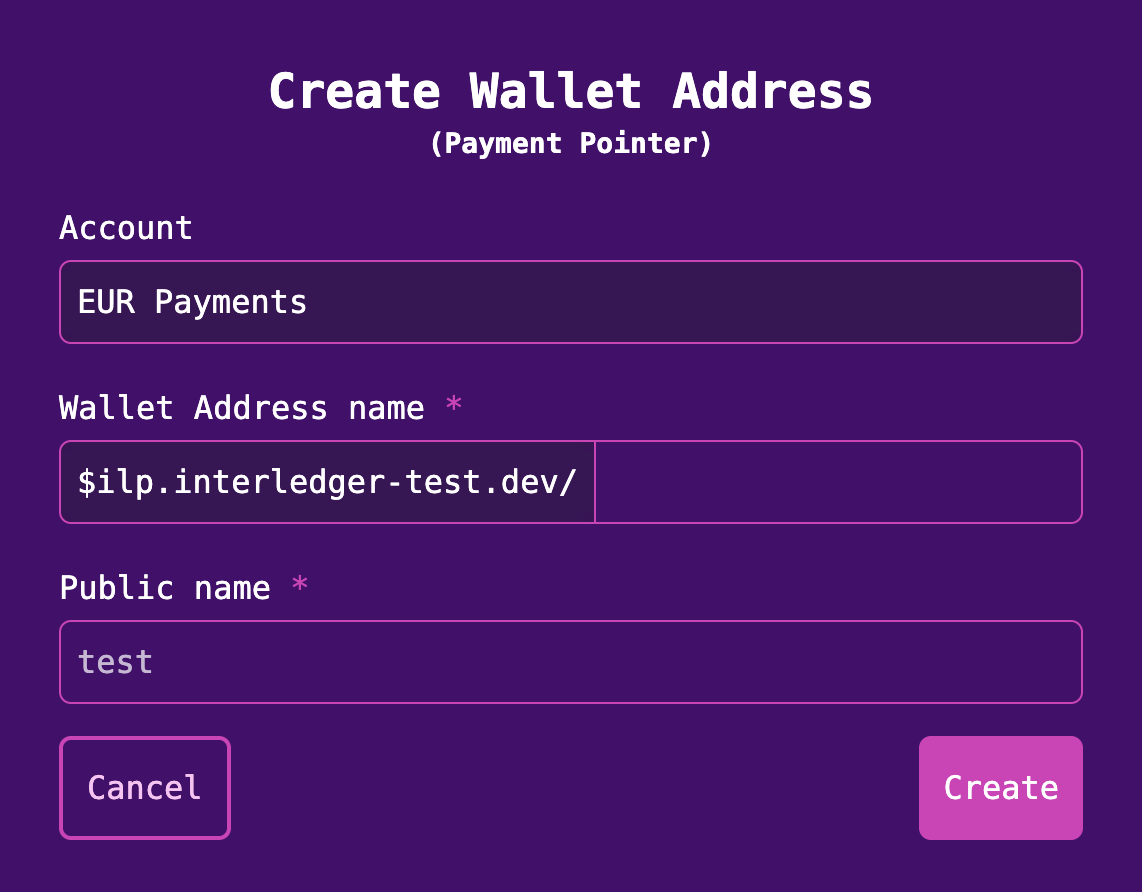
4. Click **Create**. Your account now has a wallet address.
## Obtain a public-private key pair and key ID
[Section titled “Obtain a public-private key pair and key ID”](#obtain-a-public-private-key-pair-and-key-id)
Before you can initialize an authenticated Open Payments client, you must obtain a public-private key pair and a key ID.
1. Click **Settings** in the left sidebar on the dashboard.
2. Click the **Developer Keys** tab.
3. Expand the menu for your wallet account.
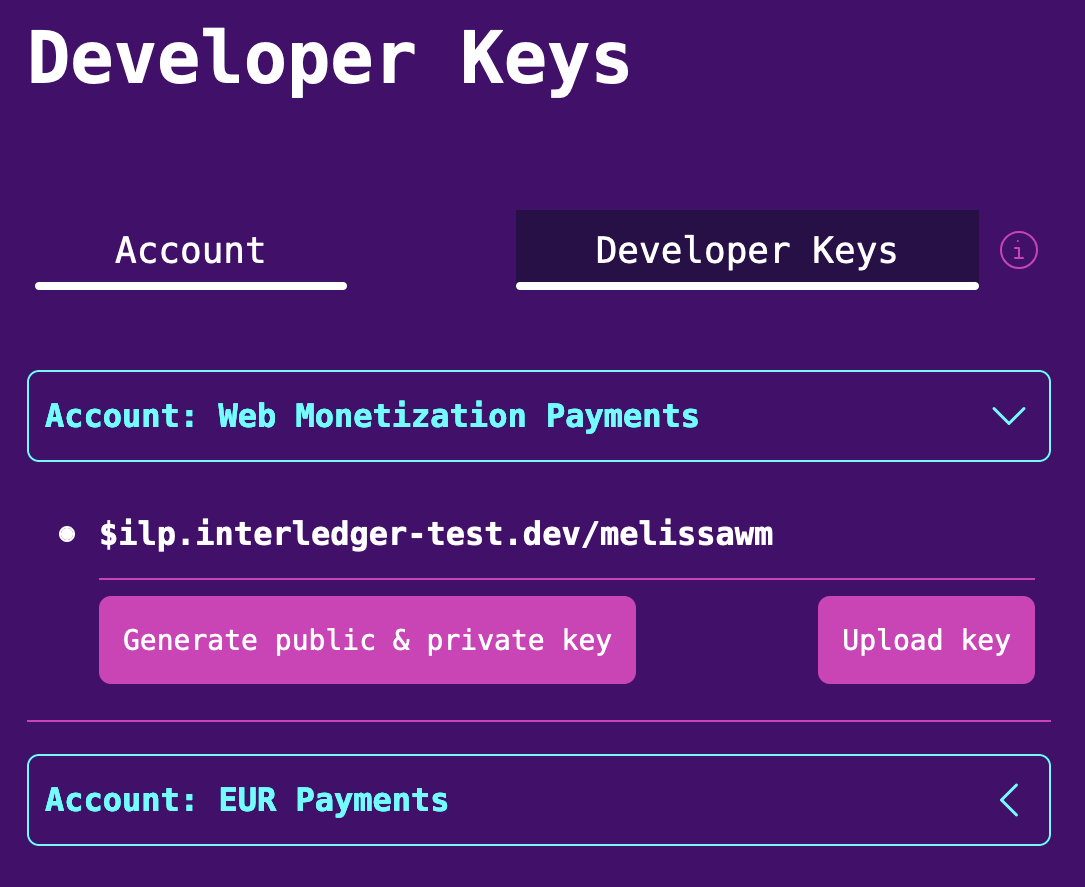
4. Click **Generate public & private key**.
5. Enter any **nickname** for the key pair, then click **Generate keys**. A file named `private.key` automatically downloads to your machine
6. Click **Close**. Your key ID appears on the screen, along with a **Show/Hide** option for your public key.
You can now use your keys and wallet address to initialize an authenticated Open Payments client.
# Continue a grant request
The [Grant Continuation Request API](/apis/#tag/grant/POST/continue/%7Bid%7D) lets you continue an interactive grant request during or after user interaction.
An authorization server can require a user (typically the client’s end user) to approve the grant by interacting directly with the server. For example, by tapping an Approve button on a web page provided by the auth server. [Outgoing payment grant requests](/sdk/grant-create-outgoing) require interactive grants.
After the grant is approved, the auth server sends the client an interaction reference (`interact_ref`). The client must send a continuation request containing the reference back to the auth server to obtain an access token.
Continue request timing
When a user completes the interaction with the [identity provider](/identity/idp), they should be redirected back to your client app. Now your client can make the grant continuation request. In scenarios where a user interface isn’t available, consider implementing a polling mechanism to check that the interaction has completed.
The code snippets below let an authorized client send a grant continuation request to an authorization server.
## Before you begin
[Section titled “Before you begin”](#before-you-begin)
We recommend creating a wallet account on the [test wallet](/sdk/before-you-begin#create-an-account-on-the-test-wallet). Creating an account allows you to test your client against the Open Payments APIs by using an ILP-enabled wallet funded with play money.
## Issue grant continuation request
[Section titled “Issue grant continuation request”](#issue-grant-continuation-request)
Authenticated client required
* TypeScript/NodeJS
[Prerequisites](https://github.com/interledger/open-payments-node/blob/main/README.md#prerequisites)
Initial configuration
If you’re using JavaScript, only do the first step.
1. Add `"type": "module"` to `package.json`.
2. Add the following to `tsconfig.json`
```json
{
"compilerOptions": {
"target": "ES2022",
"module": "ES2022"
}
}
```
```ts
// Import dependencies
import {
createAuthenticatedClient,
isFinalizedGrantWithAccessToken
} from '@interledger/open-payments'
// Initialize client
const client = await createAuthenticatedClient({
walletAddressUrl: CLIENT_WALLET_ADDRESS,
privateKey: PRIVATE_KEY_PATH,
keyId: KEY_ID
})
// Continue grant
const grant = await client.grant.continue(
{
accessToken: CONTINUE_ACCESS_TOKEN,
url: CONTINUE_URI
},
{
interact_ref: interactRef
}
)
// Check grant state
if (!isFinalizedGrantWithAccessToken(grant)) {
throw new Error('Expected finalized grant')
}
// Output
console.log('OUTGOING_PAYMENT_ACCESS_TOKEN =', grant.access_token.value)
console.log(
'OUTGOING_PAYMENT_ACCESS_TOKEN_MANAGE_URL =',
grant.access_token.manage
)
```
For TypeScript, run `tsx path/to/directory/index.ts`. [View full TS source](https://github.com/interledger/open-payments/blob/main/snippets/node/grant/grant-continuation.ts)
For JavaScript, run `node path/to/directory/index.js`. [View full JS source](https://github.com/interledger/open-payments/blob/main/snippets/node/grant/grant-continuation.js)
* Rust
[Prerequisites](https://github.com/interledger/open-payments-rust/blob/main/README.md#prerequisites)
```rust
// Import dependencies
use open_payments::client::AuthenticatedResources;
use open_payments::types::auth::ContinueResponse;
// Initialize client
let client = create_authenticated_client()?;
// Continue grant
let access_token = get_env_var("CONTINUE_ACCESS_TOKEN")?;
let continue_uri = get_env_var("CONTINUE_URI")?;
let interact_ref = get_env_var("INTERACT_REF")?;
let response = client
.grant()
.continue_grant(&continue_uri, &interact_ref, Some(&access_token))
.await?;
// Output
match response {
ContinueResponse::WithToken { access_token, .. } => {
println!("Received access token: {:#?}", access_token.value);
println!(
"Received access token manage URL: {:#?}",
access_token.manage
);
}
ContinueResponse::WithSubject { subject, .. } => {
println!("Received subject: {subject:#?}");
}
ContinueResponse::Pending { .. } => {
println!("Pending");
}
}
```
[View full source](https://github.com/interledger/open-payments/blob/main/snippets/rust/grant/grant-continuation.rs)
* PHP
[Prerequisites](https://github.com/interledger/open-payments-php-snippets/blob/main/README.md#prerequisites)
```php
// Import dependencies
use OpenPayments\AuthClient;
use OpenPayments\Config\Config;
// Initialize client
$config = new Config(
$WALLET_ADDRESS,
$PRIVATE_KEY,
$KEY_ID
);
$opClient = new AuthClient($config);
// Continue grant
$grant = $opClient->grant()->continue(
[
'access_token' => $CONTINUE_ACCESS_TOKEN,
'url' => $CONTINUE_URI
],
[
'interact_ref' => $interactRef,
]
);
// Check grant state
if (!$grant instanceof \OpenPayments\Models\Grant) {
throw new \Error('Expected finalized grant. Received non-finalized grant.');
}
// Output
echo 'OUTGOING_PAYMENT_GRANT_ACCES_TOKEN: ' . $grant->access_token->value . PHP_EOL;
echo 'OUTGOING_PAYMENT_ACCESS_TOKEN_MANAGE_URL: ' . $grant->access_token->manage . PHP_EOL;
echo 'GRANT OBJECT: ' . PHP_EOL . print_r($grant, true);
```
[View full source](https://github.com/interledger/open-payments-php-snippets/blob/main/src/Command/Grant/GrantContinuation.php)
* Go
[Prerequisites](https://github.com/interledger/open-payments-go/blob/main/README.md)
```go
package main
// Import dependencies
import (
"context"
"encoding/json"
"fmt"
"log"
op "github.com/interledger/open-payments-go"
)
func main() {
// Initialize client
client, err := op.NewAuthenticatedClient(WALLET_ADDRESS_URL, PRIVATE_KEY_BASE_64, KEY_ID)
if err != nil {
log.Fatalf("Error creating authenticated client: %v\n", err)
}
// Continue grant
grant, err := client.Grant.Continue(context.TODO(), op.GrantContinueParams{
URL: CONTINUE_URI,
AccessToken: CONTINUE_ACCESS_TOKEN,
InteractRef: INTERACT_REF,
})
if err != nil {
log.Fatalf("Error continuing grant: %v\n", err)
}
// Ensure the grant is finalized
if grant.AccessToken == nil {
log.Fatal("Expected finalized grant. Received non-finalized grant.")
}
// Output
grantJSON, err := json.MarshalIndent(grant, "", " ")
if err != nil {
log.Fatalf("Error marshaling grant: %v\n", err)
}
fmt.Println("GRANT:", string(grantJSON))
fmt.Println("OUTGOING_PAYMENT_ACCESS_TOKEN =", grant.AccessToken.Value)
fmt.Println("OUTGOING_PAYMENT_ACCESS_TOKEN_MANAGE_URL =", grant.AccessToken.Manage)
}
```
* Java
[Prerequisites](https://github.com/interledger/open-payments-java?tab=readme-ov-file#prerequisites)
```java
// Import dependencies
import org.interledger.openpayments.httpclient.OpenPaymentsHttpClient;
import org.interledger.openpayments.IOpenPaymentsClient;
// Initialize client
var client = OpenPaymentsHttpClient.defaultClient(
"WalletAddress",
"PrivateKeyPEM",
"KeyId"
);
// Get wallet addresses
var senderWallet = client.walletAddress().get("https://cloudninebank.example.com/customer");
var receiverWallet = client.walletAddress().get("https://cloudninebank.example.com/merchant");
// Create an incoming payment
var grantRequest = client.auth().grant().incomingPayment(receiverWallet);
var incomingPayment = client.payment().createIncoming(receiverWallet, grantRequest, BigDecimal.valueOf(11.25));
// Create a quote
var quoteRequest = client.auth().grant().quote(senderWallet);
var quote = client.quote().create(quoteRequest.getAccess().getToken(), senderWallet, incomingPayment, Optional.empty(), Optional.empty());
var urlToOpen = "https://example.com/redirect?paymentId=1234";
// Create an outgoing payment from quote
var opContinueInteract = client.auth().grant().continuation(
senderWallet,
quote.getDebitAmount(),
URI.create(urlToOpen),
"test"
);
// USER APPROVES REQUEST
// Finalize/continue grant request
var finalized = client.auth().grant().finalize(opContinueInteract, "Reference from USER interaction.");
// Output
log.info("FINALIZED: {}", finalized);
```
* .NET
[Prerequisites](https://github.com/interledger/open-payments-dotnet/blob/main/README.md#prerequisites)
```csharp
// Import dependencies
using Microsoft.Extensions.DependencyInjection;
using OpenPayments.Sdk.Clients;
using OpenPayments.Sdk.Extensions;
using OpenPayments.Sdk.HttpSignatureUtils;
// Initialize client
var client = new ServiceCollection()
.UseOpenPayments(opts =>
{
opts.UseAuthenticatedClient = true;
opts.KeyId = CLIENT_ID;
opts.PrivateKey = KeyUtils.LoadPem(CLIENT_SECRET);
opts.ClientUrl = new Uri(CLIENT_WALLET_ADDRESS);
})
.BuildServiceProvider()
.GetRequiredService();
// Continue grant
var grant = await client.ContinueGrantAsync(
new AuthRequestArgs
{
Url = new Uri(CONTINUE_URI),
AccessToken = CONTINUE_ACCESS_TOKEN,
},
new GrantContinueBody
{
InteractRef = interactRef,
}
);
// Check grant state
if (grant.AccessToken == null)
throw new Exception("Expected finalized grant. Received non-finalized grant.");
// Output
Console.WriteLine($"OUTGOING_PAYMENT_ACCESS_TOKEN = {grant.AccessToken.Value}");
Console.WriteLine($"OUTGOING_PAYMENT_ACCESS_TOKEN_MANAGE_URL = {grant.AccessToken.Manage}");
```
[View full source](https://github.com/interledger/open-payments-dotnet/blob/main/OpenPayments.Snippets/Services/Authenticated/OutgoingPaymentService.cs#L58-L66)
## References
[Section titled “References”](#references)
* [Auth server API reference](/apis/#tag/grant/POST/continue/%7Bid%7D)
* [Grant negotiation and authorization](/identity/grants)
# Create an incoming payment grant request
The [Grant Request API](/apis/#tag/grant/POST/) lets you request a grant for incoming payment, outgoing payment, and quote resources.
Before your client can call most of the Open Payments APIs, it must receive a grant from the appropriate authorization server.
The code snippets below let an authenticated client request a grant for an incoming payment. The request to the authorization server must indicate the `incoming-payment` and the actions the client wants to take at the resource server.
## Before you begin
[Section titled “Before you begin”](#before-you-begin)
We recommend creating a wallet account on the [test wallet](/sdk/before-you-begin#create-an-account-on-the-test-wallet). Creating an account allows you to test your client against the Open Payments APIs by using an ILP-enabled wallet funded with play money.
## Request an incoming payment grant
[Section titled “Request an incoming payment grant”](#request-an-incoming-payment-grant)
Authenticated client required
* TypeScript/NodeJS
[Prerequisites](https://github.com/interledger/open-payments-node/blob/main/README.md#prerequisites)
Initial configuration
If you’re using JavaScript, only do the first step.
1. Add `"type": "module"` to `package.json`.
2. Add the following to `tsconfig.json`
```json
{
"compilerOptions": {
"target": "ES2022",
"module": "ES2022"
}
}
```
```ts
// Import dependencies
import {
createAuthenticatedClient,
isFinalizedGrantWithAccessToken
} from '@interledger/open-payments'
// Initialize client
const client = await createAuthenticatedClient({
walletAddressUrl: CLIENT_WALLET_ADDRESS,
privateKey: PRIVATE_KEY_PATH,
keyId: KEY_ID
})
// Get wallet address information
const walletAddress = await client.walletAddress.get({
url: WALLET_ADDRESS
})
// Request incoming payment grant
const grant = await client.grant.request(
{
url: walletAddress.authServer
},
{
access_token: {
access: [
{
type: 'incoming-payment',
actions: ['list', 'read', 'read-all', 'complete', 'create']
}
]
}
}
)
// Check grant state
if (!isFinalizedGrantWithAccessToken(grant)) {
throw new Error('Expected finalized grant')
}
// Output
console.log('INCOMING_PAYMENT_ACCESS_TOKEN =', grant.access_token.value)
console.log(
'INCOMING_PAYMENT_ACCESS_TOKEN_MANAGE_URL = ',
grant.access_token.manage
)
```
For TypeScript, run `tsx path/to/directory/index.ts`. [View full TS source](https://github.com/interledger/open-payments/blob/main/snippets/node/grant/grant-incoming-payment.ts)
For JavaScript, run `node path/to/directory/index.js`. [View full JS source](https://github.com/interledger/open-payments/blob/main/snippets/node/grant/grant-incoming-payment.js)
* Rust
[Prerequisites](https://github.com/interledger/open-payments-rust/blob/main/README.md#prerequisites)
```rust
// Import dependencies
use open_payments::client::api::UnauthenticatedResources;
use open_payments::client::AuthenticatedResources;
use open_payments::types::auth::{
AccessItem, AccessTokenRequest, GrantRequest, GrantResponse, IncomingPaymentAction,
};
// Initialize client
// Authenticated client can be also used for unauthenticated resources
let client = create_authenticated_client()?;
// Get wallet address information
let wallet_address_url = get_env_var("WALLET_ADDRESS_URL")?;
let wallet_address = client.wallet_address().get(&wallet_address_url).await?;
//Request incoming payment grant
let grant_request = GrantRequest::new(
AccessTokenRequest {
access: vec![AccessItem::IncomingPayment {
actions: vec![
IncomingPaymentAction::Create,
IncomingPaymentAction::Read,
IncomingPaymentAction::ReadAll,
IncomingPaymentAction::List,
IncomingPaymentAction::Complete,
],
identifier: None,
}],
},
None,
);
println!(
"Grant request JSON: {}",
serde_json::to_string_pretty(&grant_request)?
);
let response = client
.grant()
.request(&wallet_address.auth_server, &grant_request, None)
.await?;
// Output
match response {
GrantResponse::WithToken { access_token, .. } => {
println!("Received access token: {:#?}", access_token.value);
println!(
"Received access token manage URL: {:#?}",
access_token.manage
);
}
GrantResponse::WithInteraction { .. } => {
unreachable!("Interaction not required for incoming payments");
}
}
```
[View full source](https://github.com/interledger/open-payments/blob/main/snippets/rust/grant/grant-incoming-payment.rs)
* PHP
[Prerequisites](https://github.com/interledger/open-payments-php-snippets/blob/main/README.md#prerequisites)
```php
// Import dependencies
use OpenPayments\AuthClient;
use OpenPayments\Config\Config;
// Initialize client
$config = new Config(
$WALLET_ADDRESS,
$PRIVATE_KEY,
$KEY_ID
);
$opClient = new AuthClient($config);
// Get wallet address information
$wallet = $opClient->walletAddress()->get([
'url' => $config->getWalletAddressUrl()
]);
// Request incoming payment grant
$grant = $opClient->grant()->request(
[
'url' => $wallet->authServer
],
[
'access_token' => [
'access' => [
[
'type' => 'incoming-payment',
'actions' => ['read', 'complete', 'create', 'list']
]
]
]
]
);
// Check grant state
if (!$grant instanceof \OpenPayments\Models\Grant) {
throw new \Error('Expected non-interactive grant');
}
// Output
echo 'INCOMING_PAYMENT_GRANT: ' . $grant->access_token->value . PHP_EOL;
echo "INCOMING_PAYMENT_ACCESS_TOKEN_MANAGE_URL = " . $grant->access_token->manage . PHP_EOL;
echo 'GRANT OBJECT: ' . PHP_EOL . print_r($grant, true);
```
[View full source](https://github.com/interledger/open-payments-php-snippets/blob/main/src/Command/Grant/GrantIncomingPayment.php)
* Go
[Prerequisites](https://github.com/interledger/open-payments-go/blob/main/README.md)
```go
package main
// Import dependencies
import (
"context"
"encoding/json"
"fmt"
"log"
op "github.com/interledger/open-payments-go"
as "github.com/interledger/open-payments-go/generated/authserver"
)
func main() {
// Initialize client
client, err := op.NewAuthenticatedClient(WALLET_ADDRESS_URL, PRIVATE_KEY_BASE_64, KEY_ID)
if err != nil {
log.Fatalf("Error creating authenticated client: %v\n", err)
}
// Get wallet address information
walletAddress, err := client.WalletAddress.Get(context.TODO(), op.WalletAddressGetParams{
URL: WALLET_ADDRESS_URL,
})
if err != nil {
log.Fatalf("Error fetching wallet address: %v\n", err)
}
// Request incoming payment grant
incomingAccess := as.AccessIncoming{
Type: as.IncomingPayment,
Actions: []as.AccessIncomingActions{
as.AccessIncomingActionsCreate,
as.AccessIncomingActionsRead,
as.AccessIncomingActionsList,
as.AccessIncomingActionsComplete,
},
}
accessItem := as.AccessItem{}
if err := accessItem.FromAccessIncoming(incomingAccess); err != nil {
log.Fatalf("Error creating AccessItem: %v\n", err)
}
accessToken := as.AccessTokenRequest{
Access: []as.AccessItem{accessItem},
}
var grantRequest as.GrantRequest
if err := grantRequest.FromGrantRequestWithAccessToken(as.GrantRequestWithAccessToken{AccessToken: accessToken}); err != nil {
log.Fatalf("Error building grant request: %v\n", err)
}
grant, err := client.Grant.Request(context.TODO(), op.GrantRequestParams{
URL: *walletAddress.AuthServer,
RequestBody: grantRequest,
})
if err != nil {
log.Fatalf("Error requesting grant: %v\n", err)
}
// Check grant state
if grant.IsInteractive() {
log.Fatalf("Expected non-interactive grant")
}
// Output
grantJSON, err := json.MarshalIndent(grant, "", " ")
if err != nil {
log.Fatalf("Error marshaling grant: %v\n", err)
}
fmt.Println("GRANT:", string(grantJSON))
fmt.Println("INCOMING_PAYMENT_ACCESS_TOKEN =", grant.AccessToken.Value)
fmt.Println(
"INCOMING_PAYMENT_ACCESS_TOKEN_MANAGE_URL =",
grant.AccessToken.Manage,
)
}
```
* Java
[Prerequisites](https://github.com/interledger/open-payments-java?tab=readme-ov-file#prerequisites)
```java
// Import dependencies
import org.interledger.openpayments.httpclient.OpenPaymentsHttpClient;
import org.interledger.openpayments.IOpenPaymentsClient;
import org.interledger.openpayments.model.grant.AccessAction;
// Initialize client
var client = OpenPaymentsHttpClient.defaultClient(
"WalletAddress",
"PrivateKeyPEM",
"KeyId"
);
// Get wallet address information
var receiverWallet = client.walletAddress().get("https://cloudninebank.example.com/customer");
// Request incoming payment grant (default):
var grantRequest = client.auth().grant().incomingPayment(receiverWallet);
// Request incoming payment grant (specifying actions):
var grantRequestWithActions = client.auth().grant().incomingPayment(receiverWallet, AccessAction.read, AccessAction.complete, AccessAction.create);
// Output
log.info("INCOMING_PAYMENT_GRANT: {}", grantRequest);
```
* .NET
[Prerequisites](https://github.com/interledger/open-payments-dotnet/blob/main/README.md#prerequisites)
```csharp
// Import dependencies
using Microsoft.Extensions.DependencyInjection;
using Newtonsoft.Json;
using OpenPayments.Sdk.Clients;
using OpenPayments.Sdk.Extensions;
using OpenPayments.Sdk.Generated.Auth;
using OpenPayments.Sdk.HttpSignatureUtils;
// Initialize client
var client = new ServiceCollection()
.UseOpenPayments(opts =>
{
opts.UseAuthenticatedClient = true;
opts.KeyId = CLIENT_ID;
opts.PrivateKey = KeyUtils.LoadPem(CLIENT_SECRET);
opts.ClientUrl = new Uri(CLIENT_WALLET_ADDRESS);
})
.BuildServiceProvider()
.GetRequiredService();
// Get wallet address information
var walletAddress = await client.GetWalletAddressAsync(WALLET_ADDRESS);
// Request incoming payment grant
var grant = await client.RequestGrantAsync(
new RequestArgs { Url = walletAddress.AuthServer },
new GrantCreateBody
{
AccessToken = new AccessToken
{
Access =
[
new IncomingAccess
{
Actions =
[
Actions.List,
Actions.Read,
Actions.ReadAll,
Actions.Complete,
Actions.Create,
],
},
],
},
}
);
// Check grant state
if (grant.Interact != null) throw new Exception("Expected non-interactive grant");
// Output
Console.WriteLine(JsonConvert.SerializeObject(grant, Formatting.Indented));
```
[View full source](https://github.com/interledger/open-payments-dotnet/blob/main/OpenPayments.Snippets/Services/Authenticated/IncomingPaymentService.cs#L17-L38)
## References
[Section titled “References”](#references)
* [Auth server API reference](/apis/#tag/grant/POST/)
* [Grant negotiation and authorization](/identity/grants)
# Create an outgoing payment grant request
The [Grant Request API](/apis/#tag/grant/POST/) lets you request a grant for outgoing payment, incoming payment, and quote resources.
Before your client can call most of the Open Payments APIs, it must receive a grant from the appropriate authorization server.
The code snippets below let an authenticated client request a grant for an outgoing payment. The request to the authorization server must indicate the `outgoing-payment` and the actions the client wants to take at the resource server.
## Interactive grants
[Section titled “Interactive grants”](#interactive-grants)
Outgoing payments require explicit consent, typically by the client’s user, before a grant can be issued. Consent is obtained through an interactive grant.
Any authorization server that issues interactive grants must integrate with an [identity provider (IdP)](/identity/idp). When a client requests the outgoing payment grant, the authorization server provides the client with the IdP URI to redirect to.
## Before you begin
[Section titled “Before you begin”](#before-you-begin)
We recommend creating a wallet account on the [test wallet](/sdk/before-you-begin#create-an-account-on-the-test-wallet). Creating an account allows you to test your client against the Open Payments APIs by using an ILP-enabled wallet funded with play money.
## Request an outgoing payment grant
[Section titled “Request an outgoing payment grant”](#request-an-outgoing-payment-grant)
Authenticated client required
* TypeScript/NodeJS
[Prerequisites](https://github.com/interledger/open-payments-node/blob/main/README.md#prerequisites)
Initial configuration
If you’re using JavaScript, only do the first step.
1. Add `"type": "module"` to `package.json`.
2. Add the following to `tsconfig.json`
```json
{
"compilerOptions": {
"target": "ES2022",
"module": "ES2022"
}
}
```
#### Generate without an interval
[Section titled “Generate without an interval”](#generate-without-an-interval)
```ts
// Import dependencies
import {
createAuthenticatedClient,
isPendingGrant
} from '@interledger/open-payments'
// Initialize client
const client = await createAuthenticatedClient({
walletAddressUrl: CLIENT_WALLET_ADDRESS,
privateKey: PRIVATE_KEY_PATH,
keyId: KEY_ID
})
// Get wallet address information
const walletAddress = await client.walletAddress.get({
url: WALLET_ADDRESS
})
// Request outgoing payment grant
const grant = await client.grant.request(
{
url: walletAddress.authServer
},
{
access_token: {
access: [
{
identifier: walletAddress.id,
type: 'outgoing-payment',
actions: ['list', 'list-all', 'read', 'read-all', 'create'],
limits: {
debitAmount: {
assetCode: quote.debitAmount.assetCode,
assetScale: quote.debitAmount.assetScale,
value: quote.debitAmount.value
}
}
}
]
},
interact: {
start: ['redirect'],
finish: {
method: 'redirect',
uri: 'http://localhost:3344',
nonce: NONCE
}
}
}
)
// Check grant state
if (!isPendingGrant(grant)) {
throw new Error('Expected pending/interactive grant')
}
// Output
console.log('Please interact at the following URL:', grant.interact.redirect)
console.log('CONTINUE_ACCESS_TOKEN =', grant.continue.access_token.value)
console.log('CONTINUE_URI =', grant.continue.uri)
```
#### Generate with an interval
[Section titled “Generate with an interval”](#generate-with-an-interval)
```ts
// Import dependencies
import {
createAuthenticatedClient,
isPendingGrant
} from '@interledger/open-payments'
// Initialize client
const client = await createAuthenticatedClient({
walletAddressUrl: CLIENT_WALLET_ADDRESS,
privateKey: PRIVATE_KEY_PATH,
keyId: KEY_ID
})
// Get wallet address information
const walletAddress = await client.walletAddress.get({
url: WALLET_ADDRESS
})
// Request outgoing payment grant
const grant = await client.grant.request(
{
url: walletAddress.authServer
},
{
access_token: {
access: [
{
identifier: walletAddress.id,
type: 'outgoing-payment',
actions: ['list', 'list-all', 'read', 'read-all', 'create'],
limits: {
debitAmount: {
assetCode: quote.debitAmount.assetCode,
assetScale: quote.debitAmount.assetScale,
value: quote.debitAmount.value
},
interval: 'R/2016-08-24T08:00:00Z/P1D'
}
}
]
},
interact: {
start: ['redirect'],
finish: {
method: 'redirect',
uri: 'http://localhost:3344',
nonce: NONCE
}
}
}
)
// Check grant state
if (!isPendingGrant(grant)) {
throw new Error('Expected pending/interactive grant')
}
// Output
console.log('Please interact at the following URL:', grant.interact.redirect)
console.log('CONTINUE_ACCESS_TOKEN =', grant.continue.access_token.value)
console.log('CONTINUE_URI =', grant.continue.uri)
```
For TypeScript, run `tsx path/to/directory/index.ts`. [View full TS source](https://github.com/interledger/open-payments/blob/main/snippets/node/grant/grant-outgoing-payment.ts)
For JavaScript, run `node path/to/directory/index.js`. [View full JS source](https://github.com/interledger/open-payments/blob/main/snippets/node/grant/grant-outgoing-payment.js)
* Rust
[Prerequisites](https://github.com/interledger/open-payments-rust/blob/main/README.md#prerequisites)
```rust
// Import dependencies
use open_payments::client::api::UnauthenticatedResources;
use open_payments::client::AuthenticatedResources;
use open_payments::types::{
auth::{
AccessItem, AccessTokenRequest, GrantRequest, InteractFinish, InteractRequest,
LimitsOutgoing, OutgoingPaymentAction,
},
GrantResponse,
};
use uuid::Uuid;
// Initialize client
// Authenticated client can be also used for unauthenticated resources
let client = create_authenticated_client()?;
// Get wallet address information
let wallet_address_url = get_env_var("WALLET_ADDRESS_URL")?;
let wallet_address = client.wallet_address().get(&wallet_address_url).await?;
// Request outgoing payment grant
let quote_url = get_env_var("QUOTE_URL")?;
let access_token = get_env_var("QUOTE_ACCESS_TOKEN")?;
let quote = client.quotes().get("e_url, Some(&access_token)).await?;
let wallet_id = &wallet_address.id;
let grant_request = GrantRequest::new(
AccessTokenRequest {
access: vec![AccessItem::OutgoingPayment {
actions: vec![
OutgoingPaymentAction::Read,
OutgoingPaymentAction::ReadAll,
OutgoingPaymentAction::List,
OutgoingPaymentAction::Create,
],
identifier: wallet_id.to_string(),
limits: Some(LimitsOutgoing {
receiver: None,
debit_amount: Some(quote.debit_amount),
receive_amount: None,
interval: None,
}),
}],
},
Some(InteractRequest {
start: vec!["redirect".to_string()],
finish: Some(InteractFinish {
method: "redirect".to_string(),
uri: "http://localhost".to_string(),
nonce: Uuid::new_v4().to_string(),
}),
}),
);
println!(
"Grant request JSON: {}",
serde_json::to_string_pretty(&grant_request)?
);
let response = client
.grant()
.request(&wallet_address.auth_server, &grant_request, None)
.await?;
// Output
match response {
GrantResponse::WithToken { access_token, .. } => {
println!("Received access token: {:#?}", access_token.value);
println!(
"Received access token manage URL: {:#?}",
access_token.manage
);
}
GrantResponse::WithInteraction {
interact,
continue_,
} => {
println!("Received interact: {interact:#?}");
println!("Received continue: {continue_:#?}");
}
}
```
[View full source](https://github.com/interledger/open-payments/blob/main/snippets/rust/grant/grant-outgoing-payment.rs)
* PHP
[Prerequisites](https://github.com/interledger/open-payments-php-snippets/blob/main/README.md#prerequisites)
#### Generate without an interval
[Section titled “Generate without an interval”](#generate-without-an-interval-1)
```php
// Import dependencies
use OpenPayments\AuthClient;
use OpenPayments\Config\Config;
// Initialize client
$config = new Config(
$WALLET_ADDRESS,
$PRIVATE_KEY,
$KEY_ID
);
$opClient = new AuthClient($config);
// Get wallet address information
$wallet = $opClient->walletAddress()->get([
'url' => $config->getWalletAddressUrl()
]);
// Request outgoing payment grant
$grant = $opClient->grant()->request(
[
'url' => $wallet->authServer
],
[
'access_token' => [
'access' => [
[
'type' => 'outgoing-payment',
'actions' => ['list', 'list-all', 'read', 'read-all', 'create'],
'identifier' => $wallet->id,
'limits' => [
'receiver' => $INCOMING_PAYMENT_URL, //optional
'debitAmount' => [
'assetCode' => 'USD',
'assetScale' => 2,
'value' => "130",
]
],
]
]
],
'client' => $config->getWalletAddressUrl(),
'interact' => [
'start' => ["redirect"],
'finish' => [
'method' => "redirect",
'uri' => 'https://localhost/?paymentId=123423',
'nonce' => "1234567890",
],
]
]
);
// Check grant state
if (!$grant instanceof \OpenPayments\Models\PendingGrant) {
throw new \Error('Expected interactive grant');
}
// Output
echo 'Please interact at the following URL: ' . $grant->interact->redirect . PHP_EOL;
echo 'CONTINUE_ACCESS_TOKEN = ' . $grant->continue->access_token->value . PHP_EOL;
echo 'CONTINUE_URI = ' . $grant->continue->uri . PHP_EOL;
echo 'GRANT OBJECT: ' . PHP_EOL . print_r($grant, true);
```
[View full source without interval](https://github.com/interledger/open-payments-php-snippets/blob/main/src/Command/Grant/GrantOutgoingPayment.php)
#### Generate with an interval and output
[Section titled “Generate with an interval and output”](#generate-with-an-interval-and-output)
```php
// Import dependencies
use OpenPayments\AuthClient;
use OpenPayments\Config\Config;
// Initialize client
$config = new Config(
$WALLET_ADDRESS,
$PRIVATE_KEY,
$KEY_ID
);
$opClient = new AuthClient($config);
// Get wallet address information
$wallet = $opClient->walletAddress()->get([
'url' => $config->getWalletAddressUrl()
]);
// Request outgoing payment grant
$grant = $opClient->grant()->request(
[
'url' => $wallet->authServer
],
[
'access_token' => [
'access' => [
[
'type' => 'outgoing-payment',
'actions' => ['list', 'list-all', 'read', 'read-all', 'create'],
'identifier' => $wallet->id,
'limits' => [
'debitAmount' => [
'assetCode' => 'USD',
'assetScale' => 2,
'value' => "132",
],
'interval' => 'R/2025-04-22T08:00:00Z/P1D',
],
]
]
],
'client' => $config->getWalletAddressUrl(),
'interact' => [
'start' => ["redirect"],
'finish' => [
'method' => "redirect",
'uri' => 'https://localhost/?paymentId=123423',
'nonce' => "1234567890",
],
]
]
);
// Check grant state
if (!$grant instanceof \OpenPayments\Models\PendingGrant) {
throw new \Error('Expected interactive grant');
}
// Output
echo 'Please interact at the following URL: ' . $grant->interact->redirect . PHP_EOL;
echo 'CONTINUE_ACCESS_TOKEN = ' . $grant->continue->access_token->value . PHP_EOL;
echo 'CONTINUE_URI = ' . $grant->continue->uri . PHP_EOL;
echo 'GRANT OBJECT: ' . PHP_EOL . print_r($grant, true);
```
[View full source with interval](https://github.com/interledger/open-payments-php-snippets/blob/main/src/Command/Grant/GrantOutgoingPaymentInterval.php)
* Go
[Prerequisites](https://github.com/interledger/open-payments-go/blob/main/README.md)
```go
package main
// Import dependencies
import (
"context"
"encoding/json"
"fmt"
"log"
op "github.com/interledger/open-payments-go"
as "github.com/interledger/open-payments-go/generated/authserver"
)
func main() {
// Initialize client
client, err := op.NewAuthenticatedClient(WALLET_ADDRESS_URL, PRIVATE_KEY_BASE_64, KEY_ID)
if err != nil {
log.Fatalf("Error creating authenticated client: %v\n", err)
}
// Get wallet address information
walletAddress, err := client.WalletAddress.Get(context.TODO(), op.WalletAddressGetParams{
URL: WALLET_ADDRESS_URL,
})
if err != nil {
log.Fatalf("Error fetching wallet address: %v\n", err)
}
// Request outgoing payment grant
outgoingAccess := as.AccessOutgoing{
Type: as.OutgoingPayment,
Actions: []as.AccessOutgoingActions{
as.AccessOutgoingActionsCreate,
as.AccessOutgoingActionsRead,
as.AccessOutgoingActionsList,
},
Identifier: *walletAddress.Id,
}
accessItem := as.AccessItem{}
if err := accessItem.FromAccessOutgoing(outgoingAccess); err != nil {
log.Fatalf("Error creating AccessItem: %v\n", err)
}
accessToken := as.AccessTokenRequest{
Access: []as.AccessItem{accessItem},
}
interact := &as.InteractRequest{
Start: []as.InteractRequestStart{as.InteractRequestStartRedirect},
}
var grantRequest as.GrantRequest
if err := grantRequest.FromGrantRequestWithAccessToken(as.GrantRequestWithAccessToken{
AccessToken: accessToken,
Interact: interact,
}); err != nil {
log.Fatalf("Error building grant request: %v\n", err)
}
grant, err := client.Grant.Request(context.TODO(), op.GrantRequestParams{
URL: *walletAddress.AuthServer,
RequestBody: grantRequest,
})
if err != nil {
log.Fatalf("Error requesting grant: %v\n", err)
}
// Check grant state
if !grant.IsInteractive() {
log.Fatalf("Expected interactive grant")
}
// Output
grantJSON, err := json.MarshalIndent(grant, "", " ")
if err != nil {
log.Fatalf("Error marshaling grant: %v\n", err)
}
fmt.Println("GRANT:", string(grantJSON))
fmt.Println("Please interact at the following URL:", grant.Interact.Redirect)
fmt.Println("CONTINUE_ACCESS_TOKEN =", grant.Continue.AccessToken.Value)
fmt.Println("CONTINUE_URI =", grant.Continue.Uri)
}
```
* Java
[Prerequisites](https://github.com/interledger/open-payments-java?tab=readme-ov-file#prerequisites)
```java
// Import dependencies
import org.interledger.openpayments.httpclient.OpenPaymentsHttpClient;
import org.interledger.openpayments.IOpenPaymentsClient;
// Initialize client
var client = OpenPaymentsHttpClient.defaultClient(
"WalletAddress",
"PrivateKeyPEM",
"KeyId"
);
// Get wallet address information
var senderWallet = client.walletAddress().get("https://cloudninebank.example.com/customer");
var receiverWallet = client.walletAddress().get("https://cloudninebank.example.com/merchant");
// Create an incoming payment
var grantRequest = client.auth().grant().incomingPayment(receiverWallet);
var incomingPayment = client.payment().createIncoming(receiverWallet, grantRequest, BigDecimal.valueOf(11.25));
// Create a quote
var quoteRequest = client.auth().grant().quote(senderWallet);
var quote = client.quote().create(quoteRequest.getAccess().getToken(), senderWallet, incomingPayment, Optional.empty(), Optional.empty());
var urlToOpen = "https://example.com/redirect?paymentId=1234";
// Create an outgoing payment from quote
var opContinueInteract = client.auth().grant().continuation(
senderWallet,
quote.getDebitAmount(),
URI.create(urlToOpen),
"test"
);
// Output
log.info("OUTGOING_PAYMENT_GRANT: {}", opContinueInteract);
```
* .NET
[Prerequisites](https://github.com/interledger/open-payments-dotnet/blob/main/README.md#prerequisites)
## Generate without an interval
[Section titled “Generate without an interval”](#generate-without-an-interval-2)
```csharp
// Import dependencies
using Microsoft.Extensions.DependencyInjection;
using Newtonsoft.Json;
using OpenPayments.Sdk.Clients;
using OpenPayments.Sdk.Extensions;
using OpenPayments.Sdk.Generated.Auth;
using OpenPayments.Sdk.Generated.Resource;
using OpenPayments.Sdk.HttpSignatureUtils;
using Amount = OpenPayments.Sdk.Generated.Auth.Amount;
// Initialize client
var client = new ServiceCollection()
.UseOpenPayments(opts =>
{
opts.UseAuthenticatedClient = true;
opts.KeyId = CLIENT_ID;
opts.PrivateKey = KeyUtils.LoadPem(CLIENT_SECRET);
opts.ClientUrl = new Uri(CLIENT_WALLET_ADDRESS);
})
.BuildServiceProvider()
.GetRequiredService();
// Get wallet address information
var walletAddress = await client.GetWalletAddressAsync(WALLET_ADDRESS);
// Request quote grant
var grant = await client.RequestGrantAsync(
new RequestArgs() { Url = walletAddress.AuthServer },
new GrantCreateBodyWithInteract
{
AccessToken = new AccessToken
{
Access =
[
new OutgoingAccess
{
Actions = [Actions.List, Actions.ListAll, Actions.Read, Actions.ReadAll, Actions.Create],
Identifier = walletAddress.Id,
Limits = new OutgoingAccessLimits
{
DebitAmount = new Amount(quote.DebitAmount.Value, quote.DebitAmount.AssetCode,
quote.DebitAmount.AssetScale),
},
},
],
},
Interact = new InteractRequest()
{
Start = [Start.Redirect],
Finish = new Finish()
{
Method = FinishMethod.Redirect,
Uri = new Uri("http://localhost:3344"),
Nonce = NONCE
}
},
}
);
// Check grant state
if (grant.Interact == null)
{
throw new Exception("Expected interactive grant");
}
// Output
Console.WriteLine($"Please interact at the following URL: {grant.Interact.Redirect}");
Console.WriteLine($"CONTINUE_ACCESS_TOKEN = {grant.Continue.AccessToken.Value}");
Console.WriteLine($"CONTINUE_URI = {grant.Continue.Uri}");
```
[View full source](https://github.com/interledger/open-payments-dotnet/blob/main/OpenPayments.Snippets/Services/Authenticated/OutgoingPaymentService.cs#L20-L50)
## Generate with an interval
[Section titled “Generate with an interval”](#generate-with-an-interval-1)
```csharp
// Import dependencies
using Microsoft.Extensions.DependencyInjection;
using Newtonsoft.Json;
using OpenPayments.Sdk.Clients;
using OpenPayments.Sdk.Extensions;
using OpenPayments.Sdk.Generated.Auth;
using OpenPayments.Sdk.Generated.Resource;
using OpenPayments.Sdk.HttpSignatureUtils;
using Amount = OpenPayments.Sdk.Generated.Auth.Amount;
// Initialize client
var client = new ServiceCollection()
.UseOpenPayments(opts =>
{
opts.UseAuthenticatedClient = true;
opts.KeyId = CLIENT_ID;
opts.PrivateKey = KeyUtils.LoadPem(CLIENT_SECRET);
opts.ClientUrl = new Uri(CLIENT_WALLET_ADDRESS);
})
.BuildServiceProvider()
.GetRequiredService();
// Get wallet address information
var walletAddress = await client.GetWalletAddressAsync(WALLET_ADDRESS);
// Request quote grant
var grant = await client.RequestGrantAsync(
new RequestArgs { Url = walletAddress.AuthServer },
new GrantCreateBodyWithInteract
{
AccessToken = new AccessToken
{
Access =
[
new OutgoingAccess
{
Actions = [Actions.List, Actions.ListAll, Actions.Read, Actions.ReadAll, Actions.Create],
Identifier = walletAddress.Id,
Limits = new OutgoingAccessLimits
{
DebitAmount = new Amount(quote.DebitAmount.Value, quote.DebitAmount.AssetCode,
quote.DebitAmount.AssetScale),
Interval = "R/2016-08-24T08:00:00Z/P1D"
},
},
],
},
Interact = new InteractRequest
{
Start = [Start.Redirect],
Finish = new Finish
{
Method = FinishMethod.Redirect,
Uri = new Uri("http://localhost:3344"),
Nonce = NONCE
}
},
}
);
// Check grant state
if (grant.Interact == null)
{
throw new Exception("Expected interactive grant");
}
// Output
Console.WriteLine($"Please interact at the following URL: {grant.Interact.Redirect}");
Console.WriteLine($"CONTINUE_ACCESS_TOKEN = {grant.Continue.AccessToken.Value}");
Console.WriteLine($"CONTINUE_URI = {grant.Continue.Uri}");
```
[View full source](https://github.com/interledger/open-payments-dotnet/blob/main/OpenPayments.Snippets/Services/Authenticated/OutgoingPaymentService.cs#L20-L50)
## Create a subject verification request
[Section titled “Create a subject verification request”](#create-a-subject-verification-request)
The `subject` field lets a client ask the authorization server to verify information about a subject as part of a grant request, without requesting payment permissions in `access_token`. The request must include `subject.sub_ids` with the subject’s `id` and the `format` the client accepts.
One use case is verifying that the correct user has access to a specific wallet address. For example, a payout platform can confirm during onboarding that a user controls the wallet address they provided. The `subject` field can also be used for other verification scenarios.
Subject verification requests are always interactive grants. The request must include an `interact` object, and the user is authenticated through the [identity provider (IdP)](/identity/idp). The IdP verifies the subject information in `subject.sub_ids`, such as whether the user has access to a wallet address. When verification is successful, the grant continuation response includes a `subject` object with the verified `sub_ids`.
Authenticated client required
* TypeScript/NodeJS
[Prerequisites](https://github.com/interledger/open-payments-node/blob/main/README.md#prerequisites)
```ts
coming soon
```
* Rust
[Prerequisites](https://github.com/interledger/open-payments-rust/blob/main/README.md#prerequisites)
```rust
coming soon
```
* PHP
[Prerequisites](https://github.com/interledger/open-payments-php-snippets/blob/main/README.md#prerequisites)
```php
coming soon
```
* Go
[Prerequisites](https://github.com/interledger/open-payments-go/blob/main/README.md)
```go
package main
// Import dependencies
import (
"context"
"encoding/json"
"fmt"
"log"
op "github.com/interledger/open-payments-go"
as "github.com/interledger/open-payments-go/generated/authserver"
)
func main() {
// Initialize client
client, err := op.NewAuthenticatedClient(WALLET_ADDRESS_URL, PRIVATE_KEY_BASE_64, KEY_ID)
if err != nil {
log.Fatalf("Error creating authenticated client: %v\n", err)
}
// Get wallet address information
walletAddress, err := client.WalletAddress.Get(context.TODO(), op.WalletAddressGetParams{
URL: WALLET_ADDRESS_URL,
})
if err != nil {
log.Fatalf("Error fetching wallet address: %v\n", err)
}
// Build subject verification request (no access_token; subject grants are always interactive)
subject := as.Subject{
SubIds: []struct {
Format as.SubjectSubIdsFormat `json:"format"`
Id string `json:"id"`
}{
{Format: "uri", Id: WALLET_ADDRESS_URL},
},
}
interact := as.InteractRequest{
Start: []as.InteractRequestStart{as.InteractRequestStartRedirect},
}
var requestBody as.GrantRequest
if err := requestBody.FromGrantRequestWithSubject(as.GrantRequestWithSubject{
Subject: subject,
Interact: interact,
}); err != nil {
log.Fatalf("Error building subject grant request: %v\n", err)
}
// Request subject verification grant
grant, err := client.Grant.Request(context.TODO(), op.GrantRequestParams{
URL: *walletAddress.AuthServer,
RequestBody: requestBody,
})
if err != nil {
log.Fatalf("Error requesting grant: %v\n", err)
}
// Output
grantJSON, err := json.MarshalIndent(grant, "", " ")
if err != nil {
log.Fatalf("Error marshaling grant: %v\n", err)
}
fmt.Println("GRANT:", string(grantJSON))
fmt.Println("Please interact at the following URL:", grant.Interact.Redirect)
}
```
* Java
[Prerequisites](https://github.com/interledger/open-payments-java?tab=readme-ov-file#prerequisites)
```java
coming soon
```
* .NET
[Prerequisites](https://github.com/interledger/open-payments-dotnet/blob/main/README.md#prerequisites)
```csharp
coming soon
```
## References
[Section titled “References”](#references)
* [Auth server API reference](/apis/#tag/grant/POST/)
* [Grant negotiation and authorization](/identity/grants)
# Create a quote grant request
The [Grant Request API](/apis/#tag/grant/POST/) lets you request a grant for quote, outgoing payment, and incoming payment resources.
Before your client can call most of the Open Payments APIs, it must receive a grant from the appropriate authorization server.
The code snippets below let a client request a grant for a quote. The request to the authorization server must indicate the `quote` access type and the actions the client wants to take at the resource server.
## Before you begin
[Section titled “Before you begin”](#before-you-begin)
We recommend creating a wallet account on the [test wallet](/sdk/before-you-begin#create-an-account-on-the-test-wallet). Creating an account allows you to test your client against the Open Payments APIs by using an ILP-enabled wallet funded with play money.
## Request a quote grant
[Section titled “Request a quote grant”](#request-a-quote-grant)
Authenticated client required
* TypeScript/NodeJS
[Prerequisites](https://github.com/interledger/open-payments-node/blob/main/README.md#prerequisites)
Initial configuration
If you’re using JavaScript, only do the first step.
1. Add `"type": "module"` to `package.json`.
2. Add the following to `tsconfig.json`
```json
{
"compilerOptions": {
"target": "ES2022",
"module": "ES2022"
}
}
```
```ts
// Import dependencies
import {
createAuthenticatedClient,
isFinalizedGrantWithAccessToken
} from '@interledger/open-payments'
// Initialize client
const client = await createAuthenticatedClient({
walletAddressUrl: CLIENT_WALLET_ADDRESS,
privateKey: PRIVATE_KEY_PATH,
keyId: KEY_ID
})
// Get wallet address information
const walletAddress = await client.walletAddress.get({
url: WALLET_ADDRESS
})
// Request quote grant
const grant = await client.grant.request(
{
url: walletAddress.authServer
},
{
access_token: {
access: [
{
type: 'quote',
actions: ['create', 'read', 'read-all']
}
]
}
}
)
// Check grant state
if (!isFinalizedGrantWithAccessToken(grant)) {
throw new Error('Expected finalized grant')
}
// Output
console.log('QUOTE_ACCESS_TOKEN =', grant.access_token.value)
console.log('QUOTE_ACCESS_TOKEN_MANAGE_URL = ', grant.access_token.manage)
```
For TypeScript, run `tsx path/to/directory/index.ts`. [View full TS source](https://github.com/interledger/open-payments/blob/main/snippets/node/grant/grant-quote.ts)
For JavaScript, run `node path/to/directory/index.js`. [View full JS source](https://github.com/interledger/open-payments/blob/main/snippets/node/grant/grant-quote.js)
* Rust
[Prerequisites](https://github.com/interledger/open-payments-rust/blob/main/README.md#prerequisites)
```rust
// Import dependencies
use open_payments::client::api::UnauthenticatedResources;
use open_payments::client::AuthenticatedResources;
use open_payments::types::{
auth::{AccessItem, AccessTokenRequest, GrantRequest, QuoteAction},
GrantResponse,
};
// Initialize client
// Authenticated client can be also used for unauthenticated resources
let client = create_authenticated_client()?;
// Get wallet address information
let wallet_address_url = get_env_var("WALLET_ADDRESS_URL")?;
let wallet_address = client.wallet_address().get(&wallet_address_url).await?;
// Request quote grant
let grant_request = GrantRequest::new(
AccessTokenRequest {
access: vec![AccessItem::Quote {
actions: vec![QuoteAction::Create, QuoteAction::Read, QuoteAction::ReadAll],
}],
},
None,
);
println!(
"Grant request JSON: {}",
serde_json::to_string_pretty(&grant_request)?
);
let response = client
.grant()
.request(&wallet_address.auth_server, &grant_request, None)
.await?;
// Output
match response {
GrantResponse::WithToken { access_token, .. } => {
println!("Received access token: {:#?}", access_token.value);
println!(
"Received access token manage URL: {:#?}",
access_token.manage
);
}
GrantResponse::WithInteraction { .. } => {
unreachable!("Interaction not required for quotes");
}
}
```
[View full source](https://github.com/interledger/open-payments/blob/main/snippets/rust/grant/grant-quote.rs)
* PHP
[Prerequisites](https://github.com/interledger/open-payments-php-snippets/blob/main/README.md#prerequisites)
```php
// Import dependencies
use OpenPayments\AuthClient;
use OpenPayments\Config\Config;
// Initialize client
$config = new Config(
$WALLET_ADDRESS,
$PRIVATE_KEY,
$KEY_ID
);
$opClient = new AuthClient($config);
// Get wallet address information
$wallet = $opClient->walletAddress()->get([
'url' => $config->getWalletAddressUrl()
]);
// Request quote grant
$grant = $opClient->grant()->request(
[
'url' => $wallet->authServer
],
[
'access_token' => [
'access' => [
[
'type' => 'quote',
'actions' => ['create', 'read', 'read-all']
]
]
],
'client' => $config->getWalletAddressUrl()
]
);
// Check grant state
if ($grant instanceof \OpenPayments\Models\PendingGrant) {
throw new \Error('Expected non-interactive grant');
}
// Output
echo 'QUOTE_ACCESS_TOKEN: ' . $grant->access_token->value . PHP_EOL;
echo 'QUOTE_ACCESS_TOKEN_MANAGE_URL: ' . $grant->access_token->manage . PHP_EOL;
echo 'GRANT OBJECT: ' . PHP_EOL . print_r($grant, true);
```
[View full source](https://github.com/interledger/open-payments-php-snippets/blob/main/src/Command/Grant/GrantQuote.php)
* Go
[Prerequisites](https://github.com/interledger/open-payments-go/blob/main/README.md)
```go
package main
// Import dependencies
import (
"context"
"encoding/json"
"fmt"
"log"
op "github.com/interledger/open-payments-go"
as "github.com/interledger/open-payments-go/generated/authserver"
)
func main() {
// Initialize client
client, err := op.NewAuthenticatedClient(WALLET_ADDRESS_URL, PRIVATE_KEY_BASE_64, KEY_ID)
if err != nil {
log.Fatalf("Error creating authenticated client: %v\n", err)
}
// Get wallet address information
walletAddress, err := client.WalletAddress.Get(context.TODO(), op.WalletAddressGetParams{
URL: WALLET_ADDRESS_URL,
})
if err != nil {
log.Fatalf("Error fetching wallet address: %v\n", err)
}
// Request quote grant
quoteAccess := as.AccessQuote{
Type: as.Quote,
Actions: []as.AccessQuoteActions{
as.Create,
as.Read,
},
}
accessItem := as.AccessItem{}
if err := accessItem.FromAccessQuote(quoteAccess); err != nil {
log.Fatalf("Error creating AccessItem: %v\n", err)
}
accessToken := as.AccessTokenRequest{
Access: []as.AccessItem{accessItem},
}
var grantRequest as.GrantRequest
if err := grantRequest.FromGrantRequestWithAccessToken(as.GrantRequestWithAccessToken{AccessToken: accessToken}); err != nil {
log.Fatalf("Error building grant request: %v\n", err)
}
grant, err := client.Grant.Request(context.TODO(), op.GrantRequestParams{
URL: *walletAddress.AuthServer,
RequestBody: grantRequest,
})
if err != nil {
log.Fatalf("Error requesting grant: %v\n", err)
}
// Check grant state
if grant.IsInteractive() {
log.Fatalf("Expected non-interactive grant")
}
// Output
grantJSON, err := json.MarshalIndent(grant, "", " ")
if err != nil {
log.Fatalf("Error marshaling grant: %v\n", err)
}
fmt.Println("GRANT:", string(grantJSON))
fmt.Println("QUOTE_ACCESS_TOKEN =", grant.AccessToken.Value)
fmt.Println(
"QUOTE_ACCESS_TOKEN_MANAGE_URL =",
grant.AccessToken.Manage,
)
}
```
* Java
[Prerequisites](https://github.com/interledger/open-payments-java?tab=readme-ov-file#prerequisites)
```java
// Import dependencies
import org.interledger.openpayments.httpclient.OpenPaymentsHttpClient;
import org.interledger.openpayments.IOpenPaymentsClient;
// Initialize client
var client = OpenPaymentsHttpClient.defaultClient(
"WalletAddress",
"PrivateKeyPEM",
"KeyId"
);
// Get wallet address information
var senderWallet = client.walletAddress().get("https://cloudninebank.example.com/customer");
// Request quote grant
var grantRequest = client.auth().grant().quote(senderWallet);
// Output
log.info("QUOTE_GRANT: {}", grantRequest);
```
* .NET
[Prerequisites](https://github.com/interledger/open-payments-dotnet/blob/main/README.md#prerequisites)
```csharp
// Import dependencies
using Microsoft.Extensions.DependencyInjection;
using Newtonsoft.Json;
using OpenPayments.Sdk.Clients;
using OpenPayments.Sdk.Extensions;
using OpenPayments.Sdk.Generated.Auth;
using OpenPayments.Sdk.HttpSignatureUtils;
// Initialize client
var client = new ServiceCollection()
.UseOpenPayments(opts =>
{
opts.UseAuthenticatedClient = true;
opts.KeyId = CLIENT_ID;
opts.PrivateKey = KeyUtils.LoadPem(CLIENT_SECRET);
opts.ClientUrl = new Uri(CLIENT_WALLET_ADDRESS);
})
.BuildServiceProvider()
.GetRequiredService();
// Get wallet address information
var walletAddress = await client.GetWalletAddressAsync(WALLET_ADDRESS);
// Request quote grant
var grant = await client.RequestGrantAsync(
new RequestArgs { Url = walletAddress.AuthServer },
new GrantCreateBody
{
AccessToken = new AccessToken
{
Access =
[
new QuoteAccess
{
Actions =
[
Actions.Create,
Actions.Read,
Actions.ReadAll,
],
},
],
},
}
);
// Check grant state
if (grant.Interact != null) throw new Exception("Expected non-interactive grant");
// Output
Console.WriteLine(JsonConvert.SerializeObject(grant, Formatting.Indented));
```
[View full source](https://github.com/interledger/open-payments-dotnet/blob/main/OpenPayments.Snippets/Services/Authenticated/QuoteService.cs#L20-L36)
## References
[Section titled “References”](#references)
* [Auth server API reference](/apis/#tag/grant/POST/)
* [Grant negotiation and authorization](/identity/grants)
# Cancel a grant request
If your client no longer needs access to protected resources, the [Cancel Grant API](/apis/#tag/grant/DELETE/continue/%7Bid%7D) lets you cancel (revoke) the corresponding grant request.
The code snippets below let a client cancel a previously issued grant. When cancelled, the request is placed into a finalized state and no further updates to the grant request are allowed.
## Before you begin
[Section titled “Before you begin”](#before-you-begin)
We recommend creating a wallet account on the [test wallet](/sdk/before-you-begin#create-an-account-on-the-test-wallet). Creating an account allows you to test your client against the Open Payments APIs by using an ILP-enabled wallet funded with play money.
## Revoke a grant request
[Section titled “Revoke a grant request”](#revoke-a-grant-request)
Authenticated client required
* TypeScript/NodeJS
[Prerequisites](https://github.com/interledger/open-payments-node/blob/main/README.md#prerequisites)
Initial configuration
If you’re using JavaScript, only do the first step.
1. Add `"type": "module"` to `package.json`.
2. Add the following to `tsconfig.json`
```json
{
"compilerOptions": {
"target": "ES2022",
"module": "ES2022"
}
}
```
```ts
// Import dependencies
import { createAuthenticatedClient } from '@interledger/open-payments'
// Initialize client
const client = await createAuthenticatedClient({
walletAddressUrl: CLIENT_WALLET_ADDRESS,
privateKey: PRIVATE_KEY_PATH,
keyId: KEY_ID
})
// Revoke grant
await client.grant.cancel({
accessToken: CONTINUE_ACCESS_TOKEN,
url: CONTINUE_URI
})
```
For TypeScript, run `tsx path/to/directory/index.ts`. [View full TS source](https://github.com/interledger/open-payments/blob/main/snippets/node/grant/grant-revoke.ts)
For JavaScript, run `node path/to/directory/index.js`. [View full JS source](https://github.com/interledger/open-payments/blob/main/snippets/node/grant/grant-revoke.js)
* Rust
[Prerequisites](https://github.com/interledger/open-payments-rust/blob/main/README.md#prerequisites)
```rust
// Import dependencies
use open_payments::client::AuthenticatedResources;
// Initialize client
let client = create_authenticated_client()?;
// Revoke grant
let access_token = get_env_var("CONTINUE_ACCESS_TOKEN")?;
let continue_uri = get_env_var("CONTINUE_URI")?;
client
.grant()
.cancel(&continue_uri, Some(&access_token))
.await?;
```
[View full source](https://github.com/interledger/open-payments/blob/main/snippets/rust/grant/grant-revoke.rs)
* PHP
[Prerequisites](https://github.com/interledger/open-payments-php-snippets/blob/main/README.md#prerequisites)
```php
// Import dependencies
use OpenPayments\AuthClient;
use OpenPayments\Config\Config;
// Initialize client
$config = new Config(
$WALLET_ADDRESS,
$PRIVATE_KEY,
$KEY_ID
);
$opClient = new AuthClient($config);
// Revoke grant
$response = $opClient->grant()->cancel(
[
'access_token'=> $ACCESS_TOKEN,
'url' => $CONTINUE_URI
]
);
```
[View full source](https://github.com/interledger/open-payments-php-snippets/blob/main/src/Command/Grant/CancelGrant.php)
* Go
[Prerequisites](https://github.com/interledger/open-payments-go/blob/main/README.md)
```go
package main
// Import dependencies
import (
"context"
"fmt"
"log"
op "github.com/interledger/open-payments-go"
)
func main() {
// Initialize client
client, err := op.NewAuthenticatedClient(WALLET_ADDRESS_URL, PRIVATE_KEY_BASE_64, KEY_ID)
if err != nil {
log.Fatalf("Error creating authenticated client: %v\n", err)
}
// Revoke grant
if err := client.Grant.Cancel(context.TODO(), op.GrantCancelParams{
URL: CONTINUE_URI,
AccessToken: CONTINUE_ACCESS_TOKEN,
}); err != nil {
log.Fatalf("Error revoking grant: %v\n", err)
}
// Output
fmt.Println("Grant revoked successfully")
}
```
* Java
[Prerequisites](https://github.com/interledger/open-payments-java?tab=readme-ov-file#prerequisites)
```java
// Import dependencies
import org.interledger.openpayments.httpclient.OpenPaymentsHttpClient;
import org.interledger.openpayments.IOpenPaymentsClient;
// Initialize client
var client = OpenPaymentsHttpClient.defaultClient(
"WalletAddress",
"PrivateKeyPEM",
"KeyId"
);
// Retrieve the wallets
var receiverWallet = client.walletAddress().get("https://cloudninebank.example.com/merchant");
// Create incoming payment
var grantRequest = client.auth().grant().incomingPayment(receiverWallet);
// Revoke grant
client.auth().grant().cancel(grantRequest);
// Output
log.info("CANCELLED: {}", grantRequest);
```
* .NET
[Prerequisites](https://github.com/interledger/open-payments-dotnet/blob/main/README.md#prerequisites)
```csharp
// Import dependencies
using Microsoft.Extensions.DependencyInjection;
using OpenPayments.Sdk.Clients;
using OpenPayments.Sdk.Extensions;
using OpenPayments.Sdk.HttpSignatureUtils;
// Initialize client
var client = new ServiceCollection()
.UseOpenPayments(opts =>
{
opts.UseAuthenticatedClient = true;
opts.KeyId = CLIENT_ID;
opts.PrivateKey = KeyUtils.LoadPem(CLIENT_SECRET);
opts.ClientUrl = new Uri(CLIENT_WALLET_ADDRESS);
})
.BuildServiceProvider()
.GetRequiredService();
// Revoke grant
await client.CancelGrantAsync(
new AuthRequestArgs { Url = new Uri(CONTINUE_URI), AccessToken = CONTINUE_ACCESS_TOKEN }
);
```
[View full source](https://github.com/interledger/open-payments-dotnet/blob/main/OpenPayments.Snippets/Services/Authenticated/OutgoingPaymentService.cs#L251-L257)
## References
[Section titled “References”](#references)
* [Auth server API reference](/apis/#tag/grant/DELETE/continue/%7Bid%7D)
* [Grant negotiation and authorization](/identity/grants)
# Complete an incoming payment
The [Complete an Incoming Payment API](/apis/#tag/incoming-payment/POST/incoming-payments/%7Bid%7D/complete) lets you complete an unexpired incoming payment.
When a client completes an unexpired payment, it tells the recipient’s account servicing entity that no further payments will be sent toward the incoming payment resource.
The code snippets below let an authorized client pass a wallet address and incoming payment URL to the recipient’s resource server and mark the payment as completed.
## Before you begin
[Section titled “Before you begin”](#before-you-begin)
We recommend creating a wallet account on the [test wallet](/sdk/before-you-begin#create-an-account-on-the-test-wallet). Creating an account allows you to test your client against the Open Payments APIs by using an ILP-enabled wallet funded with play money.
## Mark an incoming payment as complete
[Section titled “Mark an incoming payment as complete”](#mark-an-incoming-payment-as-complete)
Authenticated client required
* TypeScript/NodeJS
[Prerequisites](https://github.com/interledger/open-payments-node/blob/main/README.md#prerequisites)
Initial configuration
If you’re using JavaScript, only do the first step.
1. Add `"type": "module"` to `package.json`.
2. Add the following to `tsconfig.json`
```json
{
"compilerOptions": {
"target": "ES2022",
"module": "ES2022"
}
}
```
```ts
// Import dependencies
import { createAuthenticatedClient } from '@interledger/open-payments'
// Initialize client
const client = await createAuthenticatedClient({
walletAddressUrl: CLIENT_WALLET_ADDRESS,
privateKey: PRIVATE_KEY_PATH,
keyId: KEY_ID
})
// Complete incoming payment
const incomingPayment = await client.incomingPayment.complete({
url: INCOMING_PAYMENT_URL,
accessToken: INCOMING_PAYMENT_ACCESS_TOKEN
})
// Output
console.log('INCOMING PAYMENT:', JSON.stringify(incomingPayment, null, 2))
```
For TypeScript, run `tsx path/to/directory/index.ts`. [View full TS source](https://github.com/interledger/open-payments/blob/main/snippets/node/incoming-payment/incoming-payment-complete.ts)
For JavaScript, run `node path/to/directory/index.js`. [View full JS source](https://github.com/interledger/open-payments/blob/main/snippets/node/incoming-payment/incoming-payment-complete.js)
* Rust
[Prerequisites](https://github.com/interledger/open-payments-rust/blob/main/README.md#prerequisites)
```rust
// Import dependencies
use open_payments::client::api::AuthenticatedResources;
// Initialize client
let client = create_authenticated_client()?;
// Complete incoming payment
let access_token = get_env_var("INCOMING_PAYMENT_ACCESS_TOKEN")?;
let incoming_payment_url = get_env_var("INCOMING_PAYMENT_URL")?;
let payment = client
.incoming_payments()
.complete(&incoming_payment_url, Some(&access_token))
.await?;
// Output
println!("Completed incoming payment: {payment:#?}");
```
[View full source](https://github.com/interledger/open-payments/blob/main/snippets/rust/incoming-payment/incoming-payment-complete.rs)
* PHP
[Prerequisites](https://github.com/interledger/open-payments-php-snippets/blob/main/README.md#prerequisites)
```php
// Import dependencies
use OpenPayments\AuthClient;
use OpenPayments\Config\Config;
// Initialize client
$config = new Config(
$WALLET_ADDRESS,
$PRIVATE_KEY,
$KEY_ID
);
$opClient = new AuthClient($config);
// Complete incoming payment
$incomingPayment = $opClient->incomingPayment()->complete(
[
'access_token' => $INCOMING_PAYMENT_GRANT_ACCESS_TOKEN,
'url' => $INCOMING_PAYMENT_URL
]
);
// Output
echo 'COMPLETE INCOMING PAYMENT: '. PHP_EOL . print_r($incomingPayment, true);
```
[View full source](https://github.com/interledger/open-payments-php-snippets/blob/main/src/Command/IncomingPayment/IncomingPaymentComplete.php)
* Go
[Prerequisites](https://github.com/interledger/open-payments-go/blob/main/README.md)
```go
package main
// Import dependencies
import (
"context"
"encoding/json"
"fmt"
"log"
op "github.com/interledger/open-payments-go"
)
func main() {
// Initialize client
client, err := op.NewAuthenticatedClient(WALLET_ADDRESS_URL, PRIVATE_KEY_BASE_64, KEY_ID)
if err != nil {
log.Fatalf("Error creating authenticated client: %v\n", err)
}
// Complete incoming payment
incomingPayment, err := client.IncomingPayment.Complete(context.TODO(), op.IncomingPaymentCompleteParams{
URL: INCOMING_PAYMENT_URL,
AccessToken: ACCESS_TOKEN,
})
if err != nil {
log.Fatalf("Error completing incoming payment: %v\n", err)
}
// Output
incomingPaymentJSON, err := json.MarshalIndent(incomingPayment, "", " ")
if err != nil {
log.Fatalf("Error marshaling incoming payment: %v\n", err)
}
fmt.Println("INCOMING PAYMENT:", string(incomingPaymentJSON))
}
```
* Java
[Prerequisites](https://github.com/interledger/open-payments-java?tab=readme-ov-file#prerequisites)
```java
// Import dependencies
import org.interledger.openpayments.httpclient.OpenPaymentsHttpClient;
import org.interledger.openpayments.IOpenPaymentsClient;
// Initialize client
IOpenPaymentsClient client = OpenPaymentsHttpClient.defaultClient(
"WalletAddress",
"PrivateKeyPEM",
"KeyId"
);
// Retrieve the wallet
var receiverWallet = client.walletAddress().get("https://cloudninebank.example.com/customer");
// Grant for incoming payment (default)
var grantRequest = client.auth().grant().incomingPayment(receiverWallet);
// Create the incoming payment
var incomingPayment = client.payment().createIncoming(receiverWallet, grantRequest, BigDecimal.valueOf(11.25));
// Complete the incoming payment
var incomingPaymentComplete = client.payment().incomingPaymentComplete(incomingPayment, grantRequest);
// Output
log.info("INCOMING_PAYMENT: {}", incomingPaymentComplete);
```
* .NET
[Prerequisites](https://github.com/interledger/open-payments-dotnet/blob/main/README.md#prerequisites)
```csharp
// Import dependencies
using Microsoft.Extensions.DependencyInjection;
using Newtonsoft.Json;
using OpenPayments.Sdk.Clients;
using OpenPayments.Sdk.Extensions;
using OpenPayments.Sdk.HttpSignatureUtils;
// Initialize client
var client = new ServiceCollection()
.UseOpenPayments(opts =>
{
opts.UseAuthenticatedClient = true;
opts.KeyId = CLIENT_ID;
opts.PrivateKey = KeyUtils.LoadPem(CLIENT_SECRET);
opts.ClientUrl = new Uri(CLIENT_WALLET_ADDRESS);
})
.BuildServiceProvider()
.GetRequiredService();
// Create Incoming Payment
var incomingPayment = await client.CompleteIncomingPaymentsAsync(
new AuthRequestArgs
{
Url = new Uri(INCOMING_PAYMENT_URL),
AccessToken = INCOMING_PAYMENT_ACCESS_TOKEN,
}
);
// Output
Console.WriteLine($"INCOMING PAYMENT: {JsonConvert.SerializeObject(incomingPayment, Formatting.Indented)}");
```
[View full source](https://github.com/interledger/open-payments-dotnet/blob/main/OpenPayments.Snippets/Services/Authenticated/IncomingPaymentService.cs#L94-L99)
## References
[Section titled “References”](#references)
* [Resource server API reference](/apis/#tag/incoming-payment/POST/incoming-payments/%7Bid%7D/complete)
# Create an incoming payment
The [Create Incoming Payment API](/apis/#tag/incoming-payment/POST/incoming-payments) lets you request the creation of an incoming payment resource. An incoming payment resource must be created before any payments can be sent to a wallet address.
The code snippets below let an authorized client, with the requisite grant, request an incoming payment resource for $10 USD at a given wallet address. After the resource is created, one or more payments up to $10 can be sent to the wallet address.
## Before you begin
[Section titled “Before you begin”](#before-you-begin)
We recommend creating a wallet account on the [test wallet](/sdk/before-you-begin#create-an-account-on-the-test-wallet). Creating an account allows you to test your client against the Open Payments APIs by using an ILP-enabled wallet funded with play money.
## Create an incoming payment resource
[Section titled “Create an incoming payment resource”](#create-an-incoming-payment-resource)
Authenticated client required
* TypeScript/NodeJS
[Prerequisites](https://github.com/interledger/open-payments-node/blob/main/README.md#prerequisites)
Initial configuration
If you’re using JavaScript, only do the first step.
1. Add `"type": "module"` to `package.json`.
2. Add the following to `tsconfig.json`
```json
{
"compilerOptions": {
"target": "ES2022",
"module": "ES2022"
}
}
```
```ts
// Import dependencies
import { createAuthenticatedClient } from '@interledger/open-payments'
// Initialize client
const client = await createAuthenticatedClient({
walletAddressUrl: CLIENT_WALLET_ADDRESS,
privateKey: PRIVATE_KEY_PATH,
keyId: KEY_ID
})
// Get wallet address information
const walletAddress = await client.walletAddress.get({
url: WALLET_ADDRESS
})
// Create incoming payment
const incomingPayment = await client.incomingPayment.create(
{
url: walletAddress.resourceServer,
accessToken: INCOMING_PAYMENT_ACCESS_TOKEN
},
{
walletAddress: WALLET_ADDRESS,
incomingAmount: {
value: '1000',
assetCode: 'USD',
assetScale: 2
},
expiresAt: new Date(Date.now() + 60_000 * 10).toISOString()
}
)
// Output
console.log('INCOMING_PAYMENT_URL =', incomingPayment.id)
```
For TypeScript, run `tsx path/to/directory/index.ts`. [View full TS source](https://github.com/interledger/open-payments/blob/main/snippets/node/incoming-payment/incoming-payment-create.ts)
For JavaScript, run `node path/to/directory/index.js`. [View full JS source](https://github.com/interledger/open-payments/blob/main/snippets/node/incoming-payment/incoming-payment-create.js)
* Rust
[Prerequisites](https://github.com/interledger/open-payments-rust/blob/main/README.md#prerequisites)
```rust
// Import dependencies
use open_payments::client::api::AuthenticatedResources;
use open_payments::client::api::UnauthenticatedResources;
use open_payments::client::utils::get_resource_server_url;
use open_payments::client::OpClientError;
use open_payments::types::{resource::CreateIncomingPaymentRequest, Amount};
// Initialize client
let client = create_authenticated_client()?;
// Prepare incoming payment request
let access_token = get_env_var("INCOMING_PAYMENT_ACCESS_TOKEN")?;
let wallet_address_url = get_env_var("WALLET_ADDRESS_URL")?;
let resource_server_url = get_resource_server_url(&wallet_address_url)?;
// Unwrap is safe here because we are adding a positive duration to the current time
let expires_at = Utc::now()
.checked_add_signed(Duration::minutes(10000))
.unwrap();
let request = CreateIncomingPaymentRequest {
wallet_address: wallet_address_url,
incoming_amount: Some(Amount {
value: "1000".to_string(),
asset_code: "EUR".to_string(),
asset_scale: 2u8,
}),
expires_at: Some(expires_at),
metadata: None,
};
// Create incoming payment
println!(
"Incoming payment create request JSON: {}",
serde_json::to_string_pretty(&request)?
);
let payment = client
.incoming_payments()
.create(&resource_server_url, &request, Some(&access_token))
.await?;
// Output
println!("Created incoming payment: {payment:#?}");
```
[View full source](https://github.com/interledger/open-payments/blob/main/snippets/rust/incoming-payment/incoming-payment-create.rs)
* PHP
[Prerequisites](https://github.com/interledger/open-payments-php-snippets/blob/main/README.md#prerequisites)
```php
// Import dependencies
use OpenPayments\AuthClient;
use OpenPayments\Config\Config;
// Initialize client
$config = new Config(
$WALLET_ADDRESS,
$PRIVATE_KEY,
$KEY_ID
);
$opClient = new AuthClient($config);
// Get wallet address information
$wallet = $opClient->walletAddress()->get([
'url' => $config->getWalletAddressUrl()
]);
// Create incoming payment
$newIncomingPayment = $opClient->incomingPayment()->create(
[
'url' => $wallet->resourceServer,
'access_token' => $INCOMING_PAYMENT_GRANT_ACCESS_TOKEN
],
[
'walletAddress' => $config->getWalletAddressUrl(),
'incomingAmount' => [
'value' => "130",
'assetCode' => 'USD',
'assetScale' => 2
],
'metadata' => [
'description' => 'Test php snippets transaction with $1,30 amount',
'externalRef' => 'INVOICE-' . uniqid()
],
'expiresAt' => (new \DateTime('now', new \DateTimeZone('UTC')))->add(new \DateInterval('PT59M'))->format("Y-m-d\TH:i:s.v\Z")
]
);
// Output
echo 'INCOMING_PAYMENT_URL: ' . $newIncomingPayment->id . PHP_EOL;
echo 'INCOMING PAYMENT OBJECT:' . PHP_EOL . print_r($newIncomingPayment, true);
```
[View full source](https://github.com/interledger/open-payments-php-snippets/blob/main/src/Command/IncomingPayment/IncomingPaymentCreate.php)
* Go
[Prerequisites](https://github.com/interledger/open-payments-go/blob/main/README.md)
```go
package main
// Import dependencies
import (
"context"
"encoding/json"
"fmt"
"log"
"time"
op "github.com/interledger/open-payments-go"
rs "github.com/interledger/open-payments-go/generated/resourceserver"
)
func main() {
// Initialize client
client, err := op.NewAuthenticatedClient(WALLET_ADDRESS_URL, PRIVATE_KEY_BASE_64, KEY_ID)
if err != nil {
log.Fatalf("Error creating authenticated client: %v\n", err)
}
// Create incoming payment
expiresAt := time.Now().Add(10 * time.Minute)
incomingPayment, err := client.IncomingPayment.Create(context.TODO(), op.IncomingPaymentCreateParams{
BaseURL: RESOURCE_SERVER_URL,
AccessToken: ACCESS_TOKEN,
Payload: rs.CreateIncomingPaymentRequest{
WalletAddressSchema: WALLET_ADDRESS_URL,
IncomingAmount: &rs.Amount{
Value: "1000",
AssetCode: "USD",
AssetScale: 2,
},
ExpiresAt: &expiresAt,
},
})
if err != nil {
log.Fatalf("Error creating incoming payment: %v\n", err)
}
// Output
incomingPaymentJSON, err := json.MarshalIndent(incomingPayment, "", " ")
if err != nil {
log.Fatalf("Error marshaling incoming payment: %v\n", err)
}
fmt.Println("INCOMING PAYMENT:", string(incomingPaymentJSON))
fmt.Println("INCOMING PAYMENT URL =", *incomingPayment.Id)
}
```
* Java
[Prerequisites](https://github.com/interledger/open-payments-java?tab=readme-ov-file#prerequisites)
```java
// Import dependencies
import org.interledger.openpayments.httpclient.OpenPaymentsHttpClient;
import org.interledger.openpayments.IOpenPaymentsClient;
// Initialize client
IOpenPaymentsClient client = OpenPaymentsHttpClient.defaultClient(
"WalletAddress",
"PrivateKeyPEM",
"KeyId"
);
// Get wallet address information
var receiverWallet = client.walletAddress().get("https://cloudninebank.example.com/merchant");
// Create incoming payment
var grantRequest = client.auth().grant().incomingPayment(receiverWallet);
var incomingPayment = client.payment().createIncoming(receiverWallet, grantRequest, BigDecimal.valueOf(11.25));
// Output
log.info("INCOMING_PAYMENT: {}", incomingPayment);
```
* .NET
[Prerequisites](https://github.com/interledger/open-payments-dotnet/blob/main/README.md#prerequisites)
```csharp
// Import dependencies
using Microsoft.Extensions.DependencyInjection;
using OpenPayments.Sdk.Clients;
using OpenPayments.Sdk.Extensions;
using OpenPayments.Sdk.Generated.Resource;
using OpenPayments.Sdk.HttpSignatureUtils;
// Initialize client
var client = new ServiceCollection()
.UseOpenPayments(opts =>
{
opts.UseAuthenticatedClient = true;
opts.KeyId = CLIENT_ID;
opts.PrivateKey = KeyUtils.LoadPem(CLIENT_SECRET);
opts.ClientUrl = new Uri(CLIENT_WALLET_ADDRESS);
})
.BuildServiceProvider()
.GetRequiredService();
// Get wallet address information
var walletAddress = await client.GetWalletAddressAsync(WALLET_ADDRESS);
// Create Incoming Payment
var incomingPayment = await client.CreateIncomingPaymentAsync(
new AuthRequestArgs
{
Url = walletAddress.ResourceServer,
AccessToken = INCOMING_PAYMENT_ACCESS_TOKEN,
},
new IncomingPaymentBody
{
WalletAddress = walletAddress.Id,
IncomingAmount = new Amount
{
Value = "1000",
AssetCode = walletAddress.AssetCode,
AssetScale = walletAddress.AssetScale
},
ExpiresAt = DateTime.UtcNow.AddMinutes(10),
}
);
// Output
Console.WriteLine($"INCOMING_PAYMENT_URL = {incomingPayment.Id.ToString()}");
```
[View full source](https://github.com/interledger/open-payments-dotnet/blob/main/OpenPayments.Snippets/Services/Authenticated/IncomingPaymentService.cs#L40-L56)
## References
[Section titled “References”](#references)
* [Resource server API reference](/apis/#tag/incoming-payment/POST/incoming-payments)
# Get an incoming payment
The [Get an Incoming Payment API](/apis/#tag/incoming-payment/GET/incoming-payments/%7Bid%7D) lets you get the latest state of an incoming payment resource.
Using the ID of the payment resource, a client can determine whether the payment is active, pending payment, or complete, and get the value of the amount received.
The code snippets below let an authorized client retrieve the state and details of a specific incoming payment resource.
## Before you begin
[Section titled “Before you begin”](#before-you-begin)
We recommend creating a wallet account on the [test wallet](/sdk/before-you-begin#create-an-account-on-the-test-wallet). Creating an account allows you to test your client against the Open Payments APIs by using an ILP-enabled wallet funded with play money.
## Get the state of an incoming payment
[Section titled “Get the state of an incoming payment”](#get-the-state-of-an-incoming-payment)
Authenticated client required
* TypeScript/NodeJS
[Prerequisites](https://github.com/interledger/open-payments-node/blob/main/README.md#prerequisites)
Initial configuration
If you’re using JavaScript, only do the first step.
1. Add `"type": "module"` to `package.json`.
2. Add the following to `tsconfig.json`
```json
{
"compilerOptions": {
"target": "ES2022",
"module": "ES2022"
}
}
```
#### Get with authentication
[Section titled “Get with authentication”](#get-with-authentication)
```ts
// Import dependencies
import { createAuthenticatedClient } from '@interledger/open-payments'
// Initialize client
const client = await createAuthenticatedClient({
walletAddressUrl: CLIENT_WALLET_ADDRESS,
privateKey: PRIVATE_KEY_PATH,
keyId: KEY_ID
})
// Get incoming payment
const incomingPayment = await client.incomingPayment.get({
url: INCOMING_PAYMENT_URL,
accessToken: INCOMING_PAYMENT_ACCESS_TOKEN
})
// Output
console.log('INCOMING PAYMENT:', incomingPayment)
```
#### Get without authentication
[Section titled “Get without authentication”](#get-without-authentication)
```ts
// Import dependencies
import { createAuthenticatedClient } from '@interledger/open-payments'
// Initialize client
const client = await createAuthenticatedClient({
walletAddressUrl: CLIENT_WALLET_ADDRESS,
privateKey: PRIVATE_KEY_PATH,
keyId: KEY_ID
})
// Get incoming payment
const incomingPayment = await client.incomingPayment.get({
url: INCOMING_PAYMENT_URL
})
// Output
console.log('INCOMING PAYMENT:', incomingPayment)
```
For TypeScript, run `tsx path/to/directory/index.ts`. [View full TS source](https://github.com/interledger/open-payments/blob/main/snippets/node/incoming-payment/incoming-payment-get.ts)
For JavaScript, run `node path/to/directory/index.js`. [View full JS source](https://github.com/interledger/open-payments/blob/main/snippets/node/incoming-payment/incoming-payment-get.js)
* Rust
[Prerequisites](https://github.com/interledger/open-payments-rust/blob/main/README.md#prerequisites)
#### Get with authentication
[Section titled “Get with authentication”](#get-with-authentication-1)
```rust
// Import dependencies
use open_payments::client::api::AuthenticatedResources;
// Initialize client
let client = create_authenticated_client()?;
// Get incoming payment
let access_token = get_env_var("INCOMING_PAYMENT_ACCESS_TOKEN")?;
let incoming_payment_url = get_env_var("INCOMING_PAYMENT_URL")?;
let payment = client
.incoming_payments()
.get(&incoming_payment_url, Some(&access_token))
.await?;
// Output
println!("Incoming payment: {payment:#?}");
```
#### Get without authentication
[Section titled “Get without authentication”](#get-without-authentication-1)
```rust
// Import dependencies
use open_payments::client::api::AuthenticatedResources;
// Initialize client
let client = create_authenticated_client()?;
// Get incoming payment
let incoming_payment_url = get_env_var("INCOMING_PAYMENT_URL")?;
let payment = client
.public_incoming_payments()
.get(&incoming_payment_url)
.await?;
// Output
println!("Public incoming payment: {payment:#?}");
```
[View full source](https://github.com/interledger/open-payments/blob/main/snippets/rust/incoming-payment/incoming-payment-get.rs)
* PHP
[Prerequisites](https://github.com/interledger/open-payments-php-snippets/blob/main/README.md#prerequisites)
#### Get with authentication
[Section titled “Get with authentication”](#get-with-authentication-2)
```php
// Import dependencies
use OpenPayments\AuthClient;
use OpenPayments\Config\Config;
// Initialize client
$config = new Config(
$WALLET_ADDRESS,
$PRIVATE_KEY,
$KEY_ID
);
$opClient = new AuthClient($config);
// Get incoming payment
$incomingPayment = $opClient->incomingPayment()->get(
[
'access_token' => $INCOMING_PAYMENT_GRANT_ACCESS_TOKEN,
'url' => $INCOMING_PAYMENT_URL
]
);
// Output
echo 'INCOMING PAYMENT: ' . PHP_EOL . print_r($incomingPayment, true);
```
[View full source with authentication](https://github.com/interledger/open-payments-php-snippets/blob/main/src/Command/IncomingPayment/IncomingPaymentGet.php)
#### Get without authentication
[Section titled “Get without authentication”](#get-without-authentication-2)
```php
// Import dependencies
use OpenPayments\AuthClient;
use OpenPayments\Config\Config;
// Initialize client
$config = new Config(
$WALLET_ADDRESS,
$PRIVATE_KEY,
$KEY_ID
);
$opClient = new AuthClient($config);
// Get incoming payment
$incomingPayment = $opClient->incomingPayment()->getPublic(
[
'url' => $INCOMING_PAYMENT_URL
]
);
// Output
echo 'INCOMING PAYMENT: ' . PHP_EOL . print_r($incomingPayment, true);
```
[View full source without authentication](https://github.com/interledger/open-payments-php-snippets/blob/main/src/Command/IncomingPayment/PublicIncomingPaymentGet.php)
* Go
[Prerequisites](https://github.com/interledger/open-payments-go/blob/main/README.md)
```go
package main
// Import dependencies
import (
"context"
"encoding/json"
"fmt"
"log"
op "github.com/interledger/open-payments-go"
)
func main() {
// Initialize client
client, err := op.NewAuthenticatedClient(WALLET_ADDRESS_URL, PRIVATE_KEY_BASE_64, KEY_ID)
if err != nil {
log.Fatalf("Error creating authenticated client: %v\n", err)
}
// Get incoming payment
incomingPayment, err := client.IncomingPayment.Get(context.TODO(), op.IncomingPaymentGetParams{
URL: INCOMING_PAYMENT_URL,
AccessToken: ACCESS_TOKEN,
})
// Or, get public incoming payment without authenticating
// incomingPayment, err := client.IncomingPayment.GetPublic(context.TODO(), op.IncomingPaymentGetPublicParams{
// URL: INCOMING_PAYMENT_URL,
// })
if err != nil {
log.Fatalf("Error fetching incoming payment: %v\n", err)
}
// Output
incomingPaymentJSON, err := json.MarshalIndent(incomingPayment, "", " ")
if err != nil {
log.Fatalf("Error marshaling incoming payment: %v\n", err)
}
fmt.Println("INCOMING PAYMENT:", string(incomingPaymentJSON))
}
```
* Java
[Prerequisites](https://github.com/interledger/open-payments-java?tab=readme-ov-file#prerequisites)
```java
// Import dependencies
import org.interledger.openpayments.httpclient.OpenPaymentsHttpClient;
import org.interledger.openpayments.IOpenPaymentsClient;
// Initialize client
IOpenPaymentsClient client = OpenPaymentsHttpClient.defaultClient(
"WalletAddress",
"PrivateKeyPEM",
"KeyId"
);
// Retrieve the wallet
var receiverWallet = client.walletAddress().get("https://cloudninebank.example.com/customer");
// Grant for incoming payment (default)
var grantRequest = client.auth().grant().incomingPayment(receiverWallet);
// Create the incoming payment
var incomingPayment = client.payment().createIncoming(receiverWallet, grantRequest, BigDecimal.valueOf(11.25));
// Get the newly created incoming payment (fetch by ID)
var incomingPaymentFetched = client.payment().getIncoming(incomingPayment.getId(), grantRequest);
// Output
log.info("INCOMING_PAYMENT: {}", incomingPaymentFetched);
```
* .NET
[Prerequisites](https://github.com/interledger/open-payments-dotnet/blob/main/README.md#prerequisites)
# Get with authentication
[Section titled “Get with authentication”](#get-with-authentication-3)
```csharp
// Import dependencies
using Microsoft.Extensions.DependencyInjection;
using Newtonsoft.Json;
using OpenPayments.Sdk.Clients;
using OpenPayments.Sdk.Extensions;
using OpenPayments.Sdk.HttpSignatureUtils;
// Initialize client
var client = new ServiceCollection()
.UseOpenPayments(opts =>
{
opts.UseAuthenticatedClient = true;
opts.KeyId = CLIENT_ID;
opts.PrivateKey = KeyUtils.LoadPem(CLIENT_SECRET);
opts.ClientUrl = new Uri(CLIENT_WALLET_ADDRESS);
})
.BuildServiceProvider()
.GetRequiredService();
// Get incoming payment
var incomingPayment = await client.GetIncomingPaymentAsync(
new AuthRequestArgs()
{
Url = new Uri(INCOMING_PAYMENT_URL),
AccessToken = INCOMING_PAYMENT_ACCESS_TOKEN,
}
);
// Output
Console.WriteLine($"INCOMING PAYMENT: {JsonConvert.SerializeObject(incomingPayment, Formatting.Indented)}");
```
[View full source](https://github.com/interledger/open-payments-dotnet/blob/main/OpenPayments.Snippets/Services/Authenticated/IncomingPaymentService.cs#L78-L84)
# Get without authentication
[Section titled “Get without authentication”](#get-without-authentication-3)
```csharp
// Import dependencies
using Microsoft.Extensions.DependencyInjection;
using Newtonsoft.Json;
using OpenPayments.Sdk.Clients;
using OpenPayments.Sdk.Extensions;
// Initialize client
var client = new ServiceCollection()
.UseOpenPayments(opts => { opts.UseUnauthenticatedClient = true; })
.BuildServiceProvider()
.GetRequiredService();
// Get incoming payment
var incomingPayment = await client.GetIncomingPaymentAsync(INCOMING_PAYMENT_URL);
// Output
Console.WriteLine($"INCOMING PAYMENT: {JsonConvert.SerializeObject(incomingPayment, Formatting.Indented)}");
```
[View full source](https://github.com/interledger/open-payments-dotnet/blob/main/OpenPayments.Snippets/Services/Unauthenticated/IncomingPaymentService.cs#L11)
## References
[Section titled “References”](#references)
* [Resource server API reference](/apis/#tag/incoming-payment/GET/incoming-payments/%7Bid%7D)
# List incoming payments
The [List Incoming Payments API](/apis/#tag/incoming-payment/GET/incoming-payments) lets you list all incoming payments on a wallet address.
After one or more incoming payment resources are created, a client can look up active and pending payments on the wallet address.
The code snippets below let an authorized client retrieve the first 10 incoming payments on a given wallet address.
## Before you begin
[Section titled “Before you begin”](#before-you-begin)
We recommend creating a wallet account on the [test wallet](/sdk/before-you-begin#create-an-account-on-the-test-wallet). Creating an account allows you to test your client against the Open Payments APIs by using an ILP-enabled wallet funded with play money.
## List all incoming payments on a wallet address
[Section titled “List all incoming payments on a wallet address”](#list-all-incoming-payments-on-a-wallet-address)
Authenticated client required
* TypeScript/NodeJS
[Prerequisites](https://github.com/interledger/open-payments-node/blob/main/README.md#prerequisites)
Initial configuration
If you’re using JavaScript, only do the first step.
1. Add `"type": "module"` to `package.json`.
2. Add the following to `tsconfig.json`
```json
{
"compilerOptions": {
"target": "ES2022",
"module": "ES2022"
}
}
```
```ts
// Import dependencies
import { createAuthenticatedClient } from '@interledger/open-payments'
// Initialize client
const client = await createAuthenticatedClient({
walletAddressUrl: CLIENT_WALLET_ADDRESS,
privateKey: PRIVATE_KEY_PATH,
keyId: KEY_ID
})
// Get wallet address information
const walletAddress = await client.walletAddress.get({
url: WALLET_ADDRESS
})
// List incoming payments
const incomingPayments = await client.incomingPayment.list(
{
url: walletAddress.resourceServer,
walletAddress: WALLET_ADDRESS,
accessToken: INCOMING_PAYMENT_ACCESS_TOKEN
},
{
first: 10,
last: undefined,
cursor: undefined,
'wallet-address': WALLET_ADDRESS
}
)
// Output
console.log('INCOMING PAYMENTS:', JSON.stringify(incomingPayments, null, 2))
```
For TypeScript, run `tsx path/to/directory/index.ts`. [View full TS source](https://github.com/interledger/open-payments/blob/main/snippets/node/incoming-payment/incoming-payment-list.ts)
For JavaScript, run `node path/to/directory/index.js`. [View full JS source](https://github.com/interledger/open-payments/blob/main/snippets/node/incoming-payment/incoming-payment-list.js)
* Rust
[Prerequisites](https://github.com/interledger/open-payments-rust/blob/main/README.md#prerequisites)
```rust
// Import dependencies
use open_payments::client::api::AuthenticatedResources;
use open_payments::client::utils::get_resource_server_url;
// Initialize client
let client = create_authenticated_client()?;
// List incoming payments
let access_token = get_env_var("INCOMING_PAYMENT_ACCESS_TOKEN")?;
let wallet_address_url = get_env_var("WALLET_ADDRESS_URL")?;
let resource_server_url = get_resource_server_url(&wallet_address_url)?;
let response = client
.incoming_payments()
.list(
&resource_server_url,
&wallet_address_url,
None,
Some(10),
None,
Some(&access_token),
)
.await?;
// Output
println!("Incoming payments: {:#?}", response.result);
println!("Pagination info: {:#?}", response.pagination);
if response.pagination.has_next_page {
if let Some(end_cursor) = response.pagination.end_cursor {
let next_page = client
.incoming_payments()
.list(
&resource_server_url,
&wallet_address_url,
Some(&end_cursor),
Some(10),
None,
Some(&access_token),
)
.await?;
println!("Next page of incoming payments: {:#?}", next_page.result);
}
}
```
[View full source](https://github.com/interledger/open-payments/blob/main/snippets/rust/incoming-payment/incoming-payment-list.rs)
* PHP
[Prerequisites](https://github.com/interledger/open-payments-php-snippets/blob/main/README.md#prerequisites)
```php
// Import dependencies
use OpenPayments\AuthClient;
use OpenPayments\Config\Config;
// Initialize client
$config = new Config(
$WALLET_ADDRESS,
$PRIVATE_KEY,
$KEY_ID
);
$opClient = new AuthClient($config);
// Get wallet address information
$wallet = $opClient->walletAddress()->get([
'url' => $config->getWalletAddressUrl()
]);
// List incoming payments
$incomingPaymentsList = $opClient->incomingPayment()->list(
[
'url' => $wallet->resourceServer,
'access_token' => $INCOMING_PAYMENT_GRANT_ACCESS_TOKEN
],
[
'wallet-address' => $config->getWalletAddressUrl(),
'first' => 10
]
);
// Output
echo 'INCOMING PAYMENTS ' . PHP_EOL . print_r($incomingPaymentsList, true);
```
[View full source](https://github.com/interledger/open-payments-php-snippets/blob/main/src/Command/IncomingPayment/IncomingPaymentList.php)
* Go
[Prerequisites](https://github.com/interledger/open-payments-go/blob/main/README.md)
```go
package main
// Import dependencies
import (
"context"
"encoding/json"
"fmt"
"log"
op "github.com/interledger/open-payments-go"
)
func main() {
// Initialize client
client, err := op.NewAuthenticatedClient(WALLET_ADDRESS_URL, PRIVATE_KEY_BASE_64, KEY_ID)
if err != nil {
log.Fatalf("Error creating authenticated client: %v\n", err)
}
// List incoming payments
incomingPayments, err := client.IncomingPayment.List(context.TODO(), op.IncomingPaymentListParams{
BaseURL: RESOURCE_SERVER_URL,
AccessToken: INCOMING_PAYMENT_ACCESS_TOKEN,
WalletAddress: WALLET_ADDRESS_URL,
Pagination: op.Pagination{
First: "10",
},
})
if err != nil {
log.Fatalf("Error listing incoming payments: %v\n", err)
}
// Output
incomingPaymentsJSON, err := json.MarshalIndent(incomingPayments, "", " ")
if err != nil {
log.Fatalf("Error marshaling incoming payments: %v\n", err)
}
fmt.Println("INCOMING PAYMENTS:", string(incomingPaymentsJSON))
}
```
* Java
[Prerequisites](https://github.com/interledger/open-payments-java?tab=readme-ov-file#prerequisites)
```java
// Import dependencies
import org.interledger.openpayments.httpclient.OpenPaymentsHttpClient;
import org.interledger.openpayments.IOpenPaymentsClient;
// Initialize client
var client = OpenPaymentsHttpClient.defaultClient(
"WalletAddress",
"PrivateKeyPEM",
"KeyId"
);
// Get wallet address information
var receiverWallet = client.walletAddress().get("https://cloudninebank.example.com/merchant");
var senderWallet = client.walletAddress().get("https://cloudninebank.example.com/customer");
// Create incoming payment
var grantRequest = client.auth().grant().incomingPayment(receiverWallet);
var incomingPayment = client.payment().createIncoming(receiverWallet, grantRequest, BigDecimal.valueOf(11.25));
// Retrieve the created incoming payments (by walletAddress)
var incomingPaymentsFetched = client.payment().getIncomingPayments(senderWallet, senderWallet.getId(), grantRequest);
// Output
log.info("INCOMING_PAYMENT_RESULT: {}", incomingPaymentsFetched.getResult().size());
incomingPaymentsFetched.getResult().forEach(p -> log.info("INCOMING_PAYMENT: {}", p));
```
* .NET
[Prerequisites](https://github.com/interledger/open-payments-dotnet/blob/main/README.md#prerequisites)
```csharp
// Import dependencies
using Microsoft.Extensions.DependencyInjection;
using Newtonsoft.Json;
using OpenPayments.Sdk.Clients;
using OpenPayments.Sdk.Extensions;
using OpenPayments.Sdk.Generated.Resource;
using OpenPayments.Sdk.HttpSignatureUtils;
// Initialize client
var client = new ServiceCollection()
.UseOpenPayments(opts =>
{
opts.UseAuthenticatedClient = true;
opts.KeyId = CLIENT_ID;
opts.PrivateKey = KeyUtils.LoadPem(CLIENT_SECRET);
opts.ClientUrl = new Uri(CLIENT_WALLET_ADDRESS);
})
.BuildServiceProvider()
.GetRequiredService();
// Get wallet address information
var walletAddress = await client.GetWalletAddressAsync(WALLET_ADDRESS);
// Create Incoming Payment
var list = await client.ListIncomingPaymentsAsync(
new AuthRequestArgs
{
Url = walletAddress.ResourceServer,
AccessToken = INCOMING_PAYMENT_ACCESS_TOKEN,
},
new ListIncomingPaymentQuery
{
WalletAddress = walletAddress.Id.ToString(),
First = 10,
Last = null,
Cursor = null,
}
);
// Output
Console.WriteLine($"INCOMING PAYMENTS: {JsonConvert.SerializeObject(list, Formatting.Indented)}");
```
[View full source](https://github.com/interledger/open-payments-dotnet/blob/main/OpenPayments.Snippets/Services/Authenticated/IncomingPaymentService.cs#L123-L130)
## References
[Section titled “References”](#references)
* [Resource server API reference](/apis/#tag/incoming-payment/GET/incoming-payments)
# Create an outgoing payment
The [Create an Outgoing Payment API](/apis/#tag/outgoing-payment/POST/outgoing-payments) lets you request the creation of an outgoing payment resource.
A client can create an outgoing payment resource against the sender’s wallet address after:
* A quote is accepted AND
* The client obtains the requisite grant from the sender’s account servicing entity
The code snippets below let an authorized client request an outgoing payment resource be created against the sender’s wallet address. The amount of the outgoing payment is based on the amounts in the associated quote.
## Before you begin
[Section titled “Before you begin”](#before-you-begin)
We recommend creating a wallet account on the [test wallet](/sdk/before-you-begin#create-an-account-on-the-test-wallet). Creating an account allows you to test your client against the Open Payments APIs by using an ILP-enabled wallet funded with play money.
## Create an outgoing payment resource
[Section titled “Create an outgoing payment resource”](#create-an-outgoing-payment-resource)
Authenticated client required
* TypeScript/NodeJS
[Prerequisites](https://github.com/interledger/open-payments-node/blob/main/README.md#prerequisites)
Initial configuration
If you’re using JavaScript, only do the first step.
1. Add `"type": "module"` to `package.json`.
2. Add the following to `tsconfig.json`
```json
{
"compilerOptions": {
"target": "ES2022",
"module": "ES2022"
}
}
```
```ts
// Import dependencies
import { createAuthenticatedClient } from '@interledger/open-payments'
// Initialize client
const client = await createAuthenticatedClient({
walletAddressUrl: CLIENT_WALLET_ADDRESS,
privateKey: PRIVATE_KEY_PATH,
keyId: KEY_ID
})
// Get wallet address information
const walletAddress = await client.walletAddress.get({
url: WALLET_ADDRESS
})
// Create outgoing payment
const outgoingPayment = await client.outgoingPayment.create(
{
url: walletAddress.resourceServer,
accessToken: OUTGOING_PAYMENT_ACCESS_TOKEN
},
{
walletAddress: WALLET_ADDRESS,
quoteId: QUOTE_URL
}
)
// Output
console.log('OUTGOING_PAYMENT_URL = ', outgoingPayment.id)
```
For TypeScript, run `tsx path/to/directory/index.ts`. [View full TS source](https://github.com/interledger/open-payments/blob/main/snippets/node/outgoing-payment/outgoing-payment-create.ts)
For JavaScript, run `node path/to/directory/index.js`. [View full JS source](https://github.com/interledger/open-payments/blob/main/snippets/node/outgoing-payment/outgoing-payment-create.js)
* Rust
[Prerequisites](https://github.com/interledger/open-payments-rust/blob/main/README.md#prerequisites)
```rust
// Import dependencies
use open_payments::client::api::AuthenticatedResources;
use open_payments::client::utils::get_resource_server_url;
use open_payments::types::OutgoingPaymentRequest;
// Initialize client
let client = create_authenticated_client()?;
// Prepare outgoing payment request
let access_token = get_env_var("OUTGOING_PAYMENT_ACCESS_TOKEN")?;
let quote_url = get_env_var("QUOTE_URL")?;
let wallet_address_url = get_env_var("WALLET_ADDRESS_URL")?;
let resource_server_url = get_resource_server_url(&wallet_address_url)?;
let request = OutgoingPaymentRequest::FromQuote {
wallet_address: wallet_address_url,
quote_id: quote_url,
metadata: None,
};
// Create outgoing payment
println!(
"Outgoing payment create request JSON: {}",
serde_json::to_string_pretty(&request)?
);
let payment = client
.outgoing_payments()
.create(&resource_server_url, &request, Some(&access_token))
.await?;
// Output
println!("Created outgoing payment: {payment:#?}");
```
[View full source](https://github.com/interledger/open-payments/blob/main/snippets/rust/outgoing-payment/outgoing-payment-create.rs)
* PHP
[Prerequisites](https://github.com/interledger/open-payments-php-snippets/blob/main/README.md#prerequisites)
#### With quote
[Section titled “With quote”](#with-quote)
```php
// Import dependencies
use OpenPayments\AuthClient;
use OpenPayments\Config\Config;
// Initialize client
$config = new Config(
$WALLET_ADDRESS,
$PRIVATE_KEY,
$KEY_ID
);
$opClient = new AuthClient($config);
// Get wallet address information
$wallet = $opClient->walletAddress()->get([
'url' => $config->getWalletAddressUrl()
]);
// Create outgoing payment without amount
$newOutgoingPayment = $opClient->outgoingPayment()->create(
[
'url' => $wallet->resourceServer,
'access_token' => $OUTGOING_PAYMENT_GRANT_ACCESS_TOKEN
],
[
'walletAddress' => $config->getWalletAddressUrl(),
'quoteId' => $QUOTE_URL,
'metadata' => [
'description' => 'Test outgoing payment',
'reference' => '1234567890',
'invoiceId' => '1234567890',
'customData' => [
'key1' => 'value1',
'key2' => 'value2'
]
],
]
);
// Output
echo 'OUTGOING_PAYMENT_URL: '.$newOutgoingPayment->id . PHP_EOL;
echo 'OUTGOING_PAYMENT OBJECT: ' . PHP_EOL . print_r($newOutgoingPayment, true) . PHP_EOL;
```
[View full source with quote](https://github.com/interledger/open-payments-php-snippets/blob/main/src/Command/OutgoingPayment/OutgoingPaymentCreate.php)
#### With incoming payment
[Section titled “With incoming payment”](#with-incoming-payment)
```php
// Import dependencies
use OpenPayments\AuthClient;
use OpenPayments\Config\Config;
// Initialize client
$config = new Config(
$WALLET_ADDRESS,
$PRIVATE_KEY,
$KEY_ID
);
$opClient = new AuthClient($config);
// Get wallet address information
$wallet = $opClient->walletAddress()->get([
'url' => $config->getWalletAddressUrl()
]);
// Create outgoing payment with amount
$newOutgoingPayment = $opClient->outgoingPayment()->create(
[
'url' => $wallet->resourceServer,
'access_token' => $OUTGOING_PAYMENT_GRANT_ACCESS_TOKEN
],
[
'walletAddress' => $config->getWalletAddressUrl(),
'incomingPayment' => $INCOMING_PAYMENT_URL,
'debitAmount' => [
'value' => '9',
'assetCode' => 'USD',
'assetScale' => 2
],
'metadata' => [
'description' => 'Test outgoing payment',
'reference' => '1234567890',
'invoiceId' => '1234567890',
'customData' => [
'key1' => 'value1',
'key2' => 'value2'
]
],
]
);
// Output
echo 'OUTGOING_PAYMENT_URL: '.$newOutgoingPayment->id . PHP_EOL;
echo 'OUTGOING_PAYMENT OBJECT: ' . PHP_EOL . print_r($newOutgoingPayment, true) . PHP_EOL;
```
[View full source with incoming payment](https://github.com/interledger/open-payments-php-snippets/blob/main/src/Command/OutgoingPayment/OutgoingPaymentCreateAmount.php)
* Go
[Prerequisites](https://github.com/interledger/open-payments-go/blob/main/README.md)
```go
package main
// Import dependencies
import (
"context"
"encoding/json"
"fmt"
"log"
op "github.com/interledger/open-payments-go"
rs "github.com/interledger/open-payments-go/generated/resourceserver"
)
func main() {
// Initialize client
client, err := op.NewAuthenticatedClient(WALLET_ADDRESS_URL, PRIVATE_KEY_BASE_64, KEY_ID)
if err != nil {
log.Fatalf("Error creating authenticated client: %v\n", err)
}
// Create outgoing payment
var payload rs.CreateOutgoingPaymentRequest
if err := payload.FromCreateOutgoingPaymentRequestFromQuote(rs.CreateOutgoingPaymentRequestFromQuote{
WalletAddressSchema: WALLET_ADDRESS_URL,
QuoteId: QUOTE_URL,
}); err != nil {
log.Fatalf("Error creating payload: %v\n", err)
}
outgoingPayment, err := client.OutgoingPayment.Create(context.TODO(), op.OutgoingPaymentCreateParams{
BaseURL: RESOURCE_SERVER_URL,
AccessToken: OUTGOING_PAYMENT_ACCESS_TOKEN,
Payload: payload,
})
if err != nil {
log.Fatalf("Error creating outgoing payment: %v\n", err)
}
// Output
outgoingPaymentJSON, err := json.MarshalIndent(outgoingPayment, "", " ")
if err != nil {
log.Fatalf("Error marshaling outgoing payment: %v\n", err)
}
fmt.Println("OUTGOING PAYMENT:", string(outgoingPaymentJSON))
fmt.Println("OUTGOING_PAYMENT_URL:", *outgoingPayment.Id)
}
```
* Java
[Prerequisites](https://github.com/interledger/open-payments-java?tab=readme-ov-file#prerequisites)
```java
// Import dependencies
import org.interledger.openpayments.httpclient.OpenPaymentsHttpClient;
import org.interledger.openpayments.IOpenPaymentsClient;
// Initialize client
var client = OpenPaymentsHttpClient.defaultClient(
"WalletAddress",
"PrivateKeyPEM",
"KeyId"
);
// Get wallet address information
var receiverWallet = client.walletAddress().get("https://cloudninebank.example.com/merchant");
var senderWallet = client.walletAddress().get("https://cloudninebank.example.com/customer");
// Create incoming payment
var grantRequest = client.auth().grant().incomingPayment(receiverWallet);
var incomingPayment = client.payment().createIncoming(receiverWallet, grantRequest, BigDecimal.valueOf(11.25));
// Create quote
var quoteRequest = client.auth().grant().quote(senderWallet);
var quote = client.quote().create(quoteRequest.getAccess().getToken(), senderWallet, incomingPayment, Optional.empty(), Optional.empty());
// Create outgoing payment from quote
var urlToOpen = "https://example.com/redirect?paymentId=1234";
var opContinueInteract = client.auth().grant().continuation(
senderWallet,
quote.getDebitAmount(),
URI.create(urlToOpen),
"test"
);
// USER APPROVES REQUEST
// Grant: Finalize/Continue
var finalized = client.auth().grant().finalize(opContinueInteract, "Reference from USER interaction.");
// Outgoing payment
var outgoingPayment = client.payment().createOutgoing(finalized, senderWallet, quote);
// Output
log.info("OUTGOING_PAYMENT: {}", outgoingPayment);
```
* .NET
[Prerequisites](https://github.com/interledger/open-payments-dotnet/blob/main/README.md#prerequisites)
```csharp
// Import dependencies
using Microsoft.Extensions.DependencyInjection;
using OpenPayments.Sdk.Clients;
using OpenPayments.Sdk.Extensions;
using OpenPayments.Sdk.Generated.Resource;
using OpenPayments.Sdk.HttpSignatureUtils;
// Initialize client
var client = new ServiceCollection()
.UseOpenPayments(opts =>
{
opts.UseAuthenticatedClient = true;
opts.KeyId = CLIENT_ID;
opts.PrivateKey = KeyUtils.LoadPem(CLIENT_SECRET);
opts.ClientUrl = new Uri(CLIENT_WALLET_ADDRESS);
})
.BuildServiceProvider()
.GetRequiredService();
// Get wallet address information
var walletAddress = await client.GetWalletAddressAsync(WALLET_ADDRESS);
// Create outgoing payment
var outgoingPayment = await client.CreateOutgoingPaymentAsync(
new AuthRequestArgs
{
Url = walletAddress.ResourceServer,
AccessToken = OUTGOING_PAYMENT_ACCESS_TOKEN,
},
new OutgoingPaymentBody { WalletAddress = walletAddress.Id, QuoteId = new Uri(QUOTE_URL) }
);
// Output
Console.WriteLine($"OUTGOING_PAYMENT_URL: {outgoingPayment.Id}");
```
[View full source](https://github.com/interledger/open-payments-dotnet/blob/main/OpenPayments.Snippets/Services/Authenticated/OutgoingPaymentService.cs#L67-L100)
## References
[Section titled “References”](#references)
* [Resource server API reference](/apis/#tag/outgoing-payment/POST/outgoing-payments)
# Get an outgoing payment
The [Get an Outgoing Payment API](/apis/#tag/outgoing-payment/GET/outgoing-payments/%7Bid%7D) lets you get the latest state of an outgoing payment resource.
Using the ID of the payment resource, a client can determine whether the payment is active, pending payment, or complete, and get the receive, debit, and sent amount values.
The code snippets below let an authorized client retrieve the state and details of a specific outgoing payment resource.
## Before you begin
[Section titled “Before you begin”](#before-you-begin)
We recommend creating a wallet account on the [test wallet](/sdk/before-you-begin#create-an-account-on-the-test-wallet). Creating an account allows you to test your client against the Open Payments APIs by using an ILP-enabled wallet funded with play money.
## Get the state of an outgoing payment
[Section titled “Get the state of an outgoing payment”](#get-the-state-of-an-outgoing-payment)
Authenticated client required
* TypeScript/NodeJS
[Prerequisites](https://github.com/interledger/open-payments-node/blob/main/README.md#prerequisites)
Initial configuration
If you’re using JavaScript, only do the first step.
1. Add `"type": "module"` to `package.json`.
2. Add the following to `tsconfig.json`
```json
{
"compilerOptions": {
"target": "ES2022",
"module": "ES2022"
}
}
```
```ts
// Import dependencies
import { createAuthenticatedClient } from '@interledger/open-payments'
// Initialize client
const client = await createAuthenticatedClient({
walletAddressUrl: CLIENT_WALLET_ADDRESS,
privateKey: PRIVATE_KEY_PATH,
keyId: KEY_ID
})
// Get outgoing payment
const outgoingPayment = await client.outgoingPayment.get({
url: OUTGOING_PAYMENT_URL,
accessToken: OUTGOING_PAYMENT_ACCESS_TOKEN
})
// Output
console.log('OUTGOING PAYMENT:', outgoingPayment)
```
For TypeScript, run `tsx path/to/directory/index.ts`. [View full TS source](https://github.com/interledger/open-payments/blob/main/snippets/node/outgoing-payment/outgoing-payment-get.ts)
For JavaScript, run `node path/to/directory/index.js`. [View full JS source](https://github.com/interledger/open-payments/blob/main/snippets/node/outgoing-payment/outgoing-payment-get.js)
* Rust
[Prerequisites](https://github.com/interledger/open-payments-rust/blob/main/README.md#prerequisites)
```rust
// Import dependencies
use open_payments::client::api::AuthenticatedResources;
// Initialize client
let client = create_authenticated_client()?;
// Get outgoing payment
let access_token = get_env_var("OUTGOING_PAYMENT_ACCESS_TOKEN")?;
let outgoing_payment_url = get_env_var("OUTGOING_PAYMENT_URL")?;
let payment = client
.outgoing_payments()
.get(&outgoing_payment_url, Some(&access_token))
.await?;
// Output
println!("Outgoing payment: {payment:#?}");
```
[View full source](https://github.com/interledger/open-payments/blob/main/snippets/rust/outgoing-payment/outgoing-payment-get.rs)
* PHP
[Prerequisites](https://github.com/interledger/open-payments-php-snippets/blob/main/README.md#prerequisites)
```php
// Import dependencies
use OpenPayments\AuthClient;
use OpenPayments\Config\Config;
// Initialize client
$config = new Config(
$WALLET_ADDRESS,
$PRIVATE_KEY,
$KEY_ID
);
$opClient = new AuthClient($config);
// Get outgoing payment
$outgoingPayment = $opClient->outgoingPayment()->get(
[
'access_token' => $OUTGOING_PAYMENT_GRANT_ACCESS_TOKEN,
'url' => $OUTGOING_PAYMENT_URL
]
);
// Output
echo 'OUTGOING PAYMENT: ' . PHP_EOL . print_r($outgoingPayment, true);
```
[View full source](https://github.com/interledger/open-payments-php-snippets/blob/main/src/Command/OutgoingPayment/OutgoingPaymentGet.php)
* Go
[Prerequisites](https://github.com/interledger/open-payments-go/blob/main/README.md)
```go
package main
// Import dependencies
import (
"context"
"encoding/json"
"fmt"
"log"
op "github.com/interledger/open-payments-go"
)
func main() {
// Initialize client
client, err := op.NewAuthenticatedClient(WALLET_ADDRESS_URL, PRIVATE_KEY_BASE_64, KEY_ID)
if err != nil {
log.Fatalf("Error creating authenticated client: %v\n", err)
}
// Get outgoing payment
outgoingPayment, err := client.OutgoingPayment.Get(context.TODO(), op.OutgoingPaymentGetParams{
URL: OUTGOING_PAYMENT_URL,
AccessToken: OUTGOING_PAYMENT_ACCESS_TOKEN,
})
if err != nil {
log.Fatalf("Error fetching outgoing payment: %v\n", err)
}
// Output
outgoingPaymentJSON, err := json.MarshalIndent(outgoingPayment, "", " ")
if err != nil {
log.Fatalf("Error marshaling outgoing payment: %v\n", err)
}
fmt.Println("OUTGOING PAYMENT:", string(outgoingPaymentJSON))
}
```
* Java
[Prerequisites](https://github.com/interledger/open-payments-java?tab=readme-ov-file#prerequisites)
```java
// Import dependencies
import org.interledger.openpayments.httpclient.OpenPaymentsHttpClient;
import org.interledger.openpayments.IOpenPaymentsClient;
// Initialize client
var client = OpenPaymentsHttpClient.defaultClient(
"WalletAddress",
"PrivateKeyPEM",
"KeyId"
);
// Get wallet address information
var receiverWallet = client.walletAddress().get("https://cloudninebank.example.com/merchant");
var senderWallet = client.walletAddress().get("https://cloudninebank.example.com/customer");
// Create incoming payment
var grantRequest = client.auth().grant().incomingPayment(receiverWallet);
var incomingPayment = client.payment().createIncoming(receiverWallet, grantRequest, BigDecimal.valueOf(11.25));
// Create quote
var quoteRequest = client.auth().grant().quote(senderWallet);
var quote = client.quote().create(quoteRequest.getAccess().getToken(), senderWallet, incomingPayment, Optional.empty(), Optional.empty());
// Create outgoing payment from quote
var urlToOpen = "https://example.com/redirect?paymentId=1234";
var opContinueInteract = client.auth().grant().continuation(
senderWallet,
quote.getDebitAmount(),
URI.create(urlToOpen),
"test"
);
// USER APPROVES REQUEST
// Grant: Finalize/Continue
var finalized = client.auth().grant().finalize(opContinueInteract, "Reference from USER interaction.");
// Outgoing payment (The token will be extracted from [finalized])
var finalizedOutgoingPayment = client.payment().createOutgoing(finalized, senderWallet, quote);
// Retrieve the created outgoing payment (fetch by ID)
var outgoingPaymentFetched = client.payment().getOutgoing(finalizedOutgoingPayment.getId(), grantRequest);
// Output
log.info("OUTGOING_PAYMENT: {}", outgoingPaymentFetched);
```
* .NET
[Prerequisites](https://github.com/interledger/open-payments-dotnet/blob/main/README.md#prerequisites)
```csharp
// Import dependencies
using Microsoft.Extensions.DependencyInjection;
using Newtonsoft.Json;
using OpenPayments.Sdk.Clients;
using OpenPayments.Sdk.Extensions;
using OpenPayments.Sdk.HttpSignatureUtils;
// Initialize client
var client = new ServiceCollection()
.UseOpenPayments(opts =>
{
opts.UseAuthenticatedClient = true;
opts.KeyId = CLIENT_ID;
opts.PrivateKey = KeyUtils.LoadPem(CLIENT_SECRET);
opts.ClientUrl = new Uri(CLIENT_WALLET_ADDRESS);
})
.BuildServiceProvider()
.GetRequiredService();
// Get outgoing payment
var outgoingPayment = await client.GetOutgoingPaymentAsync(
new AuthRequestArgs
{
Url = new Uri(OUTGOING_PAYMENT_URL),
AccessToken = OUTGOING_PAYMENT_ACCESS_TOKEN,
}
);
// Output
Console.WriteLine($"OUTGOING PAYMENT: {JsonConvert.SerializeObject(outgoingPayment, Formatting.Indented)}");
```
[View full source](https://github.com/interledger/open-payments-dotnet/blob/main/OpenPayments.Snippets/Services/Authenticated/OutgoingPaymentService.cs#L148-L154)
## References
[Section titled “References”](#references)
* [Resource server API reference](/apis/#tag/outgoing-payment/GET/outgoing-payments/%7Bid%7D)
# Get spent amounts for current outgoing payment grant
The [Get Spent Amounts for Current Outgoing Payment Grant API](/apis/#tag/outgoing-payment/GET/outgoing-payment-grant) returns the debit and receive amounts spent against the current outgoing payment grant.
When an outgoing payment [grant continuation request](/apis/#tag/grant/POST/continue/%7Bid%7D) is successful, the client receives an access token from the authorization server. The current grant is identified by this access token.
The code snippets below let an authorized client retrieve the spent amounts for the current outgoing payment grant. For grants created with a recurring interval, the amounts returned reflect the current interval only.
## Before you begin
[Section titled “Before you begin”](#before-you-begin)
We recommend creating a wallet account on the [test wallet](/sdk/before-you-begin#create-an-account-on-the-test-wallet). Creating an account allows you to test your client against the Open Payments APIs by using an ILP-enabled wallet funded with play money.
## Get the spent amounts for an outgoing payment grant
[Section titled “Get the spent amounts for an outgoing payment grant”](#get-the-spent-amounts-for-an-outgoing-payment-grant)
Authenticated client required
* TypeScript/NodeJS
[Prerequisites](https://github.com/interledger/open-payments-node/blob/main/README.md#prerequisites)
Initial configuration
If you’re using JavaScript, only do the first step.
1. Add `"type": "module"` to `package.json`.
2. Add the following to `tsconfig.json`
```json
{
"compilerOptions": {
"target": "ES2022",
"module": "ES2022"
}
}
```
```ts
import { createAuthenticatedClient } from '@interledger/open-payments'
// Initialize client
const client = await createAuthenticatedClient({
walletAddressUrl: CLIENT_WALLET_ADDRESS,
privateKey: PRIVATE_KEY_PATH,
keyId: KEY_ID
})
// Get sender wallet address information
const walletAddress = await client.walletAddress.get({ url: WALLET_ADDRESS })
// Get spent amounts
const grantSpentAmounts = await client.outgoingPayment.getGrantSpentAmounts({
url: walletAddress.resourceServer,
accessToken: OUTGOING_PAYMENT_ACCESS_TOKEN
})
// Output
console.log('GRANT_SPENT_DEBIT_AMOUNT: ', grantSpentAmounts.spentDebitAmount)
// GRANT_SPENT_DEBIT_AMOUNT: { value: '800', assetCode: 'USD', assetScale: 2 }
```
* Rust
[Prerequisites](https://github.com/interledger/open-payments-rust/blob/main/README.md#prerequisites)
```rust
// Import dependencies
use open_payments::client::api::AuthenticatedResources;
use open_payments::client::utils::get_resource_server_url;
// Initialize client
let client = create_authenticated_client()?;
// Get spent amounts
let wallet_address_url = get_env_var("WALLET_ADDRESS_URL")?;
let resource_server_url = get_resource_server_url(&wallet_address_url)?;
let access_token = get_env_var("OUTGOING_PAYMENT_ACCESS_TOKEN")?;
let grant_spent_amounts = client
.outgoing_payments()
.get_grant_spent_amounts(&resource_server_url, Some(&access_token))
.await?;
// Output
println!(
"GRANT_SPENT_DEBIT_AMOUNT: {:#?}",
grant_spent_amounts.spent_debit_amount
);
// GRANT_SPENT_DEBIT_AMOUNT: Some(Amount { value: "800", asset_code: "USD", asset_scale: 2 })
```
[View full source](https://github.com/interledger/open-payments/blob/main/snippets/rust/outgoing-payment/outgoing-payment-grant-spent-amounts.rs)
* PHP
[Prerequisites](https://github.com/interledger/open-payments-php-snippets/blob/main/README.md#prerequisites)
```php
// Import dependencies
use OpenPayments\AuthClient;
use OpenPayments\Config\Config;
// Initialize client
$config = new Config(
$CLIENT_WALLET_ADDRESS,
$PRIVATE_KEY,
$KEY_ID
);
$opClient = new AuthClient($config);
// Get sender wallet address information
$walletAddress = $opClient->walletAddress()->get([
'url' => $WALLET_ADDRESS
]);
// Get spent amounts
$grantSpentAmounts = $opClient->outgoingPayment()->getGrant([
'url' => $walletAddress->resourceServer,
'access_token' => $OUTGOING_PAYMENT_ACCESS_TOKEN
]);
// Output
echo 'GRANT_SPENT_DEBIT_AMOUNT: ' . json_encode($grantSpentAmounts->spentDebitAmount?->toArray()) . PHP_EOL;
// GRANT_SPENT_DEBIT_AMOUNT: {"value":"800","assetCode":"USD","assetScale":2}
```
* Go
[Prerequisites](https://github.com/interledger/open-payments-go/blob/main/README.md)
```go
package main
// Import dependencies
import (
"context"
"encoding/json"
"fmt"
"log"
op "github.com/interledger/open-payments-go"
)
func main() {
// Initialize client
client, err := op.NewAuthenticatedClient(WALLET_ADDRESS_URL, PRIVATE_KEY_BASE_64, KEY_ID)
if err != nil {
log.Fatalf("Error creating authenticated client: %v\n", err)
}
// Get spent amounts
grantSpentAmounts, err := client.OutgoingPayment.GetGrantSpentAmounts(context.TODO(), op.OutgoingPaymentGrantGetParams{
BaseURL: RESOURCE_SERVER_URL,
AccessToken: OUTGOING_PAYMENT_ACCESS_TOKEN,
})
if err != nil {
log.Fatalf("Error fetching grant spent amounts: %v\n", err)
}
// Output
grantSpentAmountsJSON, err := json.MarshalIndent(grantSpentAmounts, "", " ")
if err != nil {
log.Fatalf("Error marshaling grant spent amounts: %v\n", err)
}
fmt.Println("GRANT SPENT AMOUNTS:", string(grantSpentAmountsJSON))
}
```
* Java
[Prerequisites](https://github.com/interledger/open-payments-java?tab=readme-ov-file#prerequisites)
```java
// Coming soon
```
* .NET
[Prerequisites](https://github.com/interledger/open-payments-dotnet/blob/main/README.md#prerequisites)
```csharp
// Coming soon
```
## References
[Section titled “References”](#references)
* [Resource server API reference](/apis/#tag/outgoing-payment/GET/outgoing-payment-grant)
# List outgoing payments
The [List Outgoing Payments API](/apis/#tag/outgoing-payment/GET/outgoing-payments) lets you list all outgoing payments on a wallet address.
After one or more outgoing payment resources are created, a client and look up active and pending payments on the wallet address.
The code snippets below let an authorized client retrieve the first 10 outgoing payments on a given wallet address.
## Before you begin
[Section titled “Before you begin”](#before-you-begin)
We recommend creating a wallet account on the [test wallet](/sdk/before-you-begin#create-an-account-on-the-test-wallet). Creating an account allows you to test your client against the Open Payments APIs by using an ILP-enabled wallet funded with play money.
## List all outgoing payments on a wallet address
[Section titled “List all outgoing payments on a wallet address”](#list-all-outgoing-payments-on-a-wallet-address)
Authenticated client required
* TypeScript/NodeJS
[Prerequisites](https://github.com/interledger/open-payments-node/blob/main/README.md#prerequisites)
Initial configuration
If you’re using JavaScript, only do the first step.
1. Add `"type": "module"` to `package.json`.
2. Add the following to `tsconfig.json`
```json
{
"compilerOptions": {
"target": "ES2022",
"module": "ES2022"
}
}
```
```ts
// Import dependencies
import { createAuthenticatedClient } from '@interledger/open-payments'
// Initialize client
const client = await createAuthenticatedClient({
walletAddressUrl: CLIENT_WALLET_ADDRESS,
privateKey: PRIVATE_KEY_PATH,
keyId: KEY_ID
})
// Get wallet address information
const walletAddress = await client.walletAddress.get({
url: WALLET_ADDRESS
})
// List outgoing payments
const outgoingPayments = await client.outgoingPayment.list(
{
url: walletAddress.resourceServer,
walletAddress: WALLET_ADDRESS,
accessToken: OUTGOING_PAYMENT_ACCESS_TOKEN
},
{
first: 10,
last: undefined,
cursor: undefined,
'wallet-address': WALLET_ADDRESS
}
)
// Output
console.log('OUTGOING PAYMENTS:', JSON.stringify(outgoingPayments, null, 2))
```
For TypeScript, run `tsx path/to/directory/index.ts`. [View full TS source](https://github.com/interledger/open-payments/blob/main/snippets/node/outgoing-payment/outgoing-payment-list.ts)
For JavaScript, run `node path/to/directory/index.js`. [View full JS source](https://github.com/interledger/open-payments/blob/main/snippets/node/outgoing-payment/outgoing-payment-list.js)
* Rust
[Prerequisites](https://github.com/interledger/open-payments-rust/blob/main/README.md#prerequisites)
```rust
// Import dependencies
use open_payments::client::api::AuthenticatedResources;
use open_payments::client::utils::get_resource_server_url;
// Initialize client
let client = create_authenticated_client()?;
// List outgoing payments
let access_token = get_env_var("OUTGOING_PAYMENT_ACCESS_TOKEN")?;
let wallet_address_url = get_env_var("WALLET_ADDRESS_URL")?;
let resource_server_url = get_resource_server_url(&wallet_address_url)?;
let response = client
.outgoing_payments()
.list(
&resource_server_url,
&wallet_address_url,
None,
Some(10),
None,
Some(&access_token),
)
.await?;
// Output
println!("Outgoing payments: {:#?}", response.result);
println!("Pagination info: {:#?}", response.pagination);
if response.pagination.has_next_page {
if let Some(end_cursor) = response.pagination.end_cursor {
let next_page = client
.outgoing_payments()
.list(
&resource_server_url,
&wallet_address_url,
Some(&end_cursor),
Some(10),
None,
Some(&access_token),
)
.await?;
println!("Next page of outgoing payments: {:#?}", next_page.result);
}
}
```
[View full source](https://github.com/interledger/open-payments/blob/main/snippets/rust/outgoing-payment/outgoing-payment-list.rs)
* PHP
[Prerequisites](https://github.com/interledger/open-payments-php-snippets/blob/main/README.md#prerequisites)
```php
// Import dependencies
use OpenPayments\AuthClient;
use OpenPayments\Config\Config;
// Initialize client
$config = new Config(
$WALLET_ADDRESS,
$PRIVATE_KEY,
$KEY_ID
);
$opClient = new AuthClient($config);
$wallet = $opClient->walletAddress()->get([
'url' => $config->getWalletAddressUrl()
]);
// List outgoing payments
$outgoingPaymentList = $opClient->outgoingPayment()->list(
[
'url' => $wallet->resourceServer,
'access_token' => $OUTGOING_PAYMENT_GRANT_ACCESS_TOKEN
],
[
'wallet-address' => $config->getWalletAddressUrl(),
'first' => 3
]
);
// Output
echo 'OUTGOING PAYMENTS LIST ' . PHP_EOL . print_r($outgoingPaymentList, true);
```
[View full source](https://github.com/interledger/open-payments-php-snippets/blob/main/src/Command/OutgoingPayment/OutgoingPaymentList.php)
* Go
[Prerequisites](https://github.com/interledger/open-payments-go/blob/main/README.md)
```go
package main
// Import dependencies
import (
"context"
"encoding/json"
"fmt"
"log"
op "github.com/interledger/open-payments-go"
)
func main() {
// Initialize client
client, err := op.NewAuthenticatedClient(WALLET_ADDRESS_URL, PRIVATE_KEY_BASE_64, KEY_ID)
if err != nil {
log.Fatalf("Error creating authenticated client: %v\n", err)
}
// List outgoing payments
outgoingPayments, err := client.OutgoingPayment.List(context.TODO(), op.OutgoingPaymentListParams{
BaseURL: RESOURCE_SERVER_URL,
AccessToken: OUTGOING_PAYMENT_ACCESS_TOKEN,
WalletAddress: WALLET_ADDRESS_URL,
Pagination: op.Pagination{
First: "10",
},
})
if err != nil {
log.Fatalf("Error listing outgoing payments: %v\n", err)
}
// Output
outgoingPaymentsJSON, err := json.MarshalIndent(outgoingPayments, "", " ")
if err != nil {
log.Fatalf("Error marshaling outgoing payments: %v\n", err)
}
fmt.Println("OUTGOING PAYMENTS:", string(outgoingPaymentsJSON))
}
```
* Java
[Prerequisites](https://github.com/interledger/open-payments-java?tab=readme-ov-file#prerequisites)
```java
// Import dependencies
import org.interledger.openpayments.httpclient.OpenPaymentsHttpClient;
import org.interledger.openpayments.IOpenPaymentsClient;
// Initialize client
var client = OpenPaymentsHttpClient.defaultClient(
"WalletAddress",
"PrivateKeyPEM",
"KeyId"
);
// Get wallet address information
var receiverWallet = client.walletAddress().get("https://cloudninebank.example.com/merchant");
var senderWallet = client.walletAddress().get("https://cloudninebank.example.com/customer");
// Create incoming payment
var grantRequest = client.auth().grant().incomingPayment(receiverWallet);
var incomingPayment = client.payment().createIncoming(receiverWallet, grantRequest, BigDecimal.valueOf(11.25));
// Create quote
var quoteRequest = client.auth().grant().quote(senderWallet);
var quote = client.quote().create(quoteRequest.getAccess().getToken(), senderWallet, incomingPayment, Optional.empty(), Optional.empty());
// Create outgoing payment from quote
var urlToOpen = "https://example.com/redirect?paymentId=1234";
var opContinueInteract = client.auth().grant().continuation(
senderWallet,
quote.getDebitAmount(),
URI.create(urlToOpen),
"test"
);
// USER APPROVES REQUEST
// Grant: Finalize/Continue
var finalized = client.auth().grant().finalize(opContinueInteract, "Reference from USER interaction.");
// Outgoing payment (The token will be extracted from [finalized])
var finalizedOutgoingPayment = client.payment().createOutgoing(finalized, senderWallet, quote);
// Retrieve the created outgoing payments (by walletAddress)
var outgoingPaymentsFetched = client.payment().getOutgoingPayments(senderWallet, senderWallet.getId(), grantRequest);
// Output
log.info("OUTGOING_PAYMENT_RESULT: {}", outgoingPaymentsFetched.getResult().size());
outgoingPaymentsFetched.getResult().forEach(p -> log.info("OUTGOING_PAYMENT: {}", p));
```
* .NET
[Prerequisites](https://github.com/interledger/open-payments-dotnet/blob/main/README.md#prerequisites)
```csharp
// Import dependencies
using Microsoft.Extensions.DependencyInjection;
using Newtonsoft.Json;
using OpenPayments.Sdk.Clients;
using OpenPayments.Sdk.Extensions;
using OpenPayments.Sdk.Generated.Resource;
using OpenPayments.Sdk.HttpSignatureUtils;
// Initialize client
var client = new ServiceCollection()
.UseOpenPayments(opts =>
{
opts.UseAuthenticatedClient = true;
opts.KeyId = CLIENT_ID;
opts.PrivateKey = KeyUtils.LoadPem(CLIENT_SECRET);
opts.ClientUrl = new Uri(CLIENT_WALLET_ADDRESS);
})
.BuildServiceProvider()
.GetRequiredService();
// Get wallet address information
var waInfo = await client.GetWalletAddressAsync(WALLET_ADDRESS);
// List outgoing payments
var list = await client.ListOutgoingPaymentsAsync(
new AuthRequestArgs
{
Url = waInfo.ResourceServer,
AccessToken = OUTGOING_PAYMENT_ACCESS_TOKEN,
},
new ListOutgoingPaymentQuery
{
WalletAddress = waInfo.Id.ToString(),
First = 10,
Last = null,
Cursor = null,
}
);
// Output
Console.WriteLine($"OUTGOING PAYMENTS: {JsonConvert.SerializeObject(list, Formatting.Indented)}");
```
[View full source](https://github.com/interledger/open-payments-dotnet/blob/main/OpenPayments.Snippets/Services/Authenticated/OutgoingPaymentService.cs#L199-L206)
## References
[Section titled “References”](#references)
* [Resource server API reference](/apis/#tag/outgoing-payment/GET/outgoing-payments)
# Create a quote
The [Create Quote API](/apis/#tag/quote/POST/quotes) lets you request the creation of a quote resource against the sender’s wallet address.
A quote is a commitment from an account servicing entity to pay a particular amount from the sender’s account or pay a particular amount into the recipient’s account, depending on the quote type. A quote is only valid for a limited time.
The code snippets below let an authorized client request a quote from an [incomingAmount](#create-a-quote-from-an-incoming-amount), with a [debit amount](#create-a-quote-with-a-debit-amount), or with a [receive amount](#create-a-quote-with-a-receive-amount). You can read more about these quote types on the [Resources](/concepts/resources/#quote) page.
## Before you begin
[Section titled “Before you begin”](#before-you-begin)
We recommend creating a wallet account on the [test wallet](/sdk/before-you-begin#create-an-account-on-the-test-wallet). Creating an account allows you to test your client against the Open Payments APIs by using an ILP-enabled wallet funded with play money.
## Create a quote from an incoming amount
[Section titled “Create a quote from an incoming amount”](#create-a-quote-from-an-incoming-amount)
Authenticated client required
Create this type of quote when the incoming payment resource already has a defined `incomingAmount`.
* TypeScript/NodeJS
[Prerequisites](https://github.com/interledger/open-payments-node/blob/main/README.md#prerequisites)
Initial configuration
If you’re using JavaScript, only do the first step.
1. Add `"type": "module"` to `package.json`.
2. Add the following to `tsconfig.json`
```json
{
"compilerOptions": {
"target": "ES2022",
"module": "ES2022"
}
}
```
```ts
// Import dependencies
import { createAuthenticatedClient } from '@interledger/open-payments'
// Initialize client
const client = await createAuthenticatedClient({
walletAddressUrl: CLIENT_WALLET_ADDRESS,
privateKey: PRIVATE_KEY_PATH,
keyId: KEY_ID
})
// Get wallet address information
const walletAddress = await client.walletAddress.get({
url: WALLET_ADDRESS
})
// Create quote
const quote = await client.quote.create(
{
url: walletAddress.resourceServer,
accessToken: QUOTE_ACCESS_TOKEN
},
{
method: 'ilp',
walletAddress: WALLET_ADDRESS,
receiver: INCOMING_PAYMENT_URL
}
)
// Output
console.log('QUOTE_URL =', quote.id)
```
For TypeScript, run `tsx path/to/directory/index.ts`. [View full TS source](https://github.com/interledger/open-payments/blob/main/snippets/node/quote/quote-create.ts)
For JavaScript, run `node path/to/directory/index.js`. [View full JS source](https://github.com/interledger/open-payments/blob/main/snippets/node/quote/quote-create.js)
* Rust
[Prerequisites](https://github.com/interledger/open-payments-rust/blob/main/README.md#prerequisites)
```rust
// Import dependencies
use open_payments::client::api::AuthenticatedResources;
use open_payments::client::utils::get_resource_server_url;
use open_payments::types::{resource::CreateQuoteRequest, PaymentMethodType, Receiver};
// Initialize client
let client = create_authenticated_client()?;
// Prepare quote request
let access_token = get_env_var("QUOTE_ACCESS_TOKEN")?;
let incoming_payment_url = get_env_var("INCOMING_PAYMENT_URL")?;
let wallet_address_url = get_env_var("WALLET_ADDRESS_URL")?;
let resource_server_url = get_resource_server_url(&wallet_address_url)?;
let request = CreateQuoteRequest::NoAmountQuote {
wallet_address: wallet_address_url,
receiver: Receiver(incoming_payment_url),
method: PaymentMethodType::Ilp,
};
// Create quote
println!(
"Quote create request JSON: {}",
serde_json::to_string_pretty(&request)?
);
let quote = client
.quotes()
.create(&resource_server_url, &request, Some(&access_token))
.await?;
// Output
println!("Created quote: {quote:#?}");
```
[View full source](https://github.com/interledger/open-payments/blob/main/snippets/rust/quote/quote-create.rs)
* PHP
[Prerequisites](https://github.com/interledger/open-payments-php-snippets/blob/main/README.md#prerequisites)
```php
// Import dependencies
use OpenPayments\AuthClient;
use OpenPayments\Config\Config;
// Initialize client
$config = new Config(
$WALLET_ADDRESS,
$PRIVATE_KEY,
$KEY_ID
);
$opClient = new AuthClient($config);
$wallet = $opClient->walletAddress()->get([
'url' => $config->getWalletAddressUrl()
]);
// Create quote
$newQuote = $opClient->quote()->create(
[
'url' => $wallet->resourceServer,
'access_token' => $QUOTE_GRANT_ACCESS_TOKEN,
],
[
'method' => "ilp",
'walletAddress' => $wallet->id,
'receiver' => $INCOMING_PAYMENT_URL,
]
);
// Output
echo 'QUOTE_URL ' . $newQuote->id . PHP_EOL;
echo 'QUOTE ' . print_r($newQuote, true) . PHP_EOL;
```
[View full source](https://github.com/interledger/open-payments-php-snippets/blob/main/src/Command/Quote/QuoteCreate.php)
* Go
[Prerequisites](https://github.com/interledger/open-payments-go/blob/main/README.md)
```go
package main
// Import dependencies
import (
"context"
"encoding/json"
"fmt"
"log"
op "github.com/interledger/open-payments-go"
rs "github.com/interledger/open-payments-go/generated/resourceserver"
)
func main() {
// Initialize client
client, err := op.NewAuthenticatedClient(WALLET_ADDRESS_URL, PRIVATE_KEY_BASE_64, KEY_ID)
if err != nil {
log.Fatalf("Error creating authenticated client: %v\n", err)
}
// Create quote
quote, err := client.Quote.Create(context.TODO(), op.QuoteCreateParams{
BaseURL: RESOURCE_SERVER_URL,
AccessToken: QUOTE_ACCESS_TOKEN,
Payload: rs.CreateQuoteRequestByReceiver{
WalletAddressSchema: WALLET_ADDRESS_URL,
Receiver: INCOMING_PAYMENT_URL,
Method: "ilp",
},
})
if err != nil {
log.Fatalf("Error creating quote: %v\n", err)
}
// Output
quoteJSON, err := json.MarshalIndent(quote, "", " ")
if err != nil {
log.Fatalf("Error marshaling quote: %v\n", err)
}
fmt.Println("QUOTE:", string(quoteJSON))
fmt.Println("QUOTE_URL:", *quote.Id)
}
```
* Java
[Prerequisites](https://github.com/interledger/open-payments-java?tab=readme-ov-file#prerequisites)
```java
// Import dependencies
import org.interledger.openpayments.httpclient.OpenPaymentsHttpClient;
import org.interledger.openpayments.IOpenPaymentsClient;
// Initialize client
IOpenPaymentsClient client = OpenPaymentsHttpClient.defaultClient(
"WalletAddress",
"PrivateKeyPEM",
"KeyId"
);
// Get wallet address information
var receiverWallet = client.walletAddress().get("https://cloudninebank.example.com/merchant");
var senderWallet = client.walletAddress().get("https://cloudninebank.example.com/customer");
// Create incoming payment
var grantRequest = client.auth().grant().incomingPayment(receiverWallet);
var incomingPayment = client.payment().createIncoming(receiverWallet, grantRequest, BigDecimal.valueOf(11.25));
// Create quote
var quoteRequest = client.auth().grant().quote(senderWallet);
var quote = client.quote().create(quoteRequest.getAccess().getToken(), senderWallet, incomingPayment, Optional.empty(), Optional.empty());
// Output
log.info("QUOTE: {}", quote);
```
* .NET
[Prerequisites](https://github.com/interledger/open-payments-dotnet/blob/main/README.md#prerequisites)
```csharp
// Import dependencies
using Microsoft.Extensions.DependencyInjection;
using OpenPayments.Sdk.Clients;
using OpenPayments.Sdk.Extensions;
using OpenPayments.Sdk.Generated.Resource;
using OpenPayments.Sdk.HttpSignatureUtils;
// Initialize client
var client = new ServiceCollection()
.UseOpenPayments(opts =>
{
opts.UseAuthenticatedClient = true;
opts.KeyId = CLIENT_ID;
opts.PrivateKey = KeyUtils.LoadPem(CLIENT_SECRET);
opts.ClientUrl = new Uri(CLIENT_WALLET_ADDRESS);
})
.BuildServiceProvider()
.GetRequiredService();
// Get wallet address information
var waInfo = await client.GetWalletAddressAsync(WALLET_ADDRESS);
// Create quote
var quote = await client.CreateQuoteAsync(
new AuthRequestArgs
{
Url = waInfo.ResourceServer,
AccessToken = QUOTE_ACCESS_TOKEN,
},
new QuoteBody
{
WalletAddress = waInfo.Id,
Receiver = new Uri(INCOMING_PAYMENT_URL),
Method = PaymentMethod.Ilp
}
);
// Output
Console.WriteLine($"QUOTE_URL = {quote.Id}");
```
[View full source](https://github.com/interledger/open-payments-dotnet/blob/main/OpenPayments.Snippets/Services/Authenticated/QuoteService.cs#L37-L59)
## Create a quote with a debit amount
[Section titled “Create a quote with a debit amount”](#create-a-quote-with-a-debit-amount)
Authenticated client required
Create this type of quote to specify a debit amount. The debit amount is the amount to deduct from the sender’s wallet.
* TypeScript/NodeJS
[Prerequisites](https://github.com/interledger/open-payments-node/blob/main/README.md#prerequisites)
Initial configuration
If you’re using JavaScript, only do the first step.
1. Add `"type": "module"` to `package.json`.
2. Add the following to `tsconfig.json`
```json
{
"compilerOptions": {
"target": "ES2022",
"module": "ES2022"
}
}
```
```ts
// Import dependencies
import { createAuthenticatedClient } from '@interledger/open-payments'
// Initialize client
const client = await createAuthenticatedClient({
walletAddressUrl: CLIENT_WALLET_ADDRESS,
privateKey: PRIVATE_KEY_PATH,
keyId: KEY_ID
})
// Get wallet address information
const walletAddress = await client.walletAddress.get({
url: WALLET_ADDRESS
})
// Create quote with debit amount
const quote = await client.quote.create(
{
url: walletAddress.resourceServer,
accessToken: QUOTE_ACCESS_TOKEN
},
{
method: 'ilp',
walletAddress: WALLET_ADDRESS,
receiver: INCOMING_PAYMENT_URL,
debitAmount: {
value: '500',
assetCode: walletAddress.assetCode,
assetScale: walletAddress.assetScale
}
}
)
// Output
console.log('QUOTE_URL =', quote.id)
```
For TypeScript, run `tsx path/to/directory/index.ts`. [View full TS source](https://github.com/interledger/open-payments/blob/main/snippets/node/quote/quote-create-debit-amount.ts)
For JavaScript, run `node path/to/directory/index.js`. [View full JS source](https://github.com/interledger/open-payments/blob/main/snippets/node/quote/quote-create-debit-amount.js)
* Rust
[Prerequisites](https://github.com/interledger/open-payments-rust/blob/main/README.md#prerequisites)
```rust
// Import dependencies
use open_payments::client::api::AuthenticatedResources;
use open_payments::client::utils::get_resource_server_url;
use open_payments::types::{resource::CreateQuoteRequest, Amount, PaymentMethodType, Receiver};
// Initialize client
let client = create_authenticated_client()?;
// Create quote with debit amount
let access_token = get_env_var("QUOTE_ACCESS_TOKEN")?;
let incoming_payment_url = get_env_var("INCOMING_PAYMENT_URL")?;
let wallet_address_url = get_env_var("WALLET_ADDRESS_URL")?;
let resource_server_url = get_resource_server_url(&wallet_address_url)?;
let request = CreateQuoteRequest::FixedSendAmountQuote {
wallet_address: wallet_address_url,
receiver: Receiver(incoming_payment_url),
method: PaymentMethodType::Ilp,
debit_amount: Amount {
value: "1000".to_string(),
asset_code: "EUR".to_string(),
asset_scale: 2u8,
},
};
println!(
"Quote create request JSON: {}",
serde_json::to_string_pretty(&request)?
);
let quote = client
.quotes()
.create(&resource_server_url, &request, Some(&access_token))
.await?;
// Output
println!("Created quote: {quote:#?}");
```
[View full source](https://github.com/interledger/open-payments/blob/main/snippets/rust/quote/quote-create-debit-amount.rs)
* PHP
[Prerequisites](https://github.com/interledger/open-payments-php-snippets/blob/main/README.md#prerequisites)
```php
// Import dependencies
use OpenPayments\AuthClient;
use OpenPayments\Config\Config;
// Initialize client
$config = new Config(
$WALLET_ADDRESS,
$PRIVATE_KEY,
$KEY_ID
);
$opClient = new AuthClient($config);
// Get wallet address information
$wallet = $opClient->walletAddress()->get([
'url' => $config->getWalletAddressUrl()
]);
// Create quote with debit amount
$newQuote = $opClient->quote()->create(
[
'url' => $wallet->resourceServer,
'access_token' => $QUOTE_GRANT_ACCESS_TOKEN,
],
[
'method' => "ilp",
'walletAddress' => $wallet->id,
'receiver' => $INCOMING_PAYMENT_URL,
'debitAmount' => [
'assetCode' => $wallet->assetCode,
'assetScale' => $wallet->assetScale,
'value' => "130",
],
]
);
// Output
echo 'QUOTE_URL ' . $newQuote->id . PHP_EOL;
echo 'QUOTE ' . print_r($newQuote, true) . PHP_EOL;
```
[View full source](https://github.com/interledger/open-payments-php-snippets/blob/main/src/Command/Quote/QuoteCreateDebitAmount.php)
* Go
[Prerequisites](https://github.com/interledger/open-payments-go/blob/main/README.md)
```go
package main
// Import dependencies
import (
"context"
"encoding/json"
"fmt"
"log"
op "github.com/interledger/open-payments-go"
rs "github.com/interledger/open-payments-go/generated/resourceserver"
)
func main() {
// Initialize client
client, err := op.NewAuthenticatedClient(WALLET_ADDRESS_URL, PRIVATE_KEY_BASE_64, KEY_ID)
if err != nil {
log.Fatalf("Error creating authenticated client: %v\n", err)
}
// Get wallet address information
walletAddress, err := client.WalletAddress.Get(context.TODO(), op.WalletAddressGetParams{
URL: WALLET_ADDRESS_URL,
})
if err != nil {
log.Fatalf("Error fetching wallet address: %v\n", err)
}
// Create quote with debit amount
quote, err := client.Quote.Create(context.TODO(), op.QuoteCreateParams{
BaseURL: walletAddress.ResourceServer,
AccessToken: QUOTE_ACCESS_TOKEN,
Payload: rs.CreateQuoteRequestWithDebitAmount{
WalletAddressSchema: WALLET_ADDRESS_URL,
Receiver: INCOMING_PAYMENT_URL,
Method: "ilp",
DebitAmount: rs.Amount{
Value: "500",
AssetCode: walletAddress.AssetCode,
AssetScale: walletAddress.AssetScale,
},
},
})
if err != nil {
log.Fatalf("Error creating quote: %v\n", err)
}
// Output
quoteJSON, err := json.MarshalIndent(quote, "", " ")
if err != nil {
log.Fatalf("Error marshaling quote: %v\n", err)
}
fmt.Println("QUOTE:", string(quoteJSON))
fmt.Println("QUOTE_URL:", *quote.Id)
}
```
* Java
[Prerequisites](https://github.com/interledger/open-payments-java?tab=readme-ov-file#prerequisites)
```java
// Import dependencies
import org.interledger.openpayments.httpclient.OpenPaymentsHttpClient;
import org.interledger.openpayments.IOpenPaymentsClient;
import org.interledger.openpayments.model.common.Amount;
// Initialize client
IOpenPaymentsClient client = OpenPaymentsHttpClient.defaultClient(
"WalletAddress",
"PrivateKeyPEM",
"KeyId"
);
// Get wallet address information
var receiverWallet = client.walletAddress().get("https://cloudninebank.example.com/merchant");
var senderWallet = client.walletAddress().get("https://cloudninebank.example.com/customer");
// Create incoming payment
var grantRequest = client.auth().grant().incomingPayment(receiverWallet);
var incomingPayment = client.payment().createIncoming(receiverWallet, grantRequest, BigDecimal.valueOf(11.50));
// Create quote with debit amount
var quoteRequest = client.auth().grant().quote(senderWallet);
var quote = client.quote().create(
quoteRequest.getAccess().getToken(),
senderWallet,
incomingPayment,
Optional.of(Amount.build(BigDecimal.valueOf(12.34), "USD")),// Debit Amount - Not the same as incoming payment amount.
Optional.empty()
);
// Output
log.info("QUOTE: {}", incomingPayment);
```
* .NET
[Prerequisites](https://github.com/interledger/open-payments-dotnet/blob/main/README.md#prerequisites)
```csharp
// Import dependencies
using Microsoft.Extensions.DependencyInjection;
using OpenPayments.Sdk.Clients;
using OpenPayments.Sdk.Extensions;
using OpenPayments.Sdk.Generated.Resource;
using OpenPayments.Sdk.HttpSignatureUtils;
// Initialize client
var client = new ServiceCollection()
.UseOpenPayments(opts =>
{
opts.UseAuthenticatedClient = true;
opts.KeyId = CLIENT_ID;
opts.PrivateKey = KeyUtils.LoadPem(CLIENT_SECRET);
opts.ClientUrl = new Uri(CLIENT_WALLET_ADDRESS);
})
.BuildServiceProvider()
.GetRequiredService();
// Get wallet address information
var waInfo = await client.GetWalletAddressAsync(WALLET_ADDRESS);
// Create quote with debit amount
var quote = await client.CreateQuoteAsync(
new AuthRequestArgs
{
Url = waInfo.ResourceServer,
AccessToken = QUOTE_ACCESS_TOKEN,
},
new QuoteBody
{
WalletAddress = waInfo.Id,
Receiver = new Uri(INCOMING_PAYMENT_URL),
Method = PaymentMethod.Ilp,
DebitAmount = new Amount
{
Value = "500",
AssetCode = waInfo.AssetCode,
AssetScale = waInfo.AssetScale,
}
}
);
// Output
Console.WriteLine($"QUOTE_URL = {quote.Id}");
```
[View full source](https://github.com/interledger/open-payments-dotnet/blob/main/OpenPayments.Snippets/Services/Authenticated/QuoteService.cs#L37-L59)
## Create a quote with a receive amount
[Section titled “Create a quote with a receive amount”](#create-a-quote-with-a-receive-amount)
Authenticated client required
Create this type of quote to specify a receive amount. The receive amount is the amount that will be paid into the recipient’s wallet.
* TypeScript/NodeJS
[Prerequisites](https://github.com/interledger/open-payments-node/blob/main/README.md#prerequisites)
Initial configuration
If you’re using JavaScript, only do the first step.
1. Add `"type": "module"` to `package.json`.
2. Add the following to `tsconfig.json`
```json
{
"compilerOptions": {
"target": "ES2022",
"module": "ES2022"
}
}
```
```ts
// Import dependencies
import { createAuthenticatedClient } from '@interledger/open-payments'
// Initialize client
const client = await createAuthenticatedClient({
walletAddressUrl: CLIENT_WALLET_ADDRESS,
privateKey: PRIVATE_KEY_PATH,
keyId: KEY_ID
})
// Get wallet address information
const walletAddress = await client.walletAddress.get({
url: WALLET_ADDRESS
})
// Create quote with receive amount
const quote = await client.quote.create(
{
url: walletAddress.resourceServer,
accessToken: QUOTE_ACCESS_TOKEN
},
{
method: 'ilp',
walletAddress: WALLET_ADDRESS,
receiver: INCOMING_PAYMENT_URL,
receiveAmount: {
value: '500',
assetCode: walletAddress.assetCode,
assetScale: walletAddress.assetScale
}
}
)
// Output
console.log('QUOTE_URL =', quote.id)
```
For TypeScript, run `tsx path/to/directory/index.ts`. [View full TS source](https://github.com/interledger/open-payments/blob/main/snippets/node/quote/quote-create-receive-amount.ts)
For JavaScript, run `node path/to/directory/index.js`. [View full JS source](https://github.com/interledger/open-payments/blob/main/snippets/node/quote/quote-create-receive-amount.js)
* Rust
[Prerequisites](https://github.com/interledger/open-payments-rust/blob/main/README.md#prerequisites)
```rust
// Import dependencies
use open_payments::client::api::AuthenticatedResources;
use open_payments::client::utils::get_resource_server_url;
use open_payments::types::{resource::CreateQuoteRequest, Amount, PaymentMethodType, Receiver};
// Initialize client
let client = create_authenticated_client()?;
// Create quote with receive amount
let access_token = get_env_var("QUOTE_ACCESS_TOKEN")?;
let incoming_payment_url = get_env_var("INCOMING_PAYMENT_URL")?;
let wallet_address_url = get_env_var("WALLET_ADDRESS_URL")?;
let resource_server_url = get_resource_server_url(&wallet_address_url)?;
let request = CreateQuoteRequest::FixedReceiveAmountQuote {
wallet_address: wallet_address_url,
receiver: Receiver(incoming_payment_url),
method: PaymentMethodType::Ilp,
receive_amount: Amount {
value: "1000".to_string(),
asset_code: "EUR".to_string(),
asset_scale: 2u8,
},
};
println!(
"Quote create request JSON: {}",
serde_json::to_string_pretty(&request)?
);
let quote = client
.quotes()
.create(&resource_server_url, &request, Some(&access_token))
.await?;
// Output
println!("Created quote: {quote:#?}");
```
[View full source](https://github.com/interledger/open-payments/blob/main/snippets/rust/quote/quote-create-receive-amount.rs)
* PHP
[Prerequisites](https://github.com/interledger/open-payments-php-snippets/blob/main/README.md#prerequisites)
```php
// Import dependencies
use OpenPayments\AuthClient;
use OpenPayments\Config\Config;
// Initialize client
$config = new Config(
$WALLET_ADDRESS,
$PRIVATE_KEY,
$KEY_ID
);
$opClient = new AuthClient($config);
// Get wallet address information
$wallet = $opClient->walletAddress()->get([
'url' => $config->getWalletAddressUrl()
]);
// Create quote with receive amount
$newQuote = $opClient->quote()->create(
[
'url' => $wallet->resourceServer,
'access_token' => $QUOTE_GRANT_ACCESS_TOKEN,
],
[
'method' => "ilp",
'walletAddress' => $wallet->id,
'receiver' => $INCOMING_PAYMENT_URL,
'receiveAmount' => [
'assetCode' => $wallet->assetCode,
'assetScale' => $wallet->assetScale,
'value' => "130",
],
]
);
// Output
echo 'QUOTE_URL ' . $newQuote->id . PHP_EOL;
echo 'QUOTE ' . print_r($newQuote, true) . PHP_EOL;
```
[View full source](https://github.com/interledger/open-payments-php-snippets/blob/main/src/Command/Quote/QuoteCreateReceiverAmount.php)
* Go
[Prerequisites](https://github.com/interledger/open-payments-go/blob/main/README.md)
```go
package main
// Import dependencies
import (
"context"
"encoding/json"
"fmt"
"log"
op "github.com/interledger/open-payments-go"
rs "github.com/interledger/open-payments-go/generated/resourceserver"
)
func main() {
// Initialize client
client, err := op.NewAuthenticatedClient(WALLET_ADDRESS_URL, PRIVATE_KEY_BASE_64, KEY_ID)
if err != nil {
log.Fatalf("Error creating authenticated client: %v\n", err)
}
// Get wallet address information
walletAddress, err := client.WalletAddress.Get(context.TODO(), op.WalletAddressGetParams{
URL: WALLET_ADDRESS_URL,
})
if err != nil {
log.Fatalf("Error fetching wallet address: %v\n", err)
}
// Create quote with receive amount
quote, err := client.Quote.Create(context.TODO(), op.QuoteCreateParams{
BaseURL: walletAddress.ResourceServer,
AccessToken: QUOTE_ACCESS_TOKEN,
Payload: rs.CreateQuoteRequestWithReceiveAmount{
WalletAddressSchema: WALLET_ADDRESS_URL,
Receiver: INCOMING_PAYMENT_URL,
Method: "ilp",
ReceiveAmount: rs.Amount{
Value: "500",
AssetCode: walletAddress.AssetCode,
AssetScale: walletAddress.AssetScale,
},
},
})
if err != nil {
log.Fatalf("Error creating quote: %v\n", err)
}
// Output
quoteJSON, err := json.MarshalIndent(quote, "", " ")
if err != nil {
log.Fatalf("Error marshaling quote: %v\n", err)
}
fmt.Println("QUOTE:", string(quoteJSON))
fmt.Println("QUOTE_URL:", *quote.Id)
}
```
* Java
[Prerequisites](https://github.com/interledger/open-payments-java?tab=readme-ov-file#prerequisites)
```java
// Import dependencies
import org.interledger.openpayments.httpclient.OpenPaymentsHttpClient;
import org.interledger.openpayments.IOpenPaymentsClient;
import org.interledger.openpayments.model.common.Amount;
// Initialize client
IOpenPaymentsClient client = OpenPaymentsHttpClient.defaultClient(
"WalletAddress",
"PrivateKeyPEM",
"KeyId"
);
// Get wallet address information
var receiverWallet = client.walletAddress().get("https://cloudninebank.example.com/merchant");
var senderWallet = client.walletAddress().get("https://cloudninebank.example.com/customer");
// Create incoming payment
var grantRequest = client.auth().grant().incomingPayment(receiverWallet);
var incomingPayment = client.payment().createIncoming(receiverWallet, grantRequest, BigDecimal.valueOf(11.50));
// Create quote with receive amount
var quoteRequest = client.auth().grant().quote(senderWallet);
var quote = client.quote().create(
quoteRequest.getAccess().getToken(),
senderWallet,
incomingPayment,
Optional.empty(),
Optional.of(Amount.build(BigDecimal.valueOf(12.34), "USD"))// Receive Amount - Not the same as incoming payment amount.
);
// Output
log.info("QUOTE: {}", incomingPayment);
```
* .NET
[Prerequisites](https://github.com/interledger/open-payments-dotnet/blob/main/README.md#prerequisites)
```csharp
// Import dependencies
using Microsoft.Extensions.DependencyInjection;
using OpenPayments.Sdk.Clients;
using OpenPayments.Sdk.Extensions;
using OpenPayments.Sdk.Generated.Resource;
using OpenPayments.Sdk.HttpSignatureUtils;
// Initialize client
var client = new ServiceCollection()
.UseOpenPayments(opts =>
{
opts.UseAuthenticatedClient = true;
opts.KeyId = CLIENT_ID;
opts.PrivateKey = KeyUtils.LoadPem(CLIENT_SECRET);
opts.ClientUrl = new Uri(CLIENT_WALLET_ADDRESS);
})
.BuildServiceProvider()
.GetRequiredService();
// Get wallet address information
var waInfo = await client.GetWalletAddressAsync(WALLET_ADDRESS);
// Create quote with receive amount
var quote = await client.CreateQuoteAsync(
new AuthRequestArgs
{
Url = waInfo.ResourceServer,
AccessToken = QUOTE_ACCESS_TOKEN,
},
new QuoteBody
{
WalletAddress = waInfo.Id,
Receiver = new Uri(INCOMING_PAYMENT_URL),
Method = PaymentMethod.Ilp,
ReceiveAmount = new Amount
{
Value = "500",
AssetCode = waInfo.AssetCode,
AssetScale = waInfo.AssetScale,
}
}
);
// Output
Console.WriteLine($"QUOTE_URL = {quote.Id}");
```
[View full source](https://github.com/interledger/open-payments-dotnet/blob/main/OpenPayments.Snippets/Services/Authenticated/QuoteService.cs#L37-L59)
## References
[Section titled “References”](#references)
* [Resource server API reference](/apis/#tag/quote/POST/quotes)
* [Quote resource](/concepts/resources/#quote)
# Get a quote
The [Get a Quote API](/apis/#tag/quote/GET/quotes/%7Bid%7D) lets you get the latest details for a quote resource. For example, its state (whether it’s valid or expired), the total amount that the recipient should receive, and the total amount to be debited from the sender.
The code snippets below let an authorized client receive the state and other details of a specific quote.
## Before you begin
[Section titled “Before you begin”](#before-you-begin)
We recommend creating a wallet account on the [test wallet](/sdk/before-you-begin#create-an-account-on-the-test-wallet). Creating an account allows you to test your client against the Open Payments APIs by using an ILP-enabled wallet funded with play money.
## Get a quote
[Section titled “Get a quote”](#get-a-quote)
Authenticated client required
* TypeScript/NodeJS
[Prerequisites](https://github.com/interledger/open-payments-node/blob/main/README.md#prerequisites)
Initial configuration
If you’re using JavaScript, only do the first step.
1. Add `"type": "module"` to `package.json`.
2. Add the following to `tsconfig.json`
```json
{
"compilerOptions": {
"target": "ES2022",
"module": "ES2022"
}
}
```
```ts
// Import dependencies
import { createAuthenticatedClient } from '@interledger/open-payments'
// Initialize client
const client = await createAuthenticatedClient({
walletAddressUrl: CLIENT_WALLET_ADDRESS,
privateKey: PRIVATE_KEY_PATH,
keyId: KEY_ID
})
// Get quote
const quote = await client.quote.get({
url: QUOTE_URL,
accessToken: QUOTE_ACCESS_TOKEN
})
// Output
console.log('QUOTE:', JSON.stringify(quote, null, 2))
```
For TypeScript, run `tsx path/to/directory/index.ts`. [View full TS source](https://github.com/interledger/open-payments/blob/main/snippets/node/quote/quote-get.ts)
For JavaScript, run `node path/to/directory/index.js`. [View full JS source](https://github.com/interledger/open-payments/blob/main/snippets/node/quote/quote-get.js)
* Rust
[Prerequisites](https://github.com/interledger/open-payments-rust/blob/main/README.md#prerequisites)
```rust
// Import dependencies
use open_payments::client::api::AuthenticatedResources;
// Initialize client
let client = create_authenticated_client()?;
// Get quote
let access_token = get_env_var("QUOTE_ACCESS_TOKEN")?;
let quote_url = get_env_var("QUOTE_URL")?;
let quote = client.quotes().get("e_url, Some(&access_token)).await?;
// Output
println!("Quote: {quote:#?}");
```
[View full source](https://github.com/interledger/open-payments/blob/main/snippets/rust/quote/quote-get.rs)
* PHP
[Prerequisites](https://github.com/interledger/open-payments-php-snippets/blob/main/README.md#prerequisites)
```php
// Import dependencies
use OpenPayments\AuthClient;
use OpenPayments\Config\Config;
// Initialize client
$config = new Config(
$WALLET_ADDRESS,
$PRIVATE_KEY,
$KEY_ID
);
$opClient = new AuthClient($config);
$wallet = $opClient->walletAddress()->get([
'url' => $config->getWalletAddressUrl()
]);
// Get quote
$quote = $opClient->quote()->get(
[
'access_token' => $QUOTE_GRANT_ACCESS_TOKEN,
'url' => $QUOTE_URL
]
);
// Output
echo 'QUOTE_URL ' . $quote->id . PHP_EOL;
echo 'QUOTE ' . print_r($quote, true) . PHP_EOL;
```
[View full source](https://github.com/interledger/open-payments-php-snippets/blob/main/src/Command/Quote/QuoteGet.php)
* Go
[Prerequisites](https://github.com/interledger/open-payments-go/blob/main/README.md)
```go
package main
// Import dependencies
import (
"context"
"encoding/json"
"fmt"
"log"
op "github.com/interledger/open-payments-go"
)
func main() {
// Initialize client
client, err := op.NewAuthenticatedClient(WALLET_ADDRESS_URL, PRIVATE_KEY_BASE_64, KEY_ID)
if err != nil {
log.Fatalf("Error creating authenticated client: %v\n", err)
}
// Get quote
quote, err := client.Quote.Get(context.TODO(), op.QuoteGetParams{
URL: QUOTE_URL,
AccessToken: QUOTE_ACCESS_TOKEN,
})
if err != nil {
log.Fatalf("Error fetching quote: %v\n", err)
}
// Output
quoteJSON, err := json.MarshalIndent(quote, "", " ")
if err != nil {
log.Fatalf("Error marshaling quote: %v\n", err)
}
fmt.Println("QUOTE:", string(quoteJSON))
}
```
* Java
[Prerequisites](https://github.com/interledger/open-payments-java?tab=readme-ov-file#prerequisites)
```java
// Import dependencies
import org.interledger.openpayments.httpclient.OpenPaymentsHttpClient;
import org.interledger.openpayments.IOpenPaymentsClient;
// Initialize client
IOpenPaymentsClient client = OpenPaymentsHttpClient.defaultClient(
"WalletAddress",
"PrivateKeyPEM",
"KeyId"
);
// Get wallet address information
var receiverWallet = client.walletAddress().get("https://cloudninebank.example.com/merchant");
var senderWallet = client.walletAddress().get("https://cloudninebank.example.com/customer");
// Create incoming payment
var grantRequest = client.auth().grant().incomingPayment(receiverWallet);
var incomingPayment = client.payment().createIncoming(receiverWallet, grantRequest, BigDecimal.valueOf(11.25));
// Create quote
var quoteRequest = client.auth().grant().quote(senderWallet);
var quote = client.quote().create(quoteRequest.getAccess().getToken(), senderWallet, incomingPayment, Optional.empty(), Optional.empty());
// Get the newly created quote (fetch by ID)
var quoteFetched = client.quote().get(quote.getId(), grantRequest);
// Output
log.info("QUOTE: {}", quoteFetched);
```
* .NET
[Prerequisites](https://github.com/interledger/open-payments-dotnet/blob/main/README.md#prerequisites)
```csharp
// Import dependencies
using Microsoft.Extensions.DependencyInjection;
using Newtonsoft.Json;
using OpenPayments.Sdk.Clients;
using OpenPayments.Sdk.Extensions;
using OpenPayments.Sdk.HttpSignatureUtils;
// Initialize client
var client = new ServiceCollection()
.UseOpenPayments(opts =>
{
opts.UseAuthenticatedClient = true;
opts.KeyId = CLIENT_ID;
opts.PrivateKey = KeyUtils.LoadPem(CLIENT_SECRET);
opts.ClientUrl = new Uri(CLIENT_WALLET_ADDRESS);
})
.BuildServiceProvider()
.GetRequiredService();
// Get quote
var quote = await client.GetQuoteAsync(
new AuthRequestArgs
{
Url = new Uri(QUOTE_URL),
AccessToken = QUOTE_ACCESS_TOKEN,
}
);
// Output
Console.WriteLine($"QUOTE: {JsonConvert.SerializeObject(quote, Formatting.Indented)}");
```
[View full source](https://github.com/interledger/open-payments-dotnet/blob/main/OpenPayments.Snippets/Services/Authenticated/QuoteService.cs#L99-L105)
## References
[Section titled “References”](#references)
* [Resource server API reference](/apis/#tag/quote/GET/quotes/%7Bid%7D)
# Revoke an access token
The [Revoke Access Token API](/apis/#tag/token/DELETE/token/%7Bid%7D) lets you request an access token be invalidated for all purposes. If, for example, a user indicates to a client that they no longer want the client to have access to something, the client can request the associated token be revoked.
The code snippets below let an authorized client call a management endpoint to revoke a specified access token.
## Before you begin
[Section titled “Before you begin”](#before-you-begin)
We recommend creating a wallet account on the [test wallet](/sdk/before-you-begin#create-an-account-on-the-test-wallet). Creating an account allows you to test your client against the Open Payments APIs by using an ILP-enabled wallet funded with play money.
## Revoke an access token
[Section titled “Revoke an access token”](#revoke-an-access-token)
Authenticated client required
* TypeScript/NodeJS
[Prerequisites](https://github.com/interledger/open-payments-node/blob/main/README.md#prerequisites)
Initial configuration
If you’re using JavaScript, only do the first step.
1. Add `"type": "module"` to `package.json`.
2. Add the following to `tsconfig.json`
```json
{
"compilerOptions": {
"target": "ES2022",
"module": "ES2022"
}
}
```
```ts
// Import dependencies
import { createAuthenticatedClient } from '@interledger/open-payments'
// Initialize client
const client = await createAuthenticatedClient({
walletAddressUrl: CLIENT_WALLET_ADDRESS,
privateKey: PRIVATE_KEY_PATH,
keyId: KEY_ID
})
// Revoke token
await client.token.revoke({
url: MANAGE_URL,
accessToken: ACCESS_TOKEN
})
```
For TypeScript, run `tsx path/to/directory/index.ts`. [View full TS source](https://github.com/interledger/open-payments/blob/main/snippets/node/token/token-revoke.ts)
For JavaScript, run `node path/to/directory/index.js`. [View full JS source](https://github.com/interledger/open-payments/blob/main/snippets/node/token/token-revoke.js)
* Rust
[Prerequisites](https://github.com/interledger/open-payments-rust/blob/main/README.md#prerequisites)
```rust
// Import dependencies
use open_payments::client::AuthenticatedResources;
// Initialize client
let client = create_authenticated_client()?;
// Revoke access token
let access_token = get_env_var("ACCESS_TOKEN")?;
let token_manage_url = get_env_var("TOKEN_MANAGE_URL")?;
client
.token()
.revoke(&token_manage_url, Some(&access_token))
.await?;
// Output
println!("Access token revoked successfully");
```
[View full source](https://github.com/interledger/open-payments/blob/main/snippets/rust/token/token-revoke.rs)
* PHP
[Prerequisites](https://github.com/interledger/open-payments-php-snippets/blob/main/README.md#prerequisites)
```php
// Import dependencies
use OpenPayments\AuthClient;
use OpenPayments\Config\Config;
// Initialize client
$config = new Config(
$WALLET_ADDRESS,
$PRIVATE_KEY,
$KEY_ID
);
$opClient = new AuthClient($config);
// Revoke token
$tokenResponse = $opClient->token()->revoke(
[
'access_token' => $ACCESS_TOKEN,
'url' => $TOKEN_MANAGE_URL
]
);
```
[View full source](https://github.com/interledger/open-payments-php-snippets/blob/main/src/Command/Token/TokenRevoke.php)
* Go
[Prerequisites](https://github.com/interledger/open-payments-go/blob/main/README.md)
```go
package main
// Import dependencies
import (
"context"
"fmt"
"log"
op "github.com/interledger/open-payments-go"
)
func main() {
// Initialize client
client, err := op.NewAuthenticatedClient(WALLET_ADDRESS_URL, PRIVATE_KEY_BASE_64, KEY_ID)
if err != nil {
log.Fatalf("Error creating authenticated client: %v\n", err)
}
// Revoke Token
if err := client.Token.Revoke(context.TODO(), op.TokenRevokeParams{
URL: MANAGE_URL,
AccessToken: ACCESS_TOKEN,
}); err != nil {
log.Fatalf("Error revoking access token: %v\n", err)
}
fmt.Println("Access token revoked successfully")
}
```
* Java
[Prerequisites](https://github.com/interledger/open-payments-java?tab=readme-ov-file#prerequisites)
```java
// Import dependencies
import org.interledger.openpayments.httpclient.OpenPaymentsHttpClient;
import org.interledger.openpayments.IOpenPaymentsClient;
// Initialize client
var client = OpenPaymentsHttpClient.defaultClient(
"WalletAddress",
"PrivateKeyPEM",
"KeyId"
);
// Retrieve the wallets
var receiverWallet = client.walletAddress().get("https://cloudninebank.example.com/merchant");
// Create grant request
var grantRequest = client.auth().grant().incomingPayment(receiverWallet);
// Revoke grant request
// Auth server will be retrieved from [receiverWallet]
client.auth().revokeToken(receiverWallet, grant.getAccess().getToken(), grantRequest);
// Output
log.info("REVOKED GRANT: {}", grantRequest);
```
* .NET
[Prerequisites](https://github.com/interledger/open-payments-dotnet/blob/main/README.md#prerequisites)
```csharp
// Import dependencies
using Microsoft.Extensions.DependencyInjection;
using OpenPayments.Sdk.Clients;
using OpenPayments.Sdk.Extensions;
using OpenPayments.Sdk.HttpSignatureUtils;
// Initialize client
var client = new ServiceCollection()
.UseOpenPayments(opts =>
{
opts.UseAuthenticatedClient = true;
opts.KeyId = CLIENT_ID;
opts.PrivateKey = KeyUtils.LoadPem(CLIENT_SECRET);
opts.ClientUrl = new Uri(CLIENT_WALLET_ADDRESS);
})
.BuildServiceProvider()
.GetRequiredService();
// Revoke token
await client.RevokeTokenAsync(
new AuthRequestArgs { Url = new Uri(MANAGE_URL), AccessToken = ACCESS_TOKEN }
);
```
[View full source](https://github.com/interledger/open-payments-dotnet/blob/main/OpenPayments.Snippets/Services/Authenticated/TokenService.cs#L72-L77)
## References
[Section titled “References”](#references)
* [Auth server API reference](/apis/#tag/token/DELETE/token/%7Bid%7D)
# Rotate an access token
The [Rotate Access Token API](/apis/#tag/token/POST/token/%7Bid%7D) lets you request a new access token from the authorization server. The new token replaces the existing token and has the same rights and properties. If, for example, an access token expires, a client can request the token be rotated.
All access tokens in Open Payments have a 10-minute lifespan by default. This includes new access tokens issued because of a rotate request.
The code snippets below let an authorized client call a management endpoint to rotate a specified access token.
## Before you begin
[Section titled “Before you begin”](#before-you-begin)
We recommend creating a wallet account on the [test wallet](/sdk/before-you-begin#create-an-account-on-the-test-wallet). Creating an account allows you to test your client against the Open Payments APIs by using an ILP-enabled wallet funded with play money.
## Rotate an access token
[Section titled “Rotate an access token”](#rotate-an-access-token)
Authenticated client required
* TypeScript/NodeJS
[Prerequisites](https://github.com/interledger/open-payments-node/blob/main/README.md#prerequisites)
Initial configuration
If you’re using JavaScript, only do the first step.
1. Add `"type": "module"` to `package.json`.
2. Add the following to `tsconfig.json`
```json
{
"compilerOptions": {
"target": "ES2022",
"module": "ES2022"
}
}
```
```ts
// Import dependencies
import { createAuthenticatedClient } from '@interledger/open-payments'
// Initialize client
const client = await createAuthenticatedClient({
walletAddressUrl: CLIENT_WALLET_ADDRESS,
privateKey: PRIVATE_KEY_PATH,
keyId: KEY_ID
})
// Rotate token
const token = await client.token.rotate({
url: MANAGE_URL,
accessToken: ACCESS_TOKEN
})
// Output
console.log('ACCESS_TOKEN =', token.access_token.value)
console.log('MANAGE_URL =', token.access_token.manage)
```
For TypeScript, run `tsx path/to/directory/index.ts`. [View full TS source](https://github.com/interledger/open-payments/blob/main/snippets/node/token/token-rotate.ts)
For JavaScript, run `node path/to/directory/index.js`. [View full JS source](https://github.com/interledger/open-payments/blob/main/snippets/node/token/token-rotate.js)
* Rust
[Prerequisites](https://github.com/interledger/open-payments-rust/blob/main/README.md#prerequisites)
```rust
// Import dependencies
use open_payments::client::AuthenticatedResources;
// Initialize client
let client = create_authenticated_client()?;
// Rotate access token
let access_token = get_env_var("ACCESS_TOKEN")?;
let token_manage_url = get_env_var("TOKEN_MANAGE_URL")?;
let response = client
.token()
.rotate(&token_manage_url, Some(&access_token))
.await?;
// Output
println!("Rotated access token: {:#?}", response.access_token);
```
[View full source](https://github.com/interledger/open-payments/blob/main/snippets/rust/token/token-rotate.rs)
* PHP
[Prerequisites](https://github.com/interledger/open-payments-php-snippets/blob/main/README.md#prerequisites)
```php
// Import dependencies
use OpenPayments\AuthClient;
use OpenPayments\Config\Config;
// Initialize client
$config = new Config(
$WALLET_ADDRESS,
$PRIVATE_KEY,
$KEY_ID
);
$opClient = new AuthClient($config);
// Rotate access token
$token = $opClient->token()->rotate(
[
'access_token' => $ACCESS_TOKEN,
'url' => $TOKEN_MANAGE_URL
]
);
// Output
echo 'ACCESS_TOKEN: ' . $token->value . PHP_EOL;
echo 'MANAGE_URL: ' . $token->manage . PHP_EOL;
```
[View full source](https://github.com/interledger/open-payments-php-snippets/blob/main/src/Command/Token/TokenRotate.php)
* Go
[Prerequisites](https://github.com/interledger/open-payments-go/blob/main/README.md)
```go
package main
// Import dependencies
import (
"context"
"encoding/json"
"fmt"
"log"
op "github.com/interledger/open-payments-go"
)
func main() {
// Initialize client
client, err := op.NewAuthenticatedClient(
WALLET_ADDRESS_URL,
PRIVATE_KEY_BASE_64,
KEY_ID,
)
if err != nil {
log.Fatalf("Error creating authenticated client: %v\n", err)
}
// Rotate access token
rotatedToken, err := client.Token.Rotate(context.TODO(), op.TokenRotateParams{
URL: MANAGE_URL,
AccessToken: ACCESS_TOKEN,
})
if err != nil {
log.Fatalf("Error rotating access token: %v\n", err)
}
// Output
rotatedTokenJSON, err := json.MarshalIndent(rotatedToken, "", " ")
if err != nil {
log.Fatalf("Error marshaling rotated token: %v\n", err)
}
fmt.Println("ROTATED ACCESS TOKEN:", string(rotatedTokenJSON))
}
```
* Java
[Prerequisites](https://github.com/interledger/open-payments-java?tab=readme-ov-file#prerequisites)
```java
// Import dependencies
import org.interledger.openpayments.httpclient.OpenPaymentsHttpClient;
import org.interledger.openpayments.IOpenPaymentsClient;
// Initialize client
var client = OpenPaymentsHttpClient.defaultClient(
"WalletAddress",
"PrivateKeyPEM",
"KeyId"
);
// Get wallet address information
var receiverWallet = client.walletAddress().get("https://cloudninebank.example.com/merchant");
// Create grant request
var grantRequest = client.auth().grant().incomingPayment(receiverWallet);
// Rotate grant request
// Auth server will be retrieved from [receiverWallet].
var rotatedGrant = client.auth().rotateToken(receiverWallet, grant.getAccess().getToken(), grantRequest);
// Output
log.info("GRANT: {}", rotatedGrant);
```
* .NET
[Prerequisites](https://github.com/interledger/open-payments-dotnet/blob/main/README.md#prerequisites)
```csharp
// Import dependencies
using Microsoft.Extensions.DependencyInjection;
using OpenPayments.Sdk.Clients;
using OpenPayments.Sdk.Extensions;
using OpenPayments.Sdk.HttpSignatureUtils;
// Initialize client
var client = new ServiceCollection()
.UseOpenPayments(opts =>
{
opts.UseAuthenticatedClient = true;
opts.KeyId = CLIENT_ID;
opts.PrivateKey = KeyUtils.LoadPem(CLIENT_SECRET);
opts.ClientUrl = new Uri(CLIENT_WALLET_ADDRESS);
})
.BuildServiceProvider()
.GetRequiredService();
// Rotate token
var token = await client.RotateTokenAsync(
new AuthRequestArgs { Url = new Uri(MANAGE_URL), AccessToken = ACCESS_TOKEN }
);
// Output
Console.WriteLine($"ACCESS_TOKEN = {token.AccessToken.Value}");
Console.WriteLine($"MANAGE_URL = {token.AccessToken.Manage}");
```
[View full source](https://github.com/interledger/open-payments-dotnet/blob/main/OpenPayments.Snippets/Services/Authenticated/TokenService.cs#L58-L70)
## References
[Section titled “References”](#references)
* [Auth server API reference](/apis/#tag/token/POST/token/%7Bid%7D)
# Get wallet address information
The [Get Wallet Address API](/apis/#tag/wallet-address/GET/) lets you get the public information for a wallet address.
A client must verify the validity of a wallet address and get the URL of the wallet’s authorization server before requesting a grant from the server.
The code snippets below let a client verify a wallet address, get the basic information required to construct a new transaction, and discover the auth server’s URL.
## Before you begin
[Section titled “Before you begin”](#before-you-begin)
We recommend creating a wallet account on the [test wallet](/sdk/before-you-begin#create-an-account-on-the-test-wallet). Creating an account allows you to test your client against the Open Payments APIs by using an ILP-enabled wallet funded with play money.
## Retrieve public information for a wallet address
[Section titled “Retrieve public information for a wallet address”](#retrieve-public-information-for-a-wallet-address)
Unauthenticated client allowed
* TypeScript/NodeJS
[Prerequisites](https://github.com/interledger/open-payments-node/blob/main/README.md#prerequisites)
```ts
// Import dependencies
import { createAuthenticatedClient } from '@interledger/open-payments'
// Initialize client
const client = await createAuthenticatedClient({
walletAddressUrl: CLIENT_WALLET_ADDRESS,
privateKey: PRIVATE_KEY_PATH,
keyId: KEY_ID
})
// Get wallet address
const walletAddress = await client.walletAddress.get({
url: WALLET_ADDRESS
})
// Output
console.log('WALLET ADDRESS:', walletAddress)
```
For TypeScript, run `tsx path/to/directory/index.ts`. [View full TS source](https://github.com/interledger/open-payments/blob/main/snippets/node/wallet-address/wallet-address-get.ts)
For JavaScript, run `node path/to/directory/index.js`. [View full JS source](https://github.com/interledger/open-payments/blob/main/snippets/node/wallet-address/wallet-address-get.js)
* Rust
[Prerequisites](https://github.com/interledger/open-payments-rust/blob/main/README.md#prerequisites)
```rust
// Import dependencies
use open_payments::client::api::UnauthenticatedResources;
// Initialize client
let client = create_unauthenticated_client();
// Get wallet address
let wallet_address_url = get_env_var("WALLET_ADDRESS_URL")?;
let wallet_address = client.wallet_address().get(&wallet_address_url).await?;
// Output
println!("Retrieved wallet address: {wallet_address:#?}");
```
[View full source](https://github.com/interledger/open-payments/blob/main/snippets/rust/wallet-address/wallet-address-get.rs)
* PHP
[Prerequisites](https://github.com/interledger/open-payments-php-snippets/blob/main/README.md#prerequisites)
```php
// Import dependencies
use OpenPayments\AuthClient;
use OpenPayments\Config\Config;
// Initialize client
$config = new Config($WALLET_ADDRESS);
$opClient = new AuthClient($config); // because of missing keys in config, this will be an unauthenticated client
// Get wallet address
$wallet = $opClient->walletAddress()->get([
'url' => $config->getWalletAddressUrl()
]);
// Output
echo 'WALLET ADDRESS: ' . PHP_EOL . print_r($wallet, true);
```
[View full source](https://github.com/interledger/open-payments-php-snippets/blob/main/src/Command/WalletAddress/PublicGetWalletAddress.php)
* Go
[Prerequisites](https://github.com/interledger/open-payments-go/blob/main/README.md)
```go
package main
// Import dependencies
import (
"context"
"encoding/json"
"fmt"
"log"
op "github.com/interledger/open-payments-go"
)
func main() {
// Initialize client
client, err := op.NewAuthenticatedClient(WALLET_ADDRESS_URL, PRIVATE_KEY_BASE_64, KEY_ID)
if err != nil {
log.Fatalf("Error creating authenticated client: %v\n", err)
}
// Get wallet address
walletAddress, err := client.WalletAddress.Get(context.TODO(), op.WalletAddressGetParams{
URL: WALLET_ADDRESS_URL,
})
if err != nil {
log.Fatalf("Error fetching wallet address: %v\n", err)
}
// Output
walletAddressJSON, err := json.MarshalIndent(walletAddress, "", " ")
if err != nil {
log.Fatalf("Error marshaling wallet address: %v\n", err)
}
fmt.Println("WALLET ADDRESS:", string(walletAddressJSON))
}
```
* Java
[Prerequisites](https://github.com/interledger/open-payments-java?tab=readme-ov-file#prerequisites)
```java
// Import dependencies
import org.interledger.openpayments.httpclient.OpenPaymentsHttpClient;
import org.interledger.openpayments.IOpenPaymentsClient;
// Initialize client
var client = OpenPaymentsHttpClient.defaultClient(
"WalletAddress",
"PrivateKeyPEM",
"KeyId"
);
// Get wallet address
var walletAddress = client.walletAddress().get("https://cloudninebank.example.com/customer");
// Output
log.info("WALLET_ADDRESS: {}", walletAddress);
```
* .NET
[Prerequisites](https://github.com/interledger/open-payments-dotnet/blob/main/README.md#prerequisites)
```csharp
// Import dependencies
using Microsoft.Extensions.DependencyInjection;
using Newtonsoft.Json;
using OpenPayments.Sdk.Clients;
using OpenPayments.Sdk.Extensions;
// Initialize client
var client = new ServiceCollection()
.UseOpenPayments(opts => { opts.UseUnauthenticatedClient = true; })
.BuildServiceProvider()
.GetRequiredService();
// Get wallet address information
var walletAddress = await client.GetWalletAddressAsync(WALLET_ADDRESS);
// Output
Console.WriteLine($" WALLET_ADDRESS: {JsonConvert.SerializeObject(walletAddress, Formatting.Indented)}");
```
[View full source](https://github.com/interledger/open-payments-dotnet/blob/main/OpenPayments.Snippets/Services/Unauthenticated/WalletAddressService.cs#L11)
## References
[Section titled “References”](#references)
* [Wallet address server API reference](/apis/#tag/wallet-address/GET/)
* [Wallet addresses](/concepts/wallet-addresses)
# Get keys bound to a wallet address
The [Get Keys Bound to Wallet Address API](/apis/#tag/wallet-address/GET/jwks.json) lets you get the public keys associated with a wallet address.
While this API can be used by clients, getting the keys bound to a wallet address is primarily a function of account servicing entities.
When an authorization server receives a signed grant request, the server makes a call to get the public keys bound to the wallet address. Then, when a client makes a request to a resource server, the resource server calls the auth server to ensure the signature of the request corresponds to the wallet address’s public JWK. This allows the server to ensure the client is who it says it is.
## Before you begin
[Section titled “Before you begin”](#before-you-begin)
We recommend creating a wallet account on the [test wallet](/sdk/before-you-begin#create-an-account-on-the-test-wallet). Creating an account allows you to test your client against the Open Payments APIs by using an ILP-enabled wallet funded with play money.
## Retrieve the public keys for a wallet address
[Section titled “Retrieve the public keys for a wallet address”](#retrieve-the-public-keys-for-a-wallet-address)
Unauthenticated client allowed
* TypeScript/NodeJS
[Prerequisites](https://github.com/interledger/open-payments-node/blob/main/README.md#prerequisites)
```ts
// Import dependencies
import { createAuthenticatedClient } from '@interledger/open-payments'
// Initialize client
const client = await createAuthenticatedClient({
walletAddressUrl: CLIENT_WALLET_ADDRESS,
privateKey: PRIVATE_KEY_PATH,
keyId: KEY_ID
})
// Get wallet address keys
const walletAddressKeys = await client.walletAddress.getKeys({
url: WALLET_ADDRESS
})
// Output
console.log('WALLET ADDRESS KEYS:', JSON.stringify(walletAddressKeys, null, 2))
```
For TypeScript, run `tsx path/to/directory/index.ts`. [View full TS source](https://github.com/interledger/open-payments/blob/main/snippets/node/wallet-address/wallet-address-get-keys.ts)
For JavaScript, run `node path/to/directory/index.js`. [View full JS source](https://github.com/interledger/open-payments/blob/main/snippets/node/wallet-address/wallet-address-get-keys.js)
* Rust
[Prerequisites](https://github.com/interledger/open-payments-rust/blob/main/README.md#prerequisites)
```rust
// Import dependencies
use open_payments::client::api::UnauthenticatedResources;
// Initialize client
let client = create_unauthenticated_client();
// Get wallet address keys
let wallet_address_url = get_env_var("WALLET_ADDRESS_URL")?;
let wallet_address = client.wallet_address().get(&wallet_address_url).await?;
// Output
println!("Retrieved wallet address: {wallet_address:#?}");
println!("Retrieved keys: {keys:#?}");
```
[View full source](https://github.com/interledger/open-payments/blob/main/snippets/rust/wallet-address/wallet-address-get-keys.rs)
* PHP
[Prerequisites](https://github.com/interledger/open-payments-php-snippets/blob/main/README.md#prerequisites)
```php
// Import dependencies
use OpenPayments\AuthClient;
use OpenPayments\Config\Config;
// Initialize client
$config = new Config($WALLET_ADDRESS);
$opClient = new AuthClient($config);
// Get wallet address keys
$walletKeys = $opClient->walletAddress()->getKeys([
'url' => $config->getWalletAddressUrl()
]);
// Output
echo 'WALLET ADDRESS KEYS: ' . PHP_EOL . print_r($walletKeys, true);
```
[View full source](https://github.com/interledger/open-payments-php-snippets/blob/main/src/Command/WalletAddress/PublicGetWalletAddressKeys.php)
* Go
[Prerequisites](https://github.com/interledger/open-payments-go/blob/main/README.md)
```go
package main
// Import dependencies
import (
"context"
"encoding/json"
"fmt"
"log"
op "github.com/interledger/open-payments-go"
)
func main() {
// Initialize client
client := op.NewClient()
// Get wallet address keys
walletAddressKeys, err := client.WalletAddress.GetKeys(context.TODO(), op.WalletAddressGetKeysParams{
URL: WALLET_ADDRESS_URL,
})
if err != nil {
log.Fatalf("Error fetching wallet address keys: %v\n", err)
}
// Output
walletAddressKeysJSON, err := json.MarshalIndent(walletAddressKeys, "", " ")
if err != nil {
log.Fatalf("Error marshaling wallet address keys: %v\n", err)
}
fmt.Println("WALLET ADDRESS KEYS:", string(walletAddressKeysJSON))
}
```
* Java
[Prerequisites](https://github.com/interledger/open-payments-java?tab=readme-ov-file#prerequisites)
```java
// Import dependencies
import org.interledger.openpayments.httpclient.OpenPaymentsHttpClient;
import org.interledger.openpayments.IOpenPaymentsClient;
// Initialize client
var client = OpenPaymentsHttpClient.defaultClient(
"WalletAddress",
"PrivateKeyPEM",
"KeyId"
);
// Get wallet address keys
var keys = client.walletAddress().keys("https://cloudninebank.example.com/customer");
// Output
log.info("WALLET_ADDRESS_KEYS: {}", keys);
```
* .NET
[Prerequisites](https://github.com/interledger/open-payments-dotnet/blob/main/README.md#prerequisites)
```csharp
// Import dependencies
using Microsoft.Extensions.DependencyInjection;
using Newtonsoft.Json;
using OpenPayments.Sdk.Clients;
using OpenPayments.Sdk.Extensions;
// Initialize client
var client = new ServiceCollection()
.UseOpenPayments(opts => { opts.UseUnauthenticatedClient = true; })
.BuildServiceProvider()
.GetRequiredService();
// Get wallet address keys
var walletAddressKeys = await client.GetWalletAddressKeysAsync(WALLET_ADDRESS);
// Output
Console.WriteLine($"WALLET ADDRESS KEYS: {JsonConvert.SerializeObject(walletAddressKeys, Formatting.Indented)}");
```
[View full source](https://github.com/interledger/open-payments-dotnet/blob/main/OpenPayments.Snippets/Services/Unauthenticated/WalletAddressService.cs#L27)
## References
[Section titled “References”](#references)
* [Wallet address server API reference](/apis/#tag/wallet-address/GET/jwks.json)
* [Wallet addresses](/concepts/wallet-addresses)